Stream Deck for Trading | A Hotkey Layout With No Fat Fingers
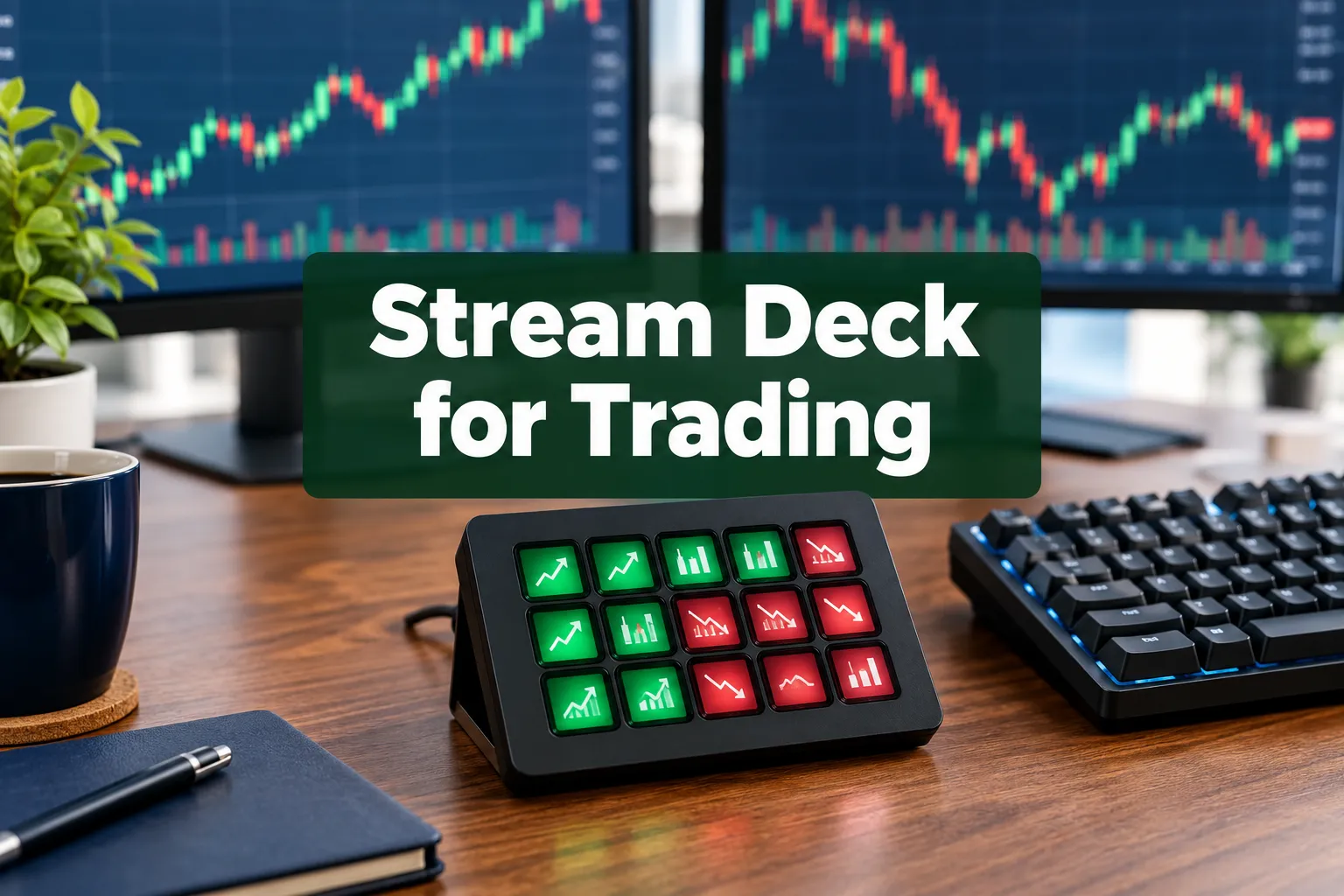
A Stream Deck for trading works, but only as a keystroke sender: it fires your platform's existing hotkeys faster, and it will fire the wrong one just as fast if your layout is sloppy. Stream Deck for Trading | A Hotkey Layout With No Fat Fingers starts inside the platform, not inside the Elgato software. The deck has no idea what a share is.
Quick Answer
A Stream Deck for trading is a USB pad of labelled LCD keys that sends keyboard shortcuts to whatever app is in focus. You build buy, sell, cancel and flatten hotkeys in your broker first, then mirror them onto Stream Deck keys as System then Hotkey actions, a mapping spelled out step by step in the Trading-Deck hotkey manual on MQL5. Safety comes from layout, not hardware: separate pages for buy and sell, a red flatten key on the most reachable spot, color coding like the DayTradeLab hotkey layout uses. The hardware is optional, which the Trading-Deck expert advisor listing says outright, because every function is also bound to plain keyboard shortcuts.
Quick pick: Stream Deck for trading
- Elgato Stream Deck MK.2: Best for one clean page of order keys. $119.99 on Amazon.
- VSD M18 macro pad: Best for budget hotkeys. $46.69 as listed.
- Stream Deck Mobile: Best for testing a layout before buying hardware. Price not confirmed, check Elgato.
Skip it if: you swing trade or invest long term and place fewer than five orders a day.
Key Takeaways
- A 15 key deck can hold up to 10 pages and roughly 150 hotkeys, though the writer at A Bored Trader says he never needs more than about three pages.
- Elgato Stream Deck MK.2 ships 15 LCD keys and lists at $119.99 on Amazon with 4.8 stars from 10,364 ratings. Confirm current pricing on Elgato's official site.
- No official broker order-entry plugin exists. The Marketplace TradingView Profiles pack by MilkpackTV (37 icons) covers chart shortcuts, not orders.
- A scalper macro keyboard post pulled 335 upvotes on Reddit, and the top reply was a one line roast about losing money faster.
- Bullish Bears recommends practicing the layout on a simulator before going live. Please do that.
Does a Stream Deck work for trading?
Yes, for execution speed and layout discipline. No for anything your platform cannot already do with a keyboard shortcut. The device is a control surface: each key holds an Action, and the most useful Action for a trader is System then Hotkey.
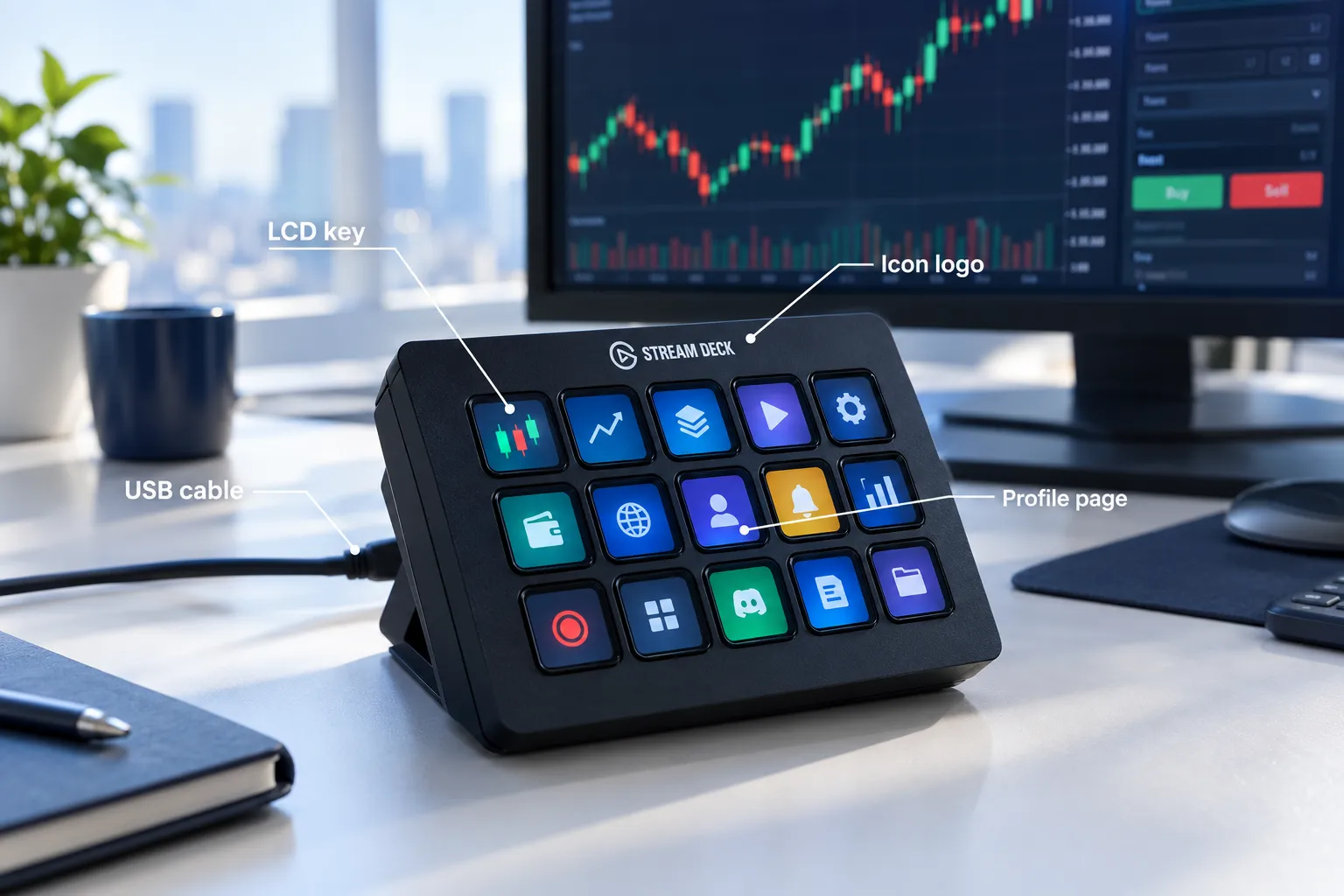
A Stream Deck is a small USB device with LCD keys you label yourself, which is why the Bullish Bears stream deck walkthrough frames it as a macro layer rather than a trading tool. You get a logo on every key instead of a memorized F key. That is the whole pitch, and it is enough if you place 30 orders a day.
Who it fits: day traders and scalpers who already use hotkeys. Who it does not fit: long-term investors, and anyone who has not yet written down what their edge actually is. Speed on a bad process just gets you to the loss sooner. The A Bored Trader breakdown is honest about this: the deck organizes what you already do.
One more thing worth knowing before you spend money. There is no magic broker integration. The Trading-Deck product page makes the same point, and a 2026 video showing a Stream Deck plus TradingView hotkey setup still maps everything through the platform's own shortcuts. If you are fuzzy on terms, start with our plain English day trading definition.
Stream Deck for trading: how does it send orders?
It does not send orders. It sends a keystroke to the foreground window, and your trading software decides what that keystroke means. Miss that distinction and you will blame the deck for your platform's behavior.
The chain is simple: key press, keystroke, platform hotkey, order. Break any one of those three and nothing fires. The Trading-Deck manual adds the safeguard most people skip: the trading app must be the active foreground application, or the command goes somewhere else entirely.
Can you use Stream Deck with thinkorswim or Interactive Brokers?
Yes, through each platform's own hotkeys. thinkorswim has customizable hot keys including an Active Trader category under Setup then Application Settings then Hot keys. DAS Trader Pro uses scripted commands such as PANIC; to flatten and CXL ALLSYMB to cancel every open order, which we cover in detail in our DAS Trader hotkeys guide. Interactive Brokers users bind keyboard trading inside the platform the same way, a pattern repeated across tutorials like this hotkey mapping video. Account rules still apply, so read FINRA's guidance before you scale size.
How to program Stream Deck for stock trading
- Enable keyboard trading in your platform and define four commands only: buy, sell, cancel, flatten.
- Open the Elgato software and Create a new Action on an empty key.
- Pick System then Hotkey, click to assign, then press the key combination, exactly as the Trading-Deck mapping instructions describe. Use the dropdown if the key is unavailable.
- Label the key with text, a color and a logo. Photoshop works, or grab a free icon pack.
- Set the profile to auto-switch to your trading app so the layout only goes live when that window is in focus, a trick the Bullish Bears setup guide and most macro walkthrough videos both lean on.
- Test every single key in the simulator with one share. Then test again.
How do you build a layout that prevents fat-finger orders?
A good Stream Deck trading layout separates the keys that open risk from the keys that close it, physically. Buy and sell go on different pages or opposite corners, and the panic keys get the easiest reach on the deck. That is the entire anti-fat-finger design.
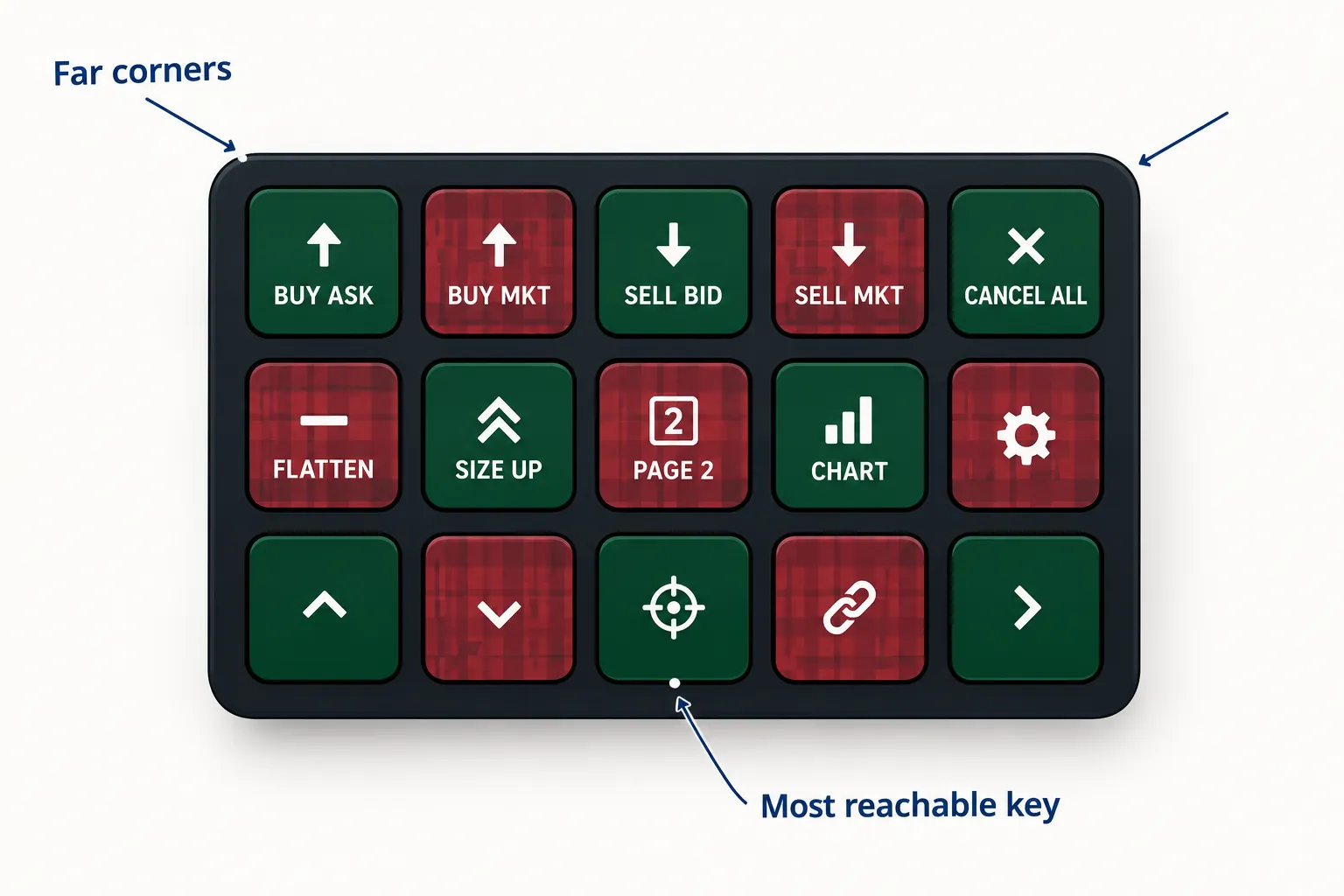
The DayTradeLab hotkey layout is the clearest published example: green keys for BUY ASK, BUY MKT and BUY BID, red keys for SELL ASK, SELL MKT, SELL BID and CANCEL ORDER, plus a red flatten-everything panic key. Utility keys get their own color, things like SLEEP for display off, a market clock, REC for screen recording, a thinkorswim launcher and a risk calculator. Color is not decoration here, it is error prevention.
Four rules that do the heavy lifting:
- Keep it to one or two pages. You can hold 150 hotkeys, but the A Bored Trader layout runs about three pages for a reason. Clutter causes misfires.
- Put flatten and cancel-all on the most reachable key. When the tape goes choppy you want out, not a menu.
- Add a confirm step to size-up keys. Doubling share count should take two presses, never one.
- Paper trade it first. The Bullish Bears guide says build muscle memory on a simulator before live orders, and a full hotkey mapping demo shows the same sequence.
Does a Stream Deck for trading reduce mistakes? It reduces the wrong-key kind, because a labelled red key beats hunting for Ctrl+Shift+F9. It does nothing for the wrong-trade kind. New traders should pair any hardware with the basics in our guide on how to start day trading.
Which Stream Deck model fits a trading desk?
For an Elgato Stream Deck for trading, fifteen keys covers a complete order layout, so the MK.2 is the default pick and the XL is for people running several platforms at once. Most of the lineup was built for streamers, not traders.
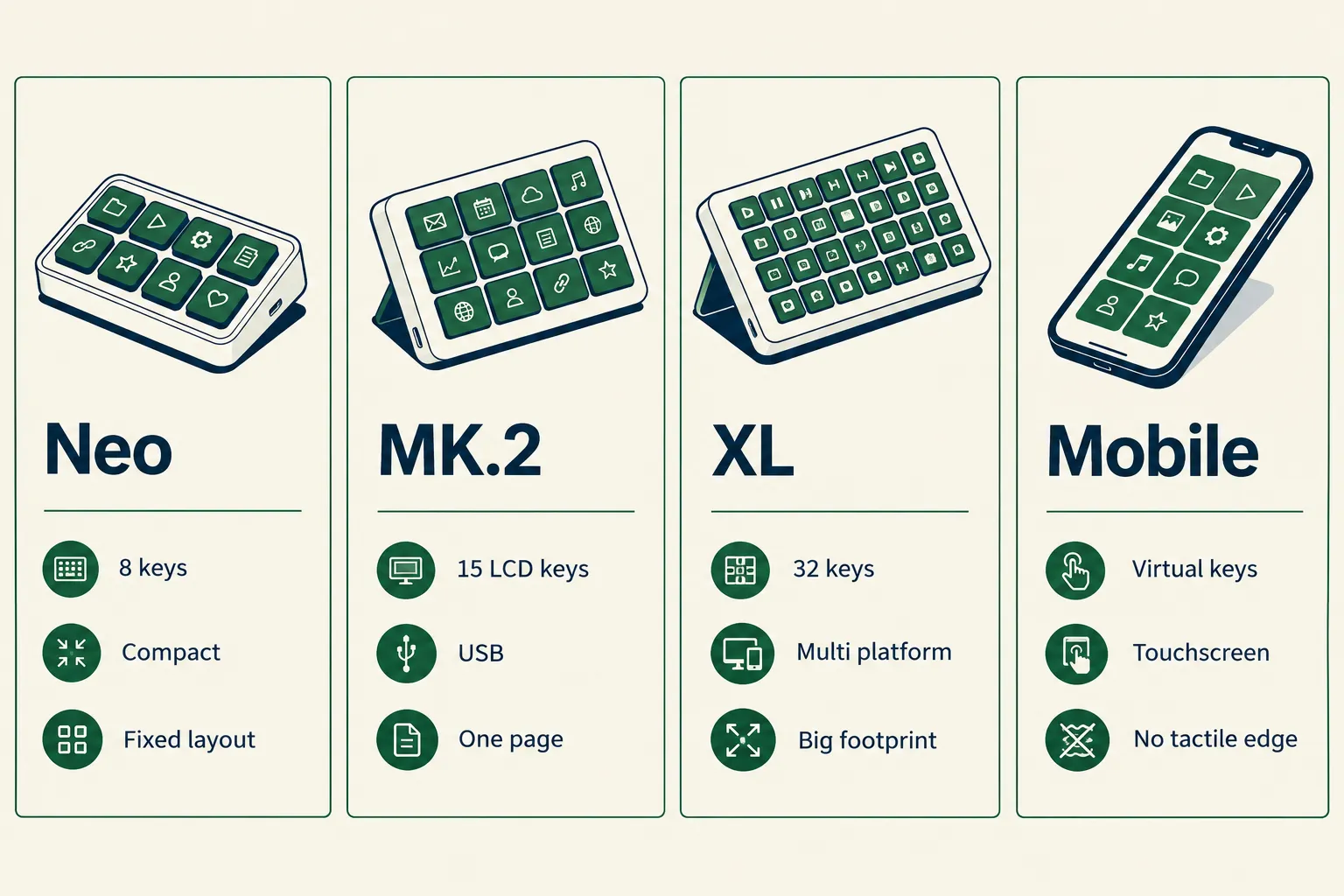
Neo, MK.2, XL and Stream Deck +
Stream Deck Neo gives you 8 keys and a fixed compact body, fine for a small layout. MK.2 is the 15 key workhorse. Stream Deck XL jumps to 32 keys, which an XL trading setup video shows is handy and also 32 chances to hit the wrong thing. Stream Deck + mixes keys, dials and a touch strip, and those dials touch strip controls make sense if you nudge stops or scroll size. Confirm every spec and price on Elgato's product pages.
Why wait? Try Stream Deck Mobile
Stream Deck Mobile is a virtual Stream Deck on a phone or tablet. A 2026 setup video maps TradingView hotkeys to it directly. Virtual keys cost less than hardware and let you prototype a layout, but a glass screen has no tactile edge, so your finger can slide one key over.
Which one is right for you?
| Model | Keys | Best for | Main drawback | Price |
|---|---|---|---|---|
| Elgato Stream Deck MK.2 | 15 LCD keys | Day trader, one page of order keys | Fills fast, no dials | $119.99 on Amazon |
| Stream Deck XL | 32 keys | Scalper running multiple platforms | More keys, more misfire paths, big footprint | Not confirmed, check Elgato |
| Stream Deck Mobile | Virtual keys | Testing a layout before buying | Touchscreen, app subscription | Not confirmed, check Elgato |
| VSD M18 macro pad | Check the listing | Budget hotkeys | Not an Elgato device, so confirm software support on the listing | $46.69 as listed |
How much does a Stream Deck for trading cost? From $46.69 for the budget macro pad to $119.99 for the MK.2 as listed on Amazon, with XL pricing on Elgato's site, before the computer you run it on.
What can go wrong with a Stream Deck on live orders?
The three real failure modes of a Stream Deck for trading are wrong window focus, a mis-assigned key and the device dropping off USB mid-session. None of them are exotic, and all of them are survivable if you keep the platform hotkeys as your primary layer.
Window focus is the big one. The Trading-Deck manual insists the platform be in the foreground, and app-specific profiles reduce the odds of firing a trading hotkey while you are in a browser. Thanks to that auto-switching, a correctly configured profile simply will not show your order keys outside the trading app.
Stream Deck latency issues when day trading
A USB keystroke is not your bottleneck. Your order routing, data feed and platform are. The deck replaces a hand moving to a mouse, not a network hop, which is why the A Bored Trader write-up treats speed as a workflow gain rather than a microsecond edge. If you need true low latency, that is a broker and hardware conversation, covered in our DAS Trader vs TWS vs TradeStation comparison.
Other drawbacks worth naming: Elgato's software is another piece of software to update mid-market. Back up your profile. Keep the keyboard shortcuts documented, because the Trading-Deck listing is right that redundancy is the point. Know your obligations too, starting with Investor.gov basics and our piece on how taxes work with day trading.
What do real users say about a Stream Deck for trading?
The community verdict is split between people who swear by it and people who think faster buttons just accelerate bad habits. Both camps are right, and the forums where this gets argued are old, messy and more useful than any vendor page.
A scalper macro keyboard post hit 335 upvotes on Reddit, and the top reply from u/Previous-Abrocoma-89 was: "This way you can even lose more money, faster. Awesome!" That is the whole risk in nine words. On the other side, an Amazon reviewer of the MK.2 wrote: "This hotkey deck, which I use for high volume stock day-trading, works so well..." Hardware chatter also lives on r/streamdeck and in Elgato's Discord.
What are the alternatives?
Plain keyboard shortcuts are the alternative to a Stream Deck for trading, and they are free. A budget macro pad gets you most of the tactile benefit, and the virtual option costs nothing but an app subscription.
Stream Deck vs keyboard shortcuts for trading
Shortcuts are faster to set up and impossible to unplug. Stream Deck keys add labels, color and pages, which matters when you run eight commands instead of three. The Trading-Deck expert advisor binds every function to both, which is the honest answer: build the hotkey layer first, mirror it second.
Budget routes:
- VSD M18 macro pad at $46.69. Cheaper, but it is not an Elgato device, so confirm software support on the listing first.
- Stream Deck Mobile as a virtual deck. Prototype free-ish, then decide.
- Free icons. Search "stream deck icon pack free" and you will find sets to label your keys.
- Your existing keyboard. Run the free trading tools and calculators before you buy any trading hardware.
Stream Deck for beginners vs professional traders
Beginners should not buy one yet. Learn position sizing, write the rules, then add hardware. Experienced traders do publish their setups: the layouts from DayTradeLab and demonstrated in NinjaTrader and simulator tutorials show the same pattern, and the Bullish Bears review treats it as standard kit. Scalpers get the most out of it, as our scalp trading vs swing trading breakdown explains, because order count is what justifies the spend.
Final Verdict
A Stream Deck for trading is a good purchase for an active day trader with documented hotkeys, and a waste for everyone else. Buy the MK.2, use four keys, color code them, and keep flatten under your strongest finger. Systems over hacks.
Two real drawbacks of any Stream Deck for trading, said plainly: it adds another piece of software between you and your orders, and it makes a sloppy process faster rather than better. The DayTradeLab color-coded layout exists because that second risk is real, and the 335 upvote Reddit roast exists because plenty of people ignored it. Test with one share. Please.
Stop guessing whether a hotkey pad or better software fixes your execution. We sorted 200+ AI stock tools by strategy, price and what they actually do. See the day trading shortlist.
FAQ
What would you use a Stream Deck for?
Order entry keys, cancel and flatten, chart layout switching, platform launchers, screen recording and a market clock. The DayTradeLab layout groups all of those by color so order keys never sit next to utilities.
Does thinkorswim work with Stream Deck?
Yes, through thinkorswim's own hot keys. Build them under Setup then Application Settings then Hot keys, including the Active Trader category, then map each one to a deck key. See thinkorswim's platform page for current features.
Is there a Stream Deck plugin for TradingView?
There is no official order-entry plugin. The Marketplace TradingView Profiles pack by MilkpackTV ships 37 icons for chart shortcuts only, and a 2026 TradingView hotkey video routes everything through keyboard shortcuts.
Is the Stream Deck XL worth it for trading?
Only if 15 keys genuinely runs out, usually when you juggle two platforms. Otherwise 32 keys adds clutter and misfire risk, which is why the A Bored Trader setup stays at about three pages instead.
Can a Stream Deck place trades by itself?
No. A Stream Deck for trading sends a keystroke to whichever window is in focus, and the trading platform places the order. The Trading-Deck listing calls the hardware optional for exactly that reason.
Which desktop is best for trading?
One with enough USB ports, RAM for your platform and a stable data connection. We break the specs down in our guide to the best computer for day trading, and software choices in best stock apps for day trading.
Prices move faster than your flatten key, so confirm them on the official pages before you click buy.
This is education, not financial advice.
Your market edge starts with the right tool. Stay alpha.
Some links on this site may earn us a commission at no extra cost to you.