DAS Trader Hotkeys | Flatten, Stop and Sizing Scripts Worth Copying
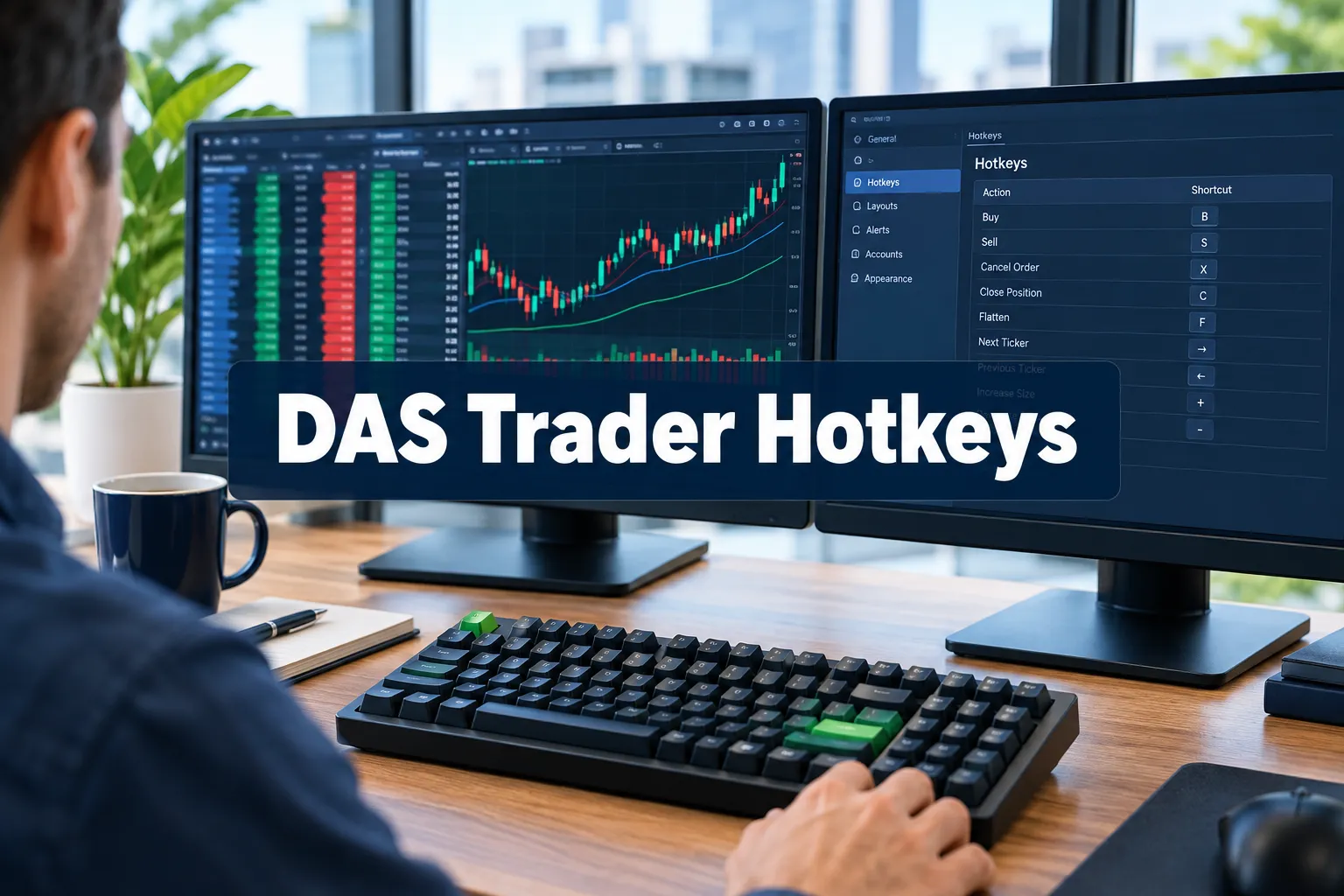
DAS Trader hotkeys collapse a five click order into one keystroke, and the three worth copying first are flatten, cancel all, and a stop attached at entry. That sentence is the whole article: DAS Trader Hotkeys, flatten, stop and sizing scripts worth copying, in the order a working trader actually needs them. Everything else is garnish.
Quick answer
DAS Trader hotkeys are keyboard shortcuts bound to semicolon chained command scripts that fill fields in the Montage order window, then fire the order. The Montage is the order entry panel, so almost every script is really a sequence of Montage instructions ending in BUY or SELL. Build them in the hotkey window documented in the official DAS guide to using hotkeys, then test every one in the simulator or with 1 share. One wrong sign in a price offset and you send a bad order at the worst possible moment.
Quick pick: platforms for hotkey driven day trading
- DAS Trader Pro: best for scalpers needing script chained exits. Price: $125/mo at Cobra Trading, waived at 200,000 shares a month.
- Sterling Trader Pro: best for prop desk traders already on Sterling. Price: set by your broker, not published.
- Elgato Stream Deck: best for mapping hotkeys to labelled physical keys. Price: varies by model, check the maker.
Skip it if: you place fewer than five trades a week. Manual tickets are safer.
Key takeaways
- PANIC flattens everything with market orders and ships on the default Shift plus Esc binding, per the DAS hotkeys and hot buttons knowledge base.
- Advanced Hotkeys with variables and loops arrived in build v5.8.1.6, and the 2026 DAS release notes list further hotkey fixes through v5.8.2.5.
- iDAS 2.4.8, dated May 13, 2026, added RealR and Unreal R risk display, which matters if you want your risk per trade visible on a phone.
- Market orders do not work outside regular hours, so Guardian Trading documents a universal exit hotkey built on LIMIT orders instead.
- Reddit user u/Partnikl says "ChatGPT is absolutely capable to create functional DAS Hotkeys." in this r/Daytrading thread, and the same thread reports AI getting DAS syntax wrong.
- Copy and paste is a common failure, because web pages hide non-breaking spaces and typographic dashes inside script text.
What are DAS Trader hotkeys and how do scripts work?
DAS Trader hotkeys are key bindings that run a short script of platform commands separated by semicolons. Each command either sets a field in the Montage order window or sends something. Read a script left to right and you can hear it: set the share size, set the route, set the TIF, set the price, send.
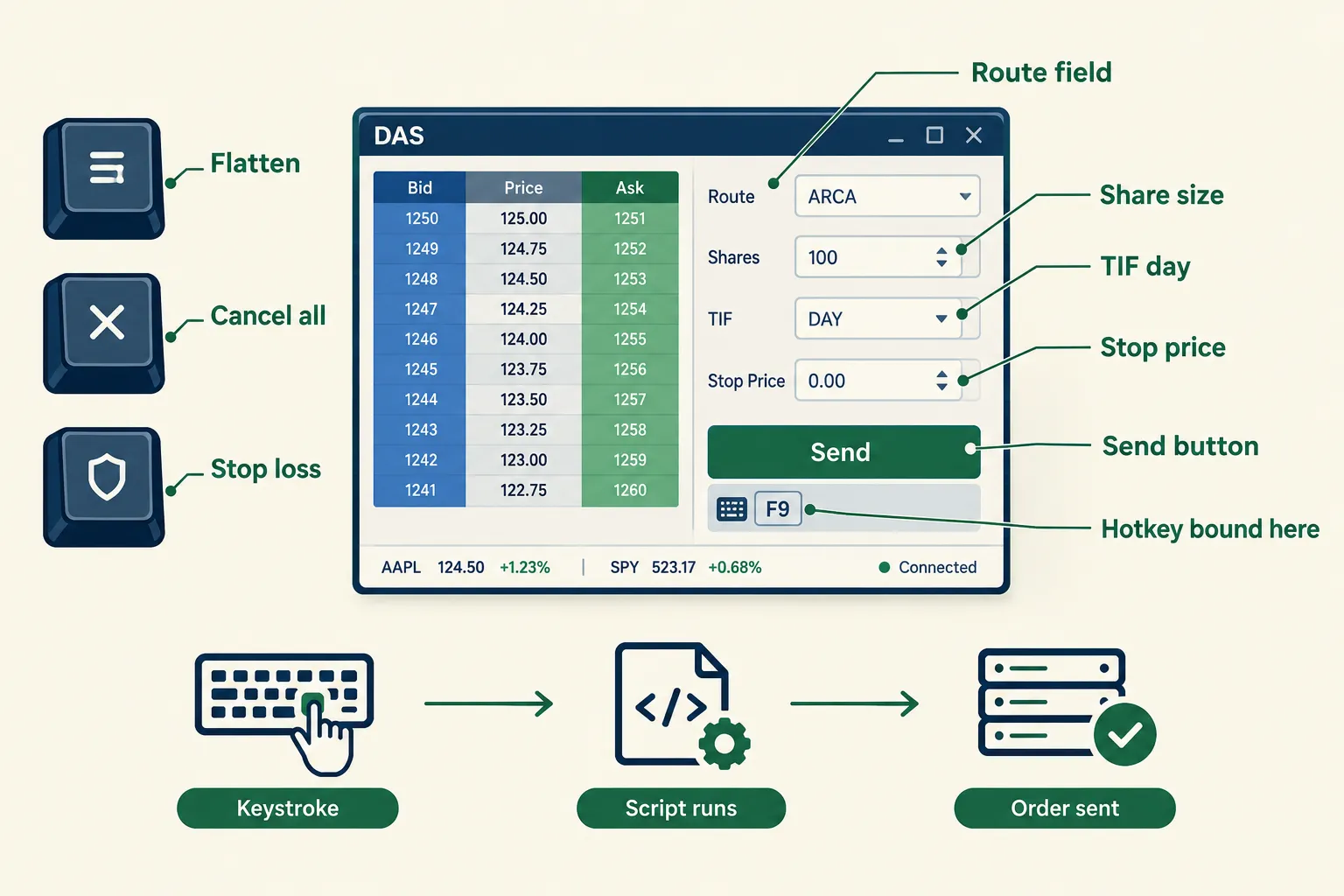
A plain fixed size entry does four things in order: it sets the share size, sets the time in force, sets the route, and sets a price a few cents through the Ask. Then it sends the buy. The Montage holds the state, the last command pulls the trigger. For the exact wording of each command, use the official DAS hotkey documentation.
Three things to understand before you touch the hotkey window:
- Route matters. A Montage route of LIMIT behaves differently from the SMRTL smart limit route named in broker starter sets. Routes change where the order goes and how it fills.
- TIF matters. TIF is time in force. TIF=DAY dies at the close. Get this wrong and an order lives longer than your attention span.
- Price references matter. Scripts can point at the Bid, the Ask, the last price, or a number you type. Buying off the Ask and selling off the Bid is normal. Reversing them is how you pay the spread twice.
Advanced Hotkeys, added in v5.8.1.6 per the release notes, let scripts hold variables and loops. User posted advanced scripts often open with a window handle line shaped like Montage=GetWindowObj("Montage1"); then act on it, Montage.CXL ALLSYMB; to clear orders. Treat any pasted syntax as unverified until you check it in the DAS knowledge base.
Market truth: a hotkey does not make you faster at deciding. It makes you faster at executing a decision you already made.
DAS Trader hotkeys: which scripts should you set up first?
Build exits before entries. The best DAS Trader hotkeys for day trading are the ones that reduce your worst outcome, and the most used hotkeys on any serious desk are flatten, cancel all, and a stop attached automatically at entry. Entry scripts come after.
Start with five. Here is the order, lifted from how broker starter packs and the basic set of hotkeys for DAS Trader Pro typically group them.
Entry hotkeys: static risk of $20 with an automatic stop loss order attached
This is the workhorse. The script computes share size from your dollar risk and the distance to your stop, sends the entry, then attaches a resting stop through a trigger order so you are never naked long. Fixed dollar risk per trade is the single habit that separates a plan from a hope, which is the point made in our breakdown of the position sizing mistake that wipes out 90% of new traders.
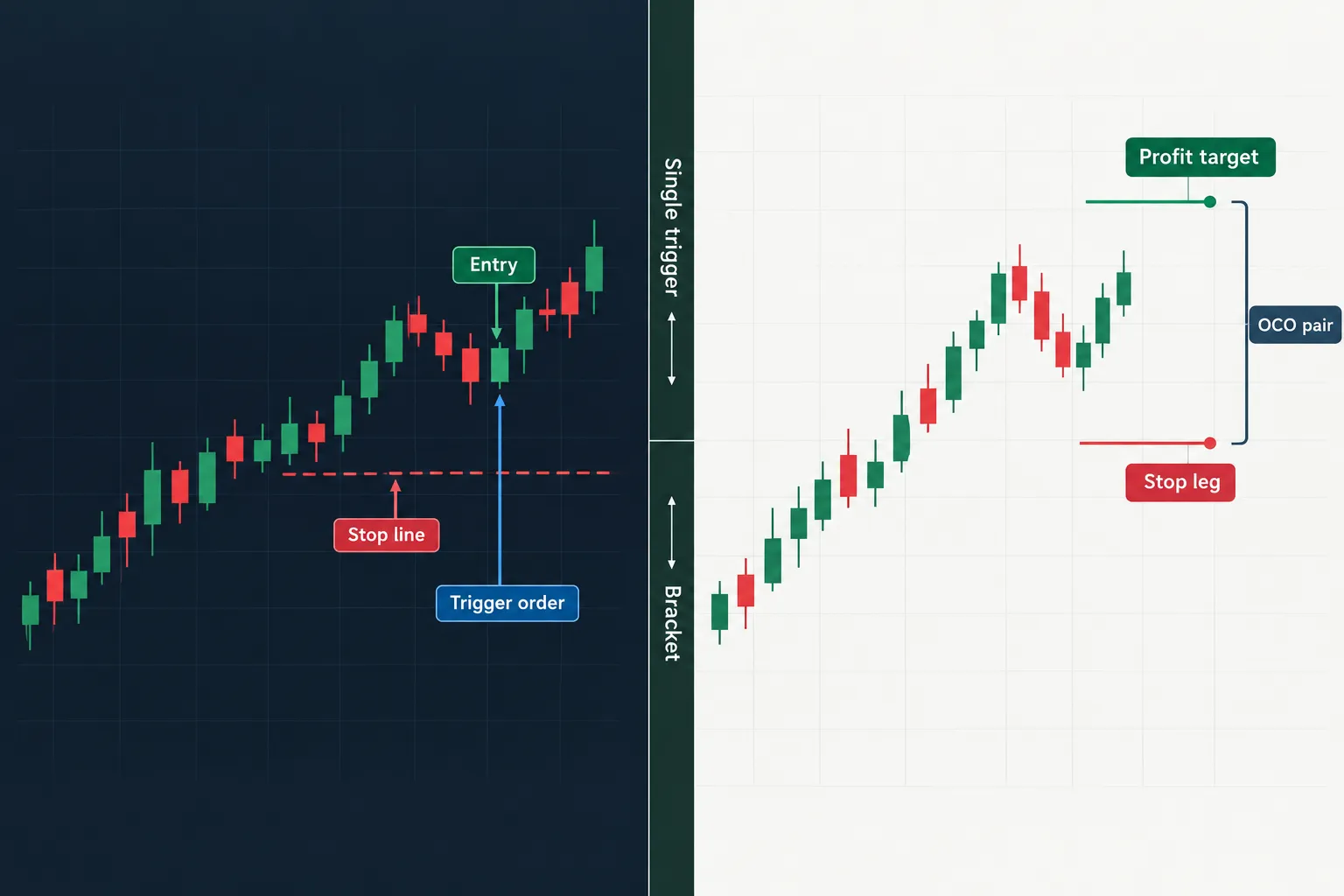
Static risk with $20 and attached range (OCO) orders at a 3R target
Same entry, two resting arms. One arm is the stop, the other is a limit at three times your risk. OCO means one cancels the other, so a fill on the target kills the stop. The construction is formally covered in the DAS guide on hotkeys for single trigger and OCO orders.
Sizing by percent of equity risk
Instead of a flat $20, risk a set percent of account equity. Cleaner as the account grows, uglier when the account shrinks, because position size falls exactly when you most want revenge. Run the arithmetic cold first with a swing trade position size calculator.
Exit hotkeys: partially exit 50% of a position and set the stop to break even
One key sells half and drags the remaining stop to your entry price. This is the single most psychologically useful hotkey in the set, because it removes the mid trade negotiation with yourself.
Exit the whole position now
Not PANIC. A symbol specific full exit: quantity set to the whole position, time in force set to day, send. One key, one position, flat. Most traders set up hotkeys just for this and only later add entries.
How do the flatten and cancel-all hotkeys work?
The flatten hotkey in DAS Trader Pro is PANIC, bound to Shift plus Esc by default, and it closes every open position with market orders. CXL ALLSYMB is the companion: it cancels all open orders for the current symbol. Both are documented in the DAS hotkey knowledge base.
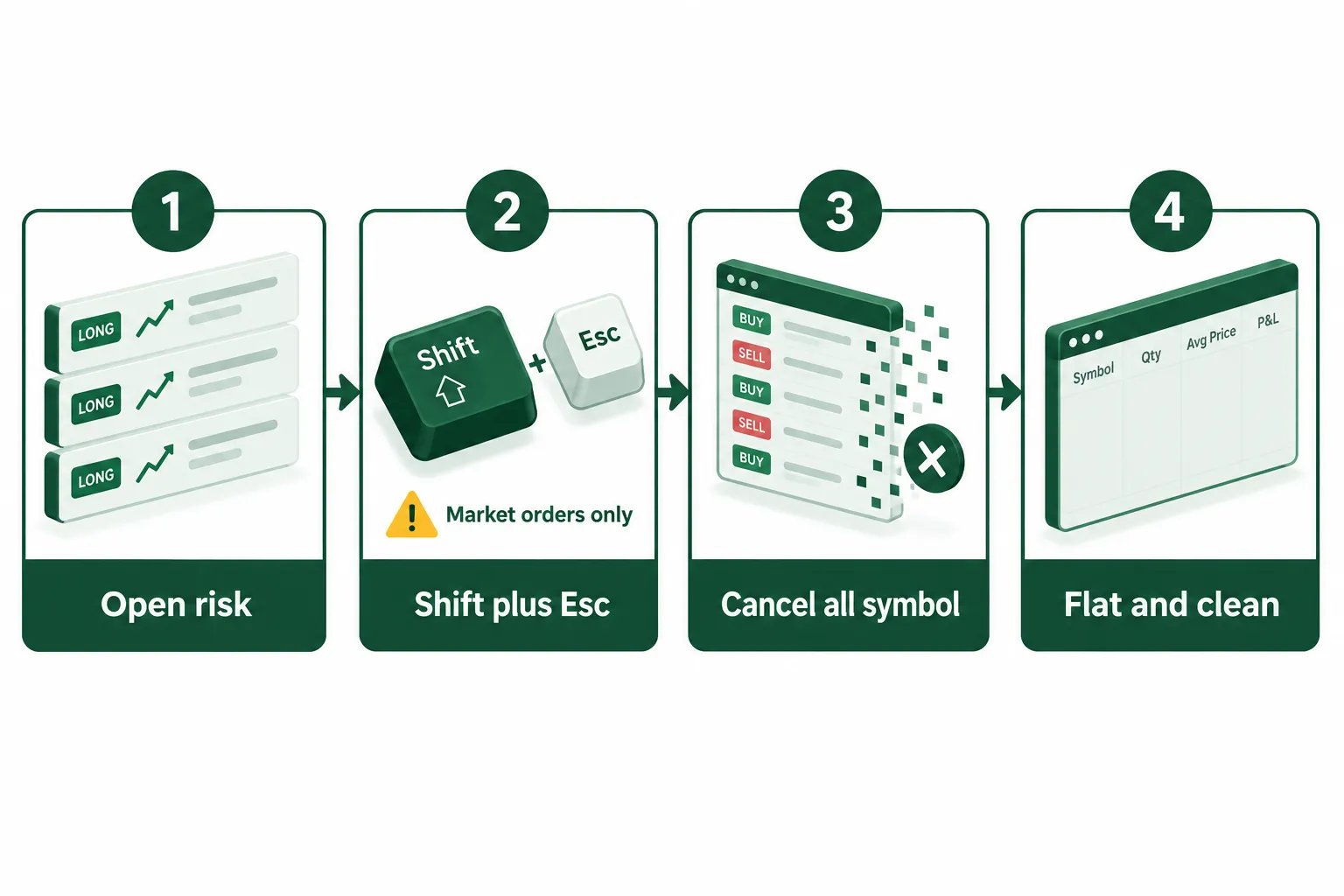
To set up the flatten hotkey, find the hotkey configuration window described in the DAS user guide and manuals, add a row, bind the key, and paste the PANIC command. That is it. No math, no price, no share count.
Two edge cases that bite people:
- Outside regular hours, market orders do not work. PANIC leans on market orders, so premarket and after hours it can leave you holding exactly what you wanted gone. Guardian Trading's universal exit hotkey solves this by routing a LIMIT order instead, pricing it aggressively through the spread.
- Flatten does not cancel. Flat positions plus live resting orders equals a new position you did not ask for. Pair the flatten key with a CXL ALLSYMB key, or chain them, so flat means flat.
If you only build one thing today, build flatten, then prove it works on 1 share.
How do stop loss, trailing stop and trigger order hotkeys work?
A DAS Trader stop loss hotkey uses TriggerOrder, which creates an order triggered by your fill, an OTO. That is why people call it a DAS Trader trigger order hotkey. The script states the side, the quantity, the stop type, the stop price, the route and the TIF. Nothing is implied. If you leave a field out, DAS uses whatever was last in the Montage, which is how traders send 2,000 share orders by accident.
The parts you will see in posted stop scripts, described in words. Take the exact syntax from the DAS guide on trigger orders, not from this table:
| Part | What it names |
|---|---|
| TriggerOrder with a market stop type | a stop that becomes a market order once hit |
| Side and stop price | the side and the StopPrice level for a long position |
| Route | the route the stop leg takes |
| Quantity set to the position, TIF set to day | size the exit to the whole position, expire at the close |
| Share, TIF and route fields | the three Montage fields set before the verb |
A stop limit exit protects you from a terrible fill and exposes you to no fill at all. Pick your poison deliberately. For a DAS Trader trailing stop hotkey, the stop type changes and you supply an offset rather than a fixed StopPrice, so the StopPrice ratchets as price moves your way. The exact field names belong to the official docs, not to a blog post, so pull them from the DAS documentation before you bind anything.
Chart based variants read the StopPrice from a line you drew. Some posted scripts include a HorzLine DashLine draw command so the level is visible on the chart while the trade is live. Peter's write up on DAS Trader Pro advanced hotkeys on Substack walks through this family of scripts. Please verify any syntax you find there against the official DAS pages before it touches a funded account.
How do you size a position with a risk-based DAS Trader hotkeys script?
Risk based DAS Trader hotkeys compute share size from dollar risk divided by the distance between your entry price and your StopPrice, then push that number into the Montage share field. Posted scripts handle it through an SShare style assignment. The SShare value is just arithmetic, and arithmetic is where the money is.
The logic, in words:
- Decide the dollar risk per trade, say $20.
- Measure the distance from entry price to stop price, say $0.10.
- SShare equals 20 divided by 0.10, so 200 shares.
- Write that SShare result into Montage SHARE, set the route, set the TIF, send.
- Attach the stop in the same breath, so the SShare math and the StopPrice never disagree.
Two failure modes. First, a stop so tight that SShare returns a size your account cannot support, which is how small accounts get buried. Second, rounding. If your SShare math returns 2,471 shares on a thin low float name, you are the liquidity. Cap the SShare output with a hard ceiling and respect it.
Decision rule: if the SShare number makes your stomach move, the stop is too tight, not the size too small.
Are DAS Trader hotkeys faster than manual trading, and who actually needs them?
Yes, faster, because one keystroke replaces a sequence of mouse moves and typed fields. Whether that speed is worth the risk depends entirely on your holding period. Scalpers need hotkeys. Swing traders mostly do not.
- Scalping: holding seconds to minutes, exits must be instant. Hotkeys are not optional. Build the full set.
- Day trading: holding minutes to hours, hotkeys for exits and stops pay for themselves. Entry scripts are a convenience.
- Swing trading: holding days to weeks, a mouse is fine. Hotkey risk outweighs hotkey benefit. The honest math on this trade off sits in day trading, is it worth it, the math most people skip.
The most profitable hotkey strategies are not clever. They are the boring ones: a stop that always attaches, a partial that always scales, a flatten that always works. Speed with no plan is just a faster way to be wrong.
Why is my DAS hotkey not working? The copy and paste problem
Often the script is fine and the paste is broken. Web pages swap normal spaces for non-breaking spaces and turn hyphens into typographic dashes, so the text you copied is not the text you think you copied. DAS does not read those characters the way it reads a plain space or a minus sign, and the script fails. That applies to every set of DAS Trader Pro hotkeys you find online.
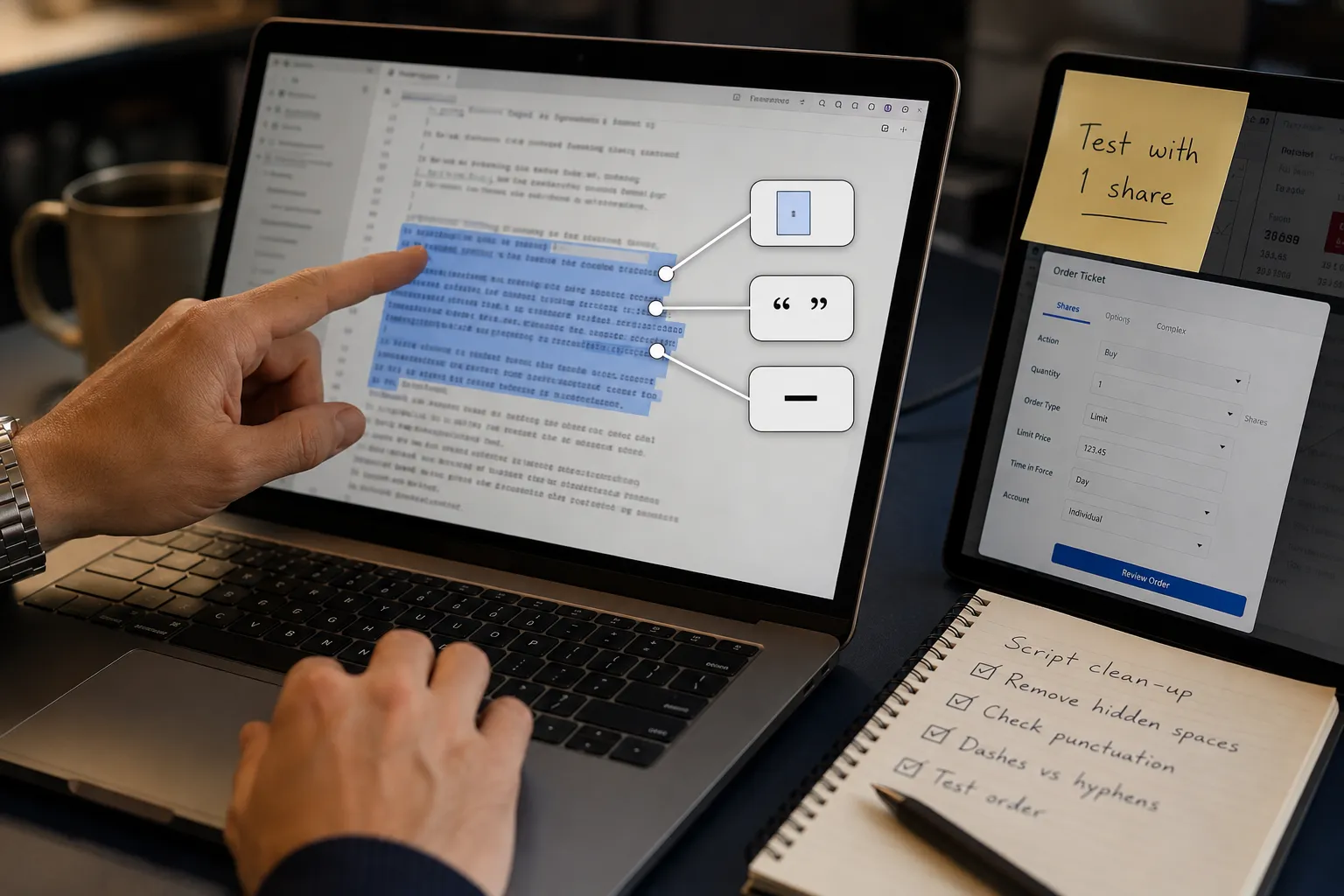
What the clipboard drags in:
- Non-breaking spaces. They look like normal spaces and DAS does not read them as one.
- Typographic dashes. The minus sign in a price offset arrives as a long dash and the script fails quietly.
- Curly quotes. A blog swaps straight quotes for smart ones.
The fix, in order:
- Retype the script by hand. Slow, boring, correct.
- If you must paste, paste into Notepad first, then replace odd spaces, long dashes and curly quotes with plain characters.
- Rebuild the script in the official hotkey window, one command at a time, instead of pasting a whole chain.
- Copy from the code area of a post only, never from the whole page.
Other common technical issues: the Montage window is not the one your script targets, the route is unavailable for that symbol, the share field was never cleared, or the chart window had focus instead of the Montage. Check the DAS notice and status page for platform side problems before you blame your own syntax.
DAS Trader hotkeys at a glance: job, command, risk
This table maps each hotkey job to the command pattern named in official DAS documentation or a named broker guide, plus the risk that command carries. Where syntax is not published officially, the job is described in words and you should pull the exact text from the DAS manual.
| Hotkey job | Documented command | What it does | Main risk |
|---|---|---|---|
| Flatten all | PANIC (default Shift plus Esc) | market order exit of every open position | useless outside regular hours, market orders only |
| Cancel all on symbol | CXL ALLSYMB | kills every open order for that symbol | does not close positions |
| Stop loss | TriggerOrder with STOPPRICE | attaches a stop on fill | wrong side or sign sends a market order instantly |
| Trailing stop | stop type plus offset, see DAS docs | ratchets the StopPrice as price moves | offset in cents versus percent confusion |
| Trigger and OCO bracket | single trigger and OCO hotkeys, per DAS docs | stop plus target, one cancels the other | partial fills can orphan an arm |
| Risk based size | SShare math into Montage SHARE | sizes the order from dollar risk | tight stop returns an oversized share count |
What do real users say about DAS Trader hotkeys?
Real talk from users lands in two places: Reddit and broker forums. The useful signal is that AI can write these scripts and also gets them wrong.
Reddit user u/Partnikl, in a thread titled "Creating hotkeys for DAS Trader with the help of AI", writes: "ChatGPT is absolutely capable to create functional DAS Hotkeys." The same thread reports the model inventing DAS syntax that does not exist. Both facts are true at once, which is exactly why you test with 1 share.
What are the alternatives to DAS Trader hotkeys?
If the DAS platform is not your home, other options exist, though none match its script depth for active day trading. Compare on hotkey scripting, not on chart looks.
| Platform | Best for | Hotkey scripting | Published price |
|---|---|---|---|
| DAS Trader Pro | day trader, scalper | semicolon chained scripts, Advanced Hotkeys | $125/mo at Cobra Trading, waived at 200,000 shares a month |
| Sterling Trader | prop desk active trader | hotkey support, different syntax | set by your broker, not published |
| Interactive Brokers TWS | cost-conscious traders who want fixed speed keys | keyboard shortcuts, no DAS style chains | platform is free, see IBKR for commissions |
Two honest drawbacks of DAS Trader Pro itself: the monthly platform fee is dead weight for anyone trading a few times a week, and the scripting syntax is unforgiving enough that a single sign error sends a live order. For a side by side, see our DAS Trader versus TWS versus TradeStation comparison, and if you want physical keys instead of memorised chords, using a Stream Deck for trading covers the mapping.
Can you use DAS Trader hotkeys on mobile? Not as scripts. iDAS is the mobile app, and version 2.4.8 from May 13, 2026 added RealR and Unreal R risk display, which helps you monitor risk on a phone. Scripted hotkeys stay a desktop feature.
Final verdict: which DAS Trader hotkeys are worth copying?
Copy three and ignore the rest until those three are muscle memory: flatten, cancel all on symbol, and a stop that attaches at entry. Everything else is optimisation on top of a foundation most traders never pour.
What to do this week:
- Open the hotkey window and bind PANIC plus a CXL ALLSYMB key.
- Build one stop loss hotkey by hand, typed, no pasting.
- Run both in the simulator, then on 1 share of a liquid name.
- Add the 50% partial with stop to break even.
- Only then build entry and SShare sizing scripts.
Free scripts are everywhere and most of them are fine. The failure is never the script you found. It is the hidden character you pasted and the test you skipped. Systems over hacks.
Stop collecting scripts you never tested. We sorted 200+ AI stock and trading tools by strategy, price and what they actually do, so you can pick the platform before you pick the hotkey. See the day trading shortlist.
Frequently asked questions
What are hotkeys for trading?
Hotkeys for trading are keyboard shortcuts that send orders or change order settings instantly. On DAS Trader Pro, each hotkey runs a short script of semicolon separated commands that set Montage fields like share size, route, TIF and price, then fire a buy or sell. They replace mouse clicks, which matters most for scalping and fast exits.
Does Fidelity Trader+ have hotkeys?
Fidelity Trader+ is a separate platform from DAS and Fidelity does not publish DAS style semicolon chained scripting. Keyboard shortcut support on brokerage active trader platforms changes between releases, so check Fidelity's own help documentation for the current list rather than trusting a third party roundup that may be out of date.
How reliable is DAS Trader?
DAS publishes ongoing build updates, with the 2026 release notes listing hotkey improvements through v5.8.2.5, and runs a public notice page for platform status. Reliability complaints in trader forums usually trace to data feed or broker routing issues rather than the hotkey engine. The scripts themselves do exactly what you typed, including the typos.
How to assign hotkeys?
Open the hotkey configuration window in DAS Trader Pro, add a new row, click the key field and press the key combination you want, then type the script into the command field. Save, then test in the simulator. The official DAS guide to using hotkeys documents the window location and the command list.
Can ChatGPT write DAS Trader hotkeys?
Sometimes. Reddit user u/Partnikl says "ChatGPT is absolutely capable to create functional DAS Hotkeys." and the same thread reports the model inventing syntax that DAS does not recognise. Treat AI output as a first draft, verify every field name against official DAS documentation, and test on 1 share before using it with real size.
Where is the DAS Trader manual?
The DAS Trader manual and user guides live on the official documentation site, alongside a knowledge base category covering hotkeys and hot buttons. People searching for a DAS Trader hotkey scripts PDF usually end up with an old broker handout, so start at the official docs and use broker guides only as supporting examples.
Do DAS hotkeys work in the simulator?
Yes, and that is where every new script belongs. The simulator runs the same command set, so a flatten or stop loss hotkey behaves the same way without real money attached. Test the sign on every price offset, confirm the share count, then repeat the test live with 1 share before scaling.
Prices move faster than broker web pages, so confirm any figure on the official pricing page before you hand over a card.
This is education, not financial advice.
Your market edge starts with the right tool. Stay alpha.
Some links on this page may earn us a commission at no extra cost to you.