OVTLYR vs TradingView: What Swing Traders Should Pay For

Last updated: October 28, 2026
Most swing traders don't lose money because their charts were bad. They lose because nobody ever told them when to stop trading. That single gap is the real story behind ovtlyr vs tradingview, and it's why comparing these two on features alone gets you the wrong answer. One sells you a decision. The other sells you a workspace. They solve different problems, and the price tags don't line up the way you'd expect.
Quick answer: which one to pay for by trader type, with both prices
Pay for 

Prices, verified October 2026:
Fast ovtlyr vs tradingview verdict by trader type:
One more thing before the detail: the most expensive tool is the one you don't use. Swing traders routinely pay for Premium charting and then look at a daily candlestick chart with two moving averages. That's a $719-a-year habit (Premium, billed annually) for something the free tier already does.
OVTLYR vs TradingView: what is the core difference?
The short version of ovtlyr vs tradingview: OVTLYR is a signal layer. TradingView is analysis infrastructure. OVTLYR says it combines AI, behavioral data and market analytics to deliver buy and sell signals on a curated list of liquid US stocks and ETFs (its own pages cite anywhere from over 1,600 to over 8,000 names, checked October 2026), plus broad market and sector trend reads it pitches as a way to "avoid major market pullbacks." TradingView gives you the charts, screeners, alerts, Pine Script, and broker connections to build your own call across more than 3.5 million instruments, per its pricing page.
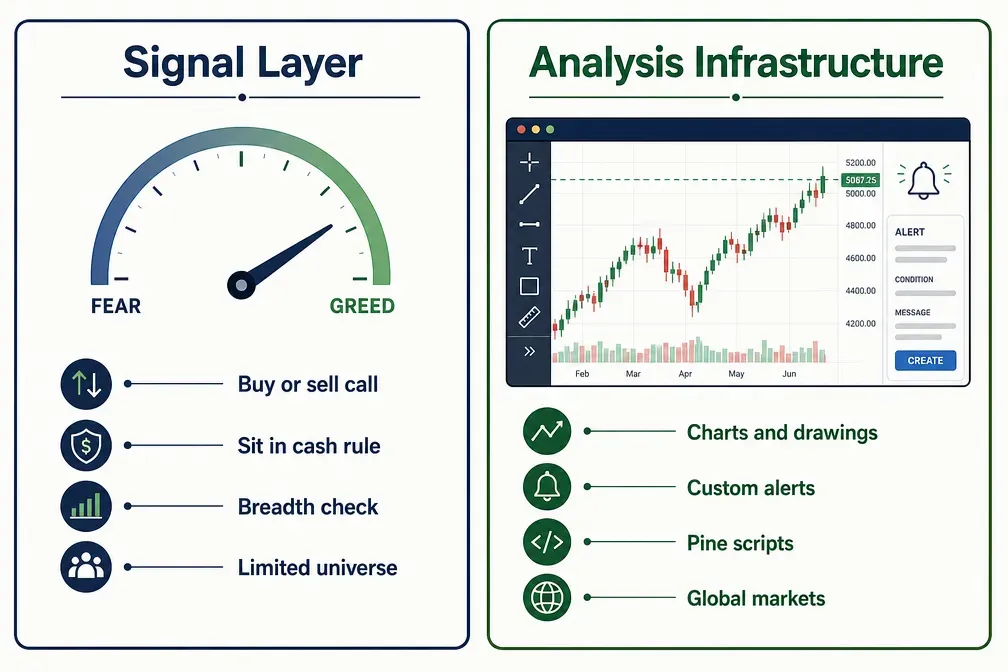
Think of it like food. TradingView is a fully stocked kitchen with every knife, pan, and spice you could want. OVTLYR is a meal plan that tells you what to eat Tuesday and when to skip dinner entirely. A kitchen doesn't feed you. A meal plan doesn't let you improvise.
What OVTLYR actually does
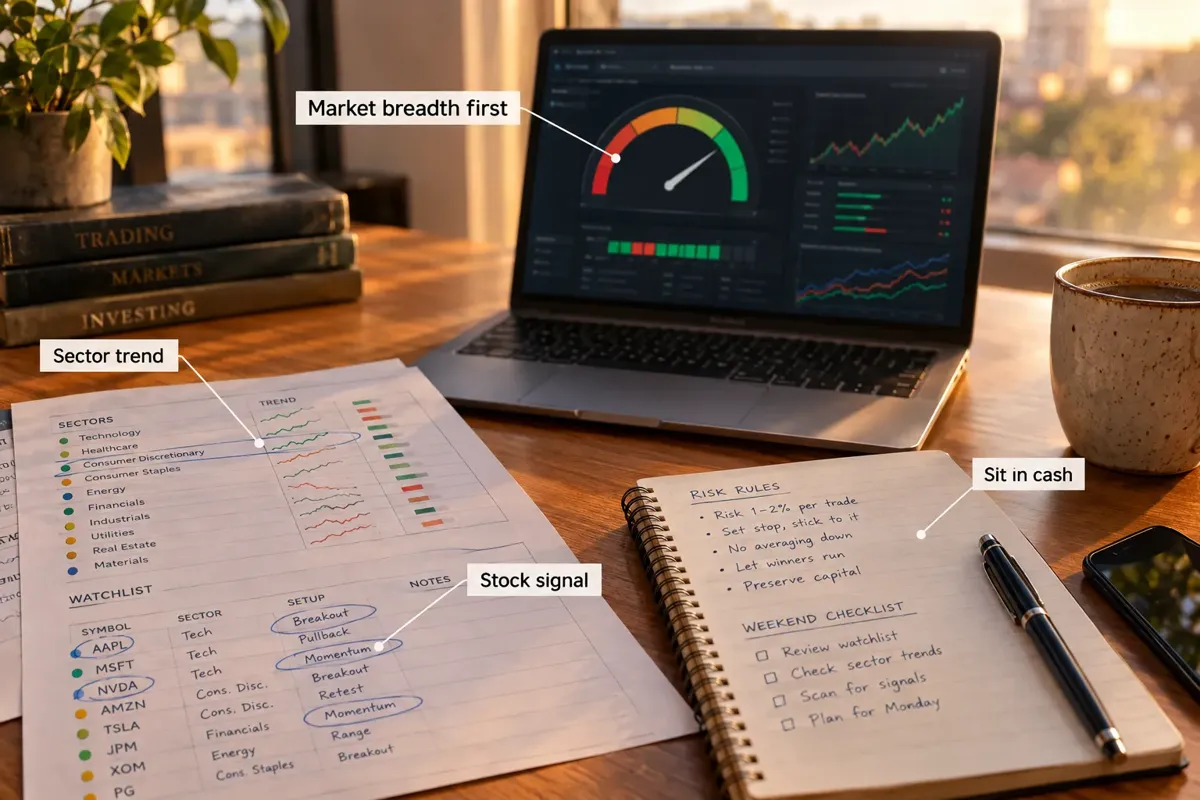
The core idea is fear and greed, measured rather than guessed. OVTLYR reads individual stocks, whether each sector faces headwinds or tailwinds, and the broader market trend, so you can check that a stock signal has its sector and the market behind it. When all three look bad, the sensible answer isn't "find a better setup." It's cash. The full breakdown is in the OVTLYR deep dive.
That last part is the whole product. Most retail traders already know a clean setup when they see one. What they lack is permission to do nothing. Choppy tape, three stopped-out trades in a row, and the urge to make it back is how accounts bleed out. Revenge trading is a behavior problem, and OVTLYR is built as a behavior fix wearing a software costume.
What TradingView actually does
TradingView is the industry default for a reason. Charts that load fast, a library of over 100,000 community Pine Script indicators, drawing tools that sync across devices, price and indicator alerts, a screener, and direct broker connections for order entry. It covers stocks, ETFs, futures, forex, and bonds from exchanges all over the world. Our TradingView review scores the platform in full.
The Pine Screener deserves a mention. TradingView's help center says it can scan an index of up to 4,000 symbols using your own Pine scripts, built-in indicators, or community indicators saved to your favorites. For a swing trader who wants a custom screen (say, tight consolidation above a rising 50-day average), that's genuinely useful and it doesn't cost extra on paid tiers.
The decision rule
Choose by what's broken in your process. If your problem is "I can't see the setup," that's TradingView. If your problem is "I see too many setups and take all of them," that's OVTLYR. Buying the wrong one is how people end up with six tabs open and no edge. That's the real ovtlyr vs tradingview test: fix the leak you actually have.
Comparison table: signals, charts, alerts, education, price
Here's the ovtlyr vs tradingview head-to-head on the things swing traders actually touch. Prices checked October 2026 on each vendor's pricing page.
A few notes the table can't carry.
On alerts: TradingView's alert engine is deeper by a wide margin. You can fire an alert off a trendline you drew by hand, off a crossover inside a custom script, or off a condition in another symbol. OVTLYR alerts are simpler by design. They arrive by email and in its portal on the stocks you follow, not when price touched a line you sketched. For swing traders checking charts once a day after the close, simpler is often enough.
On data: both give you what a swing trader needs. On TradingView, some exchange feeds are delayed or sold as paid add-ons on top of the plan, so check which feed your symbols use. OVTLYR's signals are built on daily behavior, so millisecond latency isn't the point. If you're wondering whether a delayed feed will cost you, run our trader reaction time test and see how late your own hands are before blaming the data.
On education: OVTLYR leans hard into teaching a repeatable process. TradingView's education is the crowd. That's a real difference. A crowd of 100,000 scripts will happily teach you analysis paralysis.
Which is better for swing trading signals?
OVTLYR is better for signals. That's what it's built to produce, and TradingView makes no claim to produce them for you. TradingView gives you raw material and expects you to be the analyst. On signals alone, ovtlyr vs tradingview isn't a contest.
The honest version of this comparison: TradingView can generate signals if you write or buy a Pine Script and set alerts on it. Thousands of traders do exactly that. The catch is that you're now responsible for the logic, the testing, and the discipline to follow it. If you go that route, our guide to TradingView alerts covers the setup. That's three jobs, and most people quit after the first.
Where OVTLYR's approach helps
- Breadth before setups. Checking market and sector health before taking a stock signal is the single habit that stops traders from buying a perfect-looking breakout into a market that's rolling over. Most people skip it.
- A defined "do nothing" state. Cash is a position. A tool that names it out loud removes the argument you'd otherwise have with yourself at 9:35 a.m.
- Consistent inputs. The same model grades every name on the list. No mood, no favorites, no "but I like this company."
Where it falls short
- The universe is limited. A curated list of liquid US names sounds like plenty until you want a thin, low float runner or a foreign listing. You won't find it there.
- No audited public track record we can point to. Behavioral signal claims from any vendor should be treated as vendor-claimed until a third party verifies them. That applies here and everywhere else. Our broader take on this is in how accurate AI trading signals really are.
- Signals are not a system. A signal without position sizing and a stop loss is just weather. The tool nudges you toward a process, but it can't size your risk.
A quick example
Say the system flags a buy on a mid-cap industrial, the sector reads healthy, and the market gauge is green. You take it, risk 1% of the account, set a stop under the consolidation low, and let it run. Two weeks later the market layer flips red while your trade is still green. The rule says reduce exposure. You take partial profits instead of asking a Discord what to do.
That's the entire value. Discipline beats prediction, and a tool that enforces one specific piece of discipline is worth more than a tool that offers you 400 indicators and no opinion.
If you'd rather build your own screen, we broke down several options in swing trade scanners that find setups before they break out.
Which is better for charting and alerts?
TradingView, and it isn't close. OVTLYR doesn't try to compete on charting, and pretending otherwise would be dishonest. If charts are your edge, ovtlyr vs tradingview is decided right here.
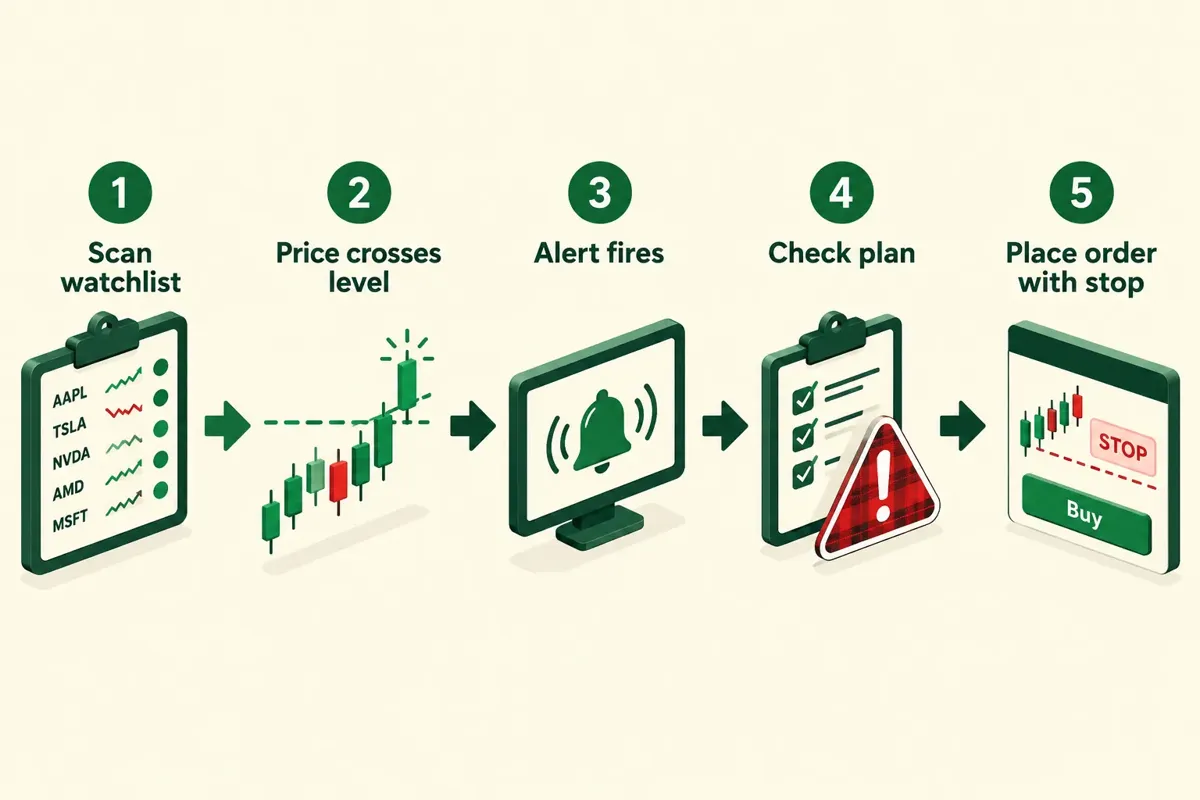
What TradingView gives a swing trader specifically:
- Multi-timeframe reading. Weekly for trend, daily for the setup, hourly for the entry. Switching is one click and your drawings persist.
- Support and resistance tooling. Horizontal levels, trendlines, Fibonacci, volume profile on higher tiers. If you read the tape off levels, this is where you live.
- Alert depth. Alerts on drawings, on indicator conditions, on Pine Script logic, delivered to phone, email, or webhook. Webhooks are what people use when they want a chart condition to trigger something automated. There's a full walkthrough of that at TradingView automated trading.
- Pine Screener. Scan up to 4,000 symbols in an index with your own indicator logic, which closes a lot of the gap between "charting platform" and "scanner."
The free-plan limits swing traders actually hit
TradingView's free tier is generous and plenty of people make money with it. Here's where it pinches:
- Indicator count per chart. The free Basic plan allows 2 indicators per chart (checked October 2026). Two moving averages and you're done.
- Active alerts. The free cap is low. A 20-name watchlist with two levels each is 40 alerts. You won't fit.
- Saved chart layouts. One layout on Basic. If you run separate layouts for scanning and for open positions, you'll want more.
- Ads. "No ads" is listed only on the paid plans.
- Bar Replay is listed only on paid plans, which matters if you backtest visually.
Decision rule: if you're hitting the alert cap weekly, upgrade. If you're not, don't. That's the entire upgrade logic. Staying on Plus instead of jumping to Premium saves $360 a year at annual rates.
Free alternatives worth knowing


Mobile
TradingView's native iOS and Android apps are among the best in retail finance: real charting, working alerts, watchlist sync. OVTLYR runs as a mobile-friendly web app. For a daily-timeframe swing trader checking signals after the close, that's fine. For someone who wants to draw a trendline on a train, TradingView wins.
How much do OVTLYR and TradingView cost?
Both, with the caveat that vendors move prices and promos constantly. Verify before you enter a card.
OVTLYR pricing, October 2026: $69 a month plus tax with a 14-day free trial, or a $299-a-year annual pass plus tax that bills immediately and skips the trial (checked October 2026). The annual works out to $24.92 a month, shown against an $828 figure, and OVTLYR advertises savings of up to 64% for going annual. That's a steep promotional discount, which cuts two ways. Good deal if the product fits. Also a reminder that heavy discounting usually means the monthly price isn't where the volume is.
TradingView pricing, October 2026: a free Basic plan plus four paid tiers. Essential $12.95 a month, Plus $29.95, Premium $59.95, Ultimate $199.95, all billed annually (checked October 2026). Monthly billing costs more. The paid plan buttons say "Try free" but the page doesn't state a trial length. Translation: read the checkout terms before assuming you've got a free month.
Here's the comparison most people miss. A $299 OVTLYR annual costs $60 less than TradingView Plus billed annually ($359.40). The real ovtlyr vs tradingview question isn't which is cheaper. It's which one changes your behavior.
What swing traders overpay for
- Premium tier for second-level data. You hold positions for days. Second-by-second depth is irrelevant to your process.
- Ultimate for indicator stacking. If you need 50 indicators on one chart, the problem isn't your plan.
- Three subscriptions doing one job. A scanner, a charting platform, and a signal service that all screen for breakouts is tool overload with extra steps.
Before you add another line item, read AI trading software: worth the subscription? and run the math on what you're replacing.
Cost calculator
Should you pay for both?
Most swing traders shouldn't, at least not in year one. For most readers, ovtlyr vs tradingview is an either-or decision, not a bundle. Paying for both only makes sense once you've proven you use each for a job the other can't do. Otherwise you've bought two answers to one question and doubled your monthly burn.
Pay for both if all three are true:
- You trade at least a few times a week and your process has a written entry, exit, and sizing rule.
- You use TradingView for execution-level work: drawing levels, setting alerts, reading multi-timeframe structure.
- You've already tested OVTLYR for 14 days and found its market read stopped you from taking trades you'd otherwise regret.
Don't pay for both if:
- You're still deciding what your strategy even is. Paper trade it first.
- Your account is under about $5,000. At $299 plus $360 a year, you're paying 13% of the account in software. That's a drag no setup overcomes.
- You already have a scanner subscription doing the same screening job.
The stacking trap
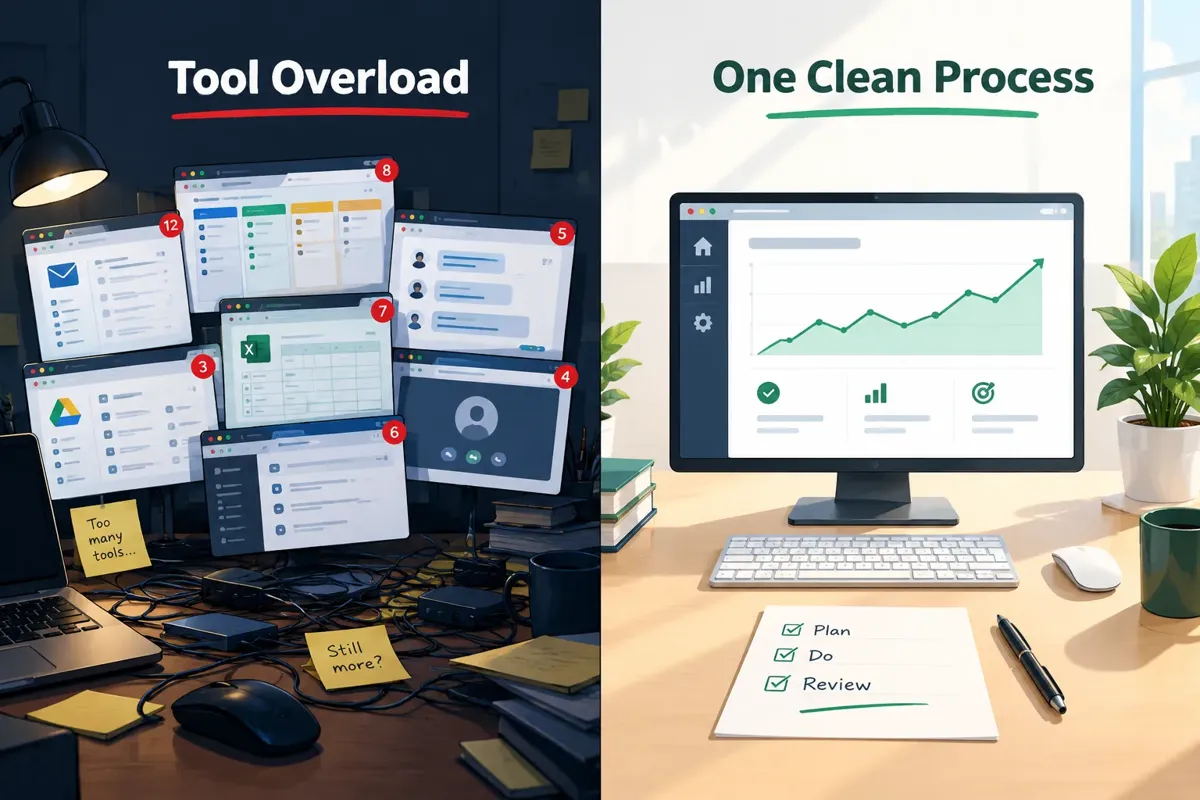
Stacking swing trading tools is the most common disease in retail trading, and it's expensive in a way that doesn't show up on the P&L statement. Six scanners produce six watchlists, which produce zero conviction. The trader who reads one chart well beats the trader with eleven tabs every time.
A cleaner approach: pick a signal source, pick a charting platform, pick a journal. Three tools, 90 days, no additions. Your journal will tell you whether the signal source earns its keep. We put a trading journal template together for exactly this, and there's a free trading journal option if you don't want another subscription.
If neither fits
There are alternatives on both sides. 


Verdict by trader type
The ovtlyr vs tradingview answer depends entirely on which part of your process is leaking. Find yourself below.
The beginner with a small account. Start on TradingView's free plan and a notebook. Learn to read support and resistance, trend direction, and volume before you pay anyone anything. Trade a 15-name watchlist for three months. If you then find your problem is timing the overall market, spend the $299 on OVTLYR's annual pass. Not before.
The overtrader. You're the clearest OVTLYR case. You know the setups. You take too many, especially after a loss. A system with a market-level read that says stand aside puts a door between you and the keyboard. Play stupid games, win stupid prizes, and revenge trading is the stupidest game on the menu. Buy the annual pass and follow the market layer for 90 days.
The chart technician. TradingView Plus or Premium. You want drawings, alert depth, and Pine. OVTLYR would feel like a straitjacket because it won't let you express the thing you're good at. Spend your budget on the tool that matches your edge.
The multi-asset trader. TradingView only. OVTLYR covers a curated list of US-listed stocks and ETFs. If your watchlist includes crude futures, EUR/USD, or anything listed outside the US, OVTLYR literally doesn't have the data.
The semi-pro running a real book. Both, plus a journal. TradingView Premium for alerts and multi-timeframe work, OVTLYR for exposure management across the whole account. That combination runs roughly $1,000 a year all in. Justifiable if trading is a meaningful part of your income, questionable if it isn't.
The part-timer with a day job. OVTLYR annual plus TradingView free. You check signals after the close, you don't need 40 alerts, and you need a tool that tells you when to stand down more than one that gives you 400 ways to analyze. Daily-timeframe swing trading is the format most compatible with having a job, which we covered in scalp trading vs swing trading.
Three mistakes to avoid with either one
- Treating a signal as a trade plan. A signal tells you what. Your rules tell you how much and where you get out. Position sizing and a stop loss are still your job.
- Buying annual before the trial ends. OVTLYR gives you 14 days on the monthly plan, and the annual pass skips the trial entirely. Use all 14 first. TradingView's buttons say "Try free" without naming a length, so read what the checkout actually promises.
- Switching tools after a losing month. Losing months happen to good systems. Switching platforms mid-drawdown is how you end up with five subscriptions and no track record of anything.
Full write-ups are at our OVTLYR review and TradingView scorecard, plus the directory entries for OVTLYR and TradingView.
Here's the move for this week: write down the one thing your process keeps getting wrong. If the answer involves seeing, buy charting. If it involves stopping, buy a signal system with a cash rule. Then run it for 90 days and let the journal argue back. That's how you settle ovtlyr vs tradingview for yourself.
FAQ
Does OVTLYR have real-time data like TradingView? OVTLYR's signals are built on behavioral and market data across a curated list of liquid US stocks and ETFs, aimed at swing decisions rather than tick-level streaming. TradingView covers millions of instruments, though some exchange feeds are delayed or sold as paid add-ons on top of your plan.
Can you make money swing trading with just TradingView's free plan? Yes. The free Basic plan gives you daily and weekly charts, drawing tools, 2 indicators per chart, and a small number of alerts. The constraints are alert count, indicator count per chart, and saved layouts, not chart quality. Most swing traders hit the alert cap first.
What's the cheapest way to get both? TradingView Essential billed annually at $12.95 a month plus OVTLYR's $299 annual pass comes to about $454 a year before tax (checked October 2026). Billing both monthly costs a lot more, since OVTLYR alone runs $828 a year at $69 a month.
Is OVTLYR's market-level read actually useful? For traders who overtrade, yes. In any ovtlyr vs tradingview debate, this is OVTLYR's strongest card. It converts a vague feeling that conditions are bad into a defined state with a defined action. For disciplined traders who already sit out choppy tape, it adds less.
What are good alternatives to TradingView for swing trading? TrendSpider for automated trendlines and no-code backtesting, Finviz for free screening, StockCharts for classic technical analysis, and MarketSurge for institutional-style screening. Our TradingView alternatives page lists more swing trading tools.
Which has better alerts for swing traders? TradingView, clearly. It fires alerts off hand-drawn trendlines, indicator conditions, custom Pine Script logic, and webhooks. OVTLYR sends alerts on your favorite stocks by email and in its portal, which is simpler and adequate for daily-timeframe traders but far less flexible.
Do I need a paid plan to use the Pine Screener? TradingView's help center says the Pine Screener works with your personal Pine scripts, built-in indicators, and community indicators saved to favorites, and can scan an index of up to 4,000 symbols. It doesn't spell out plan access on that page, so check the current plan comparison on tradingview.com/pricing.
References
- OVTLYR pricing. console.ovtlyr.com/pricing
- OVTLYR features. ovtlyr.com
- TradingView pricing. tradingview.com/pricing
- TradingView Pine Screener help. tradingview.com/support
Still choosing between signals and charts? Start with the tools swing traders actually keep. We've catalogued 200+ tools in the FullStack Alpha directory, sorted by category, price and use case. Compare the best AI swing trading tools
This is education, not financial advice.
Your market edge starts with the right tool. Stay alpha.
Some links on this page may be affiliate links. Rankings are never influenced by them.