Free Trading Journal Options vs Paid | LuxAlgo, Stonk and TradeZella
The best free trading journal is the one you'll actually open after a losing trade, not the one with the prettiest dashboard. LuxAlgo's open source Trade Journal, Stonk Journal, and Tradervue's free plan all cover the core job. You don't need TradeZella's $35 a month Essential plan just to figure out why you keep getting stopped out on the same setup.
Quick Answer
LuxAlgo's Trade Journal is free, open source, and runs locally with no account required, which makes it the most complete free trading journal we found. See LuxAlgo's own product page and its public GitHub repository. Stonk Journal and Tradervue's free plan are the simpler options. TradeZella, Edgewonk, and similar paid tools charge monthly because they bundle an AI coach, deep backtesting, and multi-broker reporting that free tools skip. Pick free if you want the data and the discipline. Pick paid if you want software doing part of the thinking for you.
Quick pick: free trading journal
- LuxAlgo Trade Journal: Best for traders who want broker sync and full data control. Starting price: Free.
- Tradervue: Best for beginners who want cloud access without install hassle. Starting price: Free.
- TradeZella: Best for traders who want an AI coach and deep backtesting built in. Starting price: $35/mo.
Skip it if: you want zero setup and a guided onboarding call, in which case go managed from day one instead.
Key Takeaways
- LuxAlgo open-sourced its Trade Journal in September 2026, syncing free with Alpaca, Binance, Kraken, IBKR and Topstep, per LuxAlgo's product page.
- TradeZella runs three paid tiers only in 2026: Essential at $35/mo, Pro at $59/mo, and Ultra at $99/mo, confirmed on TradeZella's pricing page.
- TradeZella holds a 4.8 rating from 1,045 Trustpilot reviews, yet a September 2026 user review flagged "serious reliability and accuracy issues connecting with IBKR,".
- Tradervue still runs a real free plan, with paid tiers starting at Silver for $29.95/mo and Gold for $49.95/mo, per LuxAlgo's Tradervue analytics breakdown.
- LuxAlgo's TikTok launch post pulled 123,969 plays, a sign the free trading journal crowd was already listening. Details are on LuxAlgo's trade journal page.
- The LuxAlgo Trade Journal codebase sits in public view on GitHub, so you can read what it does with your data before it ever touches your broker.
- Edgewonk sells annual plans only, with no monthly option and a 14 day money back guarantee instead of a free tier.
What is the best free trading journal?
The best free trading journal for most traders in 2026 is LuxAlgo's Trade Journal, with Stonk Journal and Tradervue's free plan as the other two serious options. All three let you log trades, see your win rate, and review performance without a card on file.
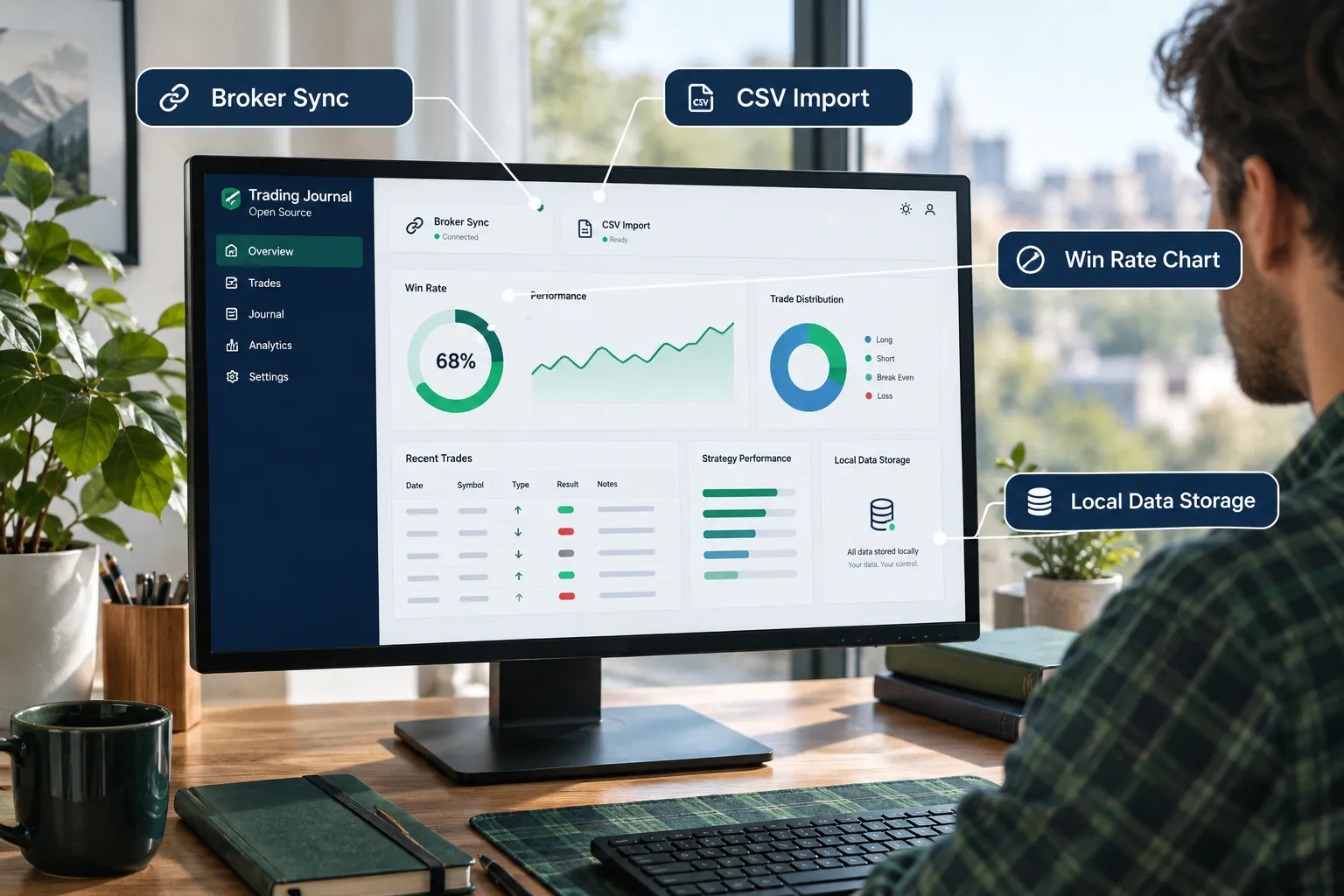
Here's the honest split. LuxAlgo wins on depth because it's fully open source and syncs directly with Alpaca, Binance, Kraken, IBKR, and Topstep, according to its own product page. Stonk Journal is the simpler web option. Tradervue wins on cloud convenience if you don't want to run anything locally.
What is a trading journal and why do I need one?
A trading journal is a log of every trade you take: entry, exit, size, setup, and the reason you pulled the trigger. You need one because memory lies. You remember the winners in detail and blur the losers into "the market was weird that day."
A free trading journal fixes that by forcing a record every single time. Log the AAPL breakout that worked. Log the AAPL fakeout that didn't. Over 50 trades, the data over noise starts pointing at your actual edge instead of your ego's version of events.
Free trading journal: what do you get without paying?
A free trading journal gets you trade logging, basic win and loss tracking, and some kind of equity chart. What it usually doesn't get you is an AI coach, automated multi-broker reconciliation, or deep backtesting across years of history.
Stonk Journal pitches itself as free, with no ads and no data sold. We could not confirm its full feature list, so check its own site before you commit your trade history to it.
Here's what a solid free setup actually includes in 2026:
- Manual or CSV trade entry. Import your broker's CSV export and the journal fills in the rest.
- A dashboard showing win rate, average risk-reward, and a running P&L.
- Tags for setup type, so you can see if your breakout trades beat your dip-buy trades.
- Basic analytics, usually a chart or two, not a full report builder.
Free trading journal spreadsheet template
If you searched "trading journal free" or "free trading journal Excel", a spreadsheet is still a legitimate option if you want full control and zero signup. TradeZella's own Notion trading journal guide walks through building a free trading journal template in Notion with columns for date, ticker, entry, exit, size, and notes.
The catch: you build the dashboard yourself. There's no automated analytics layer unless you build formulas for it, and a messy ticker column (writing "Apple" one day and "AAPL" the next) will quietly wreck your filters. Templates are free. Discipline to fill them out every day is the part nobody sells you.
How to track trades without a trading journal app
You can track trades with a plain spreadsheet, a notebook, or even broker-native trade history exports, but you'll lose the analytics layer that turns raw numbers into a pattern you can act on. A notebook tells you what happened. A free trading journal tells you what keeps happening.
If you're set on going app-free, keep the ticker, entry price, exit price, position size, and your stated reason for the trade in every single row. Past trades without a stated reason are useless. You can't learn from a trade you can't explain.
How does LuxAlgo's open-source Trade Journal work?
LuxAlgo's Trade Journal runs on your own computer with no account and no tracking, syncing directly with your broker through free integrations with Alpaca, Binance, Kraken, IBKR, and Topstep. It's the closest thing on this list to a professional trading setup you fully control, per LuxAlgo's documentation.
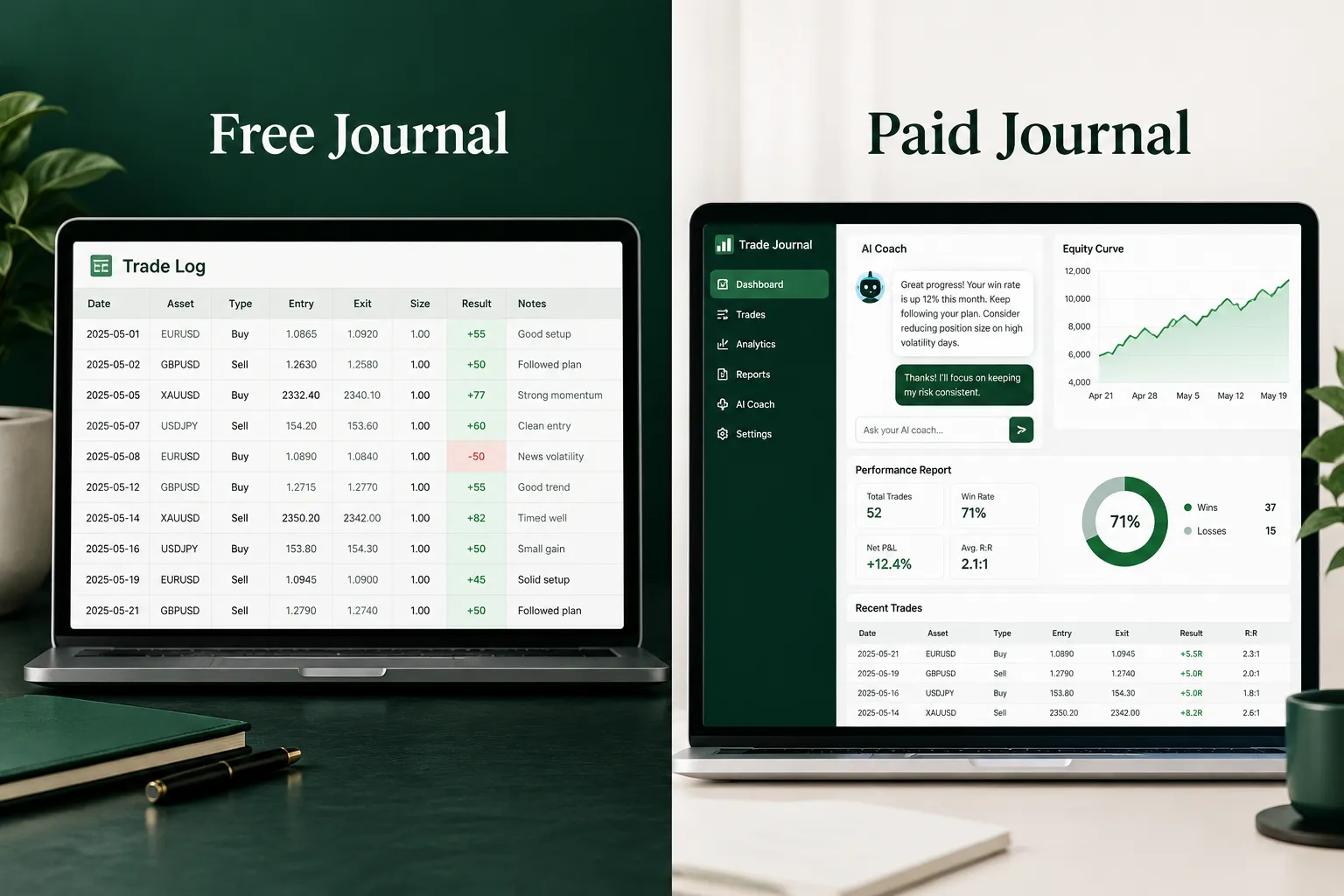
You import your trades, your prices pull straight from your broker instead of a delayed data feed, and the whole thing lives on your machine. Want an AI review of a trade? You bring your own API key and it runs the analysis against your own journal data, not a shared cloud model. That's a meaningful privacy upgrade compared to journal tools that store everything on a company server.
How does LuxAlgo trading journal compare to Stonk?
LuxAlgo goes deeper on broker sync and AI review options, while Stonk Journal stays simpler and more approachable for someone who just wants to log a trade in thirty seconds. Both are free. Neither charges a cent to start.
The tradeoff runs the other way too. A simpler tool means less setup friction. LuxAlgo's depth means more configuration before the dashboard tells you anything useful. Choose Stonk if you want to start today in a browser. Choose LuxAlgo if you want the broker sync and the AI coach option and don't mind a short setup.
Is LuxAlgo free trading journal worth it?
Yes, for any trader comfortable running software locally and who wants broker sync without a subscription. It's free, with the code public for anyone to audit on GitHub.
The drawbacks are real, though. One YouTube commenter on LuxAlgo's launch video, user PEN2015, asked point blank: "Is LuxAlgo planning to drive TradesVis and TradeZella out of business?" A fair question, but the tool isn't flawless. A separate commenter reported futures CSV rows getting ignored on import, which is the kind of bug that turns a ten-minute import into an hour of troubleshooting. And because it runs locally, you're the IT department. Backups and troubleshooting are on you.
What do paid journals like TradeZella add?
Paid journals like TradeZella add an AI coach, deep backtesting, trade replay, and automated multi-broker reporting that free tools generally skip. TradeZella runs three tiers in 2026: Essential at $35/mo, Pro at $59/mo, and Ultra at $99/mo, with no free plan published anywhere on its site.
An AI coach built on your own journal
TradeZella pitches an AI coach that pulls insights from your entire journal. The idea: ask it why your Tuesday trades underperform your Thursday trades and it searches your own logged history for the answer.
What features do paid trading journals have that free ones don't?
Paid journals typically add trade replay (watching the actual price action unfold candle by candle after the fact), automated report building across every broker you use, and rule-based alerts that flag overtrading or revenge trading before you make it worse. TradeZella's best trading journal software comparison leans on exactly these three as its pitch against free tools and rivals like TraderSync, Tradervue, and TradesViz.
When is a paid journal worth it?
A paid journal earns its price when you're trading across multiple brokers or asset classes and need one unified dashboard, or when the AI coach's pattern-finding genuinely changes your behavior, not just your mood. If neither applies, a free trading journal does 80 percent of the job for 0 percent of the cost.
Can I use a free trading journal or should I pay for one?
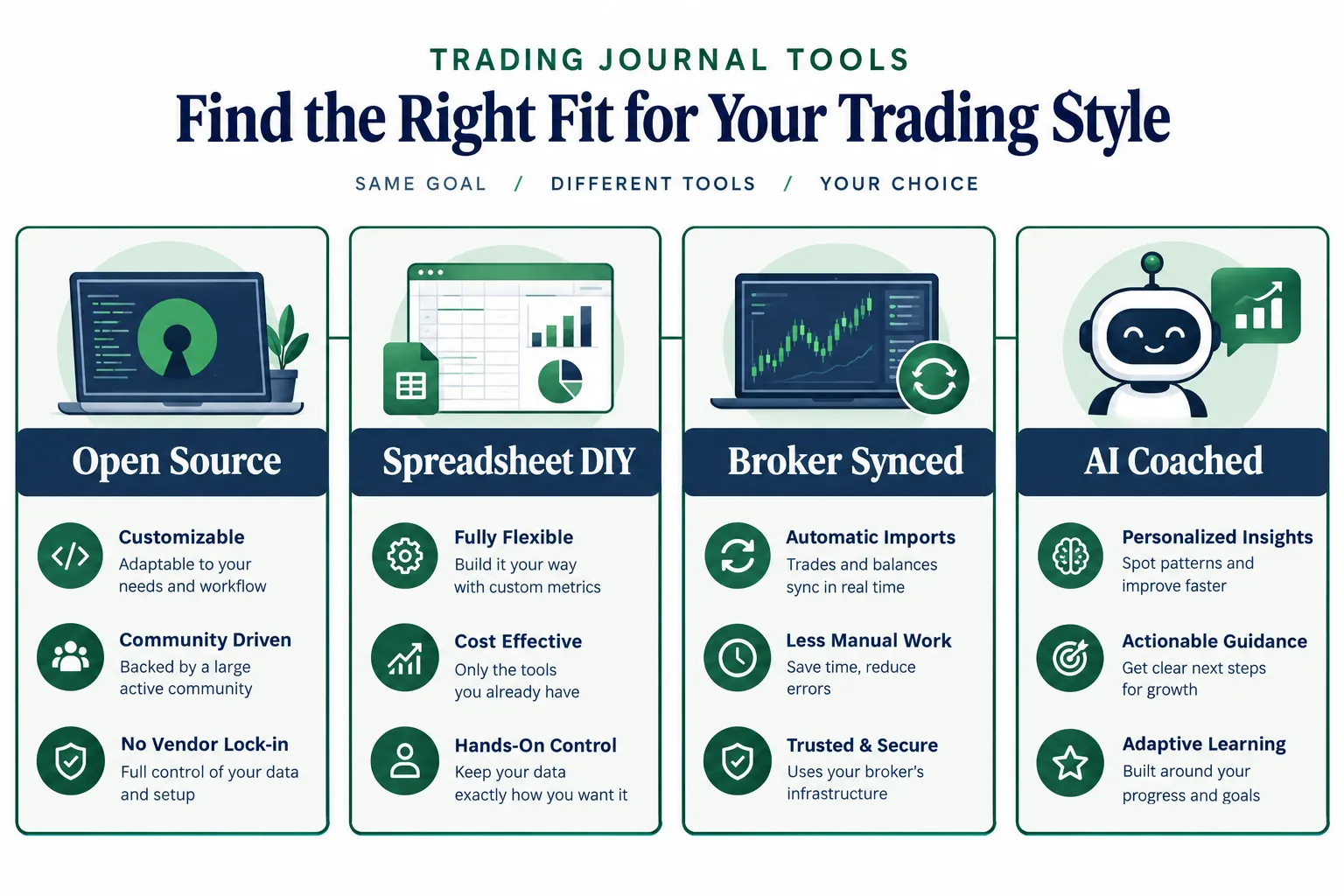
Use a free trading journal first. Always. If you've logged fewer than 100 trades, you don't have enough data for a paid tool's analytics to tell you anything a free spreadsheet or LuxAlgo's dashboard can't. Pay only once you've outgrown the free tier's limits, like multi-broker consolidation or AI pattern review across a full year of trades.
TradeZella vs paid trading journal software: which is better?
Among paid options, it depends on what you're optimizing for. TradeZella leans hardest into AI coaching and trade replay. Tradervue's paid Gold tier at $49.95/mo leans into analytics depth for options and futures traders, per LuxAlgo's breakdown of Tradervue. Edgewonk, sold annual only, leans into psychology tagging. None of them are "better" in a vacuum. They're better for a specific trader with a specific problem.
Compare the free and paid options side by side
| Tool | Broker Sync | AI Review | Main Limit | Price |
|---|---|---|---|---|
| LuxAlgo Trade Journal | Yes (Alpaca, Binance, Kraken, IBKR, Topstep) | Bring your own API key | Local install, self-managed | Free |
| Stonk Journal | Not confirmed, check its site | Not confirmed | Thin public documentation | Free (confirm on site) |
| Tradervue (Free tier) | See Tradervue's plan page | No | Fewer features than Silver and Gold | Free |
| DIY Spreadsheet / Notion | Manual CSV | No | Zero automation, manual upkeep | Free |
| TradeZella | Multi-broker, reported IBKR issues | Yes, AI coach | No free plan | $35/mo |
| Edgewonk | See vendor site | No | Annual billing only | Annual plan, see pricing page |
Explore the table and pick the row that matches your actual trade count, not the one with the shiniest dashboard screenshot.
Trading journal for day traders vs swing traders, and crypto vs stocks
Day traders need a free trading journal with fast CSV import and intraday tagging, since they're logging five to twenty trades a day. Swing traders need less speed and more room for notes, since each trade sits open for days and the "why" matters more than the timestamp.
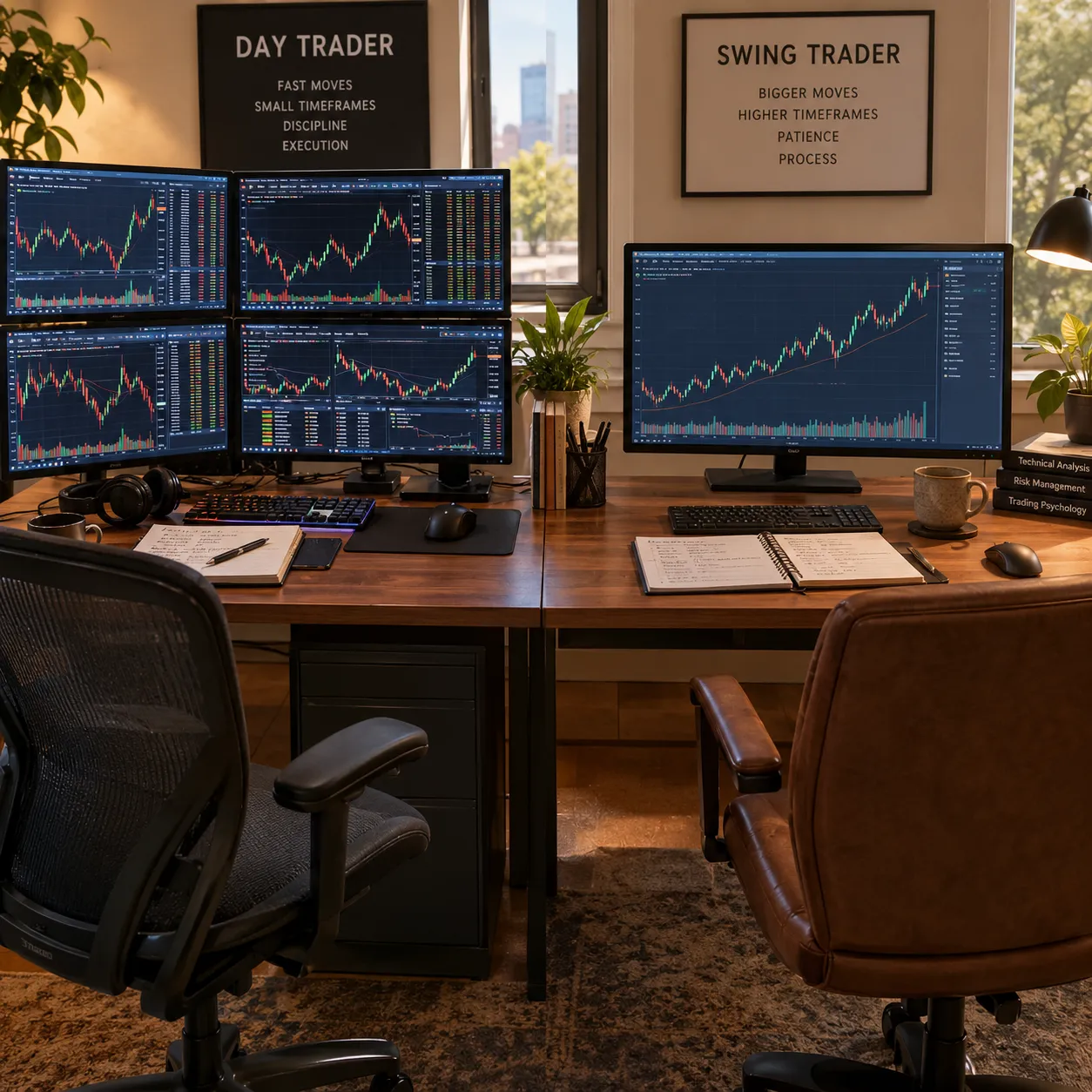
For account type, think in three buckets: prop, paper, and personal. A prop firm trader (think Topstep, which LuxAlgo syncs with for free) needs a journal that separates funded-account rules from personal risk rules. A paper trader just needs reps, logged honestly, before risking real money. A personal live account needs both discipline and an honest loss column that doesn't get edited after the fact.
Trading journal for crypto vs stocks free options
LuxAlgo covers both sides for free, syncing crypto exchanges like Binance and Kraken alongside stock brokers like Alpaca and IBKR in one dashboard. Most free spreadsheet templates are built stock-first, so crypto traders juggling multiple exchanges will feel the gap fastest.
Common mistakes people make with trading journals
The single biggest mistake is logging only winners. A journal that skips every losing AAPL trade isn't a performance tool, it's a highlight reel, and highlight reels don't teach you anything about risk.
Other repeat offenders:
- Logging after the fact, days later, when memory has already rewritten the trade.
- Skipping the "why." Entry and exit price without a stated reason gives you data, not a system.
- Switching journals every month, which resets your sample size every time.
- Treating tags as optional. Without setup tags, you can't tell if your breakout trades or your dip-buys are carrying the account.
Can you export data from free trading journals?
Many journal tools support CSV export, which keeps you from being locked in if you upgrade or switch later. Always confirm the export format before you commit months of trades to a given tool. Losing six months of logged history to a format mismatch is a self-inflicted wound you can avoid in thirty seconds of research.
Does a free trading journal actually improve trading performance?
A free trading journal improves performance when you actually review it weekly and change behavior based on what it shows, not from the act of logging alone. Consistency over hype applies here directly: a journal nobody reviews is just a diary with extra columns.
What do real users say?
Real trader feedback on these tools skews skeptical of paid lock-in and curious about free alternatives. On Reddit, trader u/T-Branny wrote: "I was using Tradezella but just switched to using Tradervana... uncapped free version and much cheaper Pro version."
On YouTube, commenter PEN2015 asked LuxAlgo directly: "Is LuxAlgo planning to drive TradesVis and TradeZella out of business?" That's not a confirmed claim, just a live question from a real user watching the free trading journal space shift under paid vendors' feet. Note that Tradervana's exact free and Pro limits aren't independently confirmed here, so verify directly before switching based on one comment thread alone.
What are the alternatives?
Beyond LuxAlgo, Stonk Journal, and TradeZella, the field includes Tradervue (free plan plus Silver and Gold tiers), TraderSync, TradesViz, and Edgewonk (annual only, 14-day refund window). Each one draws a different line between what's free and what sits behind a paywall.
If you want to go deeper before picking a lane, our guide to the best trading journal options and our breakdown of Tradervue pricing both cover ground this piece doesn't have room for. And if a spreadsheet route appeals more than any app, start with our trading journal template guide before you build one from scratch.
For traders weighing whether any software subscription earns its keep, our look at AI trading software, what you pay for vs what you get and AI trading software worth the subscription both apply the same logic to tools beyond journals.
Final Verdict
Start free. Upgrade only when the free tier's limits are the actual thing holding you back, not boredom with the interface. LuxAlgo's Trade Journal is the strongest free trading journal in 2026 for anyone comfortable with a local install and broker sync. Stonk Journal and Tradervue's free plan are the quicker ways to start today.
Pay for TradeZella, Tradervue's paid tiers, or Edgewonk only once you've logged enough trades that an AI coach, deep backtesting, or multi-broker reporting would change a real decision, not just decorate a dashboard.
Systems over hacks. Process over prediction. A free trading journal is the cheapest system you'll ever install, and it's the one most traders skip.
Ready to stop guessing which journal fits your style? We sorted the free tools worth your time by what they actually track, not what their landing page promises. See the free tools shortlist.
FAQ
What is the best free trading journal?
LuxAlgo's open source Trade Journal is the strongest free trading journal in 2026 for traders who want broker sync and full data control, per LuxAlgo's product page. Stonk Journal and Tradervue's free plan are simpler, faster-to-start alternatives for traders who just need basic logging and a win rate chart.
Can you make $1000 a day with day trading?
No reputable source guarantees a daily dollar figure from day trading, and claiming otherwise is a red flag, not a strategy. Outcomes depend on account size, position sizing, risk management, and market conditions that change daily. A free trading journal helps you measure your real average, not a number from a guru's highlight reel.
Where can I find a free trading journal template?
TradeZella publishes a free trading journal template built in Notion, covering date, ticker, entry, exit, size, and notes columns, available through its Notion trading journal guide. You can also build your own spreadsheet in minutes if you prefer full control over the layout.
What's the best trading journal?
For most traders, LuxAlgo's free Trade Journal or TradeZella's paid Essential tier at $35/mo cover the two realistic paths: free with broker sync and local control, or paid with an AI coach and deep backtesting. The right pick depends on trade volume and whether you need multi-broker reporting.
Is Stonk Journal free?
Stonk Journal positions itself around a simple, no-ads, no-data-sold pitch, but exact feature limits should be confirmed on its own official site before you commit your trade history to it. Treat any specific claim about its free tier as unverified until you check the source directly.
Is TradeZella free?
No. TradeZella runs three paid tiers only, Essential at $35/mo, Pro at $59/mo, and Ultra at $99/mo, with no published free plan, confirmed on TradeZella's pricing page and its help center pricing article.
Is LuxAlgo Trade Journal really free?
Yes. It's open source, runs locally, and requires no account or subscription, per LuxAlgo's own documentation and its GitHub repository. Any AI review features require your own API key, which may carry a separate cost from the provider you choose.
Is a free trading journal app safe for my data?
LuxAlgo's local-install model keeps your trade data on your own machine with no account required, which is a stronger privacy position than cloud-only free tools. Always check a tool's own privacy page before linking a live broker account, and favor tools whose code you can actually inspect, like LuxAlgo's public GitHub repo.
Prices and plan names change faster than most vendors update their own pricing pages, so treat every dollar figure here as a snapshot, not a promise.
This is education, not financial advice.
Your market edge starts with the right tool. Stay alpha.
Some links on this page may earn us a commission at no extra cost to you.