Free Stock Screener | What to Use After TradingView's Paywall
A free stock screener still gets you most of what a paid one does, and TradingView's own users said so on Reddit.
Quick Answer
Finviz, Stock Analysis, Koyfin, and Barchart all still run a free stock screener you can build custom filters in, which is more than free TradingView users report getting right now. TradingView restricted custom screener edits for free accounts, so Finviz's no-login, delayed-data screener is the fastest swap for most swing traders. None of these free tools hand you real-time NASDAQ or NYSE data without paying somewhere, so match the tool to how fast you actually need the feed, not to the word "free" on the landing page.
Key Takeaways
- A Reddit thread titled "Screener is paid now?" from October 1, 2026 pulled 17 upvotes and 24 comments from free TradingView users losing screener edit and save access.
- Finviz's free stock screener stays delayed-data and login-free, while Finviz Elite runs $39.50 a month or $299.50 a year according to Stockbrokers.com.
- Koyfin's free plan covers multi-asset screening at $0, and Koyfin Plus starts at $39 a month per VT Markets' 2026 roundup.
- Barchart's free tier is also $0, with Barchart Plus starting at $9.99 a month, per Dupple's guide.
- TradingView's cheapest paid ladder rung, Essential, runs $12.95 a month billed annually, the plan that restores faster exchange data according to Stockbrokers.com.
- TradingView Basic caps a free account at one watchlist of roughly 30 symbols, while paid tiers scale toward 1,000 symbols per list, per Screenermatch's TradingView review.
- Zacks and Yahoo Finance round out the free options, per Benzinga and VT Markets.
What is the best free stock screener now?
Type "stock screener free" into a search bar and TradingView still earns the "best free stock screener" label on most 2026 review sites for filter depth and chart quality, but that label comes with an asterisk now. The filter library on Basic is intact. What got narrower is how much of that library you can actually save, edit, and rerun without a credit card.
Investopedia's 2026 screener rankings still put TradingView near the top for beginners, and Stock Rover's comparison guide agrees it has the deepest free filter set of any charting-first platform. The catch is timing. A free stock screener is only as good as the moment you can act on its results, and TradingView's Basic plan runs on delayed data for most US exchanges unless you add a paid data package on top.
Here's the honest ranking for 2026, based on what each tool's own pricing page confirms:
- Finviz: best all-around free stock screener for US stocks, no login required.
- Stock Analysis: cleanest free screener for global tickers and simple fundamentals.
- Koyfin: best free pick if you also want macro and multi-asset context.
- Barchart: best free pick for options and technical-heavy filters.
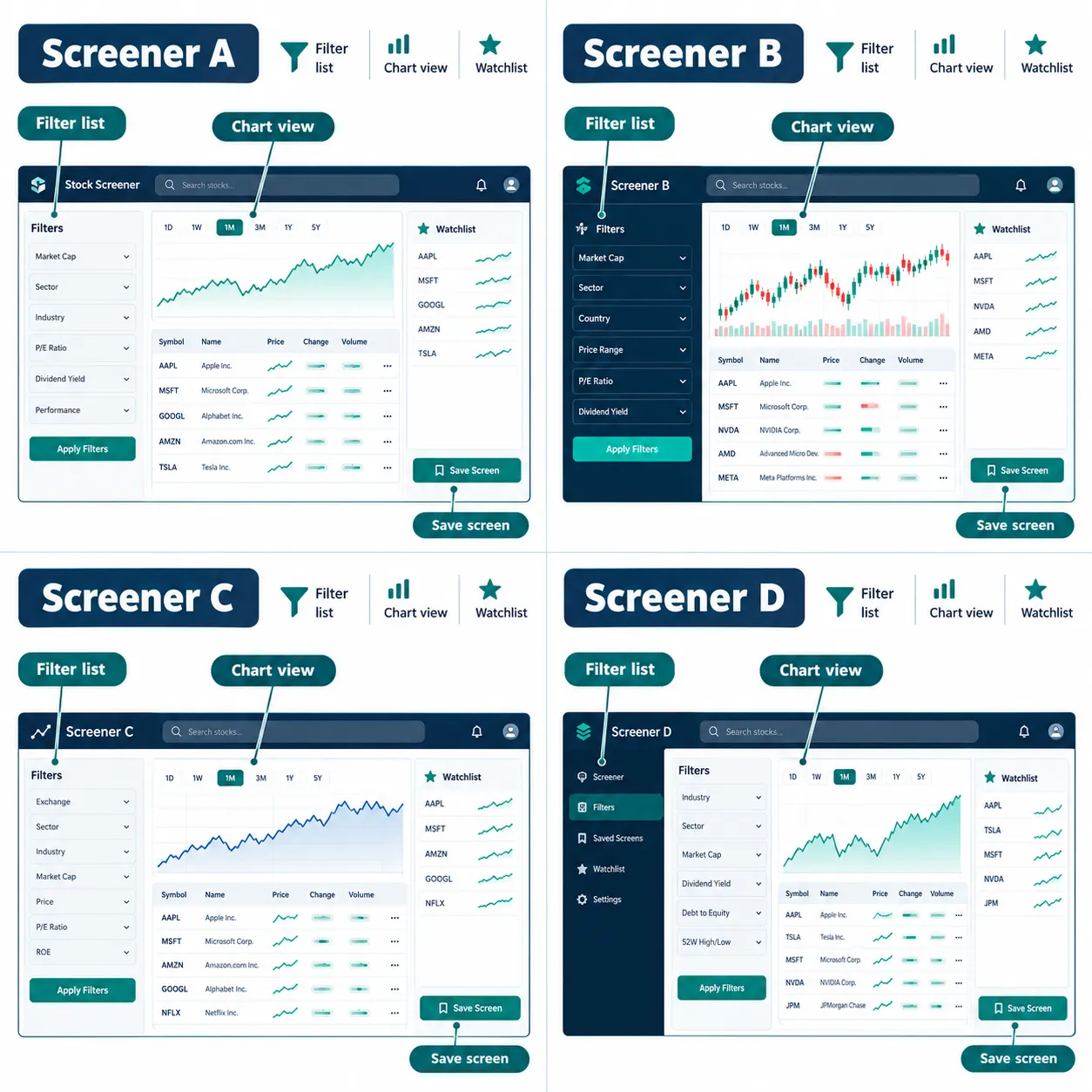
- TradingView Basic: still the best charts, weakest on saved custom screener workflows for free users.
Choose Finviz if you want a zero-setup replacement today. Choose Koyfin if your watchlist already mixes stocks, ETFs, and bonds. The free stock screener category page sorts all of these by what they actually filter, not by marketing copy.
Free stock screener: what changed at TradingView?
TradingView didn't remove its screener. It narrowed what free accounts can do inside it, mainly around saving and editing custom filter sets and accessing real-time exchange data. That distinction matters more than the headlines suggest.
A Reddit thread called "Screener is paid now?", posted Oct 1, 2026, picked up 17 upvotes and 24 comments in a few days, mostly free-plan users reporting that screener edits they used to run for free now sit behind a paywall. One reply from u/Cr0wn_M3 put it bluntly:
"Just throw them a few bucks per month.. if you are profitable from trading it shouldn't be an issue, or you can use finviz's screener for free" (source)
That's not wrong, and it's not the whole story either. Screenermatch's TradingView review confirms Basic still ships most presets and the full filter library. What's gated is data speed and alert volume: official real-time NASDAQ, NYSE, OTC, and CME data now sits behind a paid plan plus a data add-on, intraday timeframes below daily bars are limited, and Basic caps you at one watchlist of about 30 symbols with a small number of price alerts, according to screenermatch.com and Financial Tech Wiz's breakdown. Paid plans scale alerts into the hundreds and watchlists toward 1,000 names per list.
The pricing ladder now looks like this, per Stockbrokers.com's 2026 guide: Basic stays at $0, and Essential starts at $12.95 a month billed annually, the entry point for faster real-time data and bigger watchlists. Nobody credible is reporting TradingView plans to kill the free screener outright. The freemium shape looks stable. What changed is where the line sits between "free" and "useful for active trading."
Which free screeners still let you edit and save filters?
Finviz, Koyfin, Barchart, and Stock Analysis all still let you build a custom screen for free, no card on file. Editing and saving filters is the thing TradingView's free users say they lost, so check each tool's save limits before you switch.
Here's how each one handles it:
- Finviz: no account required for the core screener. A free registered account adds saved presets.
- Stock Analysis: a free screener you can build queries in. Confirm save limits and the Pro price on its own site.
- Koyfin: the Free plan is $0, and Plus at $39 a month raises the limits.
- Barchart: the Free tier is $0, with Plus at $9.99 a month and Premier at $29.95 a month above it.
A quick example: if you want a US stock screener for sales growth above 15% quarter over quarter plus volume above the 3-month average, Finviz lets you build that query without paying a cent, and a free account lets you keep it as a preset. Decision rule: if saving a custom screener matters more to you than owning the prettiest chart, skip TradingView Basic entirely and start on Finviz or Barchart.
For a step-by-step on building that exact kind of filter set, the screener criteria builder walks through it without requiring any paid plan.
What is a stock screener and how does it work?
A stock screener is a query tool: you set filter criteria like market cap, price, sector, or sales growth, and it returns every ticker on the exchange that matches, usually ranked in a sortable table. It's a database search applied to the stock market, nothing more mystical than that.
Under the hood, most screeners pull end-of-day or real-time data feeds, apply your filters across thousands of names in under a second, and hand back a results grid. Stock Rover's screener comparison notes the best free tools now cover the same fundamental and technical filter categories once reserved for institutional terminals: valuation, growth, dividend yield, volume, and basic technical setups like moving-average crossovers. The glossary term worth knowing here is screener: it's the filter engine, not the trading decision. A screener narrows 8,000 tickers down to 40. You still have to read the tape on those 40.
How do you use a free stock screener as a beginner?
Start with three filters, not thirty. Pick one valuation metric, one volume threshold, and one sector or market-cap range, run the query, and sit with the results before adding more criteria.
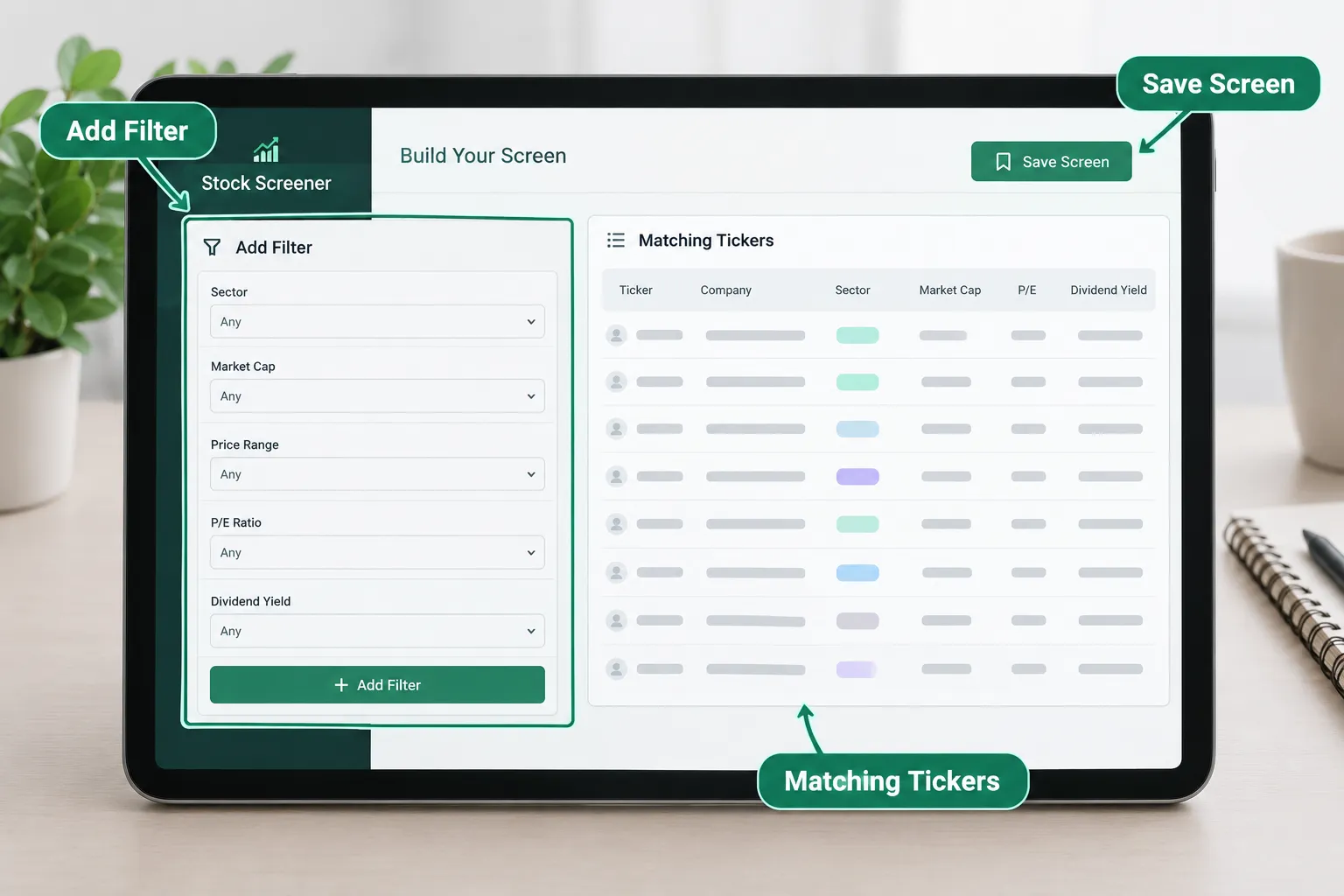
A beginner workflow that actually survives contact with a real market looks like this:
- Pick your universe: US stocks only, NYSE stock and NASDAQ-listed names, nothing OTC to start.
- Set one fundamental filter, like market cap above $2 billion, to cut out illiquid names.
- Add one technical filter, like volume above the 50-day average, to avoid dead tickers.
- Save the query if your tool allows it, so tomorrow's scan uses the same logic.
- Cross-check two or three results on a chart before adding them to the watchlist.
Common mistake: stacking 12 filters on day one and getting zero results, then assuming the tool is broken. It's not the tool. It's analysis paralysis dressed up as thoroughness. Systems over hacks means fewer filters, run consistently, beats a perfect filter set you never finish building.
What do free screeners leave out?
Every free stock screener skips something, and it's almost always speed, depth, or export tools, not the filters themselves. Knowing which one each tool sacrifices tells you whether the free tier actually fits your strategy.
Common gaps across the free tier of every major tool:
- Real-time data. Finviz free runs on delayed quotes; Elite adds real-time data for $39.50 a month, per Stockbrokers.com.
- Data export. Several free screeners, including TradingView Basic, block CSV export of results, per Screenermatch.
- Alert volume. Free alerts are capped low across the board; paid tiers scale into the hundreds.
- Backtesting. Few free tools let you backtest a saved screener against historical data; this is one of the clearest paid-tier lines, and Tradealgo's 2026 guide confirms most backtesting modules sit behind a subscription.
- Watchlist size. TradingView Basic holds one list near 30 symbols; paid plans scale toward 1,000.
Edge case: if you trade earnings season catalysts and need same-second fills, no free tool here covers you. That's when paying for real speed, not just more filters, actually makes sense.
Can you really find good stocks with free screeners?
Yes, with a caveat: a free stock screener finds candidates, not conviction. The filter narrows the list. You still need a process, a stop loss, and a plan for being wrong before any ticker on that list becomes a trade.
Stock Rover and Chartmath's 2026 technical-trader guide both land on the same conclusion from different angles: the free tools are good enough to build a real watchlist, they're just not good enough to replace judgment. A screener surfaces a tight consolidation pattern or a breakout on volume. It doesn't tell you the risk-reward, and it definitely doesn't set your position sizing. That part is still on you.
Is there a free stock screener built for day trading?
Barchart's free tier leans toward technical and options-related filters, while Finviz covers basic intraday technical filters without a login. Neither gives you second-by-second real-time data for free, so treat both as pre-market prep tools, not live execution tools.
Tradealgo's 2026 breakdown recommends a hybrid stack for anyone trading intraday: TradingView Basic for charting, Finviz or Barchart for the morning scan, and a paid real-time feed only once you're consistently profitable enough to justify the cost. That's not hype. That's just matching the tool to the actual speed your strategy needs during power hour, when a four-minute data delay turns a clean setup into a chase.
Is there a free stock screener with technical analysis built in?
Finviz and Barchart both run technical filters, like relative strength, moving-average crossovers, and 52-week high proximity, inside their free tier, no login required. TradingView Basic goes deeper on charting indicators but limits how many you can stack on one chart without paying.
For most swing setups, Finviz's free technical filter set covers the basics: price action relative to moving averages, volume versus average volume, and support and resistance proximity through 52-week high and low fields. If you need indicator-heavy charting on top of that screen, pair Finviz's results with TradingView's free charting tier, which still beats the alternatives on pure chart quality even with Basic's limits. A deeper breakdown of that pairing lives in this comparison of free stock charts across TradingView, Finviz, and Yahoo.
Is there a free stock screener with backtesting?
Not a fully free one with real historical backtesting at any meaningful depth. Most free tiers, including TradingView Basic, Finviz, and Barchart, limit or block backtesting entirely, reserving it for paid plans, according to Tradealgo's 2026 guide.
If backtesting a saved screen is the one feature you can't live without, that's the clearest signal in this whole article that a free tool isn't your long-term home. Paper trade it first using a free screener's results, track the outcomes in a spreadsheet for 30 days, and treat that as your manual backtest before paying for an automated one.
Which free stock screener has the most filters?
TradingView Basic still has the deepest combined technical and fundamental filter library of any free tool, per Investopedia's 2026 rankings. Finviz runs a close second with a dense fundamental filter set built specifically for US stocks.
The nuance: more filters isn't automatically better. A cluttered filter panel invites the exact overtrading and analysis-paralysis trap this piece already flagged. Pick the three filters that match your actual edge, whether that's a value-stocks tilt, a momentum setup, or a dividend screen, and ignore the other sixty.
Do free stock screeners have delayed data?
Most of them, yes. If you searched "real-time stock screener free", the blunt answer is that none of these free tiers gives you full real-time data. Finviz's free tier runs on delayed quotes, and TradingView Basic runs on delayed data for most US exchanges unless you add a paid real-time data package, per Stockbrokers.com and Financial Tech Wiz. Koyfin and Barchart's free tiers follow the same pattern: usable for research, not for split-second entries.
Decision rule: if your strategy depends on reacting inside a one-minute window, delayed data will cost you more than any subscription fee. If you're screening overnight or before the open, the delay barely matters.
Is there a free stock screener for dividend stocks?
Yes. Finviz's free filter set includes dividend yield, payout ratio, and sector filters that work well for a dividend-focused search, and Zacks' free screener is built specifically around value and earnings criteria that pair naturally with dividend investing.

A simple dividend query: set dividend yield above 3%, market cap above $5 billion, and sector to utilities or consumer staples. That combination, run on Finviz's free tier, returns a workable shortlist without touching a paid plan.
Free stock screener vs paid comparison
| Screener | Filters | Data delay | Saved screens | Main limit | First paid tier |
|---|---|---|---|---|---|
| Finviz free | Deep fundamental and technical filter set | Delayed quotes | Presets with a free account | No real-time data, ad-supported | Elite, $39.50/mo or $299.50/yr |
| Stock Analysis free | Core fundamental and technical filters | Check site | Check site | Pro price not confirmed here | See official pricing page |
| Koyfin free | Multi-asset, macro-aware filters | Delayed | Check site | Watchlist and screen caps | Plus, $39/mo |
| Barchart free | Technical and options-leaning filters | Delayed quotes | Check site | Deeper tools sit in Plus and Premier | Barchart Plus, $9.99/mo |
| TradingView Basic | Full filter library, most presets | Delayed unless paid data add-on | One watchlist, about 30 symbols | No real-time NASDAQ/NYSE without paid add-on | Essential, $12.95/mo billed annually |
When is paying for a screener worth it?
Pay once your edge actually depends on speed: real-time NASDAQ or NYSE data, same-second alerts, or a saved screen you rerun dozens of times a week. If you're still building a system on nights and weekends, every free option above covers you.
Finviz Elite is the paid version of the free stock screener you have probably already used: real-time data, backtesting and no ads for $39.50 a month or $299.50 a year. That is aimed at someone past the free tier's ceiling, which is most people's first six months, not their first six days.
The practical rule: if a free stock screener's delay has personally cost you a trade twice in a month, that's your signal to pay. One near-miss is noise. Two is data. Finviz Elite vs free: what you actually lose without the upgrade breaks down exactly what that $39.50 buys versus what you already have for nothing.
What are the alternatives?
Finviz, Koyfin, Barchart, Stock Analysis, Zacks, and Yahoo Finance all run a usable free stock screener right now, each built for a different market or strategy. The right pick depends on whether you're screening US large caps or global tickers.
VT Markets' 2026 guide and Benzinga's scanner roundup both flag Yahoo Finance, Investing.com, and Zacks as genuinely capable free options that never gate the core query builder. Stock Rover's comparison recommends a hybrid stack, TradingView for charts, Finviz for fundamentals, and a paid tool like Trade Ideas only once intraday scanning becomes central to your strategy rather than a nice-to-have.
For a broader stress-test of this whole category, the swing-trading screener now replacing manual stock picking and drowning in screener filters, the only setup you actually need both cover how to cut a filter list down without losing signal.
What do real users say?
The clearest real-user signal right now is the Reddit thread that kicked off this whole question. Free TradingView users are naming the exact feature they lost, and other users are naming the exact free alternative that still works.
The thread, "Screener is paid now?", posted October 1, 2026, sits at 17 upvotes and 24 comments. Reddit user u/Cr0wn_M3 answered the thread directly:
"Just throw them a few bucks per month.. if you are profitable from trading it shouldn't be an issue, or you can use finviz's screener for free" (permalink)
That's the whole debate in two sentences: pay if the math already works for you, or switch to a free stock screener that still does the job. Separately, Finviz's Trustpilot reviews include complaints like "Finviz UI just gets worse with each update," and Koyfin's App Store reviews include reports that the app "constantly loses custom settings." No tool here is complaint-free. That's normal for software, not a reason to panic.
Final Verdict
If you lost screener edits on TradingView's free plan, Finviz is the fastest replacement for US stock screening, with no login and no card to start. If you need multi-asset or global coverage, Koyfin's free tier is the better fit.
None of these tools promise you a winning trade. They narrow a list. Process over prediction still does the rest. Build three filters, save the screen, rerun it daily, and judge the results after 30 days instead of after one lucky pick.
Quick pick: free stock screener
- Finviz Free: best for fast US fundamental and technical filters, starting at $0
- Stock Analysis Free: best for clean global-stock screening, starting at $0
- Koyfin Free: best for multi-asset and macro context, starting at $0
Skip it if: you need real-time intraday alerts or second-by-second data feeds.
Stuck comparing six tabs of free stock screener results and still no shortlist? We sorted 200+ AI stock tools by strategy, price, and what they actually filter.
See the full screener shortlist.
FAQ
What is the best free stock screener app?
Finviz is the best free stock screener app for most US-focused traders: no login, deep fundamental and technical filters, and delayed data that's fine for research. Koyfin's app wins if you also track ETFs, bonds, or macro data alongside stocks, and has a $0 Free plan.
What is the best free stock chart tool?
TradingView Basic remains the best free stock chart tool for most traders, with the deepest free indicator library and cleanest layout. Finviz's charts are simpler but load instantly inside its screener results, which makes it the faster pick for a quick technical gut check.
What is the best free app for monitoring stocks?
Finviz and Koyfin both work well as free apps for monitoring stocks, on their no-cost tiers. TradingView's free app covers charting well but caps you at one watchlist of about 30 symbols, which is tight if you track more than a handful of tickers.
Is Finviz free stock screener real-time?
No. Finviz's free stock screener runs on delayed quotes, not real-time data. Real-time data, plus backtesting and ad-free browsing, requires Finviz Elite at $39.50 a month or $299.50 a year, according to Stockbrokers.com's 2026 guide.
Is there a free AI stock screener?
Several free screeners now layer AI-driven scoring or extraction on top of standard filters, though most advanced AI features sit behind a paid tier. For a fuller look at AI-specific options, see the AI stock screener that finds setups while you sleep.
Is the TradingView screener still free?
Yes, the core screener stays on the free Basic plan, but custom screen saving, editing, and real-time exchange data now sit behind paid plans starting at $12.95 a month billed annually. That's the exact change the October 2026 Reddit thread flagged.
Prices and plan names change faster than most of us check them, so treat every number above as a snapshot, not a promise, and confirm on the tool's own pricing page before you pay anything.
This is education, not financial advice.
Your market edge starts with the right tool. Stay alpha.
This article may contain affiliate links; we may earn a commission at no extra cost to you.