Finviz Elite vs Free: What You Lose Without Upgrade
Last updated: July 1, 2026
Quick Answer
Finviz Elite costs $39.50 per month or $299.50 per year and removes the 15-minute data delay, unlocks real-time premarket and after-hours scanning, adds unlimited screener exports, and enables custom email alerts. The free version works fine for swing traders and position traders who don't need live data, but day traders and anyone making intraday decisions will hit the delay wall within their first session. The upgrade isn't about more features — it's about removing the time lag that makes the free version unusable for time-sensitive setups.
Key Takeaways
Finviz free delays all market data by 15 minutes, which kills any intraday edge and makes premarket scanning impossible
Finviz Elite provides real-time streaming quotes, premarket and after-hours data, and removes all screener export limits
Elite costs $39.50/month or $299.50/year, positioning it cheaper than Trade Ideas but pricier than basic TradingView
Day traders and scalpers need Elite or a real-time alternative; swing traders can survive on the free version
The free version lacks custom alerts, advanced charting tools, and the ability to backtest screener criteria effectively
Elite doesn't include Level 2 data, options flow, or institutional-grade analytics — it's a screener upgrade, not a full platform
Most professional day traders pair Finviz Elite with a broker's Level 2 feed rather than relying on it as their only data source
The biggest mistake is paying for Elite when you're only checking stocks once a day — that's a free-version use case
Alternatives like Scanz, Trade Ideas, and TrendSpider offer real-time data with more advanced scanning logic, but at higher price points
If you can't articulate why you need real-time data in one sentence, you probably don't need Elite yet
What Is Finviz Elite and How Is It Different From the Free Version
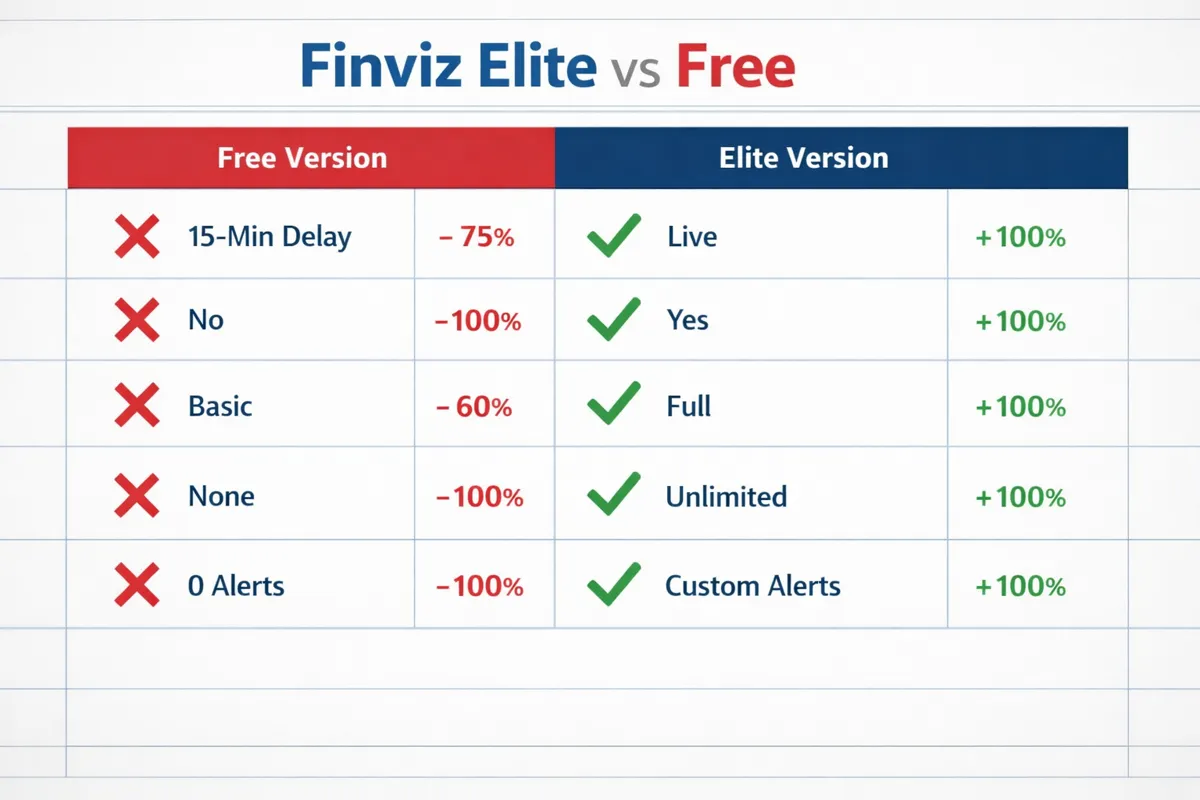
Finviz Elite is the paid subscription tier of Finviz.com, a web-based stock screener and market visualization tool that's been around since 2007. The free version gives you access to the screener, heat maps, and basic charting, but every piece of market data you see is delayed by 15 minutes. Elite removes that delay and adds real-time streaming quotes, premarket and after-hours scanning, unlimited screener exports, custom email alerts, and advanced charting overlays.
The core difference isn't feature bloat — it's the time lag. Finviz free shows you where the market was a quarter-hour ago. Elite shows you where it is right now. That distinction matters enormously if you're trying to catch a breakout in the first 30 minutes of the session or scan for premarket gappers before the bell. It matters zero if you're building a swing trade watchlist on Sunday night.
Finviz Elite doesn't transform into a full trading platform. You still can't place orders, access Level 2 data, or analyze options flow. It's a screener and charting tool with live data. If you need execution, you're routing through your broker. If you need deeper analytics, you're layering in another tool. Elite solves one problem: it makes the screener usable for intraday decisions.
For a broader look at how Finviz stacks up against other platforms, check out our complete AI stock screener comparison.
Finviz Elite vs Free Comparison Chart
Here's the feature breakdown that actually matters when you're deciding whether to upgrade:
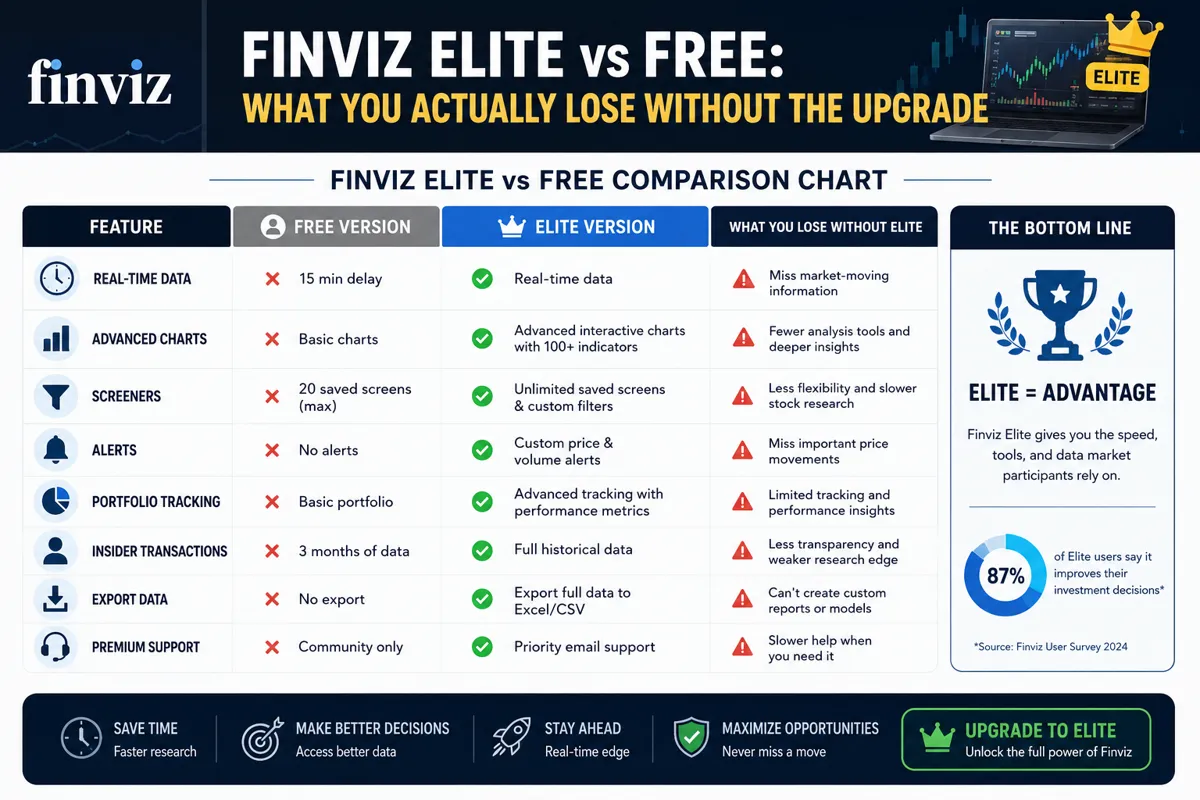
The table makes it clear: Elite is a data-timing upgrade, not a feature explosion. If your trading style doesn't require live data or premarket visibility, the free version covers 90% of what you'd use anyway.
How Much Does Finviz Elite Cost Per Month
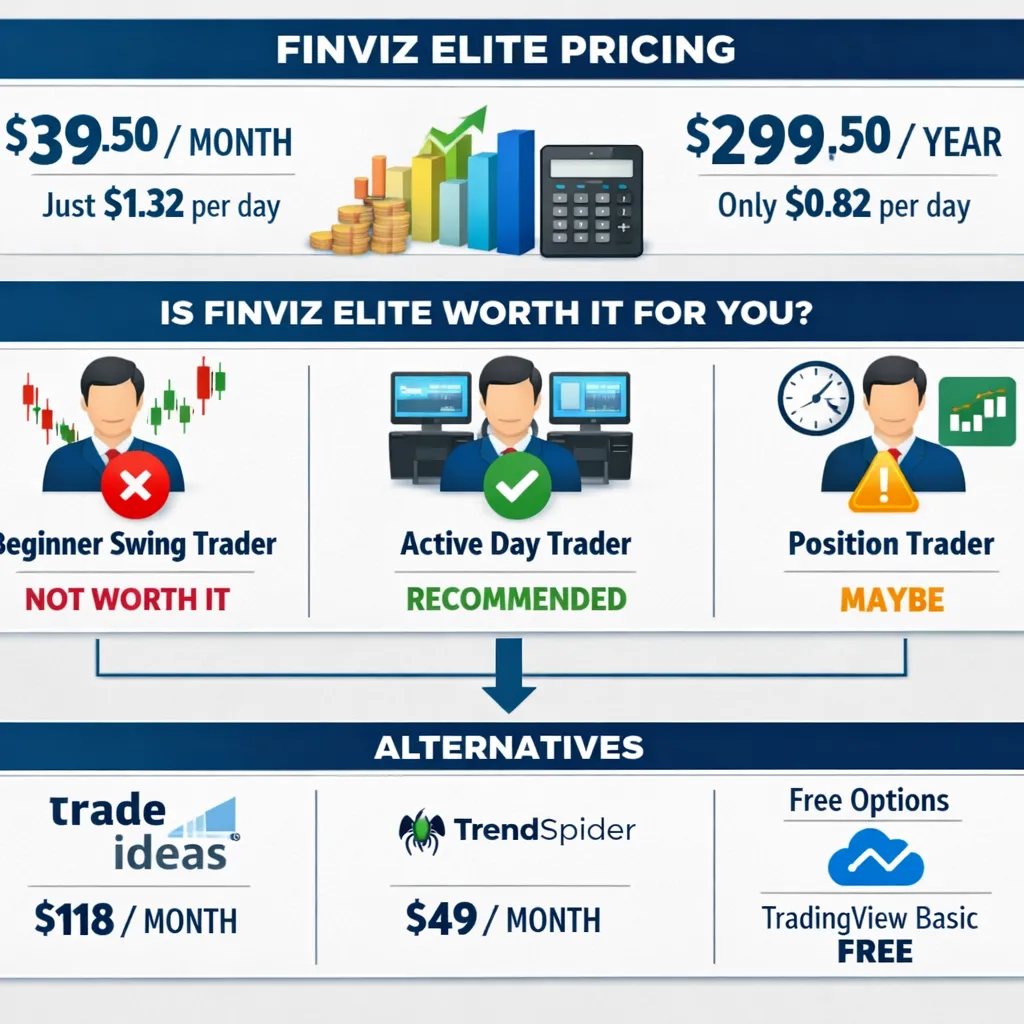
Finviz Elite pricing in 2026 is $39.50 per month if you pay monthly, or $299.50 per year if you prepay annually. The annual plan works out to $24.96 per month, saving you about 37% compared to the month-to-month rate. There's no free trial, no tiered pricing, and no student or volume discounts. You either pay for Elite or you use the free version.
That $39.50 monthly price point puts Finviz Elite in the middle of the real-time screener market. It's cheaper than Trade Ideas, which starts at $118/month for real-time scanning with AI pattern recognition. It's more expensive than TradingView's Essential plan at $14.95/month, though TradingView's screener is less robust and you'd need the Plus plan at $29.95 to get closer feature parity. TrendSpider starts at $49/month and includes automated technical analysis that Finviz doesn't offer.
The annual plan makes sense if you're confident you'll use it for at least six months. Paying monthly gives you flexibility to cancel if your trading style changes or if you realize the 15-minute delay wasn't actually your bottleneck. Most traders who upgrade stick with it because the pain of going back to delayed data is worse than the subscription cost.
If you're comparing multiple platforms, our AI trading software cost breakdown walks through what you're actually paying for across the major tools.
What Features Do You Lose With Finviz Free Version
The free version of Finviz strips out everything that requires live data infrastructure or server-intensive custom alerts. You lose real-time quotes, premarket and after-hours scanning, intraday chart intervals, screener exports, email alerts, correlation analysis, and advanced charting overlays. You keep the screener itself, the heat maps, the news aggregator, and the basic end-of-day charts.
The 15-minute delay is the killer. If you're scanning for breakouts at 9:45 AM, the free version is showing you price action from 9:30 AM. By the time you see a setup, it's already moved. If you're trying to catch premarket gappers, the free version is useless — it doesn't update until the market opens, and by then the gap-and-go plays are done.
The lack of screener exports means you can't build a watchlist in Finviz and import it into your broker or another tool. You're stuck manually copying tickers or taking screenshots. The absence of custom alerts means you can't set a notification for when a stock breaks above resistance or hits a volume spike — you have to keep refreshing the page.
The free version works if you're researching stocks after hours, building swing trade watchlists on weekends, or learning how to use technical screeners without time pressure. It doesn't work if you're trying to trade the open, react to intraday momentum, or automate any part of your scanning process.
Is Finviz Elite Worth Paying For as a Beginner Trader
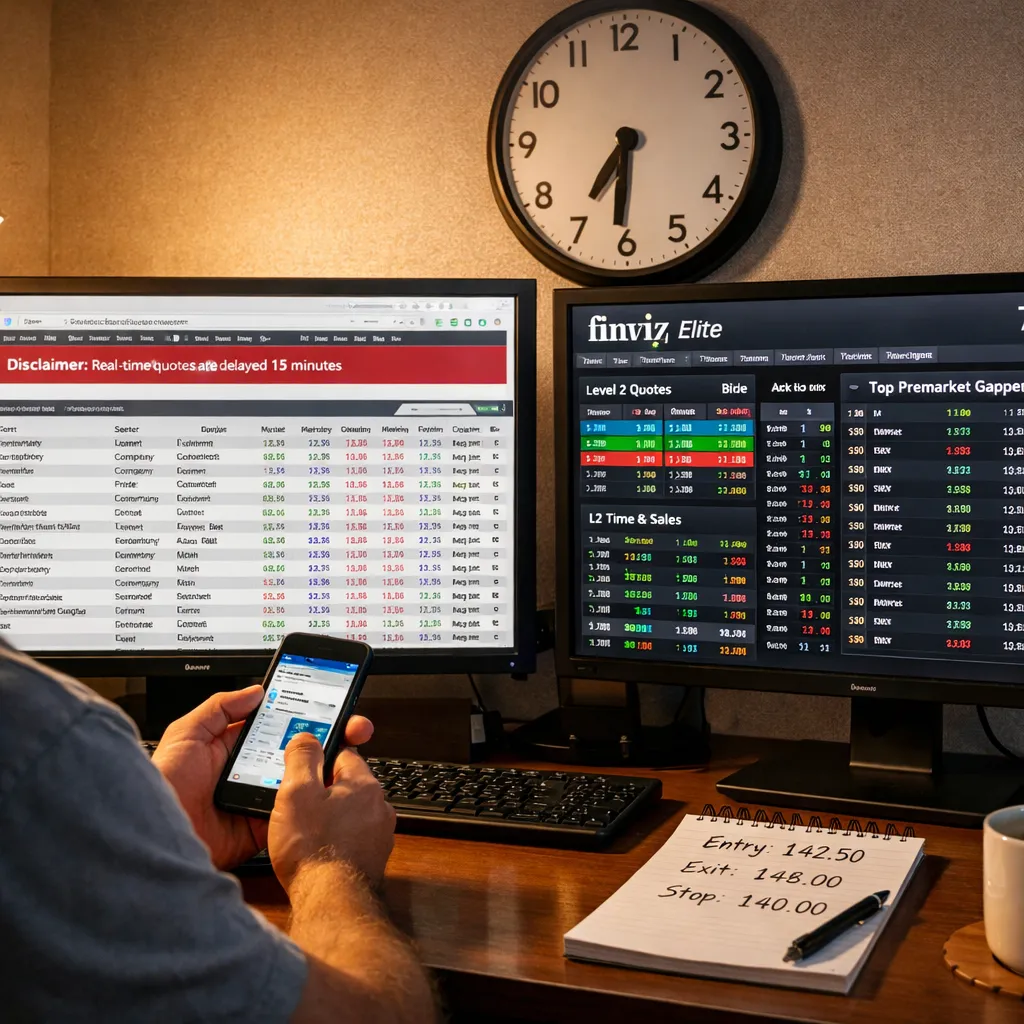
Finviz Elite is not worth paying for as a beginner trader unless you're specifically day trading or scalping and need real-time data to execute your strategy. Most beginners are better off using the free version to learn how screeners work, how to identify setups, and how to build a watchlist without the pressure of live data. Once you've proven you can consistently find and execute trades using delayed data or end-of-day scans, then consider upgrading.
The mistake beginners make is assuming better tools will make them better traders. Elite won't teach you how to read price action, manage risk, or size positions. It won't stop you from chasing breakouts or revenge trading. It just gives you live data, which is only useful if you already have a process that requires it.
If you're swing trading or position trading — holding for days or weeks — the 15-minute delay is irrelevant. You're not entering trades based on the 9:35 AM price; you're entering based on yesterday's close or this morning's gap. The free version handles that fine. If you're day trading — entering and exiting within the same session — the delay kills your edge and Elite becomes necessary.
The better beginner move: use Finviz free to build your watchlist and learn the screener, then use your broker's real-time data to execute trades. Most brokers (Fidelity, TD Ameritrade, Webull, Tastytrade) provide live quotes and basic scanning for free once you have an account. You don't need to pay Finviz for real-time data if your broker already gives it to you.
For more on building a beginner-friendly setup, see our guide to AI day trading platforms beginners are starting with in 2026.
Finviz Elite Alternatives That Are Cheaper
There aren't many cheaper alternatives that offer real-time scanning with the same breadth of filters. TradingView's Essential plan at $14.95/month gives you real-time data on U.S. exchanges, but the stock screener is less powerful and you're limited to 10 indicators per chart. TradingView Plus at $29.95/month gets you closer to Finviz Elite's feature set, but the screener still lacks some of the fundamental filters Finviz offers.
StockFetcher is a text-based screener that costs $8.95/month for real-time data and unlimited backtesting. It's powerful if you're comfortable writing filter logic in plain English, but the interface is dated and there's no charting built in. You'd pair it with TradingView or your broker's charts.
Most broker platforms (Fidelity Active Trader Pro, TD Ameritrade's thinkorswim, Webull) include real-time scanning and charting for free if you have an account. The screeners aren't as flexible as Finviz, but they're good enough for most retail strategies and you're not paying an extra subscription. If you're already using a broker with decent scanning tools, paying for Finviz Elite is redundant unless you specifically prefer Finviz's interface and filter logic.
The free alternatives — Yahoo Finance, Google Finance, Investing.com — all have 15-minute delays just like Finviz free. They don't solve the real-time problem. If you need live data and don't want to pay Finviz, your best bet is using your broker's platform or upgrading to TradingView Plus.
For a full breakdown of screener options, visit our stock screener comparison page.
Can You Do Real-Time Scanning Without Finviz Elite
Yes, you can do real-time scanning without Finviz Elite by using your broker's built-in screener, TradingView's paid plans, or platforms like Trade Ideas, Scanz, or TrendSpider. Most brokers provide live data and basic scanning for free once you open an account. The trade-off is that broker screeners are usually less flexible and harder to customize than Finviz.
TradingView Plus ($29.95/month) and Pro ($59.95/month) include real-time U.S. stock data and a decent screener, though it's not as comprehensive as Finviz. Trade Ideas starts at $118/month and offers AI-powered pattern recognition and real-time alerts, but it's overkill if you just need a basic screener. Scanz starts at $79.99/month and is built specifically for day traders who need fast, real-time scanning with Level 2 integration.
The best free option is your broker. Fidelity's Active Trader Pro, TD Ameritrade's thinkorswim, and Webull all include real-time scanning and charting at no extra cost. The screeners aren't as powerful as Finviz, but they're good enough for most retail strategies. If you're already paying for a broker account, you're already paying for real-time data — you just need to learn how to use the tools they give you.
The reason traders still pay for Finviz Elite is the interface and the filter logic. Finviz makes it easy to scan for specific technical setups (tight consolidation, volume spikes, breakouts above resistance) with a few clicks. Broker screeners can do the same thing, but the workflow is clunkier and the results are harder to visualize. If you value speed and simplicity, Elite is worth it. If you're willing to spend extra time setting up filters in your broker's platform, you can skip the subscription.
Why Is My Finviz Screener Delayed by 15 Minutes
Your Finviz screener is delayed by 15 minutes because you're using the free version, which doesn't include real-time data. U.S. stock exchanges charge data fees for live quotes, and Finviz passes that cost to users through the Elite subscription. The 15-minute delay is the standard free-tier compromise across most financial websites — it's enough time to make the data useless for intraday trading but still valuable for research and end-of-day analysis.
The delay applies to everything in the free version: screener results, charts, heat maps, and individual stock pages. If you're looking at a stock at 10:00 AM, you're seeing the price from 9:45 AM. If you're scanning for breakouts at 9:35 AM, you're seeing data from 9:20 AM, which means the breakout already happened and you're late.
The only way to remove the delay is to upgrade to Finviz Elite or switch to a platform that includes real-time data. Your broker's platform almost certainly provides live quotes for free. TradingView's paid plans include real-time data. Trade Ideas, Scanz, and TrendSpider all offer real-time scanning, though at higher price points than Finviz Elite.
If the delay is frustrating you, that's a signal you need real-time data. If you're not noticing the delay — if you're building watchlists after hours or scanning for swing trade setups — then you don't need to upgrade. The delay is only a problem if your trading style requires live data.
Do Professional Day Traders Actually Use Finviz Elite
Some professional day traders use Finviz Elite for premarket scanning and quick technical overviews, but most pair it with more advanced tools like Level 2 data feeds, order flow software, and broker-integrated scanners. Finviz Elite is fast and visual, which makes it useful for building a morning watchlist or checking sector rotation, but it doesn't provide the depth of data most pros need for execution.
Professional day traders typically use Finviz Elite as a secondary tool, not their primary platform. They'll scan for gappers and volume leaders in Finviz before the open, then switch to their broker's platform or a specialized tool like Trade Ideas or Scanz for real-time execution. Finviz's strength is the speed of the screener and the clarity of the heat maps — you can see the entire market in one glance. Its weakness is the lack of Level 2 data, time and sales, and order flow analytics.
The traders who rely most heavily on Finviz Elite are swing traders and part-time day traders who don't need institutional-grade data. They're looking for clean setups, not millisecond-level execution. They're trading 100-500 shares, not 10,000. For that use case, Finviz Elite is more than enough.
The traders who skip Finviz entirely are high-frequency traders, scalpers, and anyone trading low-float momentum stocks where every second matters. They need faster data, deeper order books, and tighter integration with their execution platform. Finviz Elite is a screener, not a trading terminal.
For more on what professional setups look like, see our breakdown of AI trading tools traders won't admit they're using.
Finviz Elite vs Trade Ideas vs ThinkorSwim Screener
Finviz Elite, Trade Ideas, and thinkorswim each solve different problems. Finviz Elite is the fastest, simplest screener with real-time data and a clean interface. Trade Ideas is an AI-powered pattern recognition engine with real-time alerts and backtesting, built for active day traders. ThinkorSwim is a full broker platform with integrated scanning, charting, and execution, free for TD Ameritrade account holders.
FeatureFinviz EliteTrade IdeasThinkorSwimCost$39.50/month$118/month (Holly AI)Free with accountReal-time dataYesYesYesPremarket scanningYesYesYesAI pattern recognitionNoYesNoBacktestingLimitedAdvancedBasicOrder executionNoNoYes (integrated)Learning curveLowMediumHighBest forSwing/day tradersActive day tradersTD Ameritrade users
Finviz Elite wins on simplicity and cost. The screener is intuitive, the results load fast, and the heat maps give you instant market context. It's the best choice if you want a clean, visual screener without a steep learning curve and you're executing trades through your broker.
Trade Ideas wins on automation and AI. The Holly AI engine scans for patterns in real time and sends alerts when setups match your criteria. It's overkill for most retail traders, but if you're trading full-time and need algorithmic pattern recognition, it's worth the price. The backtesting is also significantly better than Finviz.
ThinkorSwim wins on integration and cost. If you already have a TD Ameritrade account, you get real-time scanning, advanced charting, and order execution in one platform for free. The screener is powerful but clunky — it takes time to learn the interface and build custom scans. Once you do, it's as good as anything else on the market.
The practical choice for most traders: use Finviz Elite for premarket scanning and watchlist building, then execute trades in your broker's platform. If you're a full-time day trader and need AI alerts, upgrade to Trade Ideas. If you're a TD Ameritrade user, learn thinkorswim and skip the extra subscriptions.
For more platform comparisons, check our AI stock trading guide for retail traders.
Biggest Mistakes People Make Using Free Finviz
The biggest mistake is trying to day trade with the free version and not understanding why every setup is already gone by the time you see it. The 15-minute delay makes intraday trading impossible, but new traders don't realize that until they've chased three breakouts and gotten stopped out on all of them. If you're trading the open or reacting to intraday momentum, the free version is worse than useless — it's actively misleading.
The second mistake is not using the screener's save and export functions (which don't exist in the free version). Traders build a great scan, find five solid setups, then close the browser and lose everything. Without the ability to export results or save custom screens, you're starting from scratch every session. That's fine if you're learning, but it's a time-waster once you have a process.
The third mistake is ignoring the premarket and after-hours data gap. The free version doesn't update outside market hours, so you can't scan for overnight gappers or after-hours movers. By the time the market opens and the free version updates, the gap-and-go plays are already over. If premarket scanning is part of your strategy, the free version can't support it.
The fourth mistake is assuming the free version is broken when it's just delayed. Traders see a stock "stuck" at a price from 15 minutes ago and think the data feed is frozen. It's not frozen — it's delayed. If you're not aware of the delay, you'll make decisions based on stale data and blame the tool when the trade doesn't work.
The fix for all of these: either upgrade to Elite or switch to a platform that includes real-time data. If you're not willing to pay for Elite, use your broker's real-time data and treat Finviz free as a research tool, not a trading tool.
Can You Backtest Strategies on Finviz Free Version
No, you cannot backtest strategies on the Finviz free version. Backtesting requires historical data and the ability to run a screener against past dates, which is only available in Finviz Elite. Even in Elite, the backtesting is limited — you can test screener criteria against historical data to see which stocks would have passed the filter on a given date, but you can't simulate full strategy performance with entry/exit rules, position sizing, or risk management.
Finviz Elite's backtesting is useful for validating screener logic. If you want to know whether your "tight consolidation + volume spike" filter would have caught the best movers over the past six months, you can test that. But you can't model a full trading strategy with stop losses, profit targets, and portfolio-level risk. For that, you need a dedicated backtesting platform like TrendSpider, Amibroker, or QuantConnect.
The free version doesn't even let you look at historical screener results. You can view historical charts for individual stocks, but you can't run a scan against past data. If you want to know which stocks met your criteria last Tuesday, you're out of luck unless you saved the results manually.
Most traders who care about backtesting use a separate tool. They use Finviz Elite to find current setups and TrendSpider or Amibroker to validate the strategy over time. Finviz is a screener, not a backtesting engine. It's good at finding stocks that meet your criteria right now. It's not built to model strategy performance over hundreds of trades.
Who Should Skip Finviz Elite and Stick With Free
Swing traders and position traders who build watchlists after hours and enter trades based on end-of-day data should skip Finviz Elite and stick with the free version. If you're not making intraday decisions, the 15-minute delay doesn't matter. You're scanning on Sunday night or after the close, and you're entering trades the next morning based on yesterday's setup — not the live price at 9:32 AM.
Long-term investors who use Finviz for fundamental screening and sector research don't need Elite. The free version includes all the fundamental filters (P/E, debt/equity, dividend yield, earnings growth) and the sector heat maps. If you're building a portfolio of dividend stocks or looking for undervalued small caps, real-time data adds zero value.
Beginners who are still learning how screeners work and haven't developed a repeatable process should stick with free. Paying for Elite before you know what you're looking for is a waste of money. Learn the tool, build a watchlist, paper trade the setups, and prove you can execute consistently. Once you've done that and you're confident real-time data will improve your results, then upgrade.
Traders who already have real-time data through their broker should skip Elite unless they specifically prefer Finviz's interface. If you're using Fidelity Active Trader Pro, thinkorswim, or Webull and you're happy with the screener, you don't need to pay Finviz for the same data. The only reason to add Elite is if Finviz's screener is significantly faster or easier to use than your broker's.
The rule: if you can't explain in one sentence why you need real-time data, you don't need Elite yet. "I want to be a day trader" isn't a reason. "I'm trading breakouts in the first 30 minutes and the 15-minute delay makes me late to every setup" is a reason.
Does Finviz Elite Include Premarket Data and After-Hours Scanning
Yes, Finviz Elite includes premarket data starting at 4:00 AM ET and after-hours data until 8:00 PM ET. You can scan for gappers, volume leaders, and technical setups before the market opens and after it closes. The free version doesn't update outside regular market hours, so you're locked out of premarket and after-hours scanning entirely.
Premarket scanning is one of the most valuable features of Elite for day traders. The biggest moves often happen in the first 30 minutes of the session, and those moves are driven by overnight news and premarket volume. If you're scanning at 9:30 AM, you're already late. If you're scanning at 8:00 AM, you can build a watchlist of the stocks that are gapping up on volume and be ready to trade the open.
After-hours scanning is less critical for most retail traders because volume is thin and spreads are wide, but it's useful for catching earnings reactions and overnight news. If a stock reports earnings at 4:05 PM and spikes 10% after hours, Elite lets you see that in real time. The free version won't update until the next morning.
The premarket and after-hours data in Elite is real-time, but it's not as deep as a Level 2 feed. You're seeing the last price and volume, but you're not seeing the order book or time and sales. For most retail strategies, that's enough. If you're trading low-float momentum stocks where every tick matters, you'll want a more advanced platform.
If premarket scanning is part of your strategy, Elite is worth it. If you're not trading the open or reacting to overnight news, the premarket data doesn't add much value.
For more on building a premarket routine, see our guide to day trading strategies.
Finviz Elite Pros and Cons
Pros:
Real-time data removes the 15-minute delay that makes the free version unusable for intraday trading
Premarket and after-hours scanning lets you catch gappers and overnight movers before the open
Unlimited screener exports make it easy to build watchlists and import them into your broker
Custom email alerts notify you when stocks hit your criteria without manually refreshing the page
Advanced charting with intraday intervals (1-min, 5-min, 15-min) supports day trading and scalping
Clean, fast interface with minimal learning curve — you can start scanning in under five minutes
Cheaper than Trade Ideas and more flexible than most broker screeners
Correlation analysis helps identify sector rotation and relative strength
Cons:
No Level 2 data, time and sales, or order flow analytics — it's a screener, not a trading terminal
Backtesting is limited compared to dedicated platforms like TrendSpider or Amibroker
No mobile app — the mobile site works but isn't optimized for scanning on a phone
No options scanning or options-specific filters — it's stocks only
The annual plan has no refund policy, so you're locked in if you prepay
No free trial, so you can't test Elite before committing to a subscription
The screener doesn't integrate with brokers for one-click order execution
Some advanced technical indicators are missing compared to TradingView or thinkorswim
The pros outweigh the cons if you're a day trader or active swing trader who needs real-time data and premarket scanning. The cons matter more if you're looking for a full trading platform or if you're a beginner who doesn't yet need live data.
Is Finviz Elite Worth It
Finviz Elite is worth it if you're a day trader or active swing trader who needs real-time data, premarket scanning, and custom alerts, and you don't already have those features through your broker. It's not worth it if you're a beginner still learning how to use screeners, a long-term investor who only checks stocks after hours, or a trader who already has real-time scanning through Fidelity, TD Ameritrade, or another broker platform.
The value calculation is simple: does the 15-minute delay in the free version cost you more than $39.50 per month in missed trades or bad entries? If you're chasing breakouts that are already over by the time you see them, or if you're missing premarket gappers because the free version doesn't update until 9:30 AM, then yes — Elite pays for itself. If you're building watchlists on weekends and entering trades based on yesterday's close, then no — the delay doesn't hurt you and Elite is a waste of money.
The best test: use the free version for two weeks and track how often the delay frustrates you. If you're constantly refreshing the page, checking your broker for live prices, or missing setups because the data is stale, upgrade to Elite. If you're not noticing the delay, stick with free.
The alternative test: compare Elite to your broker's real-time screener. If your broker's screener is good enough and you're happy with the workflow, you don't need Finviz Elite. If Finviz's screener is significantly faster, cleaner, or easier to use, the $39.50/month is worth it for the time savings alone.
For most active traders, Elite is worth it. For most beginners and long-term investors, it's not. The decision comes down to whether real-time data improves your results or just makes you feel like you're doing something.
Want the tools and setups behind this, without the hype? Start at aistockpickerapps.com.
Conclusion
Finviz Elite vs Free comes down to one question: does your trading style require real-time data? If you're day trading, scalping, or trading the open, the 15-minute delay in the free version kills your edge and Elite becomes necessary. If you're swing trading, position trading, or building watchlists after hours, the free version handles everything you need and Elite is an unnecessary expense.
The upgrade isn't about more features — it's about removing the time lag. Elite gives you real-time quotes, premarket and after-hours scanning, unlimited exports, and custom alerts. It doesn't give you Level 2 data, options flow, or institutional-grade analytics. It's a screener with live data, not a full trading platform.
The practical move: use Finviz free to learn the screener and build your process. If the delay starts costing you trades, upgrade to Elite or switch to your broker's real-time platform. If the delay doesn't bother you, stick with free and spend your money on something that actually improves your results — like a trading journal, a risk management course, or more capital to trade with.
The worst move: paying for Elite before you know what you're looking for, or assuming better tools will make you a better trader. Elite won't teach you how to read price action, manage risk, or size positions. It just gives you live data. If you don't have a process that requires live data, you're paying for a feature you don't need.
Systems over hacks. Process over prediction. If you can't explain why you need real-time data in one sentence, you probably don't need Elite yet.
FullStack Alpha cuts the noise so you can keep the alpha. See the AI tools, scanners, and systems we actually rate at aistockpickerapps.com.