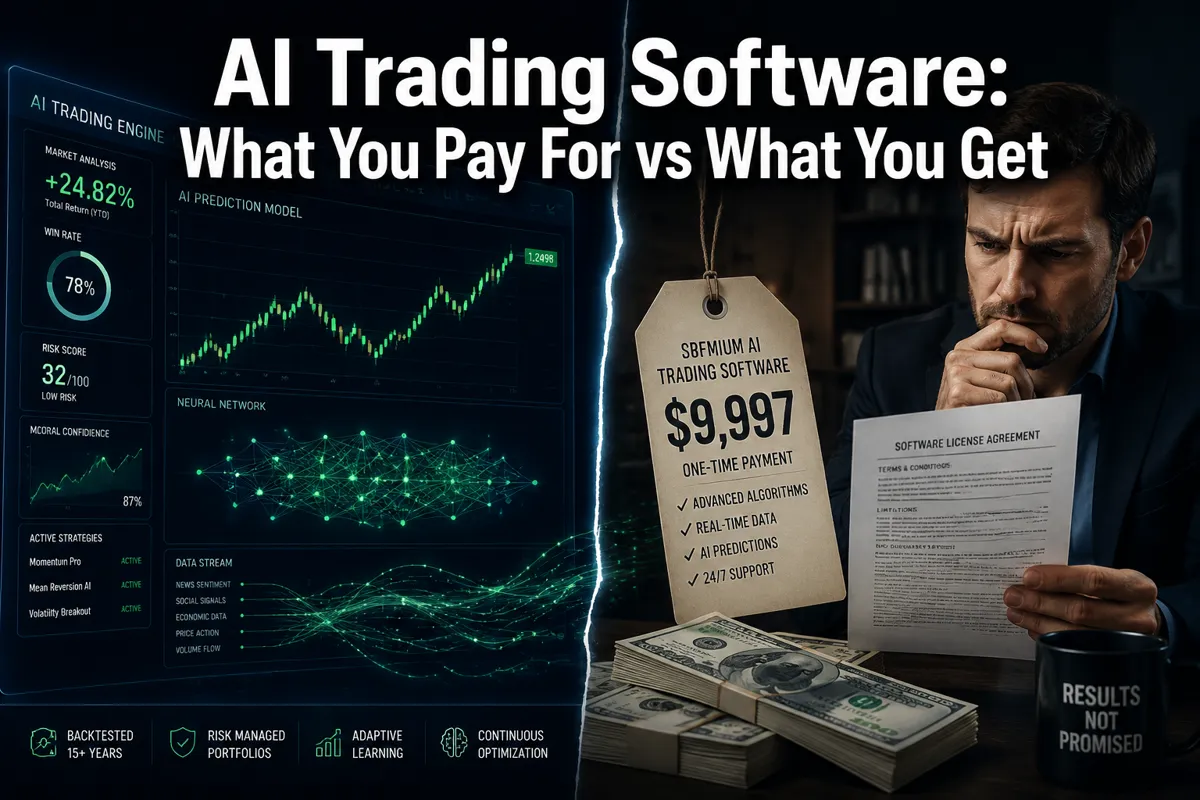
AI Trading Software: What You Pay For vs What You Get
Last updated: June 30, 2026
Quick Answer: Most AI trading software charges between $0 and $254 per month and delivers pattern recognition, automated scanning, and signal generation — not guaranteed profits. Whether it's worth the cost depends entirely on whether you have the discipline to act on the signals it gives you. The software is a tool, not a strategy.
Key Takeaways
- AI trading software ranges from free tiers to $254/month for premium platforms like Trade Ideas, and the price gap doesn't always reflect a proportional value gap.
- Free tools like Danelfin's base plan and Finviz's free screener can deliver real value for beginners who know what they're looking for.
- The biggest hidden cost isn't the subscription — it's the time and skill required to interpret signals correctly.
- No AI trading software can guarantee returns. FINRA explicitly warns retail investors against platforms that imply otherwise.
- The best AI trading software for most retail traders is the one that matches their actual strategy — swing, day, or long-term — not the one with the most features.
- Common mistakes include paying for institutional-grade tools before mastering the basics, and ignoring risk management while chasing signal accuracy.
- AI trading software fails hardest during market crashes and black swan events, when historical pattern data becomes unreliable.
- A disciplined trader with a $39/month screener will outperform an undisciplined trader with a $250/month AI suite every single time.
What Does AI Trading Software Actually Do?
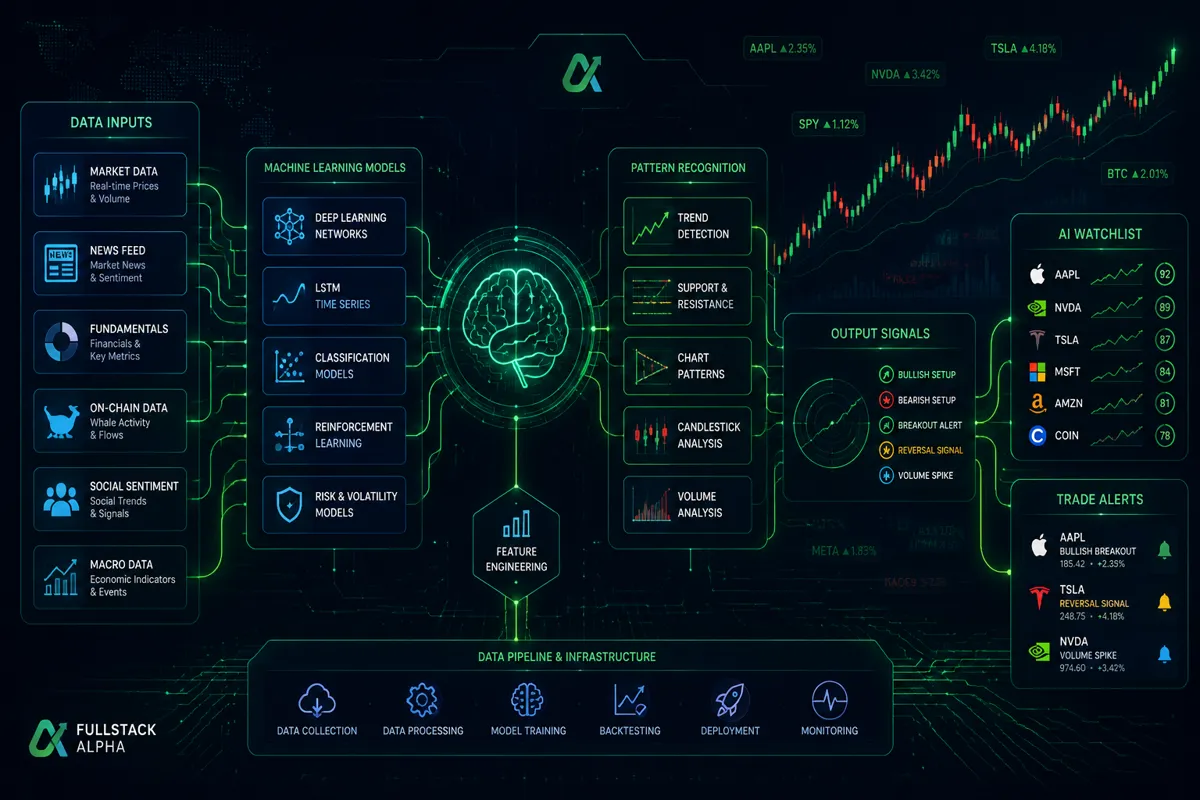
AI trading software scans market data, identifies patterns, and generates trade signals or alerts based on rules built from historical price behavior and machine learning models. It doesn't predict the future. It finds setups that have historically preceded certain price moves and flags them for your review — or, in automated systems, executes them directly.
Here's what's actually happening under the hood:
- Pattern recognition: The AI scans thousands of charts for technical setups — breakouts, tight consolidation patterns, basing near support, volume surges — faster than any human can.
- Sentiment analysis: Some tools, like AlphaSense and Danelfin, layer in news sentiment and earnings data to score stocks on a predictive basis.
- Automated scanning: Tools like TrendSpider run multi-timeframe technical analysis continuously, so your watchlist stays current without you staring at charts all day.
- Trade automation: Platforms like trading bots and tools like WunderTrading can execute orders automatically based on predefined conditions.
What it doesn't do: think, adapt to genuinely novel market conditions in real time, or account for the fact that you panic-sold at the low last Tuesday.
AI Trading Software: What You Pay For vs What You Get Across Every Price Tier
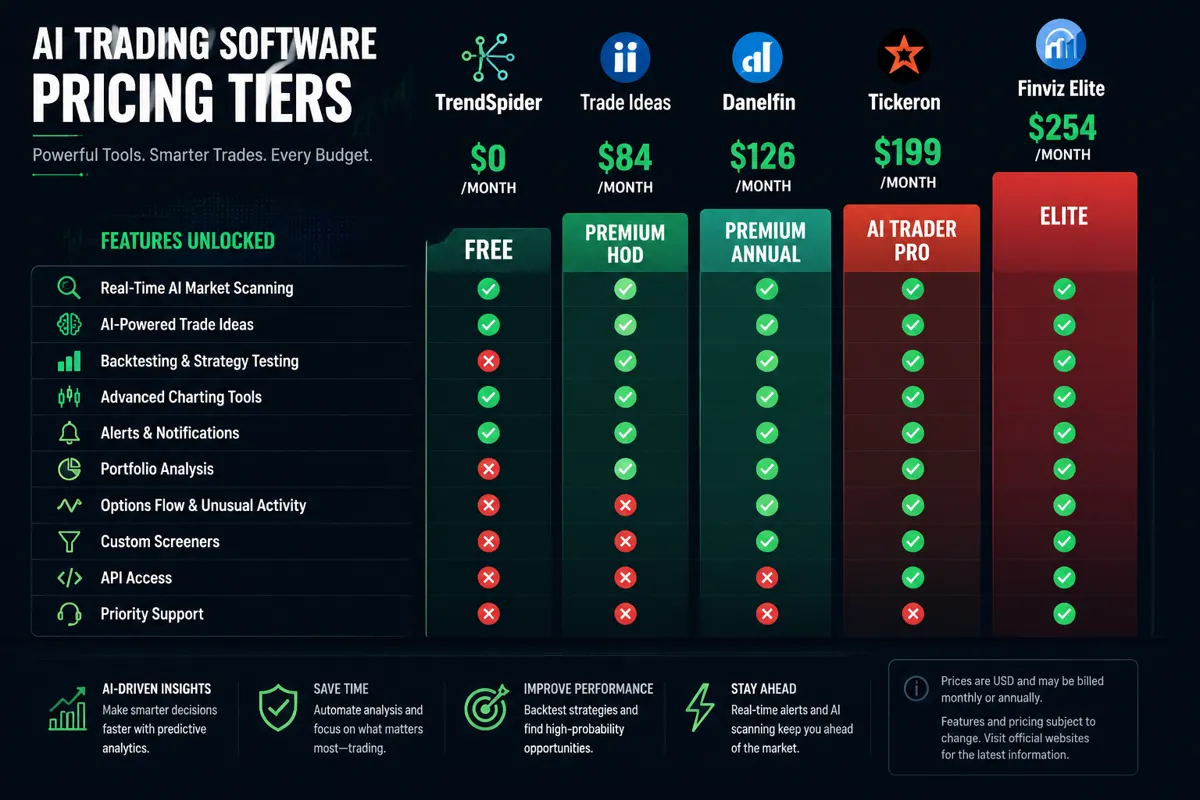
This is the core question, so here's a straight answer: the price you pay buys you data access, scan speed, and feature depth — not alpha. The alpha comes from how you use it.
Free Tier — $0/month
Free tools are real. They're just limited.
- Finviz (free): Solid stock screener with basic filters. No real-time data, no AI signals, but a clean setup for beginners learning to filter by price action and volume.
- Danelfin (free tier): Gives you AI-generated stock scores (1–10) with explainability — meaning it tells you why a stock scored high. The free plan covers a limited number of stocks daily.
- Finviz Elite at $39.50/month is where the real-time data and advanced filters kick in. For a swing trader building a watchlist, this is one of the highest-value tools per dollar in the market.
Decision rule: Start free. If you're hitting the ceiling of what free tools show you — and you have a defined strategy — then pay up.
Mid-Tier — $29–$100/month
This is where most retail traders should live.
- Danelfin Premium ($29/month): Explainable AI scores across a broader stock universe. Strong for long-term and swing traders who want a data-backed shortlist without building their own model.
- TrendSpider ($52–$156/month): Automated technical analysis, multi-timeframe trend detection, and backtesting. The ai trading software cost breakdown here is clear — you're paying for chart automation that would take hours manually. Strong for traders who live in price action.
- Tickeron ($5–$250/month): Wide range. The entry tier gives you basic AI pattern recognition. The upper tiers unlock AI robots — pre-built automated strategies you can subscribe to. Know what you're buying before you scale up.
Premium Tier — $127–$254/month
This is institutional-adjacent territory. The value is real, but only if you're trading with enough size and frequency to justify it.
- Trade Ideas ($127–$254/month): The Holly AI engine runs pre-market scans every morning and surfaces the day's highest-probability setups based on backtested criteria. For active day traders, this is a legitimate edge tool. For someone trading once a week, it's expensive noise.
- TrendSpider at the top tier: Adds strategy automation and deeper backtesting. Worth it if you're building and testing systems, not just watching charts.
The honest ai trading software value assessment: A $254/month tool used with no strategy is worth less than a $39/month screener used with discipline. Systems over hacks. Every time.
Is AI Trading Software Worth the Money?
For traders with a defined strategy and the discipline to follow it, yes — the right tool at the right price tier is worth it. For traders who are still searching for a "system that works," paying more won't fix the underlying problem.
Think of it like a gym membership. The equipment doesn't get you fit. Showing up consistently and following a program does. The gym just removes friction. AI trading software removes the friction of scanning — it doesn't replace the judgment call at entry and exit.
Where it earns its cost:
- Cutting scan time from 3 hours to 20 minutes
- Surfacing setups you'd have missed in a 500-stock universe
- Keeping your watchlist current during choppy tape without emotional bias
- Backtesting whether your setup actually has a positive risk-reward over time
Where it doesn't:
- Telling you when to override the signal
- Managing position sizing and stop loss placement for you
- Performing during earnings season when price action gets irrational
- Replacing the experience of getting stopped out and learning why
Can AI Trading Software Make You Money?
Directly, no. Indirectly, it can help a disciplined trader make better decisions faster. That distinction matters enormously.
The software surfaces the setup. You decide whether the risk-reward makes sense, where your stop loss goes, how large your position is, and when to exit. If those decisions are sound, the tool amplifies your process. If they're not, the tool amplifies your mistakes.
Play stupid games, win stupid prizes. Buying a $200/month AI suite without knowing how to read price action is the trading equivalent of buying a professional chef's knife before you've learned to dice an onion. The knife isn't the problem.
For day trading specifically, tools like Trade Ideas' Holly AI have documented backtested win rates on specific strategies — but those rates assume clean execution, proper position sizing, and no revenge trading after a loss. Real-world results diverge from backtests the moment emotion enters the room.
What Features Should You Look for in AI Trading Software?
The right features depend on your strategy. Here's a clean breakdown by trader type:
Swing traders (holding 2–10 days):
- Multi-timeframe scanning
- Support and resistance detection
- Volume and momentum filters
- Backtesting capability
- Check out swing trading tools for a curated comparison
Day traders (intraday, power hour focus):
- Real-time alerts and pre-market scanning
- Low float filters and gap fill detection
- News sentiment integration
- Speed — latency matters at this level
- See the day trading platform comparison
Long-term investors (weeks to months):
- Fundamental AI scoring (like Danelfin's model)
- Earnings season analysis
- Portfolio-level risk assessment
- Lower urgency on real-time data
Features that sound impressive but rarely move the needle for retail traders:
- Exotic AI model explanations with no actionable output
- Social sentiment scores without price confirmation
- "Prediction" scores without stated accuracy methodology
Free vs Paid AI Trading Software: The Honest Comparison
Free tools are not inferior by default. They're limited in scope. The question is whether your strategy has outgrown what free tools can show you.
| Feature | Free Tools | Paid Tools ($29–$254/mo) |
|---|---|---|
| Real-time data | Rarely | Usually included |
| AI signal generation | Basic or none | Core feature |
| Backtesting | Limited | Full (mid-to-high tier) |
| Automation | None | Available at premium |
| Explainability | Varies | Strong in tools like Danelfin |
| Scan universe | Small | Broad (full market) |
| Support | Community only | Priority in higher tiers |
Bottom line on free vs paid ai trading software: Paper trade it first with the free version. If you're consistently finding and executing setups that work, and the free tool's limitations are the bottleneck, upgrade. If you're not profitable on free tools, a paid subscription won't change that.
Does AI Trading Software Really Work, or Is It a Scam?
Legitimate AI trading software works as advertised — it scans, scores, and signals. It is not a scam in the way a fake guru selling a $5,000 course is a scam. But some platforms oversell their predictive accuracy, and that's where the line gets blurry.
Red flags that suggest a platform is overselling:
- Claims of specific return percentages without audited track records
- No explanation of how the AI model works or what data it uses
- Pressure to upgrade immediately with "limited time" pricing
- No mention of risk, drawdown, or losing trades in marketing materials
That wasn't in our bingo card, but it happens constantly in this space. FOFO — fear of finding out — keeps traders from reading the fine print on what these tools actually promise vs what they deliver.
Legitimate tools like TrendSpider, Trade Ideas, and Danelfin are transparent about methodology. They show backtested results with drawdown data. They don't promise you'll make money. That's the standard to hold every platform to.
Can You Lose Money Using AI Trading Software?
Yes. Absolutely. The software doesn't prevent losses — it informs decisions. A bad entry, an oversized position, no stop loss, or a market-wide selloff can wipe a trade regardless of how clean the AI signal looked.
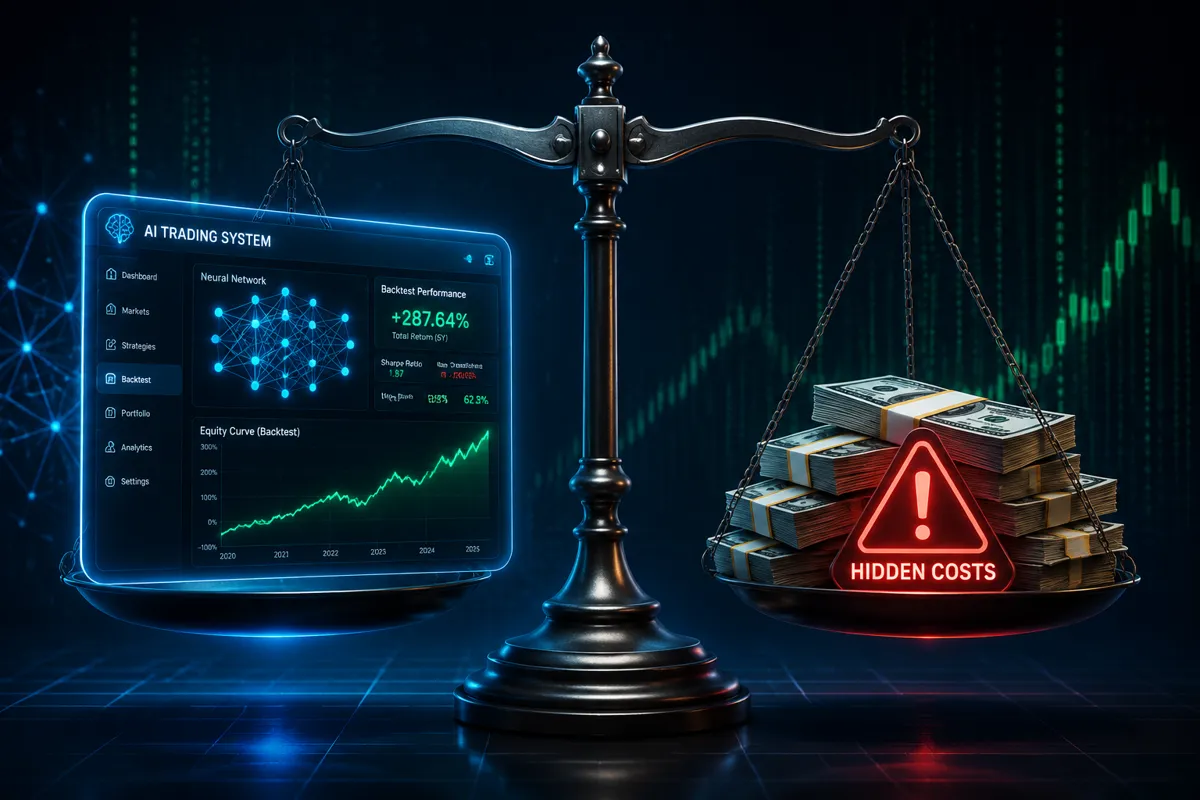
The specific ways AI tools contribute to losses:
- Overfitting to historical data: A signal that worked in a bull market may fail in a choppy tape or bear market.
- False confidence: A high AI score can cause traders to skip their own risk management process.
- Overtrading: Real-time alerts create the temptation to take every signal, which destroys risk-reward math through commission drag and poor setups.
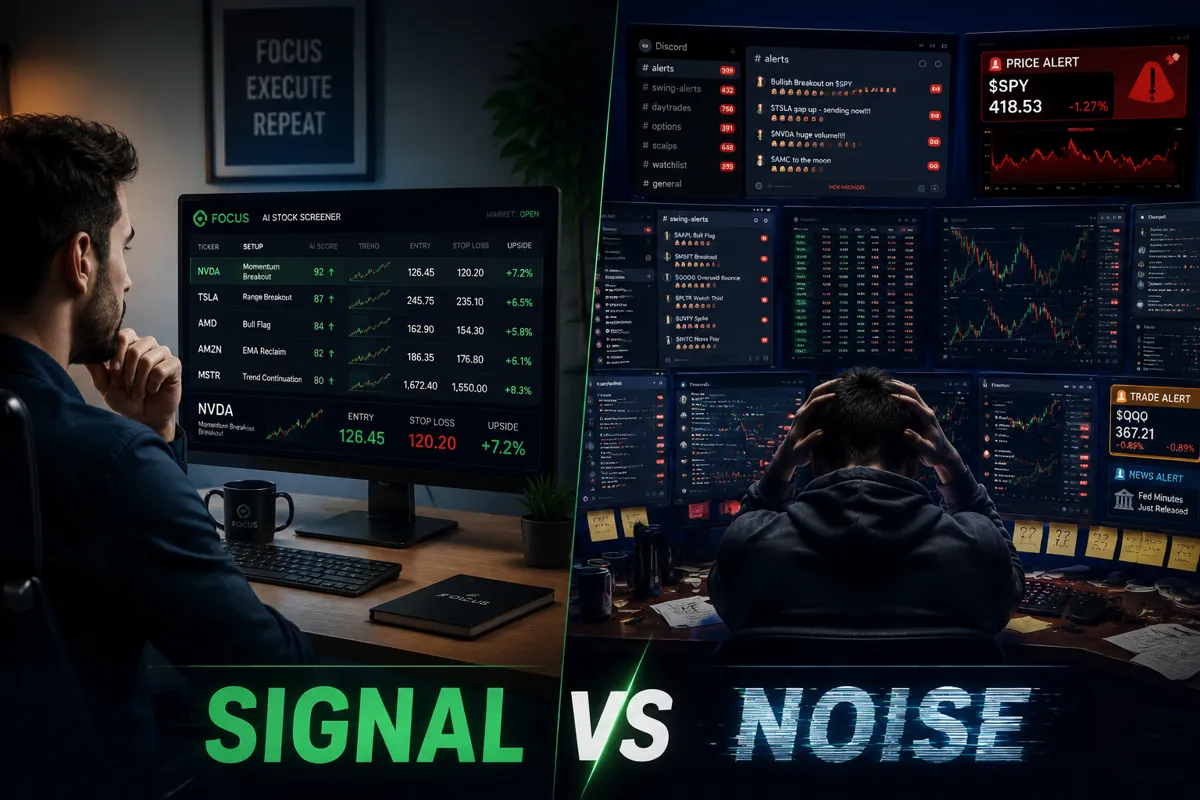
- Analysis paralysis: Too many signals from too many tools leads to no action or contradictory positions.
Risk management is non-negotiable. Know your stop loss before you enter. Size your position so a full loss doesn't hurt the account. Cut losers fast, let winners run. No AI tool changes those rules.
Who Should Use AI Trading Software (and Who Shouldn't)
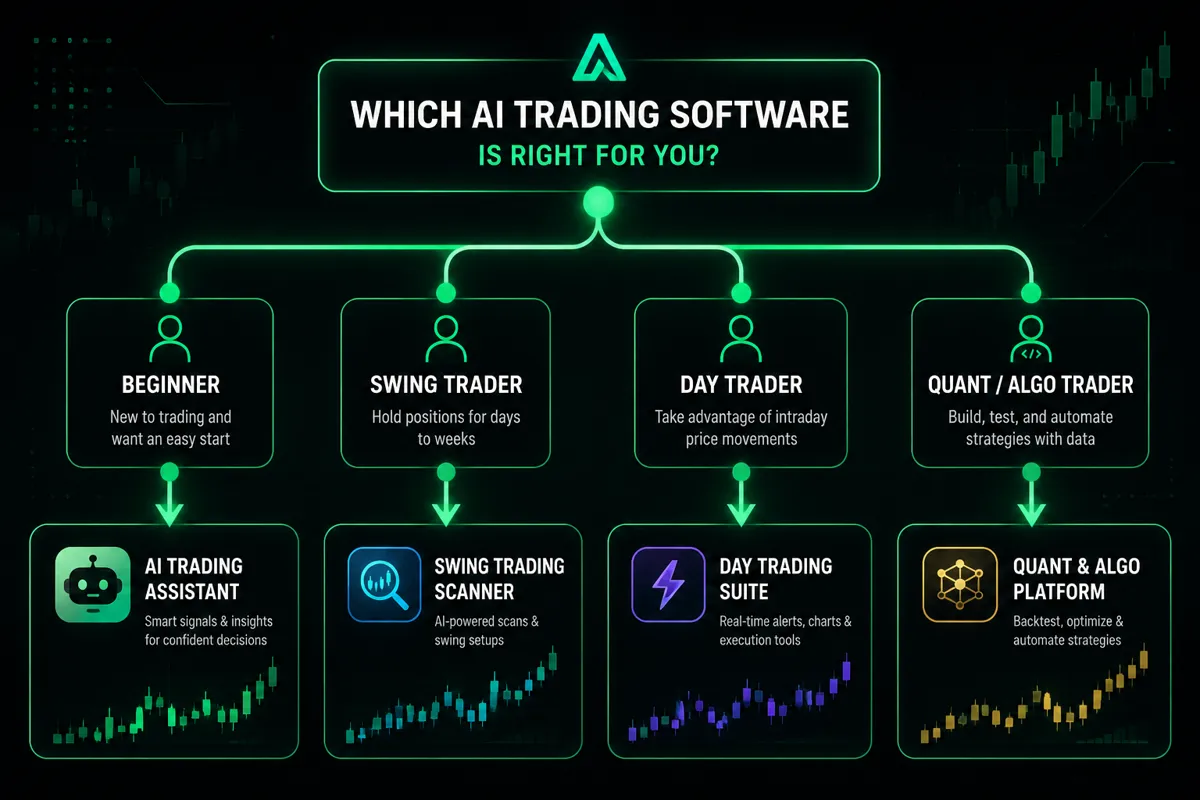
Use it if:
- You have a defined strategy and need faster, broader scanning
- You're trading frequently enough that time savings justify the cost
- You want to backtest your setups with real historical data
- You're building toward a systematic, rules-based process
Skip it (for now) if:
- You haven't paper traded a consistent strategy yet
- You're still in the "trying everything" phase
- Your account size doesn't justify a $100+/month overhead
- You're hoping the software will tell you what to trade without any input from you
The best ai trading software for beginners is the one that teaches as it signals. Danelfin's explainability feature — showing why a stock scored high — is genuinely educational. TrendSpider's chart automation helps beginners see patterns they'd miss manually. Start there before scaling to Trade Ideas-level complexity.
What Happens If AI Trading Software Fails During a Market Crash?
This is the question nobody asks until it's too late. During sharp, fast selloffs — think March 2020, August 2024 flash crash, or any genuine black swan event — AI trading software trained on historical patterns can generate signals that are technically valid but contextually wrong.
The models don't know that a pandemic just started. They see a price pattern that historically preceded a bounce and flag it as a buy. Catching a falling knife is the result.
What to do when the tape goes truly chaotic:
- Reduce position sizing dramatically or go to cash
- Treat AI signals as lower-confidence until the market finds a base
- Focus on risk management over signal-chasing
- Use the software's scanning capability to identify what's holding up — not what's bouncing
The trend is your friend until it isn't. In a real crash, the tool's value shifts from signal generation to damage control. Know that before you need it.
Common Mistakes People Make With AI Trading Software
Most of these mistakes are process failures, not tool failures.
- Skipping the free trial or paper trading phase. Every legitimate platform offers a trial. Use it. Paper trade it first.
- Paying for the top tier before mastering the basics. You don't need Holly AI's full suite if you can't consistently execute a clean breakout entry.
- Using too many tools at once. Three overlapping AI scanners don't give you three times the edge. They give you analysis paralysis.
- Ignoring the stop loss. The AI found the setup. You still have to manage the trade. Getting stopped out is part of the process — not a failure of the tool.
- Revenge trading after a bad signal. The software gave you a losing trade. That's going to happen. Doubling down to "make it back" is on you, not the AI.
Discipline beats prediction. That's not a motivational poster — it's the actual math of long-term trading survival.
AI Trading Software vs Hiring a Human Trader or Advisor
For most retail investors, this comparison doesn't apply directly — you're not choosing between a $200/month software and a $200/month human trader. But it's worth framing.
A human financial advisor brings judgment, context, and accountability. They also charge 1% of assets under management annually (industry standard), which on a $100,000 portfolio is $1,000/year — more than most AI software subscriptions.
AI trading software gives you speed, scale, and consistency. It scans 5,000 stocks in seconds. It doesn't have bad days, doesn't get emotional, and doesn't take a lunch break during power hour.
The real comparison is: AI tool as a research assistant vs. paying someone else to make decisions for you. For self-directed traders who want to stay in control of their own process, the software wins on cost and speed. For investors who want someone else to manage the complexity, a human advisor still has a role — especially for tax planning, retirement strategy, and behavioral coaching.
FAQ
What is AI trading software?
AI trading software uses machine learning and pattern recognition to scan market data, identify trade setups, and generate buy or sell signals. It automates the research and scanning process but doesn't execute trades on your behalf unless you configure automation.
How much does AI trading software cost in 2026?
Prices range from free (Danelfin basic, Finviz free) to $254/month (Trade Ideas premium). Most mid-tier tools like TrendSpider run $52–$156/month. The best ai trading software 2026 for most retail traders sits in the $29–$100/month range.
Is there a free AI trading software that actually works?
Yes. Danelfin's free tier provides AI stock scores with explainability. Finviz's free screener is a legitimate tool for building a watchlist. They're limited, not useless.
What's the difference between an AI screener and an AI trading bot?
A screener finds setups and alerts you. A trading bot executes trades automatically based on rules. Screeners require human judgment at entry. Bots remove that step — which is both their advantage and their risk. See the trading bots comparison for a full breakdown.
Can AI trading software predict stock prices?
No. It identifies patterns that have historically preceded certain price moves. That's probability, not prediction. Any platform claiming to "predict" prices should be treated with serious skepticism.
What's the ROI on AI trading software for retail traders?
The ai trading software roi retail traders actually see depends almost entirely on their own execution and risk management. The tool reduces scan time and surfaces setups — the ROI comes from acting on them correctly and consistently.
Is Trade Ideas worth $254/month?
For active day traders taking multiple positions daily, the Holly AI pre-market scan can surface setups that justify the cost. For traders doing fewer than 10 trades a month, it's likely overkill. Do the math on your own trade frequency and average gain per trade.
What hidden fees should I watch for?
Watch for data feed add-ons, real-time data upgrades sold separately, API access fees, and auto-renewal clauses. Some platforms advertise a base price but charge extra for the features that make the tool actually useful. Read the pricing page in full before subscribing.
Should beginners use AI trading software?
Yes, but start with free or low-cost tools that explain their signals. Danelfin's explainability feature and Finviz's screener are good starting points. Avoid complex automation tools until you understand the underlying strategy they're executing.
Does AI trading software work for swing trading?
Yes. TrendSpider's multi-timeframe analysis and automated pattern detection are well-suited to swing trading timeframes. The key is using the scan to build a watchlist, then applying your own entry and exit criteria.
What's the best AI trading software for beginners in 2026?
Danelfin (free or $29/month) for stock scoring with explainability, and Finviz Elite ($39.50/month) for screener-based watchlist building. Both are accessible, transparent, and don't require coding or advanced technical knowledge.
Can I use multiple AI trading tools at once?
You can, but most traders shouldn't. Overlapping signals from multiple tools create noise, not clarity. Pick one primary scanner that matches your strategy, use it consistently, and add a second tool only if it fills a specific gap the first one doesn't cover.
Conclusion: Cut the Noise, Keep the Alpha
The ai trading software comparison question most traders are really asking is: "Will this fix my results?" The honest answer is that it depends on whether your results are being held back by a lack of information — or a lack of process.
If you're scanning stocks manually for three hours a day and missing setups, a tool like TrendSpider or Trade Ideas is a legitimate upgrade. If you're taking bad trades because you're emotional, revenge trading after losses, or ignoring your stop loss, no software subscription changes that.
Here's the practical takeaway: match the tool to your strategy, not your ambition. Start at the free or low-cost tier. Paper trade it first. Measure whether it's actually surfacing better setups than you'd find on your own. If it is, and the time savings justify the cost, pay for it. If it isn't, cut it.
Signal over noise. Data over hype. Consistency over the next shiny tool.
Browse the full AI trading platforms comparison to see how 100+ tools stack up side by side — with pricing, features, and honest assessments. No guru pitch, no affiliate fluff. Just the breakdown you actually need.