7 Swing Trade Scanners That Find Setups Before They Break Out
Last updated: June 16, 2026
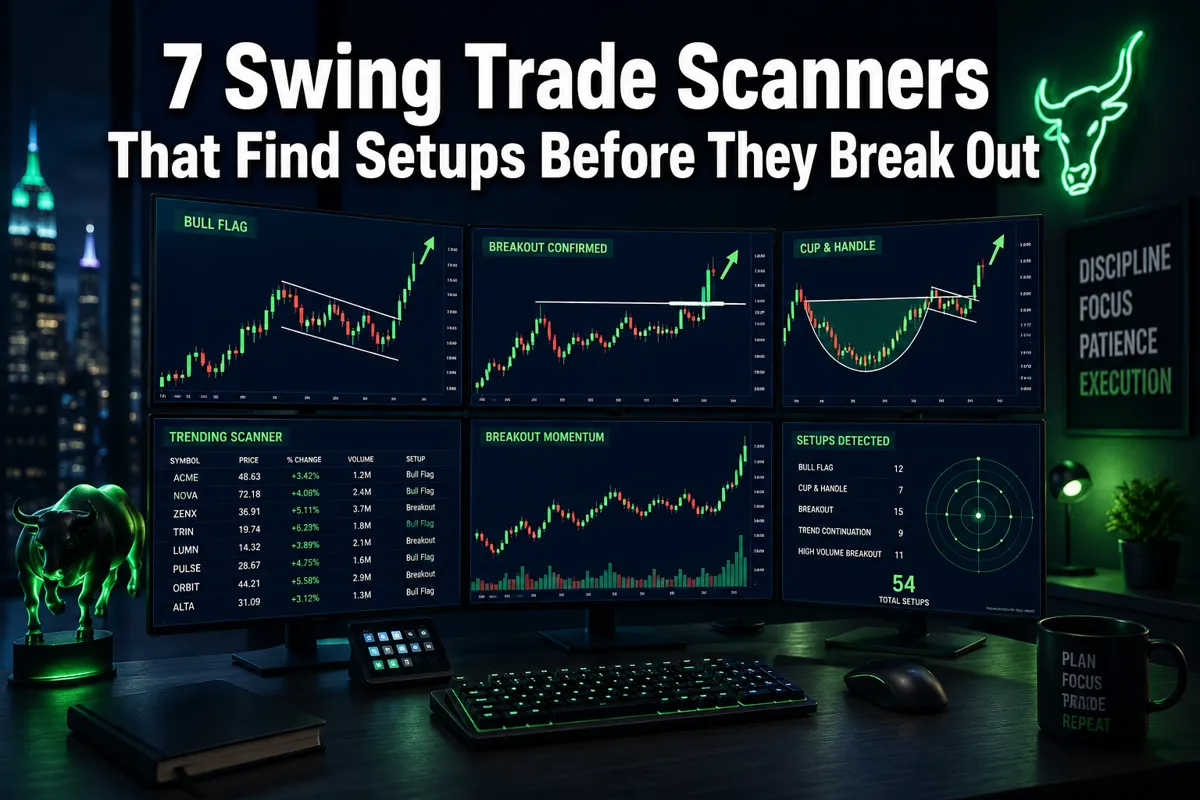
Quick Answer: The best swing trade scanners in 2026 are TrendSpider, Trade Ideas (Holly AI), Finviz, TC2000, ChartMill, SetupSignals, and SwingTradeBot. Each one filters thousands of stocks down to a short watchlist of clean setups showing tight consolidation, volume contraction, or pattern completion — before price breaks out. The right scanner depends on your budget, experience level, and whether you want AI automation or manual control.
Key Takeaways
- A swing trade scanner automates the process of finding stocks in basing patterns, consolidation zones, or near key resistance — before the breakout happens, not after.
- The 7 scanners covered here range from free (Finviz, SwingTradeBot) to professional-tier ($200+/month for Trade Ideas), so budget is not an excuse for skipping this step.
- TrendSpider leads on automation with 200+ indicators and multi-timeframe analysis built in. Trade Ideas leads on AI-driven real-time alerts via its Holly AI engine.
- Scanner accuracy is not a prediction — it's a probability filter. No tool tells you a stock will break out; it tells you the setup looks right. Risk management and stop loss placement still decide your outcome.
- You do not need coding skills to use any of the seven scanners listed here. All offer pre-built scan templates.
- These scanners work for stocks, but their application to crypto and forex varies significantly by platform.
- The most common mistake traders make is running a scanner, seeing 40 results, and trading all of them. The scanner builds the watchlist. You still have to do the work.
What Exactly Is a Swing Trade Scanner and How Does It Work
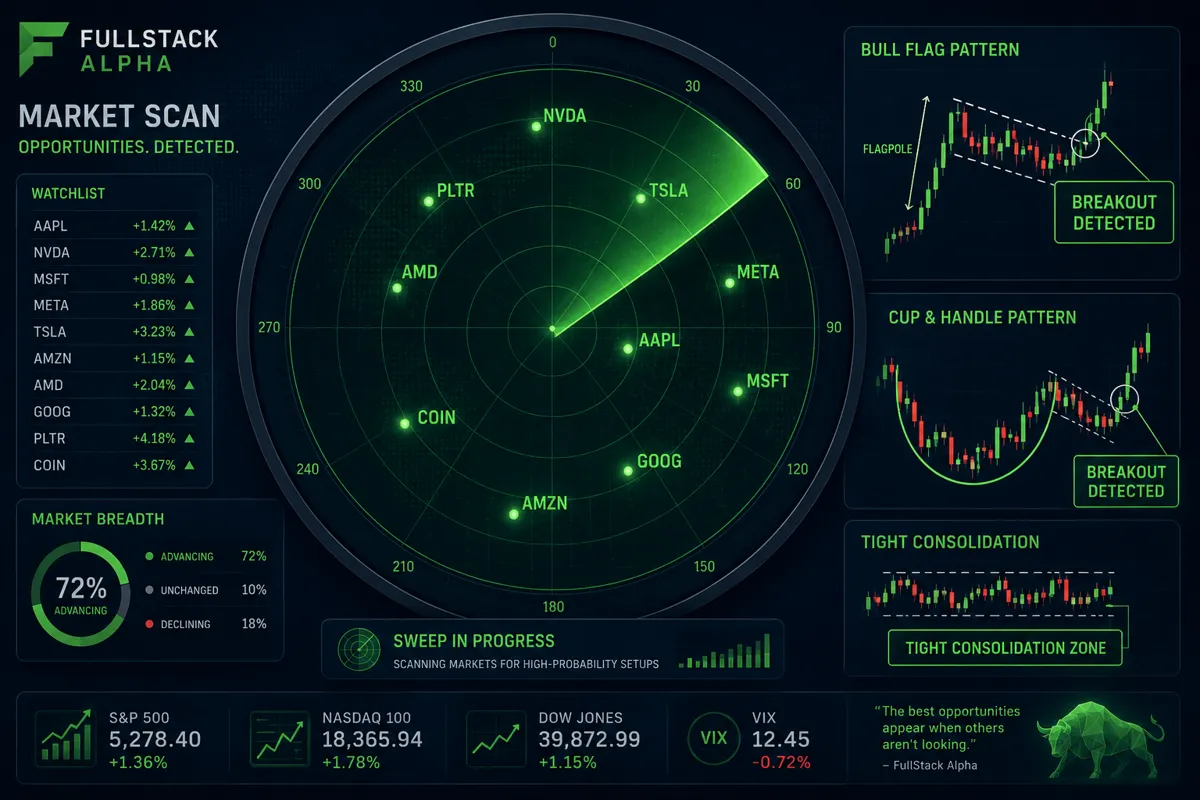
A swing trade scanner is software that filters the entire stock market — often 8,000 or more tickers — down to a short list of stocks that match specific technical or fundamental conditions you define. Instead of manually reviewing hundreds of charts, the scanner does the pattern recognition for you and surfaces only the setups worth a second look.
Here's the mechanical reality: every scanner runs a set of rules against real-time or end-of-day market data. Those rules might look for stocks where volume is contracting while price holds above a key moving average, or where a cup-and-handle pattern is within 2% of a breakout pivot. When a stock matches all the conditions, it hits the list. When it doesn't, it stays invisible.
Three things a scanner actually does:
- Eliminates the 99% of stocks that don't have a clean setup right now
- Flags the price action patterns that historically precede breakout moves
- Saves you the three hours of manual chart review that most traders either skip or do sloppily
What a scanner does not do: tell you the stock will go up. The setup is a probability, not a promise. Discipline beats prediction every time — the scanner just makes sure you're looking at the right candidates.
7 Swing Trade Scanners That Find Setups Before They Break Out
These seven tools represent the best options across different price points and use cases in 2026. Each one earns its spot for a specific reason.
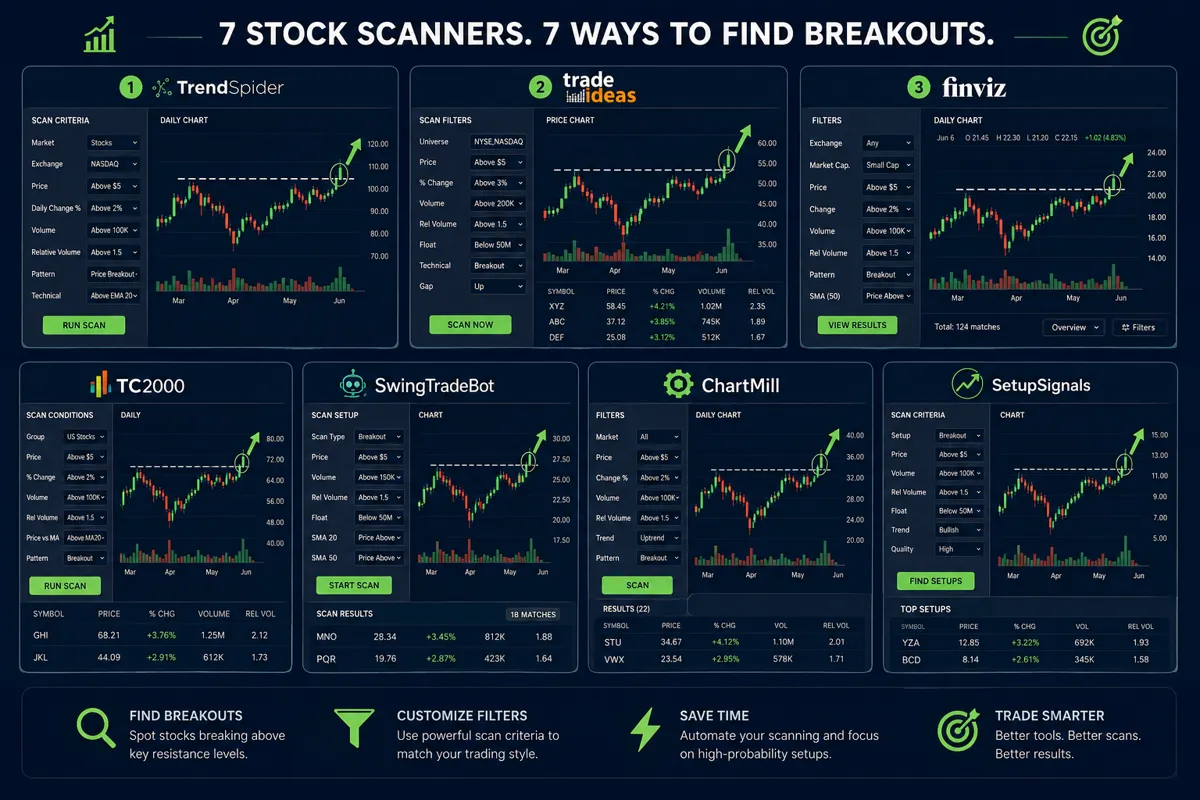
1. TrendSpider — Best for Automated Multi-Timeframe Analysis
TrendSpider is the scanner that thinks like a technical analyst. It runs automated trendline detection, Fibonacci analysis, and multi-timeframe scans simultaneously — across 200+ indicators. For swing traders, the standout feature is its ability to flag stocks where the daily, weekly, and hourly charts are all aligned on the same setup. That's a rare signal, and it's hard to catch manually.
The TrendSpider scanner for swing trading runs condition-based alerts that trigger when a stock meets your exact criteria — no babysitting required. Pre-built swing trading scan templates are available, so you don't start from scratch.
Best for: Intermediate to advanced traders who want automation without writing code.
2. Trade Ideas — Best AI Scanner for Active Traders
Trade Ideas runs Holly AI, an artificial intelligence engine that backtests hundreds of strategies overnight and surfaces the highest-probability setups for the next trading session. It's a pre-market swing trade scanner that delivers a ranked list before the opening bell — not a raw data dump, but prioritized signals with context.
Real-time streaming alerts, a built-in paper trading simulator, and a "race window" that shows multiple scanner results simultaneously make this the most feature-dense option on the list. See the full Trade Ideas breakdown here.
Best for: Active traders who want AI-generated signals with real-time alerts.
3. Finviz — Best Free Swing Trade Scanner
Finviz is the entry point most serious traders started with, and it still earns its place in 2026. The free tier offers over 80 filter parameters — you can screen by price action patterns (bull flag, ascending triangle), relative volume, distance from moving averages, and sector. The visual heat map makes it easy to spot where momentum is concentrated.
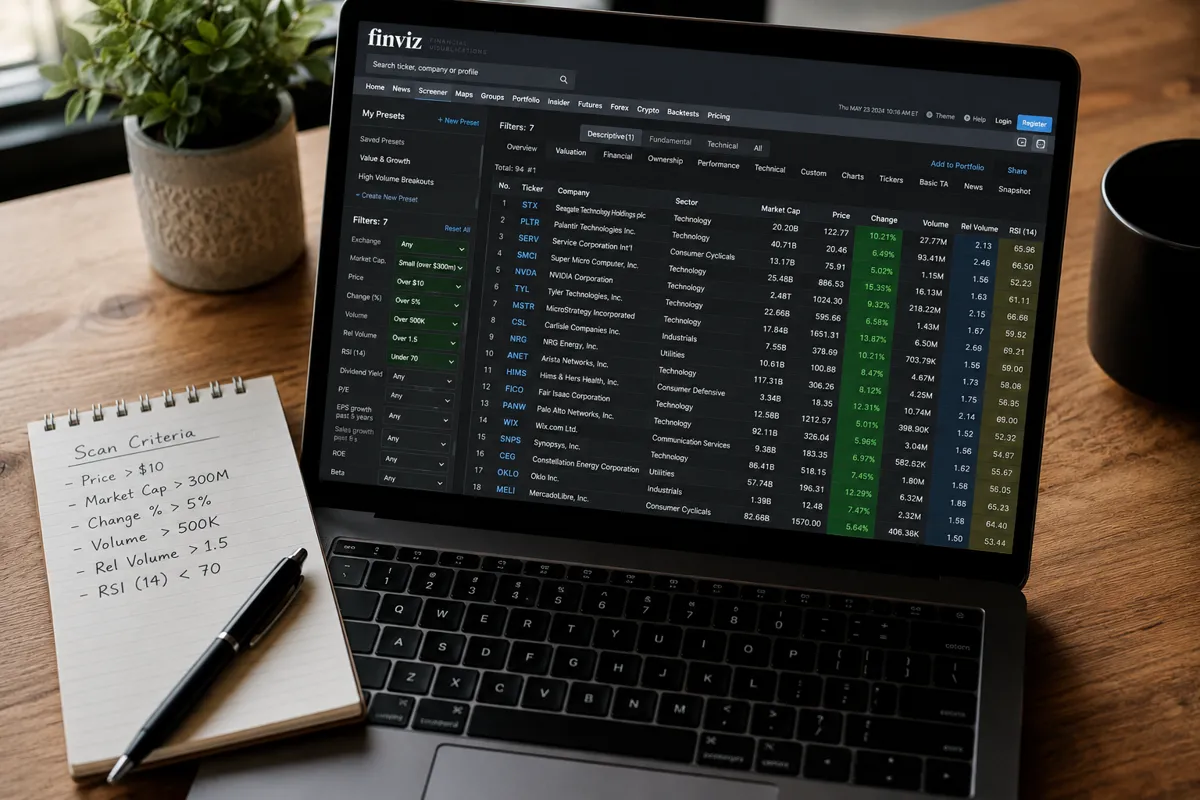
The Finviz swing trade filter setup for breakouts typically combines: price above 50-day and 200-day moving averages, relative volume above 1.5x average, and a chart pattern filter set to "channel up" or "triangle." That's a clean, repeatable process.
Best for: Beginners and budget-conscious traders who want a capable free tool.
4. TC2000 — Best for Speed and Real-Time Customization
TC2000's EasyScan dashboard runs real-time scans across 192 fundamental criteria and a full library of technical conditions. The interface is fast — genuinely fast, not marketing-fast — and the ability to click directly from a scan result into a live chart without switching windows saves meaningful time during power hour.
TC2000 is particularly strong for swing traders who want to combine fundamental filters (earnings growth, sector) with technical setup conditions (tight consolidation near 52-week high, volume dry-up). That combination narrows the field to the highest-quality setups.
Best for: Traders who want speed, customization, and a hybrid fundamental-technical approach.
5. ChartMill — Best for Breakout and Pullback Setups
ChartMill is built specifically for swing and day traders who want to find breakout setups and short-term pullbacks without building their own scan logic from scratch. Its technical stock screener includes pre-configured filters for high-probability trading opportunities, including momentum scanner swing trading criteria like relative strength, volume patterns, and consolidation quality.
The interface is clean and the results are actionable — each scan result links directly to a chart with the relevant pattern highlighted. No hunting around for context.
Best for: Traders who want a purpose-built breakout scanner without the learning curve.
6. SetupSignals — Best for Nightly Pattern Ranking
SetupSignals runs a market-wide scan every night and categorizes results into four stages: setting up, breaking out now, broke out, and retesting breakout. That staging system is genuinely useful — it tells you not just that a pattern exists, but where in the breakout lifecycle the stock currently sits.
For swing traders who do their homework after hours, this is the most organized nightly workflow available. The watchlist builds itself; you just review and filter by risk-reward.
Best for: Traders who prefer end-of-day analysis and a structured nightly routine.
7. SwingTradeBot — Best Free Scanner for Beginners
SwingTradeBot offers bullish scans, EMA crossover alerts, and chart pattern detection in a free, beginner-friendly interface. It's not the most powerful tool on this list, but it covers the fundamentals: it flags stocks crossing above key moving averages, forming bull flags, or showing volume surges that suggest accumulation.
AskLivermore's scanner, worth mentioning here, runs a similar daily scan across all U.S. stocks before market open and has flagged some notable pre-breakout setups historically.
Best for: Beginners who want a free, low-friction starting point before committing to a paid tool.
Which Swing Trade Scanner Is Best for Beginners
For beginners, Finviz or SwingTradeBot is the right starting point — both are free, both have pre-built filters, and neither requires any technical setup. Finviz wins on filter depth; SwingTradeBot wins on simplicity.
The honest advice: don't spend money on a scanner until you've used a free one long enough to know exactly what you're looking for. Most beginners don't have a scanner problem — they have a "don't know what a clean setup looks like yet" problem. Paper trade it first. Build the pattern recognition. Then upgrade the tool.
Beginner scanner checklist:
- Use Finviz's free tier with 3-5 filters maximum
- Filter for price above the 50-day moving average
- Add a relative volume filter (1.5x or higher)
- Look for chart patterns: bull flag, ascending triangle, cup and handle
- Review no more than 10 results per session — analysis paralysis is real
How Much Do Professional Swing Trade Scanners Cost
Swing trade scanner pricing in 2026 ranges from free to over $200 per month, depending on the platform and feature set.
| Scanner | Free Tier | Paid Tier (approx.) |
|---|---|---|
| Finviz | Yes (delayed data) | $39.50/month (Elite) |
| SwingTradeBot | Yes | Free (basic) |
| TC2000 | Limited | $9.99–$89.99/month |
| ChartMill | Limited trial | ~$25–$45/month |
| SetupSignals | No | ~$49/month |
| TrendSpider | No | $33–$131/month |
| Trade Ideas | No | $118–$228/month |
The price jump from free to professional is real, but so is the capability gap. Trade Ideas at $228/month is not for someone who trades once a week. TrendSpider at $33/month entry is reasonable for anyone trading actively.
The rule: match the tool cost to your account size and trading frequency. If you're trading a $5,000 account twice a month, a $200/month scanner is eating your edge before you place a single trade.
What Are the Most Common Mistakes Traders Make With Swing Trade Scanners
The most common mistake is treating scanner output as a buy list. It isn't. A scanner finds candidates — the analysis still happens after the scan.
The five mistakes that cost traders money:
Trading every result. Running a scan that returns 50 stocks and taking positions in 15 of them is overtrading with extra steps. Cut the list to 3-5 highest-conviction setups.
Ignoring the broader market. A breakout scanner in a choppy tape or a confirmed downtrend is going to generate a lot of bull traps. The trend is your friend — check the S&P 500 and sector context before acting on any scan result.
Skipping the stop loss. The scanner found the setup. The stop loss defines what happens when the setup fails. No stop loss means no risk management — and that's how revenge trading starts.
Chasing after the breakout already happened. A stock that's already up 15% on the day is not a swing trade setup — it's an overextended move. The scanner should catch stocks before they break out, not after.
Changing scan criteria every week. Systems over hacks. Pick a set of swing trading scan criteria, run them for 30 days, and evaluate the results. Changing filters constantly means you never build a repeatable process.
Can Swing Trade Scanners Work for Day Traders Too
Yes — most swing trade scanners can be adapted for day trading by switching from daily to intraday timeframes. Trade Ideas and TrendSpider both support intraday scanning with real-time data streaming, making them genuinely useful for day traders who want a momentum scanner or breakout scanner for stocks on a 5-minute or 15-minute chart.
The key difference: swing trade scanners typically run on daily or weekly data and look for multi-day setups. Day trading scanners need real-time data and intraday pattern recognition. Some platforms do both well; others are optimized for one or the other.
Choose a swing scanner for day trading if: you're looking for stocks with strong daily setups that you then time on an intraday chart — a common hybrid approach used by experienced traders.
Are These Scanners Good for Stocks Under $10 or Penny Stocks
Most of the scanners listed here can filter for low-priced stocks, but the quality of the signal drops significantly in penny stock territory. Low float stocks under $5 are prone to manipulation, thin liquidity, and gap fills that wipe out stop losses before you can react.
That said, scanners like Finviz and Trade Ideas let you filter specifically for low float, high relative volume stocks — which is exactly the criteria day traders use to find momentum plays in the sub-$10 range. The setup logic is the same; the risk management has to be tighter.
Play stupid games, win stupid prizes applies here: chasing a $2 stock with no plan because a scanner flagged it is not a system. It's a gamble.
How Accurate Are Swing Trade Scanner Predictions
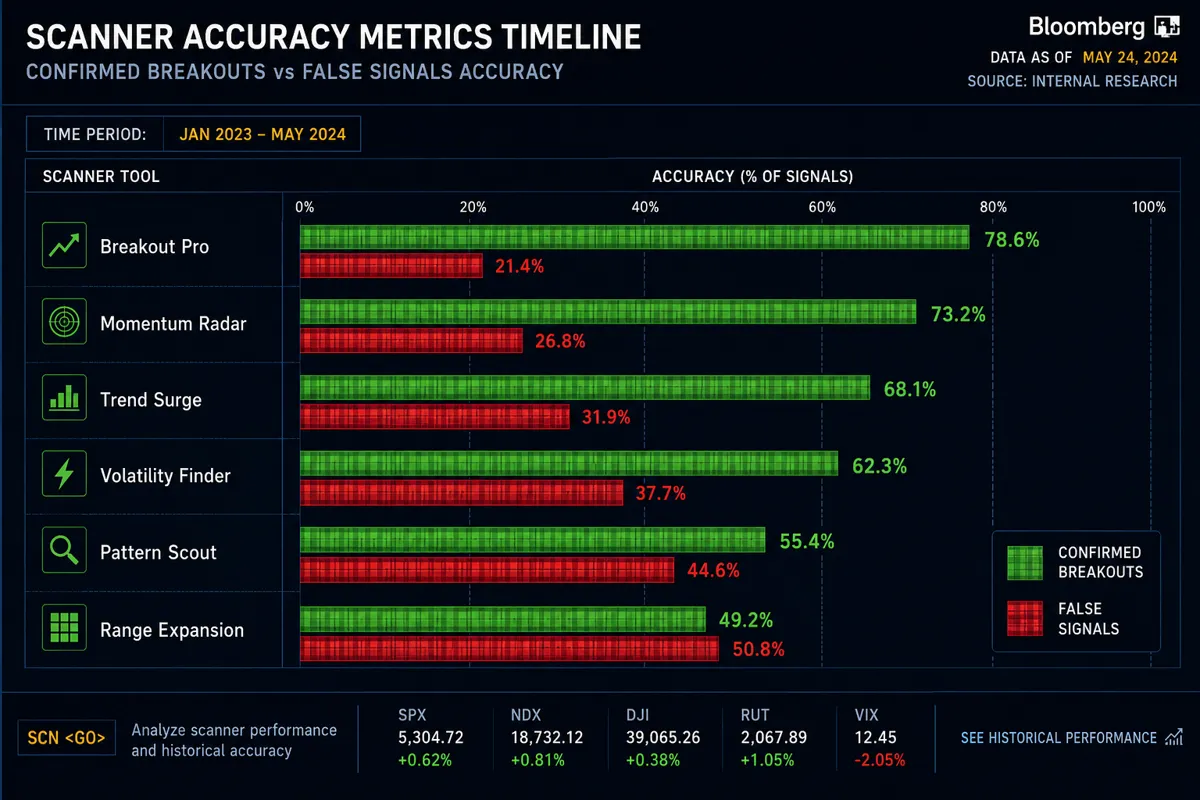
Scanners don't make predictions — they identify conditions. That distinction matters. A scanner that flags a bull flag pattern is telling you the price action looks like a setup that has historically preceded breakouts. It is not telling you this stock will break out.
Accuracy in this context means: how often does a flagged setup result in a profitable trade if you follow a defined entry and exit plan? That number varies by scanner, market conditions, and the trader's execution. EasySwing's platform, which grades setups and provides pre-calculated entry prices and profit targets for 13 specific strategies, is one of the more structured approaches to measuring setup quality.
The honest answer: no published, independently audited accuracy rate exists for most scanners. Anyone claiming "80% win rate" on scanner signals without a verified track record is selling something. Focus on risk-reward and position sizing — a 50% win rate with a 2:1 reward-to-risk ratio is a profitable system.
What Technical Indicators Do These Scanners Typically Use
The core indicators that power most swing trade scanner setups are straightforward and well-established.
Most common swing trading scan criteria:
- Moving averages (50-day, 200-day, 20-day EMA) for trend direction
- Relative volume — comparing today's volume to the 20-day average
- Relative Strength Index (RSI) — typically looking for readings between 50-70 for momentum setups
- Average True Range (ATR) for volatility and stop loss sizing
- MACD crossovers for momentum confirmation
- Price proximity to 52-week highs or key resistance levels
- Chart patterns: bull flag, cup and handle, ascending triangle, VCP (Volatility Contraction Pattern)
TrendSpider supports 200+ indicators, which sounds impressive until you realize that using 20 indicators at once produces analysis paralysis, not clarity. Signal over noise means picking 3-5 indicators you understand and trust, then running them consistently.
For a deeper look at how AI tools layer on top of these indicators, the AI stock research tools comparison at FullStack Alpha covers the current landscape.
Do I Need Coding Skills to Use Advanced Swing Trade Scanners
No coding skills are required for any of the seven scanners listed here. All of them offer pre-built scan templates, drag-and-drop filter builders, or natural language condition setters that non-technical traders can use immediately.
TrendSpider uses a visual condition builder. Trade Ideas has a point-and-click alert system. Finviz filters are dropdown menus. TC2000's EasyScan uses a formula bar that resembles Excel — familiar to most people without being code.
Where coding becomes useful (but never required) is in building highly customized strategies on platforms like TuringTrader or Capitalise.ai, which support algorithmic rule-building for traders who want to automate entries and exits. See TuringTrader's capabilities here. But for the seven scanners in this guide, you can be up and running in an afternoon with zero technical background.
Can Swing Trade Scanners Predict Crypto and Forex Movements
Some can, most can't — and the ones that try often do it poorly. TradingView is the strongest option for traders who want to apply swing trading scan criteria across stocks, crypto, and forex in one platform. Its custom screener and community indicators cover all three asset classes with the same technical logic.
Trade Ideas and TC2000 are U.S. equity-focused and don't cover crypto or forex in any meaningful way. Finviz covers stocks and ETFs only.
For crypto specifically, the pattern logic (bull flags, breakouts, consolidation) works the same way — but the volatility is higher, the liquidity is thinner on smaller coins, and the manipulation risk is real. The scanner finds the setup; the asset class determines how much risk management discipline you need.
What Kind of Computer Setup Do You Need to Run These Scanners
All seven scanners in this guide are web-based or have lightweight desktop apps — none require a high-powered trading rig. A modern laptop with a stable internet connection handles every tool on this list without issues.
Where hardware matters is execution speed during power hour or earnings season, when real-time data streaming and fast order routing become critical. For that use case, a wired ethernet connection beats WiFi, and a second monitor for chart review alongside scanner results is a genuine workflow improvement.
The minimum viable setup: any computer made in the last five years, a reliable internet connection, and a browser. The maximum useful setup: dual monitors, wired connection, and a dedicated machine that isn't running 40 browser tabs while you trade.
How to Set Up a Swing Trade Scanner: A Practical Starting Framework
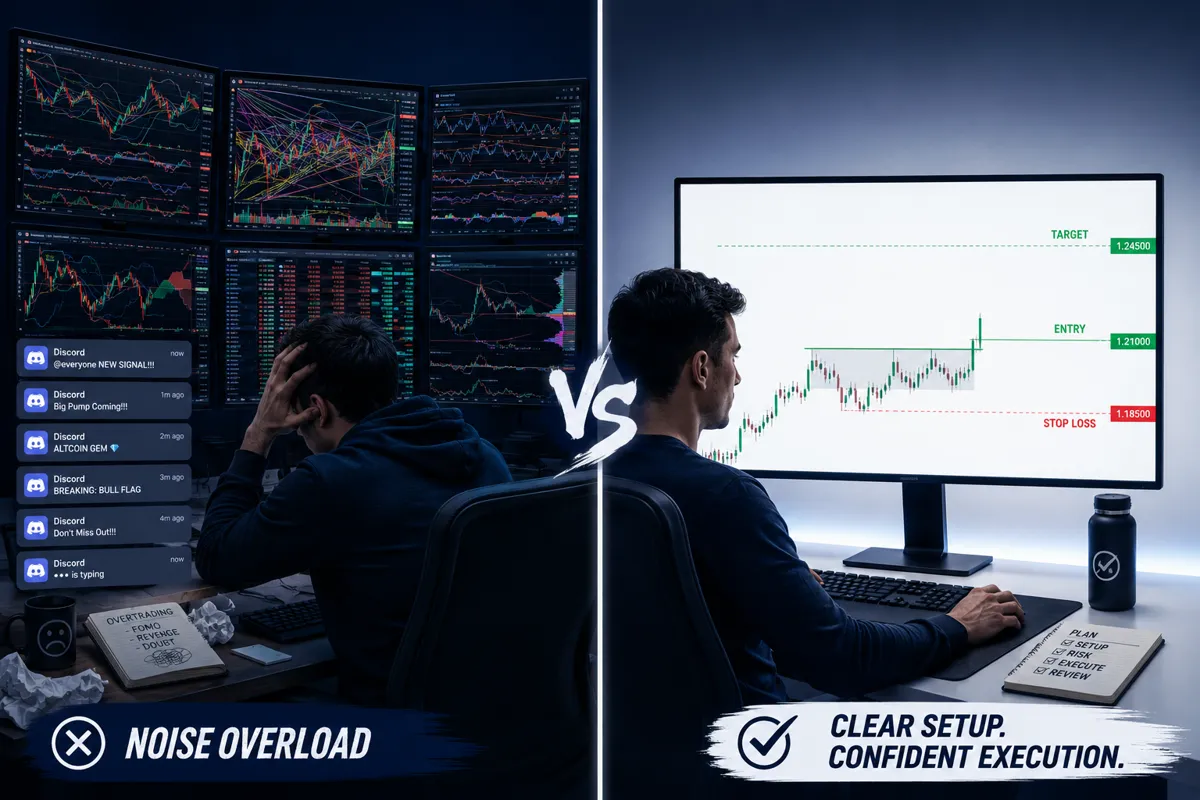
Setting up a swing trade scanner correctly takes about 20 minutes. Here's the process that cuts the noise and keeps the alpha.
Step 1: Define your setup criteria first. Before touching any scanner, write down exactly what a clean setup looks like to you. Bull flag? VCP? Breakout from a 6-week base? The scanner enforces your rules — you have to have rules first.
Step 2: Choose your universe. U.S. large caps? Mid caps? Stocks between $10 and $100? Narrow the universe before adding technical filters. Scanning all 8,000 U.S. stocks with no price or volume floor generates garbage results.
Step 3: Apply filters in order of importance. Start with trend (price above 50-day MA), add momentum (relative volume above 1.5x), then add pattern (bull flag, tight consolidation). Three filters that work together beat ten filters that conflict.
Step 4: Review results before market open. The best swing trade scanner workflow is a pre-market ritual — 20 minutes each morning reviewing the previous night's scan results, building a watchlist of 3-5 names, and setting entry and exit levels before the market opens.
Step 5: Set alerts, not alarms. Use the scanner's alert system to notify you when a stock hits your entry price. Don't watch the screen all day — that's how overtrading happens.
For a structured approach to evaluating your setups, the swing trade planner tool at FullStack Alpha is worth bookmarking.
Are Swing Trade Scanners Better Than Manual Stock Screening
Scanners are faster and more consistent than manual screening — that's not a close debate. A scanner reviews 8,000 stocks in seconds; a human reviewing charts manually covers maybe 50-100 in an hour, and fatigue degrades quality after the first 30.
What manual review still does better: context. A scanner can flag a stock in a bull flag pattern without knowing that the company reports earnings in two days, that the sector is under regulatory pressure, or that the setup formed on abnormally low-quality volume. Manual review catches nuance that rule-based filters miss.
The winning combination: scanner to build the candidate list, manual chart review to validate the top 5-10 results. Data over noise on the front end; human judgment on the back end. That's the process.
You can compare 100+ AI stock tools across categories at aistockpickerapps.com to find the combination that fits your workflow.
FAQ
What is the best free swing trade scanner in 2026?
Finviz is the best free swing trade scanner for most traders. It offers 80+ filters, visual pattern detection, and a heat map — all without a subscription. SwingTradeBot is a close second for beginners who want pre-built bullish scan templates.
How do I set up a swing trade scanner for breakouts?
Filter for price above the 50-day moving average, relative volume above 1.5x the 20-day average, and a chart pattern condition (bull flag, ascending triangle, or tight consolidation near a 52-week high). Run the scan end-of-day and review results before the next market open.
Is Trade Ideas worth the price for swing trading?
Trade Ideas is worth the price if you're actively trading and want AI-generated pre-market signals. At $118-$228/month, it's not the right tool for someone trading once a week. Match the cost to your trading frequency and account size.
Can I use TrendSpider for swing trading without knowing technical analysis?
TrendSpider has pre-built templates that work without deep technical knowledge, but you'll get more from the tool as your chart-reading improves. It's better suited to intermediate traders than complete beginners.
Do swing trade scanners work in bear markets?
Yes, but the setup types change. In a downtrend, the most useful scans look for short setups (stocks breaking down from consolidation) or defensive sectors holding relative strength. Running bullish breakout scans in a confirmed bear market generates mostly bull traps.
What's the difference between a swing trade scanner and a day trading scanner?
Swing trade scanners typically run on daily or weekly data and look for multi-day setups. Day trading scanners run on intraday data (1-minute to 15-minute charts) and need real-time streaming. Some platforms like Trade Ideas and TrendSpider support both.
How many scan results should I trade per week?
Most experienced swing traders act on 2-5 setups per week, not 20. The scanner's job is to find candidates; your job is to be selective. Overtrading scanner results is one of the fastest ways to turn a good system into a losing one.
Which scanner is best for stocks under $10?
Trade Ideas and Finviz both support low-float, low-price filters. However, stocks under $5 carry significantly higher risk due to thin liquidity and manipulation. Apply stricter risk management and smaller position sizing in this price range.
Do I need multiple scanners or just one?
One well-configured scanner beats five poorly configured ones. Start with one tool, learn it deeply, and only add a second scanner if you have a specific need the first one can't meet.
Can swing trade scanners be used for ETFs?
Yes. Most scanners cover ETFs alongside individual stocks. Finviz and TC2000 both include ETF screening. ETF setups tend to be cleaner and less volatile than individual stocks, making them useful for traders still building pattern recognition skills.
What is a momentum scanner for swing trading?
A momentum scanner filters for stocks showing accelerating price movement relative to their recent history — typically using relative volume, rate of change, and moving average separation as criteria. It finds stocks that are already moving and looks for continuation setups.
How often should I update my scan criteria?
Run the same criteria for at least 30 trading days before changing anything. Changing filters constantly prevents you from knowing whether the criteria or the execution is the problem. Systems over hacks — consistency is how you find out what actually works.
Conclusion
The 7 swing trade scanners covered here — TrendSpider, Trade Ideas, Finviz, TC2000, ChartMill, SetupSignals, and SwingTradeBot — each solve a real problem for a specific type of trader. The right one depends on your budget, your experience level, and whether you want AI automation or manual control.
Here's what actually matters: the scanner is the beginning of the process, not the end. It builds your watchlist. You still have to read the chart, assess the risk-reward, size the position correctly, and set a stop loss before the trade goes on. No scanner removes that responsibility.
Three things to do this week:
- Pick one scanner from this list and run it for 30 consecutive trading days with the same criteria. Don't change the filters mid-experiment.
- Build a watchlist of no more than 5 names per session. Review each chart manually before adding it.
- Set a stop loss on every trade before you enter. Not after. Before.
Cut the noise, keep the alpha. The setup is only as good as the discipline behind it.
We test the AI stock tools so you don't waste months on the wrong ones. Browse the full breakdowns at aistockpickerapps.com.
References
asklivermore - https://asklivermore.com/?utm_source=openai
Best Stock Screeners For Swing Trading - https://easyswing.trading/blog/best-stock-screeners-for-swing-trading/?utm_source=openai
Technical Stock Screener - https://www.chartmill.com/getting-started/technical-stock-screener?utm_source=openai
setupsignals - https://setupsignals.com/?utm_source=openai
Best Swing Trading Platforms And Tools In 2026 Find Multi Day Trades Faster - https://www.tradealgo.com/trading-guides/tools/best-swing-trading-platforms-and-tools-in-2026-find-multi-day-trades-faster?utm_source=openai
Swing Trading 101 Best Strategies And Stocks - https://budgetwise.com.ng/swing-trading-101-best-strategies-and-stocks/?utm_source=openai