Best Stock Apps for Day Trading 2026: 7 Ranked
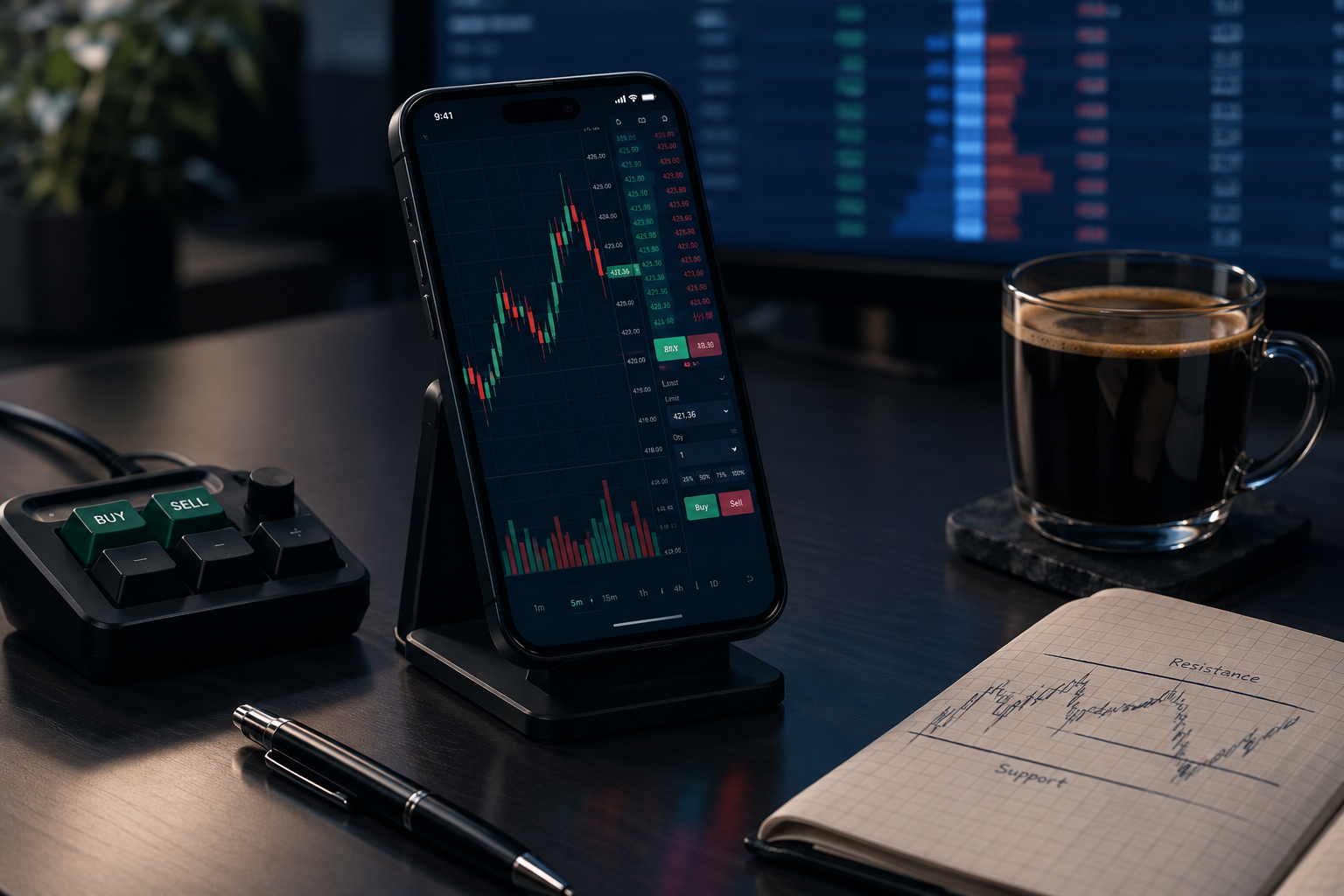
The best stock apps for day trading in 2026 start with Webull, which is the strongest pick for traders who do their real work on a phone and refuse to pay for charts.
Quick answer
Webull wins for mobile-first day traders because it puts desktop-grade charting, extended hours, and paper trading into a free app. moomoo is the better pick if free Level 2 depth matters more than polish. Interactive Brokers is the choice for anyone who cares about routing, margin rates, and global markets over a pretty interface. Robinhood is the fastest way to place an order and the weakest way to analyze one. Fees have converged near zero across the best stock apps for day trading, so the real difference now is data, order types, and how fast the app behaves at 9:31 a.m.
Best stock apps for day trading: key takeaways
The best stock apps for day trading all charge $0 on online stock trades now, so these takeaways focus on what each one charges around the trade.
- Webull is the top overall mobile pick: $0 commissions on U.S. stocks, ETFs, and options, dozens of indicators on the phone chart, and Level 2 depth as a paid add-on.
- moomoo gives the most market data for nothing: free Level 2 (Nasdaq TotalView) for eligible accounts, plus order book, capital flow, and short interest views most free apps charge for.
- Interactive Brokers has two pricing models. IBKR Lite is $0 commission on U.S. stocks. IBKR Pro is tiered per-share pricing starting around $0.0035 per share with a $0.35 order minimum, plus paid market data.
- thinkorswim is free with a Schwab account, charges $0 on online stock and ETF trades and $0.65 per options contract, and includes thinkScript for custom studies.
- Robinhood Gold runs $5 per month and adds Level 2 market data plus extras. The base app stays $0 commission with $0 per options contract.
- TradeStation and Power E*TRADE both sit at $0 on online stock and ETF trades, with per-contract options pricing and platform features that reward volume.
- Commission is no longer the deciding number. Data fees, per-contract options costs, and margin rates are where a day trader's real annual bill shows up.
How did we pick the best stock apps for day trading?
We ranked these seven on four things that change a day trader's P&L, and ignored everything that only changes a marketing page.
Fees got weighted on total cost, not headline commission. A $0 commission app that charges $9 a month for depth-of-market data and 13% on margin is not cheap. Speed got judged on order entry friction and app behavior in the first two minutes of the session, when everyone's app is being asked to do the most work at once. Data got judged on what you get without paying: real-time quotes, Level 2 (the order book showing bids and asks at each price level, not just the best one), and time and sales. Order types got judged on whether you can place a bracket order, meaning an entry with a stop loss and a profit target attached, from the phone.
Three decision rules we used, and you should too:
- Choose on data first if you scalp. If your hold time is under five minutes, Level 2 and tape speed matter more than charting depth.
- Choose on order types if you swing intraday. Bracket and OCO orders (one-cancels-other) do your risk management while you're away from the screen.
- Choose on margin rate if you carry size. At $50,000 of borrowed money, a four-point rate difference is real money every year.
One more thing worth saying plainly. The $25,000 pattern day trader minimum that gated small accounts for 25 years stopped applying in June 2026, and the floor went back to the standard $2,000 margin requirement. That opened active trading to a lot of accounts that were never allowed to make these mistakes before. Confirm current rules with FINRA before you assume anything about your own account.
Best stock apps for day trading compared side by side
Read the Level 2 and order types columns first, because commissions barely separate these seven anymore.
| App | Commissions (stocks/options) | Real-time data | Level 2 | Mobile charting | Order types | Price |
|---|---|---|---|---|---|---|
| Webull | $0 / $0 per contract | Yes, real-time quotes | Paid add-on | Excellent, dozens of indicators | Market, limit, stop, stop-limit, trailing, bracket, OCO | Free app; Level 2 subscription extra |
| moomoo | $0 / $0 commission | Yes, deep quote data | Free for eligible users | Very good, dense | Market, limit, stop, stop-limit, conditional | Free app; some perks tied to account size |
| Interactive Brokers | Lite $0 / Pro tiered from ~$0.0035 per share | Yes, subscription-based feeds | Paid data subscription | Good, functional over flashy | Full institutional set, 100+ including algos | Lite free; Pro per-share plus data fees |
| thinkorswim | $0 / $0.65 per contract | Yes, streaming | Included | Strong, full platform on mobile | Deep set, conditional and OCO | Free with a Schwab account |
| Robinhood | $0 / $0 per contract | Yes | With Gold | Basic to moderate | Market, limit, stop, stop-limit, trailing | Free; Gold $5 per month |
| TradeStation | $0 online stock/ETF, per-contract options | Yes, streaming | Yes on platform | Good, syncs with desktop | Advanced, plus automated strategy orders | Free platform with activity conditions; some data fees |
| Power E*TRADE | $0 / $0.65 per contract, $0.50 at 30+ trades per quarter | Yes, streaming | Yes | Very good, strong options view | Broad set with conditional orders | Free with an E*TRADE account |
Pricing and data policies change. Verify on each broker's own fee page before you fund anything.
1. Webull, best for mobile-first day traders
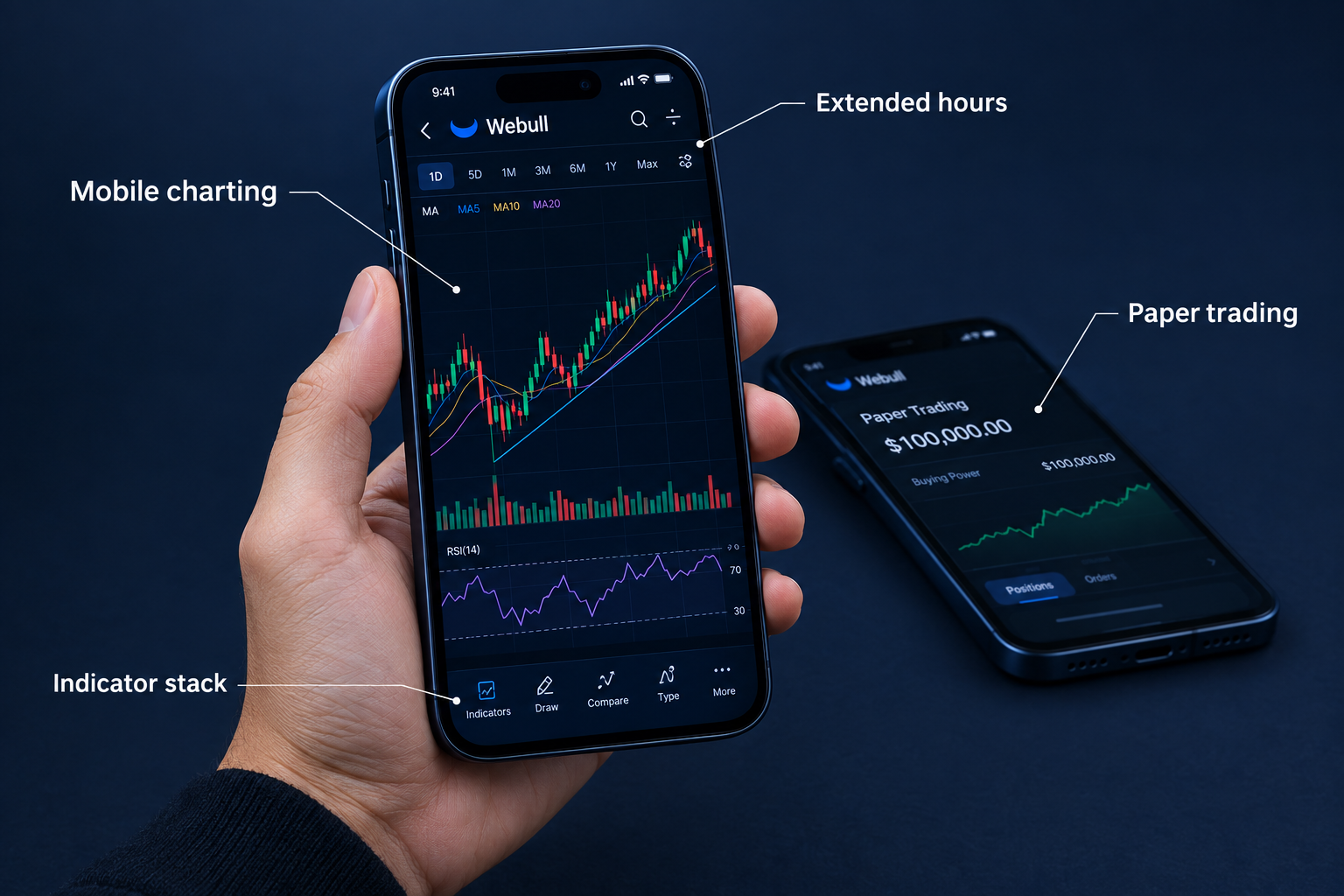
Webull is the best overall stock app for day trading from a phone because it gives you charting that would have cost $100 a month a decade ago, for free, and doesn't make you switch to a laptop to use it.
The chart is the product. You get dozens of indicators, drawing tools that actually respond to a fingertip, multiple timeframes, and multi-chart layouts on a screen the size of a playing card. Order entry sits one tap from the chart, which is the only place it belongs during power hour, that last hour of the session when volume and volatility both spike. Extended-hours sessions let you trade the pre-market gap instead of watching it from the sidelines. And the paper trading account is built in, not buried, which means you can test a setup for two weeks before it costs you anything.
The catch is data. Level 2 depth and certain feeds are a paid add-on, so the "free" app has a monthly bill attached if you scalp. Support is thin compared with a full-service broker, which you will notice the one time you need someone on the phone during a halt.
Pros
- Commission-free U.S. stock, ETF, and options trades
- Advanced mobile charts with dozens of indicators and drawing tools
- Built-in paper trading to practice before risking money
- Extended-hours trading sessions
- Desktop and web share the same account and watchlists
Cons
- Level 2 depth and some data feeds cost extra
- Customer support is limited compared with full-service brokers
Best for: mobile-first day and swing traders who want real charts without a platform fee.
2. moomoo, best for free Level 2 and market depth
If you scalp, try this app before you pay anyone for depth data.
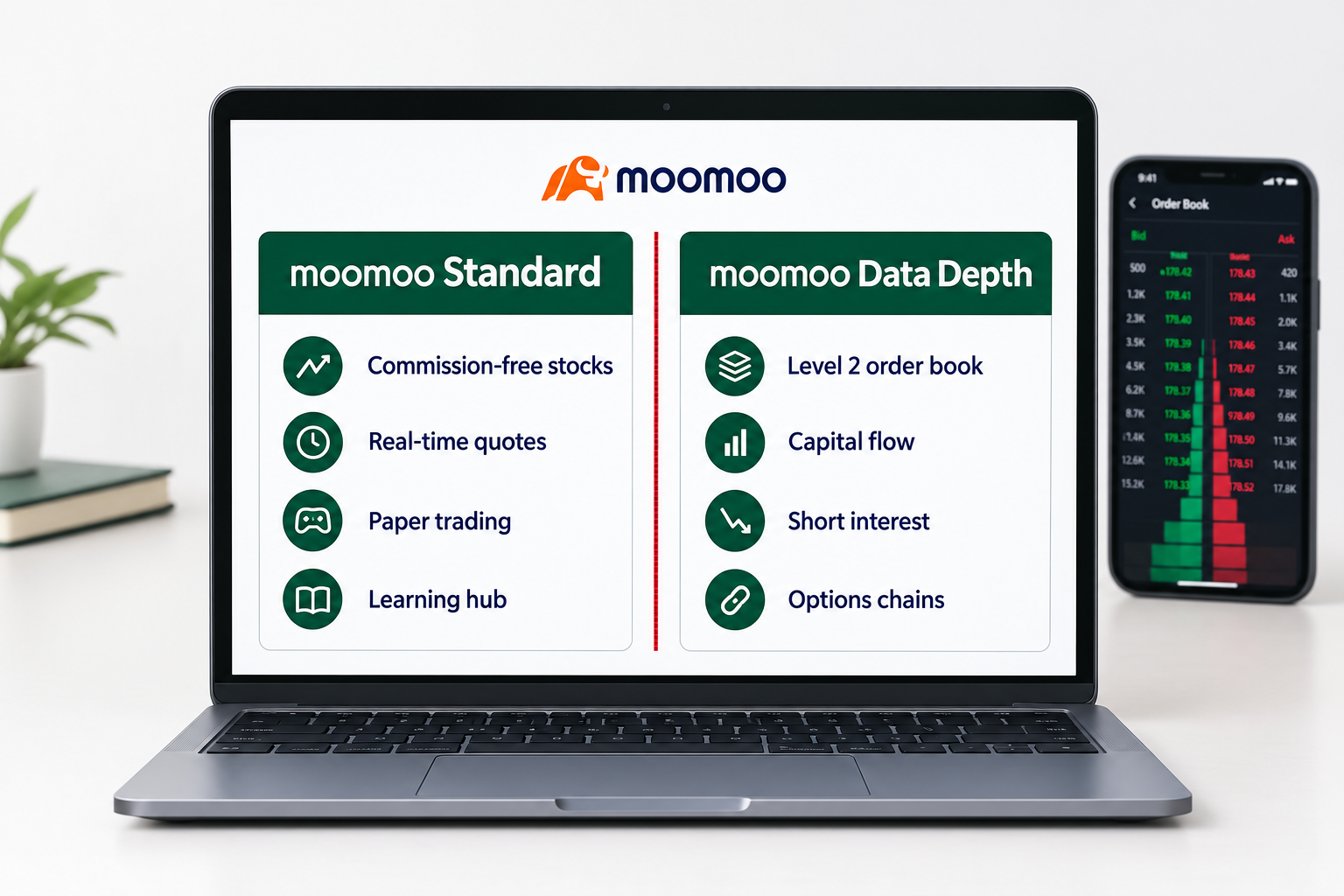
moomoo is the best free source of market depth on this list, because eligible users get Level 2 quotes at no cost along with order book, capital flow, and institutional tracking views.
For a scalper, that's the whole argument. Reading the tape means watching where size is stacking on the bid and ask, and most free apps hand you a single best bid and best ask and call it data. moomoo shows you the ladder. Add short interest, options chains with strategy tools, and a paper trading account, and you have a surprising amount of desk-grade information sitting inside a commission-free app from Futu.
The cost is cognitive. The interface is dense, and a beginner opening it for the first time will feel like they sat down at a mixing board. Some data perks and promotions also depend on account size or trading activity, so read the eligibility terms rather than the banner ad.
Pros
- Commission-free U.S. stock and ETF trades
- Deep market data: order book, capital flow, institutional tracking
- Detailed options chains and strategy tools
- Paper trading and a built-in learning hub
- Strong desktop app alongside mobile
Cons
- The dense interface has a learning curve for beginners
- Some promotions and data perks depend on account size or activity
Best for: active day traders and options traders who want depth-of-market data without a monthly data bill.
3. Interactive Brokers, best for execution quality and margin rates
Pick IBKR when fill quality and borrowing cost matter more to you than a pretty screen.
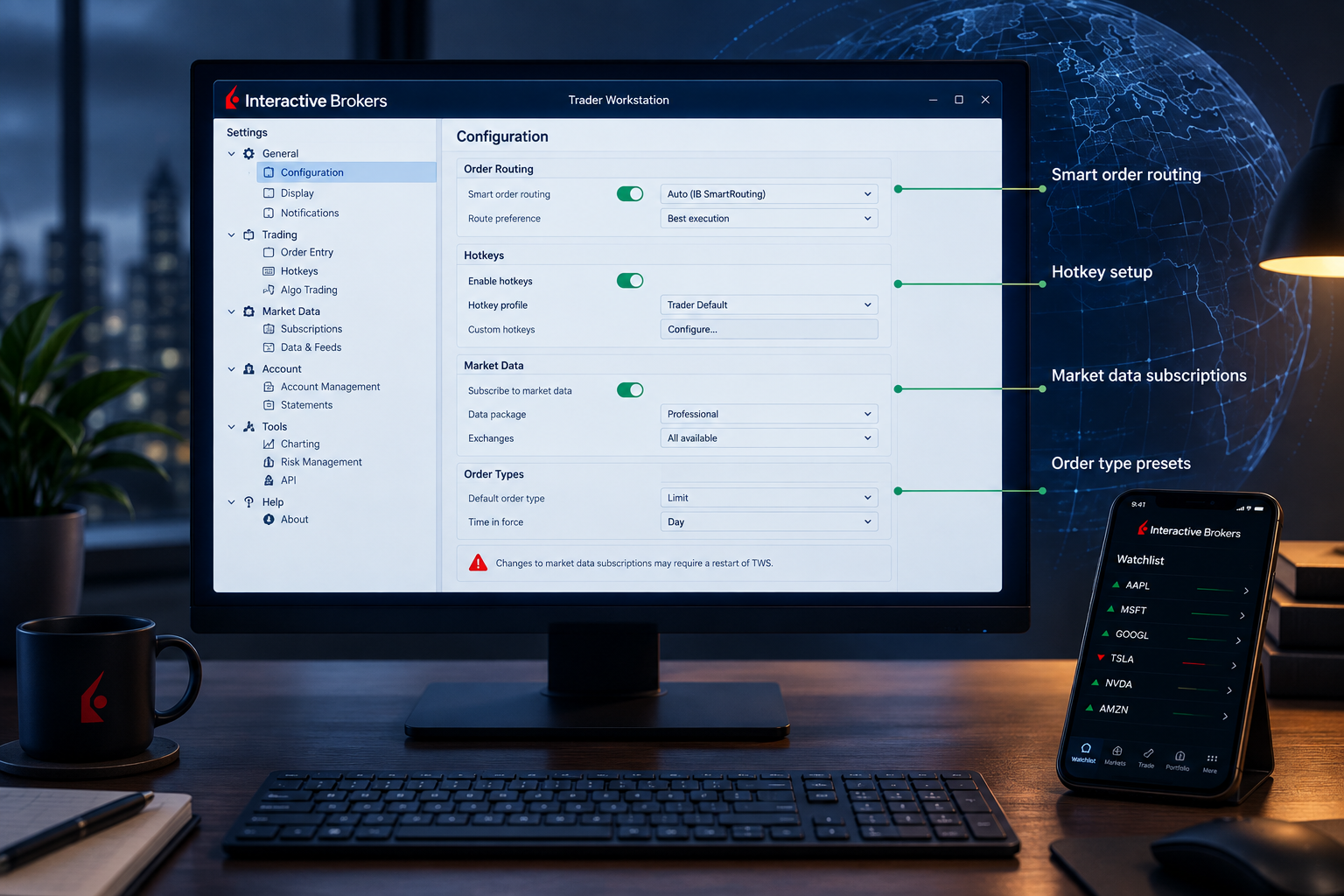
Interactive Brokers is the best choice for serious day traders who care about how their order gets filled, because IBKR Pro's smart order routing targets price improvement and the margin rates are among the lowest available to U.S. retail accounts.
Access is the other draw. Stocks, options, futures, forex, and bonds across 150+ markets from one account, plus a full API if you want to run your own code. Trader Workstation on desktop gives you hotkeys and an order type list that runs past a hundred entries, including algorithmic orders that work a position into the book instead of announcing it. IBKR Mobile is competent, if plainly built by engineers rather than designers.
Two real drawbacks. TWS and the mobile app both feel complicated until you've spent a weekend in them. And IBKR Pro's per-share pricing plus market data subscriptions can cost a small account more than a flat $0 commission app would, so run the math on your actual trade size. If you're comparing execution venues generally, our AI trading platforms breakdown covers what layers on top of a broker like this one.
Pros
- Stocks, options, futures, and forex on global exchanges
- IBKR Pro smart order routing aims for price improvement
- Some of the lowest margin rates among U.S. brokers
- TWS desktop with hotkeys and advanced order types
- Full API for algorithmic traders
Cons
- TWS and the mobile app feel complex for beginners
- Pro per-share pricing and data fees add up for small accounts
Best for: high-frequency and high-size traders who value routing and cheap margin over interface polish.
4. thinkorswim, best for options analysis
thinkorswim is the heaviest of the best stock apps for day trading here, and the options tools are why it is worth the weight.
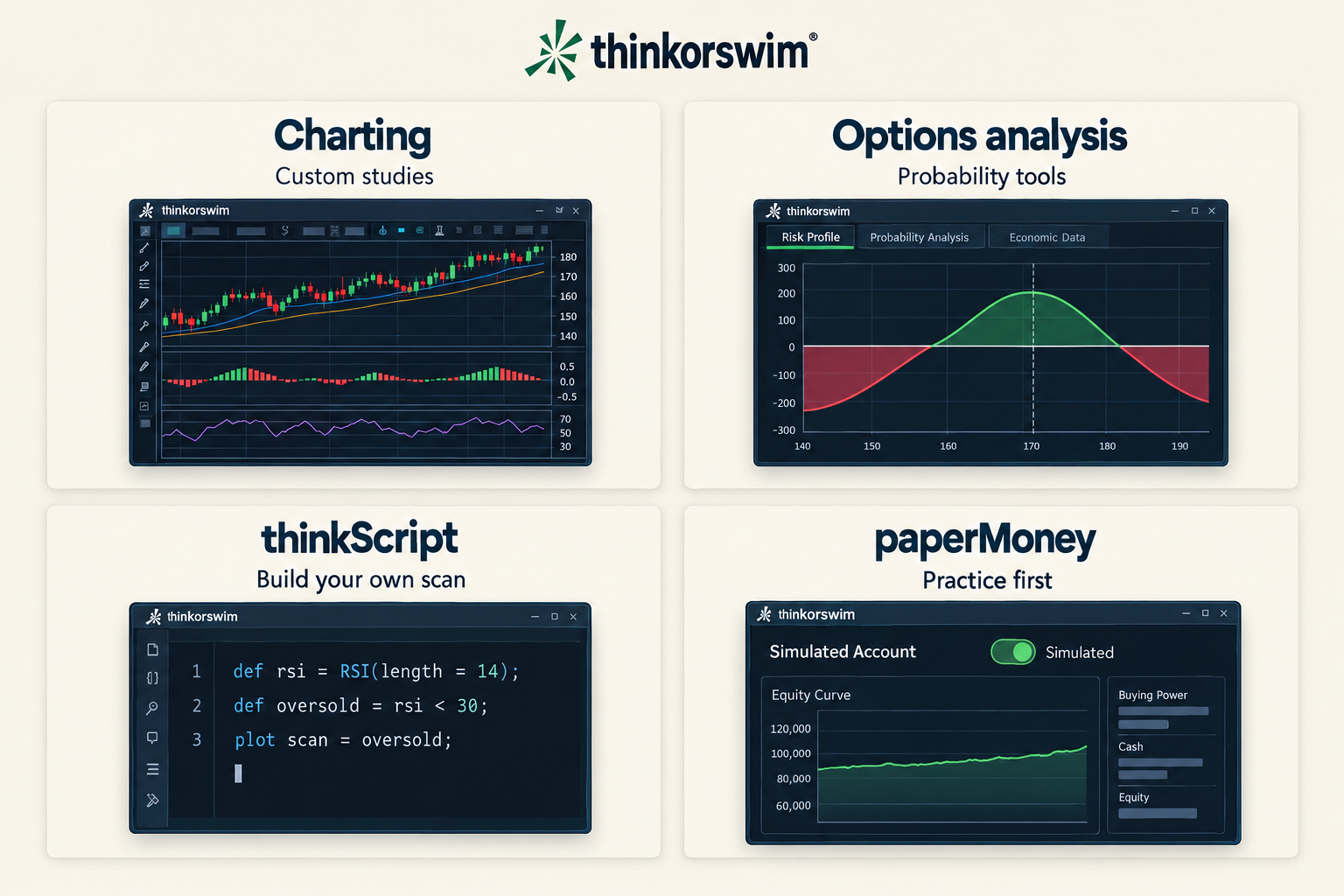
thinkorswim is the best free options analysis platform attached to a major broker, and Schwab includes it with a standard account at $0 on online stock and ETF trades.
The options tooling is the reason people stay. Risk profiles, probability analysis, and an analyze tab that shows you what a trade does across price and time before you place it. thinkScript lets you write custom studies and scans in the platform's own language, which means you stop waiting for a vendor to build the indicator you want. paperMoney gives you a simulated account with real-time behavior, and the mobile app carries most of the desktop capability rather than a stripped-down version of it.
It is heavy. The desktop platform will drag on an older laptop, and the settings count runs into the hundreds. New traders regularly open it, get overwhelmed, and go back to a simpler app. That's a real cost, not a knock on the software. For a shortcut on the options side, see our notes on AI options tools.
Pros
- $0 online stock and ETF commissions at Schwab
- Powerful options analysis, probability tools, and risk profiles
- thinkScript for custom studies and scans
- paperMoney simulated trading
- Full platform on desktop, web, and mobile
Cons
- The desktop platform is heavy and can lag on older computers
- Steep learning curve with hundreds of settings
Best for: active stock and options traders who want pro-level analysis at a large broker.
5. Robinhood, best for speed of order entry
Robinhood is the quickest of the best stock apps for day trading from watchlist to fill, and that speed cuts both ways.
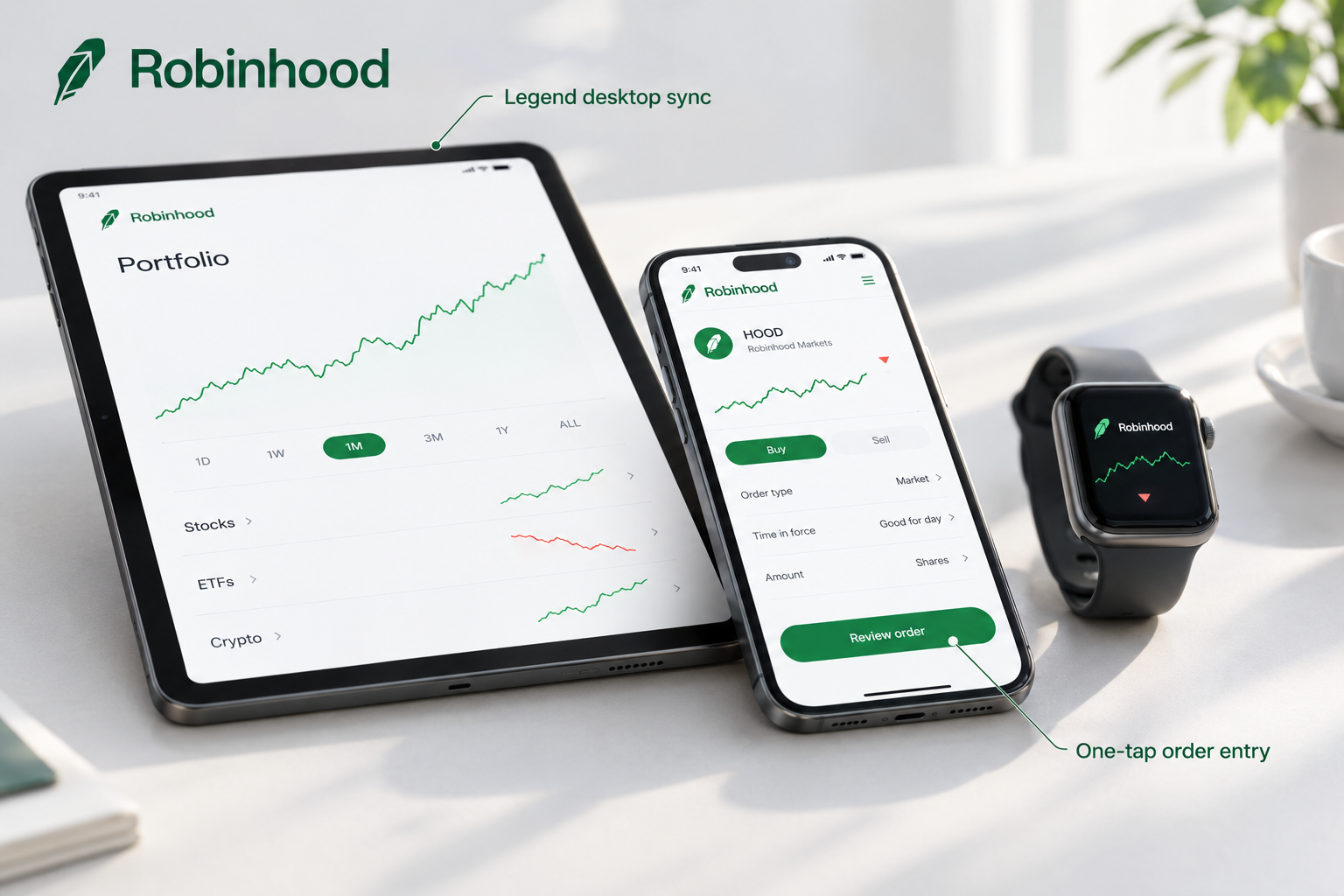
Robinhood has the fastest order flow of any app here, which is exactly why it's both the easiest place to start and the easiest place to overtrade.
Two taps from watchlist to filled order. Commission-free stock, ETF, and options trades with $0 per contract. Fractional shares. A 24-hour market on select names five days a week. Robinhood Gold at $5 a month adds Level 2 market data and other extras, and Robinhood Legend gives you a desktop platform with multi-chart layouts for people who outgrew the phone.
The limits are honest ones. Analysis tools are shallow next to thinkorswim or TradeStation, so the app tells you what happened and not much about why. The payment-for-order-flow model, where the broker gets paid by market makers to route your orders, draws steady criticism from traders who care about fill quality. Neither is disqualifying. Both mean Robinhood is a great execution button and a weak research desk.
Frictionless entry plus no plan is how small accounts turn into revenge trading, chasing a loss with a bigger position. Play stupid games, win stupid prizes.
Pros
- Commission-free stock, ETF, and options trades
- Very clean, fast mobile interface
- Robinhood Legend desktop platform for active traders
- Gold adds Level 2 market data and extras for $5 per month
- Fractional shares and 24-hour market on select stocks
Cons
- Fewer advanced analysis tools than thinkorswim or TradeStation
- Payment-for-order-flow model draws criticism from some traders
Best for: beginner and casual day traders who want the simplest possible mobile execution.
6. TradeStation, best for backtesting and automation
TradeStation earns its place among the best stock apps for day trading through its desktop engine, and the synced mobile app works as the remote control.
TradeStation is the best pick on this list if you want to build, test, and automate a strategy inside your broker instead of stitching three subscriptions together.
EasyLanguage is the differentiator. You write a rule set, backtest it against historical data, then run it live with automated order entry. RadarScreen scans the market in real time and ranks names by your own criteria, which is a genuinely different job from a static screener. Hotkeys and the order-entry matrix make manual trading fast, and stocks, options, and futures live in one account. Online stock and ETF trades are $0, with per-contract pricing on options and futures.
Two caveats. The desktop platform is Windows-first with a real learning curve, so Mac traders end up in a browser or a virtual machine. And some data and platform features carry fees if your account is small or inactive, which makes it a poor fit for someone placing four trades a month. If backtesting is what you're after, compare it against the tools in our best AI stock tools for 2026 roundup.
Pros
- EasyLanguage to code, backtest, and automate strategies
- Advanced desktop charting and RadarScreen real-time scanning
- Stocks, options, and futures in one account
- Hotkeys and fast order entry
- Mobile and web apps sync with desktop
Cons
- Windows-first desktop platform with a learning curve
- Some data and platform features carry fees for low-activity accounts
Best for: system traders who want backtesting and automation without leaving their broker.
7. Power E*TRADE, best for options on mobile at a big broker
Options traders who want a large brokerage behind the app should start here.
Power E*TRADE is the best options experience on a phone among the large legacy brokers, thanks to visual risk and probability displays that make a multi-leg position readable on a small screen.
E*TRADE from Morgan Stanley charges $0 on online stock and ETF trades, with options at $0.65 per contract and $0.50 for accounts trading 30 or more times per quarter. The platform streams real-time data, includes advanced charting with a long study list, a snapshot analysis view that shows your position's risk graphically, and paper trading for practice. Sitting behind Morgan Stanley's brokerage also means the support and custody infrastructure of a very large firm, which matters more on a bad day than a good one.
It's less flexible than TradeStation. Customization and automation options are thinner, and a few of the better features are easier to operate on web than on mobile, which is an odd outcome for a platform sold on its mobile strength.
Pros
- $0 online stock and ETF commissions
- Strong options tools with visual risk and probability analysis
- Advanced charting with many studies
- Paper trading for practice
- Backed by Morgan Stanley's brokerage
Cons
- Fewer customization and automation options than TradeStation
- Some advanced features work better on web than mobile
Best for: active traders who want full-featured options tools inside a large, established brokerage.
App finder
Day Trading App Fit Finder
Which two of the seven apps in this roundup fit your phone, account, data needs and trading pace?
Top 5 features the best stock apps for day trading share
Every app on this list clears the same five bars. If a broker you're considering misses two of them, it isn't a day trading app, it's an investing app with a chart bolted on.
- Real-time streaming quotes, not delayed data. A 15-minute delayed quote is a history lesson. You need the current bid and ask, updating tick by tick.
- Level 2 and time and sales access. Level 2 shows the full order book at each price level, and time and sales shows every print as it happens. Together they tell you whether a breakout has buyers behind it.
- Bracket and OCO orders from the phone. A bracket attaches a stop loss and a target to your entry the moment you're filled. An OCO cancels the other side when one fills. That's risk management that runs without you.
- Charting with indicators and drawing tools on mobile. Support and resistance levels you drew yourself beat any default indicator setting.
- Paper trading built in. Free simulated trading is the cheapest tuition available. Paper trade it first, for 30 sessions, before real capital touches a new setup.
What should you look for in the best stock apps for day trading?
Most shoppers compare commissions first, which is the one number that no longer tells these apps apart.
Look at your total annual cost, your hold time, and whether the app lets you exit fast. Those three answers point at one broker, and the rest of the feature list is noise.
Run this checklist before you fund an account:
- Add up your real yearly bill. Commission, per-contract options fees, Level 2 subscription, platform fee, margin interest at your typical borrowing. A trader doing 20 options contracts a day pays roughly $3,250 a year at $0.65 per contract and nothing at $0. That gap dwarfs any charting difference.
- Test the app during the open, not at lunch. Fund a small account and place a single limit order at 9:31 a.m. Lag and slippage at the open are the only speed test that counts.
- Check order type coverage on mobile specifically. Plenty of brokers support bracket orders on desktop and not on the phone. If you trade from a phone, desktop support is irrelevant.
- Read the margin rate, not the commission. Intraday leverage is where the cost hides for anyone carrying size.
- Confirm the extended hours window. Pre-market gap trades need 4 a.m. to 9:30 a.m. ET access, and not every app offers the full session.
Common mistake: picking the app with the best charts and then never using them because you scalp off the tape. Match the tool to your hold time, not to your aspiration.
Edge case: if you trade futures alongside stocks, Interactive Brokers and TradeStation are the only two here that handle both properly. Webull, moomoo, and Robinhood will send you elsewhere.
Are the best stock apps for day trading enough, or do you need a desktop platform?
A phone app is the right primary tool for most part-time traders and the wrong one for a full-time scalper.
The best stock apps for day trading have closed most of the gap on desktop platforms, but two categories still beat them at specific jobs: dedicated desktop terminals and prop firm apps.
Desktop day trading platforms (DAS Trader, Sterling, Lightspeed, TWS, TradeStation's own desktop build) still win on hotkey speed, multi-monitor layouts, and direct market access routing. If you're taking 30 trades a day on low float names, meaning stocks with few shares available to trade and violent moves, a desktop with hotkeys is worth the monthly fee. These suit full-time scalpers who sit at a fixed desk.
Prop firm apps fund you with the firm's capital in exchange for a profit split and a strict drawdown limit. They suit disciplined traders with a proven system and not enough capital to size it properly. They punish anyone still learning, because a bad week ends the account rather than shrinking it. Read the evaluation terms and the payout history before you pay an assessment fee.
AI screeners and scanners sit on top of any broker here and do the job none of these apps do especially well: surfacing the watchlist before the open. Our guide to 5 scanner filters that cut 200 tickers down to 5 covers the setup.
Choose the app over the desktop platform if you take fewer than 10 trades a day and your edge is in the setup rather than in shaving milliseconds.
Best stock apps for day trading: FAQ
Which stock app has the fastest order execution for day trading?
Interactive Brokers Pro offers the strongest routing on this list, using smart order routing that seeks price improvement across venues. Robinhood has the fastest order entry interface, which is a different thing from the best fill.
Do I still need $25,000 to day trade in 2026?
No. The $25,000 pattern day trader minimum stopped gating small accounts in June 2026, and the floor reverted to the standard $2,000 margin account requirement. Confirm your broker's own policy, since firms can set stricter house rules.
Which day trading app gives free Level 2 data?
moomoo provides free Level 2 (Nasdaq TotalView) for eligible users, and thinkorswim includes Level 2 with a Schwab account. Webull sells it as an add-on, and Robinhood includes it with Gold at $5 per month.
Are commission-free trading apps actually free?
The trade is free. The data usually is not. Budget for Level 2 subscriptions, options per-contract fees, regulatory fees, and margin interest, which together form the real annual cost of an active account.
Can you day trade options on these apps?
Yes, all seven support options. Robinhood and Webull charge $0 per contract, thinkorswim and Power E*TRADE charge $0.65 per contract, and Interactive Brokers starts at $0.65 with volume discounts. At high contract volume, that difference is the largest fee line in your account.
What is the best day trading app for beginners?
Robinhood for simplicity, Webull for learning on real charts without a fee, and moomoo if you want depth data and are willing to sit with a dense interface. Start with a paper trading account in whichever one you pick.
Does payment for order flow hurt day traders?
It can affect fill quality on individual orders, and disclosure requirements exist for exactly that reason. If fill quality is central to your edge, IBKR Pro's routing is the direct alternative. See the SEC's investor guidance on order execution for the mechanics.
Which app is best if I want to automate my strategy?
TradeStation for EasyLanguage backtesting and automated execution, or Interactive Brokers if you'd rather write your own code against a full API.
What are the best stock apps for day trading in 2026?
Webull is the top overall pick for mobile day traders, moomoo leads for free Level 2 data, and Interactive Brokers leads for routing and margin rates. thinkorswim, Robinhood, TradeStation and Power E*TRADE round out the seven.
Are the best stock apps for day trading really free?
All seven charge $0 commission on online U.S. stock and ETF trades. The costs sit around the trade: Webull's Level 2 add-on, Robinhood Gold at $5 per month, IBKR Pro data subscriptions, and $0.65 per options contract at thinkorswim and Power E*TRADE.
Which of the best stock apps for day trading have paper trading?
Webull, moomoo, thinkorswim (paperMoney) and Power E*TRADE all include simulated trading. Run one setup there for 30 sessions before real capital touches it.
Is Webull or Robinhood better for day trading?
Webull, for most day traders, because it pairs dozens of mobile chart indicators with extended hours and built-in paper trading. Robinhood wins on speed of order entry, but its analysis tools are shallow next to Webull's.
Which of the best stock apps for day trading is best for options?
thinkorswim for analysis depth, with risk profiles, probability tools and thinkScript, and Power E*TRADE for visual risk graphs on a phone. Robinhood and Webull are the cheapest at $0 per contract.
Can you day trade from a phone app alone?
Yes, if you take fewer than 10 trades a day and your edge is in the setup rather than in shaving milliseconds. Full-time scalpers working low float names still do better on a desktop platform with hotkeys.
Final verdict: which day trading app fits you?
There is no single winner among the best stock apps for day trading, only a best fit for your hold time, your instrument and your data budget.
Webull is the pick for most phone-based day traders: real charting, $0 commissions, extended hours, paper trading, and a Level 2 add-on only if you need it. moomoo is the pick if free market depth outranks interface polish. Interactive Brokers is the pick for routing quality, low margin rates, and global access. thinkorswim is the pick for options analysis at a major broker. Robinhood is the pick for the simplest, fastest order entry, with the analysis gap that comes with it. TradeStation is the pick for backtesting and automation. Power E*TRADE is the pick for strong mobile options tools inside Morgan Stanley's brokerage.
Your next step is small and specific. Open the paper trading account in your top pick today, then trade one setup and one position size for 30 sessions and log every entry and exit. If the process holds, fund it. If it doesn't, you learned that for free. Fewer apps, fewer alerts, one written rule set. Cut the noise, keep the alpha.
One app examined closely is one decision. What runs on top of it is the next one. The FullStack Alpha directory catalogues 200+ AI stock tools and scanners by category, price, and what they actually do.
Browse the directory → aistockpickerapps.com
Some links in this article are affiliate links, which may earn us a commission at no cost to you.