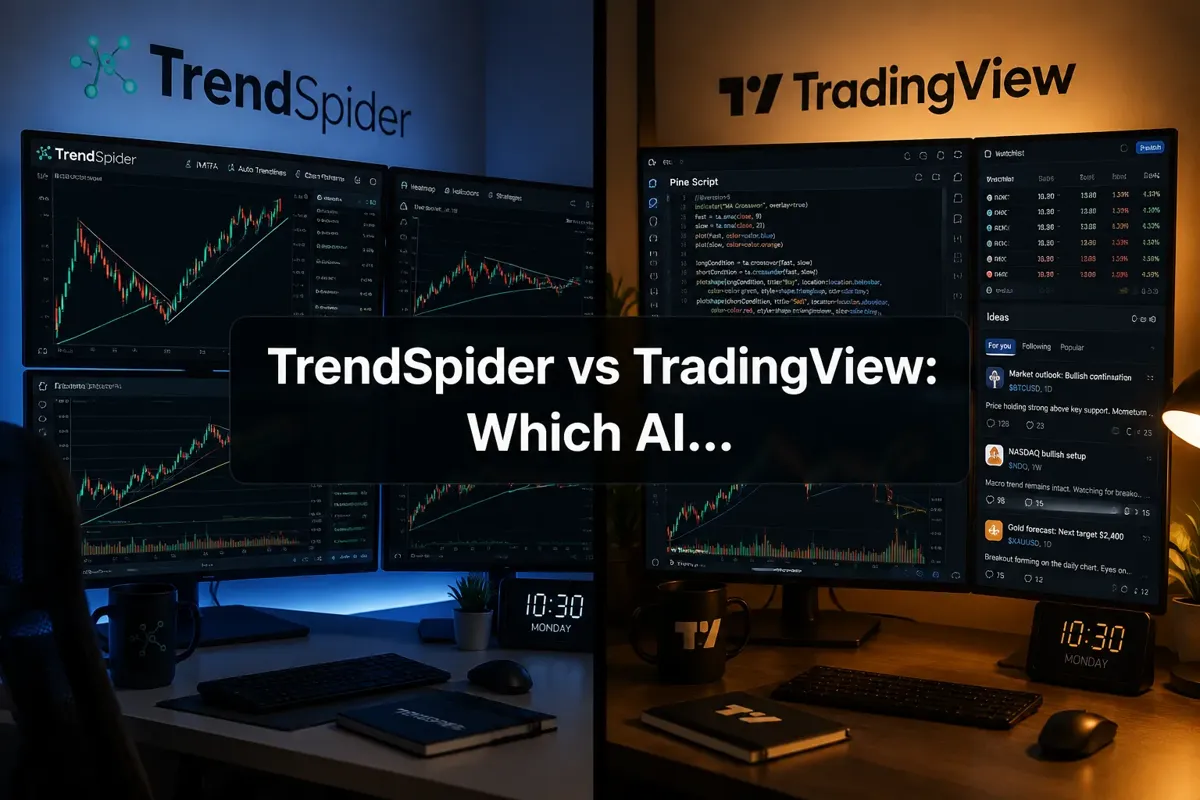
TrendSpider vs TradingView: Which AI Charting Tool Wins?
Last updated: July 19, 2026
Quick Answer
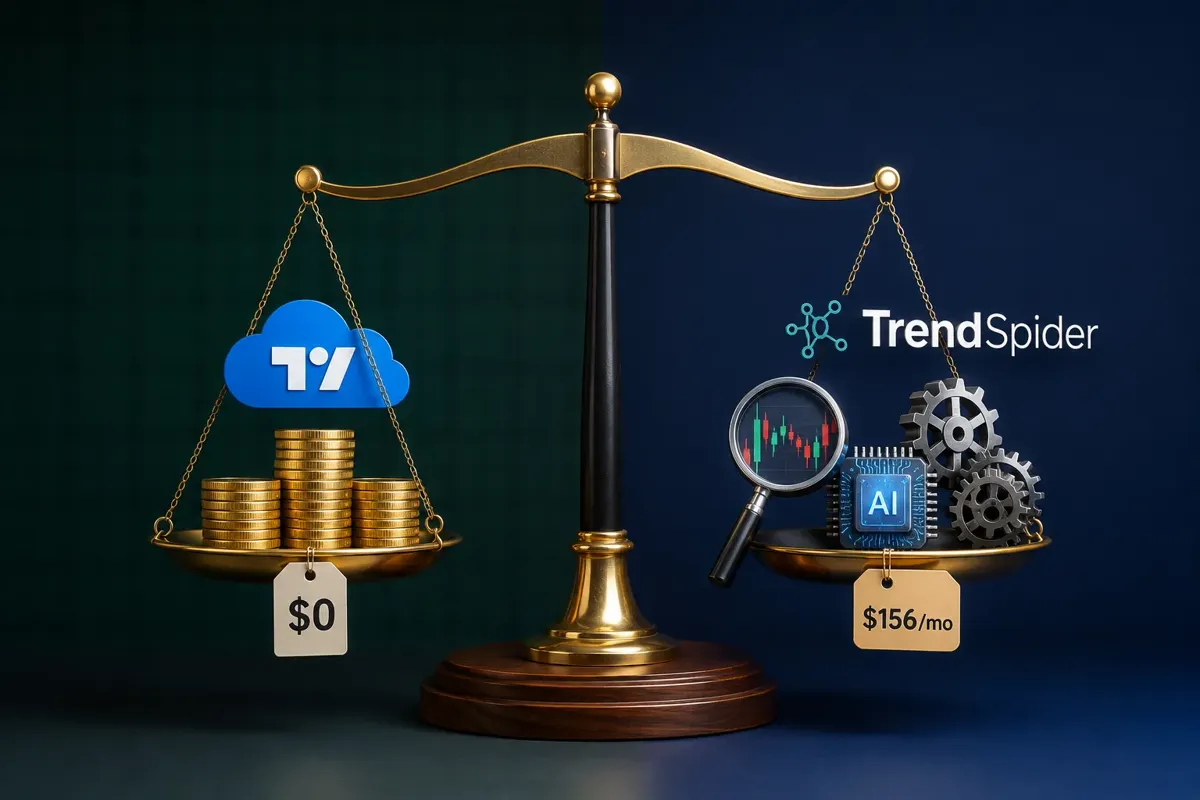
TrendSpider wins on automation and AI-powered pattern recognition, making it ideal for active swing and day traders who want the platform to do the heavy lifting on trendlines, support/resistance, and multi-timeframe analysis. TradingView wins on community, customization, and price, especially for beginners and social traders who value Pine Script flexibility and a massive library of user-generated indicators. If you're willing to pay $156/month for automated technical analysis, TrendSpider delivers. If you want a free-to-affordable platform with endless customization and a vibrant community, TradingView is the better bet.
Key Takeaways
- TrendSpider automates trendline detection, multi-timeframe analysis, and pattern recognition using AI, TradingView requires manual charting or custom Pine Script coding.
- TradingView offers a robust free tier and starts at $14.95/month; TrendSpider starts at $39/month with the most useful features locked behind the $156/month Elite plan.
- TrendSpider's backtesting engine is built for systematic traders testing rule-based strategies; TradingView's backtesting relies on Pine Script and is more flexible but requires coding knowledge.
- TradingView has a massive social community with millions of shared chart ideas and indicators; TrendSpider is a solo analytical tool with no social features.
- For beginners, TradingView is easier to learn and more forgiving on the wallet; for intermediate-to-advanced traders who value automation over customization, TrendSpider is worth the premium.
- Both platforms support stocks, crypto, forex, and futures, but TradingView has broader international market coverage.
- You cannot directly import TradingView indicators into TrendSpider; each platform uses its own scripting language and architecture.
What Is TrendSpider and How Does It Work?
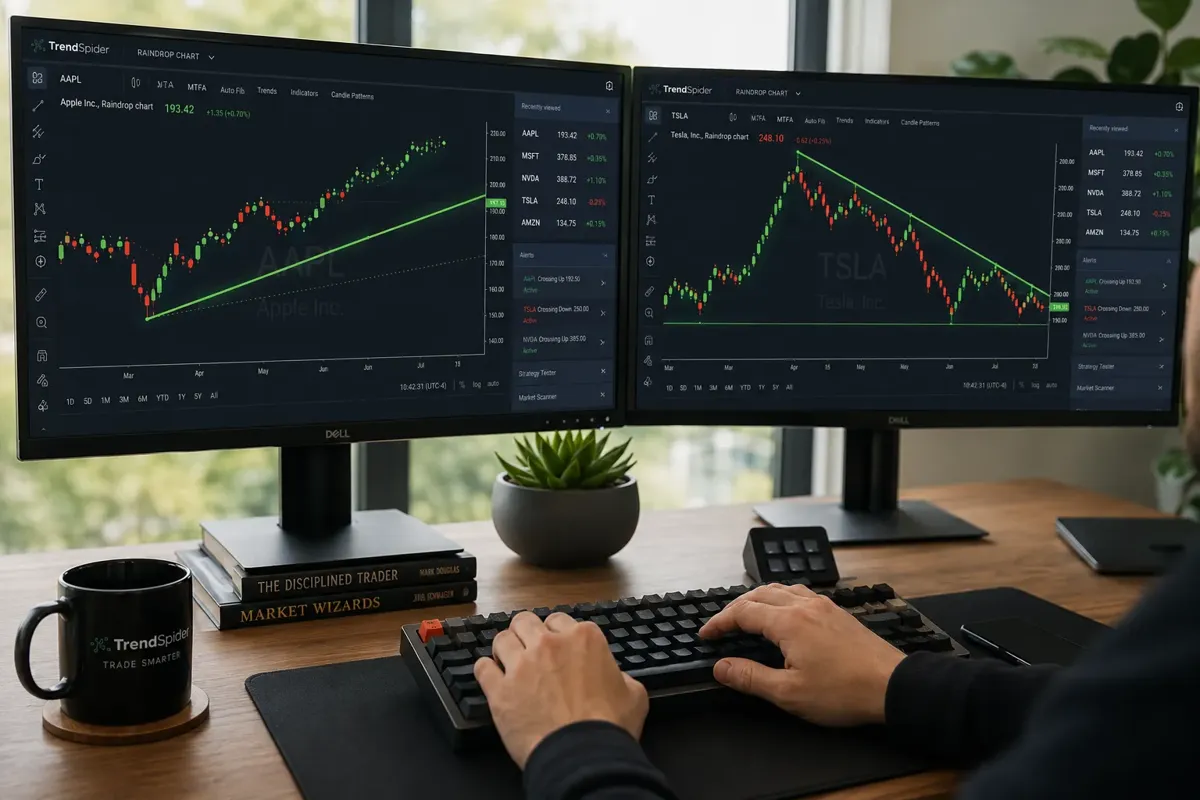
TrendSpider is an AI-powered technical analysis platform built for traders who want the chart to do the work. It automatically draws trendlines, identifies support and resistance levels, scans for chart patterns (head and shoulders, triangles, flags), and overlays multi-timeframe analysis without you lifting a finger. The platform uses machine learning algorithms to detect price action setups in real time and backtest strategies against historical data.
Here's what makes TrendSpider different from traditional charting tools:
Automated trendline detection. The platform draws trendlines across multiple timeframes simultaneously and updates them as price action evolves. You're not manually clicking pivot points, the algorithm does it and shows you which lines matter most based on historical accuracy.
Raindrop charts. This proprietary visualization layers multiple timeframes on a single chart, so you can see how the 5-minute, 15-minute, hourly, and daily trends align without flipping between tabs. It's a clean way to spot confluence and avoid getting chopped up on a single timeframe.
Multi-timeframe analysis (MTF). TrendSpider overlays indicators from different timeframes on one chart. Want to see the daily 50 SMA and the 4-hour RSI on a 15-minute chart? Done. This is huge for swing traders who need to respect the higher timeframe trend while timing entries on the lower.
Pattern recognition scanner. The AI scans thousands of stocks for classic technical setups, breakouts, tight consolidation, basing patterns, and ranks them by probability and risk-reward. It's not perfect, but it's faster than manually flipping through 200 watchlist tickers every morning.
Backtesting engine. You can build rule-based strategies (if RSI crosses 30 and price is above the 200 SMA, enter long) and test them against years of historical data. The platform spits out win rate, average gain/loss, max drawdown, and equity curve. No coding required, it's a visual strategy builder.
TrendSpider is designed for traders who already understand technical analysis and want to scale their process. If you're manually drawing trendlines on 50 charts every night, this tool cuts that time by 80%. If you don't know what a trendline is yet, the automation won't help you, it'll just confuse you faster.
The platform integrates with most major brokers (Alpaca, TradeStation, Interactive Brokers) for live data and execution, but it's primarily an analysis tool, not a full brokerage. You're paying for the brain, not the order routing.
For a deeper breakdown of features, pricing tiers, and real-world performance, check out our TrendSpider review.
What Is TradingView Used For?
TradingView is the most popular web-based charting platform in the world, used by over 50 million traders for technical analysis, social idea sharing, and real-time market data across stocks, crypto, forex, and futures. It's the Swiss Army knife of charting tools, flexible, customizable, and accessible from any device with a browser.
Here's what traders actually use TradingView for:
Charting and technical analysis. The platform offers every indicator you've heard of (and thousands you haven't), drawing tools, multiple chart types (candlestick, Heikin Ashi, Renko, line), and a clean, intuitive interface. You can build complex multi-indicator setups, save templates, and sync them across devices. The free tier gives you one chart layout and three indicators per chart, enough to get started but limiting for serious traders.
Pine Script customization. TradingView's proprietary scripting language lets you code custom indicators, strategies, and alerts. If you can't find the exact tool you need in the library, you can build it yourself or hire someone on the TradingView community to do it. This is where TradingView pulls ahead of most competitors, the flexibility is nearly unlimited if you're willing to learn the language.
Social trading and idea sharing. TradingView is part charting tool, part social network. Traders publish chart setups, analysis, and trade ideas that other users can follow, comment on, and replicate. You can follow top contributors, see what setups are trending, and get real-time feedback on your own ideas. This is a double-edged sword, there's signal in the community, but there's also a lot of noise and guru cosplay.
Alerts and notifications. You can set price alerts, indicator-based alerts (notify me when RSI crosses 70), and drawing-tool alerts (notify me when price hits this trendline). Alerts work via email, SMS, or push notification, and they're one of the platform's most underrated features. You don't need to stare at the screen all day, let the platform watch for you.
Screeners and scanners. TradingView's stock screener lets you filter by fundamentals (P/E, market cap, earnings growth) and technicals (RSI, volume, price above moving average). The crypto and forex screeners are similarly robust. It's not as advanced as dedicated scanners like Trade Ideas or Finviz, but it's more than enough for most retail traders.
Paper trading. TradingView offers a built-in paper trading simulator so you can test strategies with fake money before risking real capital. It's a clean, low-friction way to practice entries, exits, and position sizing without opening a separate demo account.
Broker integration. TradingView connects directly to dozens of brokers (including Tastytrade, Webull, and Interactive Brokers) so you can execute trades without leaving the platform. This is a paid feature on the Premium and Premium+ plans, but it's a huge workflow upgrade if you're tired of toggling between your broker and your charts.
TradingView is used by beginners learning to read the tape, intermediate traders building custom strategies, and professional traders who need fast, reliable charts on any device. It's not the most automated platform, but it's the most flexible, and for many traders, that flexibility is worth more than AI automation.
For more on how TradingView stacks up against other platforms, see our AI day trading platforms guide.
TrendSpider vs TradingView: Which AI Charting Tool Wins?
The answer depends on what you value more: automation or customization. TrendSpider wins if you want the platform to do the technical analysis for you, automated trendlines, pattern recognition, multi-timeframe overlays, and backtesting without code. TradingView wins if you want full control over your charts, indicators, and strategies, plus a massive community and a free tier that's actually usable.
Let's break down the head-to-head comparison across the dimensions that matter most to retail traders in 2026.
Automation vs. manual control.
TrendSpider's entire value proposition is automation. The platform draws trendlines, identifies patterns, and scans for setups using AI. You're not clicking pivot points or manually adjusting support levels, the algorithm does it and updates in real time. This is a massive time-saver for active traders who analyze dozens of charts daily. The downside? You're trusting the algorithm's judgment, and sometimes it draws lines that don't make sense or misses setups a human would catch.
TradingView is manual by default. You draw your own trendlines, set your own alerts, and build your own strategies. If you want automation, you need to code it in Pine Script or find a community script that does what you need. This takes more time upfront but gives you complete control over every decision. For traders who don't trust black-box algorithms or who have a specific process they want to replicate, TradingView's manual approach is a feature, not a bug.
Verdict: TrendSpider for traders who value speed and automation; TradingView for traders who value control and customization.
Backtesting capabilities.
TrendSpider's backtesting engine is visual and rule-based. You define entry and exit conditions using dropdowns and sliders (e.g., enter when price crosses above the 50 SMA and RSI is below 30), and the platform tests it against historical data. It's fast, intuitive, and doesn't require coding. The output includes win rate, average gain/loss, max drawdown, and an equity curve. It's not as granular as institutional-grade backtesting software, but it's more than enough for most retail strategies.
TradingView's backtesting is done through Pine Script. You write a strategy script, apply it to a chart, and the platform shows you the results in the Strategy Tester tab. This approach is more flexible, you can test complex multi-condition strategies, incorporate custom indicators, and fine-tune every parameter. The downside is the learning curve. If you don't know Pine Script, you're either learning it from scratch or copying someone else's code and hoping it works.
Verdict: TrendSpider for traders who want fast, no-code backtesting; TradingView for traders who want maximum flexibility and are willing to learn Pine Script.
Community and social features.
TradingView has one of the largest trading communities in the world. Millions of users publish chart ideas, strategies, and analysis daily. You can follow top traders, see what setups are trending, and get feedback on your own ideas. The community library has thousands of custom indicators and strategies you can add to your charts with one click. This is a huge advantage for beginners who are still learning and for traders who want to see how others are reading the same chart.
TrendSpider has no social features. It's a solo analytical tool. You're not sharing ideas, following other traders, or browsing a community library. If you value collaboration and learning from others, TrendSpider offers nothing. If you prefer to work alone and don't want the distraction of social feeds, that's a feature.
Verdict: TradingView by a mile if you value community and social learning; TrendSpider if you prefer to work solo.
Pricing and value.
TradingView offers a free tier with basic charting, one chart layout, and three indicators per chart. Paid plans start at $14.95/month (Essential), $29.95/month (Plus), and $59.95/month (Premium). The Premium plan unlocks unlimited indicators, alerts, and broker integration. For most retail traders, the Plus or Premium plan is the sweet spot.
TrendSpider starts at $39/month (Essential), $69/month (Elite Lite), and $156/month (Elite). The Essential plan is too limited for serious use, you're missing automated trendlines, multi-timeframe analysis, and the pattern scanner. The Elite plan is where TrendSpider's value lives, but $156/month is a steep ask. If you're a full-time trader who saves hours every week with automation, it's worth it. If you're a casual swing trader who checks charts a few times a week, it's overkill.
Verdict: TradingView for budget-conscious traders and beginners; TrendSpider for active traders who can justify the premium with time savings.
Market coverage.
TradingView covers stocks, crypto, forex, futures, bonds, and international markets. You can chart nearly any publicly traded asset in the world. The data is fast, reliable, and includes real-time quotes on paid plans.
TrendSpider focuses primarily on U.S. stocks, crypto, and forex. International market coverage is limited. If you trade European equities or emerging market assets, TradingView is the better choice.
Verdict: TradingView for global market coverage; TrendSpider for U.S.-focused traders.
Mobile experience.
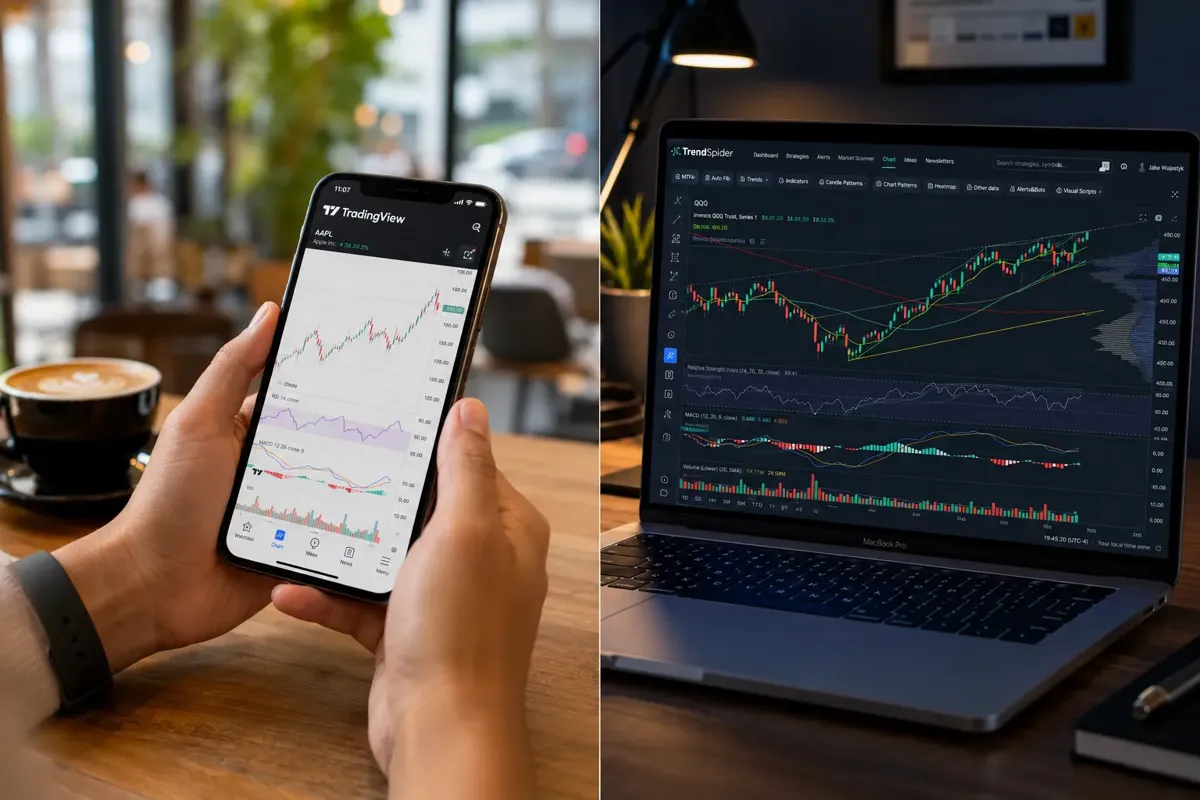
TradingView's mobile app is excellent, fast, intuitive, and nearly feature-complete compared to the desktop version. You can chart, set alerts, execute trades (with broker integration), and browse community ideas from your phone. It's one of the best mobile trading apps available.
TrendSpider's mobile app is functional but limited. You can view charts and alerts, but you're missing most of the automation features that make the desktop version valuable. If you need to analyze charts on the go, TradingView is the better option.
Verdict: TradingView for mobile traders; TrendSpider for desktop-first workflows.
For more on how AI tools are changing the game for swing traders, see our breakdown of 7 AI tools swing traders are using to catch moves before everyone else.
TrendSpider vs TradingView Pricing Comparison
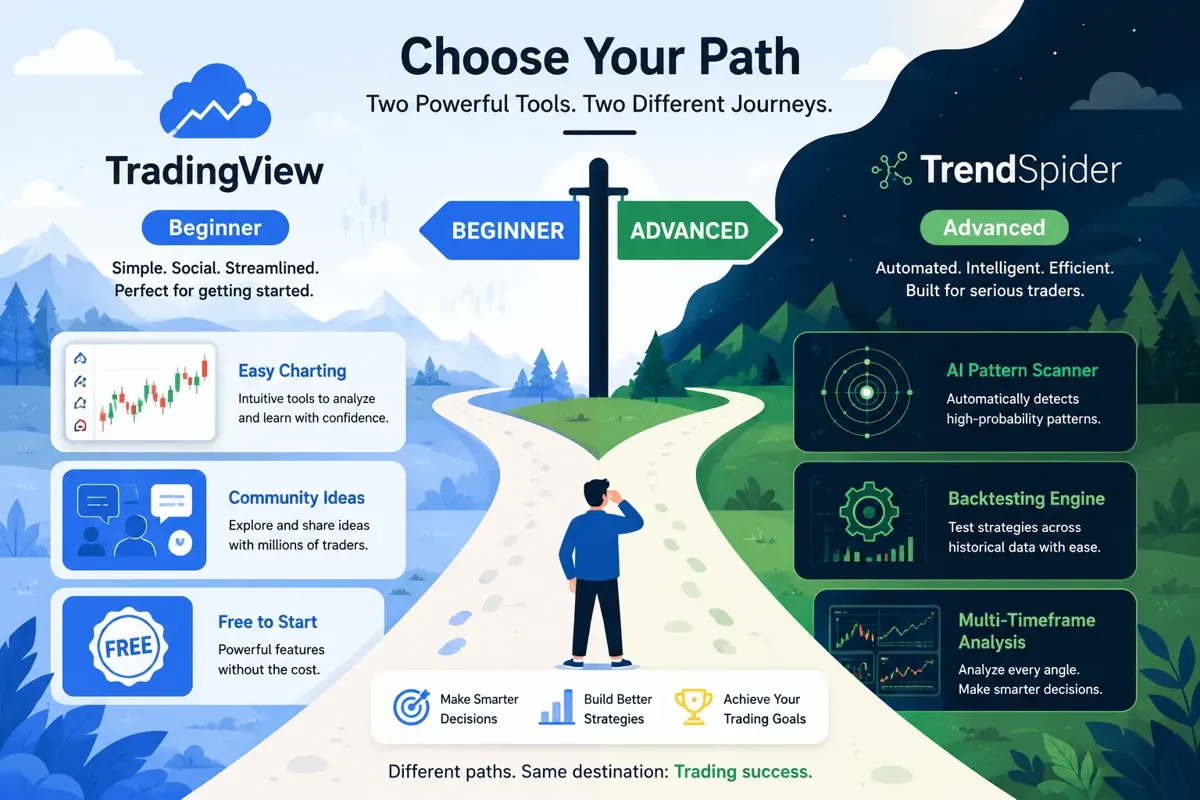
Pricing is where the two platforms diverge sharply. TradingView offers a free tier and affordable paid plans; TrendSpider is premium-only with a high barrier to entry.
TradingView pricing (2026):
- Free: One chart layout, three indicators per chart, basic alerts, community access. Good for beginners learning the platform.
- Essential ($14.95/month): Two chart layouts, five indicators per chart, 20 server-side alerts, no ads. Decent for casual traders.
- Plus ($29.95/month): Five chart layouts, 10 indicators per chart, 100 alerts, multiple watchlists, volume Profile. This is the sweet spot for most retail traders.
- Premium ($59.95/month): Unlimited chart layouts, 25 indicators per chart, 400 alerts, custom timeframes, broker integration, priority support. Best for active traders who need full functionality.
- Premium+ ($179.95/month): Unlimited indicators, 1,000 alerts, advanced order types, institutional-grade data. Overkill for most retail traders.
TrendSpider pricing (2026):
- Essential ($39/month or $348/year): Basic charting, limited automated trendlines, five alerts, one data source. Too limited for serious use.
- Elite Lite ($69/month or $588/year): Automated trendlines, raindrop charts, multi-timeframe analysis, 20 alerts, backtesting (limited). This is the minimum viable plan for most traders.
- Elite ($156/month or $1,428/year): Full automation, unlimited alerts, advanced backtesting, pattern scanner, dynamic alerts, priority support. This is where TrendSpider's value lives, but it's expensive.
Value comparison:
TradingView's Plus plan ($29.95/month) gives you 90% of what most retail traders need. TrendSpider's Elite plan ($156/month) gives you automation and AI features you can't get anywhere else, but you're paying 5x more. If you're a full-time trader who analyzes 50+ charts daily, TrendSpider's time savings justify the cost. If you're a part-time swing trader who checks charts a few times a week, TradingView's Plus or Premium plan is the smarter buy.
Free trial and money-back guarantees:
TradingView offers a 30-day free trial of Premium plans (no credit card required). TrendSpider offers a 7-day free trial of all plans (credit card required) and a 30-day money-back guarantee. Both platforms let you test before committing, which is critical given the price difference.
For more on whether premium tools are worth the subscription, see our analysis of AI trading software: worth the subscription?.
Which Is Better for Beginners: TrendSpider or TradingView?
TradingView is the better choice for beginners, and it's not close. The free tier gives you enough functionality to learn charting basics without spending a dime. The interface is intuitive, the community is massive, and there are thousands of tutorials, videos, and chart ideas to learn from. You can start with simple price action and moving averages, then gradually add indicators and strategies as you build confidence.
TrendSpider's automation is a double-edged sword for beginners. The platform does the work for you, which sounds great, but if you don't understand why the algorithm drew a trendline where it did, or why it flagged a pattern as a bull trap, you're not learning. You're outsourcing your education to a black box. Beginners need to learn how to read the tape, identify support and resistance, and understand price action before they automate it. TrendSpider skips that step, which can create bad habits.
Why TradingView is better for beginners:
- Free tier. You can learn the platform without spending money. TrendSpider requires a paid subscription from day one.
- Community learning. TradingView's social features let you see how experienced traders analyze the same chart. You can follow top contributors, read their analysis, and ask questions. TrendSpider has no community, you're learning alone.
- Manual charting builds skills. Drawing your own trendlines and identifying your own patterns forces you to understand the mechanics. TrendSpider's automation is a crutch that delays skill development.
- Lower cost to experiment. TradingView's Plus plan ($29.95/month) is affordable enough to test for a few months while you're learning. TrendSpider's Elite plan ($156/month) is a big commitment for someone who's still figuring out if they even like trading.
When TrendSpider makes sense for beginners:
If you're a beginner who already has a mentor, a course, or a system you're following, and you just need a tool to execute that system faster, TrendSpider can work. But you need to understand the "why" behind the automation before you turn it on. Otherwise, you're flying blind.
For more on how beginners are approaching AI tools in 2026, see our guide to AI day trading platforms beginners are starting with.
Does TrendSpider Have Better AI Features Than TradingView?
Yes. TrendSpider's AI features are more advanced, more automated, and more purpose-built for technical analysis than anything TradingView offers natively. TradingView's "AI" is mostly community-driven, users build custom indicators and strategies using Pine Script, and some of those scripts incorporate machine learning or pattern recognition. But TradingView itself doesn't offer built-in AI automation the way TrendSpider does.
TrendSpider's AI features:
- Automated trendline detection. The algorithm draws trendlines across multiple timeframes and updates them as price action evolves. It ranks trendlines by historical accuracy and shows you which ones matter most.
- Pattern recognition scanner. The AI scans thousands of stocks for classic technical setups (head and shoulders, triangles, flags, breakouts) and ranks them by probability and risk-reward. It's not perfect, but it's faster than manual scanning.
- Multi-timeframe analysis. The platform overlays indicators from different timeframes on one chart, so you can see how the daily, hourly, and 15-minute trends align without flipping tabs.
- Dynamic alerts. TrendSpider's alerts adjust automatically as trendlines and support/resistance levels move. You're not manually updating alerts every time the chart changes, the platform does it for you.
- Backtesting automation. You can build rule-based strategies without code and test them against historical data. The platform spits out win rate, max drawdown, and equity curve in seconds.
TradingView's AI features (or lack thereof):
TradingView doesn't have native AI automation. What it does have is a massive library of community-built indicators and strategies, some of which use machine learning or algorithmic pattern recognition. You can find Pine Script indicators that attempt to replicate TrendSpider's trendline detection or pattern scanning, but they're hit-or-miss in quality and require you to vet them yourself.
TradingView's strength is flexibility, not automation. If you want AI features, you need to code them yourself or find someone who already did. If you want plug-and-play AI, TrendSpider is the better choice.
Verdict: TrendSpider has better AI features out of the box. TradingView has more potential if you're willing to code or customize, but it requires more work.
For more on how AI is changing stock analysis, see our breakdown of 15 AI investment tools replacing traditional research in 2026.
TradingView Alternatives for Automated Technical Analysis
If you like the idea of automated technical analysis but TrendSpider's price tag is too steep, there are alternatives worth considering. None of them replicate TrendSpider's full feature set, but they offer pieces of the automation puzzle at different price points.
Trade Ideas ($84,$228/month) is the gold standard for AI-powered stock scanning. The Holly AI engine scans thousands of stocks in real time for breakouts, unusual volume, and technical setups. It's not a full charting platform like TrendSpider, but the scanner is faster and more accurate. If you're primarily looking for trade ideas and don't need advanced charting, Trade Ideas is a better value.
Tickeron ($29,$99/month) offers AI-powered pattern recognition, trend prediction, and automated technical analysis at a fraction of TrendSpider's cost. The platform scans for chart patterns, rates them by confidence level, and provides price targets. The charting tools are basic compared to TrendSpider, but the AI features are solid for the price.
TC2000 ($29.99,$99.99/month) is a desktop charting platform with powerful scanning and backtesting tools. It doesn't have TrendSpider's automated trendlines, but it offers fast, customizable scans and a clean interface. It's popular with swing traders who want speed and reliability without the AI bells and whistles.
MetaStock ($49,$149/month) is a veteran technical analysis platform with advanced charting, backtesting, and pattern recognition. It's more manual than TrendSpider but offers institutional-grade tools at a lower price. It's best for experienced traders who want depth and control.
Finviz (free or $39.50/month for Elite) is a web-based screener with basic charting and heatmaps. It's not automated, but it's fast, visual, and cheap. If you're looking for a simple way to scan for setups and don't need advanced charting, Finviz Elite is a steal.
For more on how these tools stack up, see our AI stock screeners vs. the old filters you're still wasting time on.
Can I Use TrendSpider for Free?
No. TrendSpider does not offer a free tier. The platform offers a 7-day free trial (credit card required) and a 30-day money-back guarantee, but after that, you're paying a minimum of $39/month for the Essential plan. The Essential plan is too limited for serious use, you're missing automated trendlines, multi-timeframe analysis, and the pattern scanner. To get the features that make TrendSpider worth using, you need the Elite Lite plan ($69/month) or the Elite plan ($156/month).
This is a major difference from TradingView, which offers a genuinely usable free tier. TradingView's free plan gives you one chart layout, three indicators per chart, and basic alerts, enough to learn the platform and decide if you want to upgrade. TrendSpider's lack of a free tier means you're committing money upfront before you know if the platform fits your workflow.
Is the 7-day trial enough?
Seven days is tight. You can test the interface, explore the automation features, and run a few backtests, but you're not getting a full sense of how the platform performs over weeks or months. If you're serious about testing TrendSpider, use the 7-day trial to evaluate the interface and features, then commit to one month and lean on the 30-day money-back guarantee if it doesn't work out.
Alternatives if you can't afford TrendSpider:
If $156/month is out of reach, TradingView's Plus plan ($29.95/month) gives you 90% of what you need for manual technical analysis. If you specifically want automation, Tickeron ($29,$99/month) offers AI pattern recognition at a fraction of TrendSpider's cost. If you're a beginner, start with TradingView's free tier and upgrade when you've proven you can make money with a manual process.
Why Is TrendSpider More Expensive Than TradingView?
TrendSpider is more expensive because it's solving a different problem. TradingView is a charting platform, it gives you the tools to analyze the market, but you do the work. TrendSpider is an automation platform, it does the analysis for you using AI and machine learning. You're paying for the algorithm's time, not just access to data and drawing tools.
Here's what you're paying for with TrendSpider's Elite plan ($156/month):
Automated trendline detection. The platform draws trendlines across multiple timeframes and updates them in real time. This saves hours of manual work every week. If you're analyzing 50+ charts daily, that time savings alone can justify the cost.
Pattern recognition scanner. The AI scans thousands of stocks for technical setups and ranks them by probability. This is the equivalent of hiring a junior analyst to flip through charts all day and flag the best setups. You're paying for the labor the algorithm replaces.
Multi-timeframe analysis. The platform overlays indicators from different timeframes on one chart, so you can see confluence without flipping tabs. This is a workflow upgrade that speeds up decision-making.
Backtesting engine. You can test strategies against years of historical data without writing code. This is a feature that used to require expensive institutional software. TrendSpider democratized it, but it's still a premium feature.
Dynamic alerts. TrendSpider's alerts adjust automatically as trendlines and support levels move. You're not manually updating alerts every time the chart changes. This is a small feature that adds up over time.
Priority support and data reliability. TrendSpider's customer support is fast and knowledgeable. The data is clean and reliable. You're paying for a professional-grade tool, not a hobbyist project.
TradingView's pricing is lower because it's a platform, not a service. You're paying for access to data, charting tools, and community features. The platform doesn't do the analysis for you, you do. If you're comfortable with manual charting and don't need automation, TradingView's lower price is a better value. If you're a full-time trader who values speed and automation, TrendSpider's premium is worth it.
For more on whether premium tools are worth the cost, see our analysis of AI investing apps: which ones are worth your money?.
Common Mistakes When Switching from TradingView to TrendSpider
Switching from TradingView to TrendSpider is not a seamless transition. The platforms have different philosophies, workflows, and feature sets. Traders who make the jump without understanding the differences often get frustrated and bail within the first month. Here are the most common mistakes and how to avoid them.
Mistake 1: Expecting TrendSpider to work like TradingView.
TradingView is manual and customizable. TrendSpider is automated and opinionated. If you're used to drawing your own trendlines and setting your own alerts, TrendSpider's automation will feel like it's making decisions for you. The fix: spend the first week learning how TrendSpider's algorithms work. Understand why it draws trendlines where it does, how it ranks patterns, and how the multi-timeframe analysis works. Once you trust the automation, it's a time-saver. If you fight it, you'll hate it.
Mistake 2: Trying to replicate your TradingView setup.
You can't import TradingView indicators into TrendSpider. The platforms use different scripting languages and architectures. If you've spent years building a custom TradingView setup with Pine Script indicators, you're starting from scratch on TrendSpider. The fix: treat TrendSpider as a new tool, not a replacement. Use it for what it does best (automation, pattern scanning, backtesting) and keep TradingView for what it does best (customization, community, social features). Many traders use both.
Mistake 3: Jumping straight to the Elite plan without testing the workflow.
TrendSpider's Elite plan is $156/month. That's a big commitment if you're not sure the platform fits your process. The fix: start with the 7-day free trial, then commit to one month of the Elite Lite plan ($69/month) to test the core features. If you're using the automation daily and it's saving you time, upgrade to Elite. If you're not, downgrade or cancel.
Mistake 4: Trusting the algorithm blindly.
TrendSpider's AI is good, but it's not perfect. The automated trendlines sometimes miss key levels or draw lines that don't make sense. The pattern scanner occasionally flags setups that fail immediately. The fix: use TrendSpider as a first pass, not the final word. Let the algorithm do the heavy lifting, then verify the setups manually before entering a trade. The automation saves time, but you're still responsible for the decision.
Mistake 5: Not using the backtesting engine.
TrendSpider's backtesting is one of its best features, but many traders ignore it. They pay $156/month for automated trendlines and never test their strategies. The fix: spend your first month backtesting every strategy you trade. See what actually works, what your win rate is, and what your max drawdown looks like. If you're not backtesting, you're wasting half the platform's value.
Mistake 6: Ignoring the learning curve.
TrendSpider is more complex than TradingView. The interface is dense, the features are layered, and the automation requires you to understand what the algorithm is doing. The fix: block out a weekend to go through TrendSpider's tutorials and documentation. The platform has a steep learning curve, but once you're over the hump, it's fast.
For more on avoiding common trading mistakes, see our breakdown of the position sizing mistake that wipes out 90% of new traders.
Is TrendSpider Worth It for Day Traders?
Yes, if you're a full-time day trader who analyzes dozens of charts daily and values speed over customization. TrendSpider's automation saves hours of manual work every week, and the multi-timeframe analysis helps you spot confluence faster. The pattern scanner flags setups in real time, and the dynamic alerts adjust automatically as price action evolves. For a day trader who's glued to the screen, those features are worth the $156/month Elite plan.
But TrendSpider is not a magic bullet. It won't make you a profitable day trader if you don't already have a system. The automation is a time-saver, not a strategy. If you're still figuring out your edge, TrendSpider will just help you lose money faster.
When TrendSpider makes sense for day traders:
- You're already profitable and have a repeatable process. TrendSpider speeds up that process.
- You analyze 50+ charts daily and spend hours drawing trendlines and identifying patterns. The automation saves you time.
- You trade multiple timeframes and need to see how the 5-minute, 15-minute, and hourly trends align. TrendSpider's multi-timeframe analysis is built for this.
- You backtest your strategies regularly and want a fast, visual backtesting engine. TrendSpider's no-code backtesting is a huge upgrade over manual testing.
When TrendSpider doesn't make sense for day traders:
- You're a beginner still learning the basics. The automation will confuse you more than it helps.
- You trade one or two setups and don't need to scan hundreds of stocks. TradingView's manual charting is enough.
- You're a part-time day trader who checks charts a few times a day. The $156/month cost doesn't justify the time savings.
- You prefer to draw your own trendlines and trust your own analysis over an algorithm. TrendSpider's automation will feel like a crutch.
Alternatives for day traders:
If TrendSpider's price is too steep, Trade Ideas ($84,$228/month) offers faster, more accurate stock scanning with the Holly AI engine. It's not a full charting platform, but the scanner is the best in the business. Pair it with TradingView's Plus plan ($29.95/month) for charting, and you've got a powerful day trading setup for less than TrendSpider's Elite plan.
For more on tools day traders are using in 2026, see our guide to AI stock trading software active traders quietly swear by.
Does TradingView Have Automated Trendline Detection Like TrendSpider?
No. TradingView does not have native automated trendline detection. You draw your own trendlines manually using the drawing tools, or you use a community-built Pine Script indicator that attempts to automate it. Some of those indicators work well, but they're not as robust or reliable as TrendSpider's built-in automation.
Why TradingView doesn't offer automated trendlines:
TradingView's philosophy is flexibility and customization. The platform gives you the tools to build whatever you want, but it doesn't make decisions for you. Automated trendlines would require the platform to make assumptions about which pivot points matter, which timeframes to prioritize, and how to adjust lines as price action evolves. TradingView leaves those decisions to the user.
Pine Script alternatives:
If you want automated trendlines on TradingView, you can search the community library for Pine Script indicators that attempt to replicate TrendSpider's functionality. Some popular options include "Auto Trendlines," "Support and Resistance Zones," and "Pivot Point Auto Trendlines." These scripts vary in quality, some are excellent, some are buggy, and some are abandoned by their creators. You'll need to test them yourself to see what works.
The manual approach:
Most TradingView users draw trendlines manually. It takes more time, but it forces you to understand the chart and make intentional decisions about which levels matter. For traders who value control and don't trust black-box algorithms, the manual approach is a feature, not a limitation.
Verdict: If you want automated trendlines, TrendSpider is the better choice. If you're comfortable with manual charting or willing to experiment with Pine Script, TradingView can get you close.
TrendSpider Backtesting vs TradingView Backtesting
Both platforms offer backtesting, but they take different approaches. TrendSpider's backtesting is visual, rule-based, and no-code. TradingView's backtesting is code-based, flexible, and requires Pine Script knowledge. Which one is better depends on your skill level and how complex your strategies are.
TrendSpider backtesting:
TrendSpider's backtesting engine is built for traders who want fast results without writing code. You define entry and exit conditions using dropdowns and sliders (e.g., enter when price crosses above the 50 SMA and RSI is below 30, exit when price crosses below the 20 SMA). The platform tests your strategy against historical data and spits out win rate, average gain/loss, max drawdown, and an equity curve. You can adjust parameters and re-run the test in seconds.
The pros: it's fast, intuitive, and doesn't require coding. The cons: it's less flexible than code-based backtesting. You're limited to the conditions and indicators TrendSpider supports. If you want to test a complex multi-condition strategy with custom logic, you'll hit the platform's limits.
TradingView backtesting:
TradingView's backtesting is done through Pine Script. You write a strategy script that defines your entry and exit conditions, apply it to a chart, and the platform shows you the results in the Strategy Tester tab. The output includes net profit, total trades, win rate, max drawdown, and an equity curve. You can fine-tune every parameter, incorporate custom indicators, and test strategies as complex as you want.
The pros: it's infinitely flexible. If you can code it, you can test it. The cons: it requires Pine Script knowledge. If you don't know the language, you're either learning it from scratch or copying someone else's code and hoping it works.
Which is better?
TrendSpider for traders who want fast, no-code backtesting and don't need maximum flexibility. TradingView for traders who want full control and are willing to learn Pine Script. If you're serious about systematic trading, learning Pine Script is worth the investment, it unlocks TradingView's full potential.
For more on building repeatable systems, see our guide to AI trading signals: how accurate are they really?.
Which Platform Has Better Charting Tools for Crypto Trading?
TradingView has better charting tools for crypto trading, and it's not close. The platform covers every major crypto exchange (Binance, Coinbase, Kraken, Bybit, OKX), offers real-time data, and has a massive crypto trading community. You can chart any crypto pair, set alerts, and execute trades directly through integrated exchanges. The mobile app is excellent, which matters for crypto traders who need to monitor 24/7 markets on the go.
TrendSpider supports crypto, but the coverage is narrower and the community is smaller. The platform focuses primarily on U.S. stocks and forex, with crypto as a secondary feature. If you're a crypto-first trader, TradingView is the better choice.
Why TradingView wins for crypto:
- Broader exchange coverage. TradingView integrates with more crypto exchanges and offers more trading pairs.
- Real-time data. TradingView's crypto data is fast and reliable, with minimal lag.
- Crypto-focused community. TradingView's social features are huge in the crypto space. You can follow top crypto traders, see what setups are trending, and get real-time feedback on your own ideas.
- Mobile app. Crypto markets trade 24/7, and TradingView's mobile app is one of the best in the business. You can chart, set alerts, and execute trades from your phone.
When TrendSpider makes sense for crypto:
If you're a crypto trader who also trades stocks and wants one platform for both, TrendSpider's automation can work. But if you're crypto-only, TradingView is the better value.
Can I Import TradingView Indicators Into TrendSpider?
No. You cannot import TradingView indicators into TrendSpider. The platforms use different scripting languages and architectures. TradingView uses Pine Script; TrendSpider uses its own proprietary system. If you've built custom indicators on TradingView, you'll need to rebuild them from scratch on TrendSpider, or find a TrendSpider equivalent.
This is one of the biggest friction points for traders switching from TradingView to TrendSpider. If you've spent years building a custom setup with Pine Script indicators, you're starting over. The fix: treat TrendSpider as a new tool, not a replacement. Use it for what it does best (automation, pattern scanning, backtesting) and keep TradingView for what it does best (customization, community, social features). Many professional traders use both platforms side by side.
Workarounds:
Some traders replicate their TradingView indicators manually on TrendSpider using the platform's built-in tools. It's not a perfect solution, but it's possible for simple indicators (moving averages, RSI, MACD). For complex custom indicators, you're out of luck.
Frequently Asked Questions
Can I use TrendSpider and TradingView together?
Yes. Many professional traders use both platforms side by side. TradingView for community, customization, and social features; TrendSpider for automation, pattern scanning, and backtesting. The platforms complement each other well if you can afford both subscriptions.
Does TrendSpider work with my broker?
TrendSpider integrates with Alpaca, TradeStation, Interactive Brokers, and a few other brokers for live data and execution. Check TrendSpider's website for the full list of supported brokers. TradingView integrates with more brokers, including Tastytrade, Webull, and dozens of others.
Is TrendSpider good for swing trading?
Yes. TrendSpider's multi-timeframe analysis and automated trendlines are built for swing traders who need to respect the higher timeframe trend while timing entries on the lower. The pattern scanner flags clean setups, and the backtesting engine helps you refine your strategy. For more on swing trading tools, see our guide to 7 AI tools swing traders are using to catch moves before everyone else.
Can I cancel TrendSpider anytime?
Yes. TrendSpider subscriptions are month-to-month or annual. You can cancel anytime, and the platform offers a 30-day money-back guarantee if you're not satisfied.
Does TradingView have a mobile app?
Yes. TradingView's mobile app is excellent, fast, intuitive, and nearly feature-complete compared to the desktop version. You can chart, set alerts, execute trades, and browse community ideas from your phone.
Is TrendSpider's AI better than Trade Ideas?
No. Trade Ideas' Holly AI engine is faster and more accurate for stock scanning. TrendSpider's AI is better for automated charting and pattern recognition. They solve different problems. If you're primarily looking for trade ideas, Trade Ideas is the better choice. If you want automated technical analysis, TrendSpider wins.
Can I backtest options strategies on TrendSpider or TradingView?
TrendSpider does not support options backtesting. TradingView supports basic options charting but not full options strategy backtesting. For options-specific backtesting, consider OptionStrat or Tastyworks.
Does TrendSpider have a paper trading simulator?
No. TrendSpider does not offer paper trading. TradingView does, you can test strategies with fake money before risking real capital.
Which platform is better for technical analysis?
TrendSpider for automation and speed; TradingView for customization and control. If you're a full-time trader who values time savings, TrendSpider. If you're a part-time trader who values flexibility, TradingView.
Can I use TrendSpider for free?
No. TrendSpider does not offer a free tier. The platform offers a 7-day free trial and a 30-day money-back guarantee, but after that, you're paying a minimum of $39/month.
Is TradingView better than thinkorswim?
TradingView is better for web-based charting, social features, and multi-device access. Thinkorswim is better for advanced options trading and institutional-grade tools. If you're primarily a stock or crypto trader, TradingView. If you're an options trader, thinkorswim.
Does TrendSpider support international markets?
TrendSpider focuses primarily on U.S. stocks, crypto, and forex. International market coverage is limited. TradingView covers global markets and is the better choice for international traders.
Conclusion
TrendSpider vs TradingView: which AI charting tool wins? The answer depends on what you value more, automation or customization. TrendSpider wins if you're a full-time trader who wants the platform to do the technical analysis for you. Automated trendlines, pattern recognition, multi-timeframe analysis, and no-code backtesting save hours every week. If you're analyzing 50+ charts daily and can justify the $156/month Elite plan with time savings, TrendSpider is worth it.
TradingView wins if you want full control over your charts, indicators, and strategies, plus a massive community and a free tier that's actually usable. The platform is more flexible, more affordable, and better for beginners. If you're comfortable with manual charting or willing to learn Pine Script, TradingView gives you more power for less money.
Most traders don't need both. If you're a beginner or a part-time swing trader, start with TradingView's Plus plan ($29.95/month) and upgrade when you've proven you can make money with a manual process. If you're a full-time trader who's already profitable and wants to scale your process, test TrendSpider's 7-day free trial and see if the automation fits your workflow.
The best tool is the one you'll actually use. Systems over hacks. Process over prediction. Cut the noise, keep the alpha.
Want the tools and setups behind this, without the hype? Start at aistockpickerapps.com.