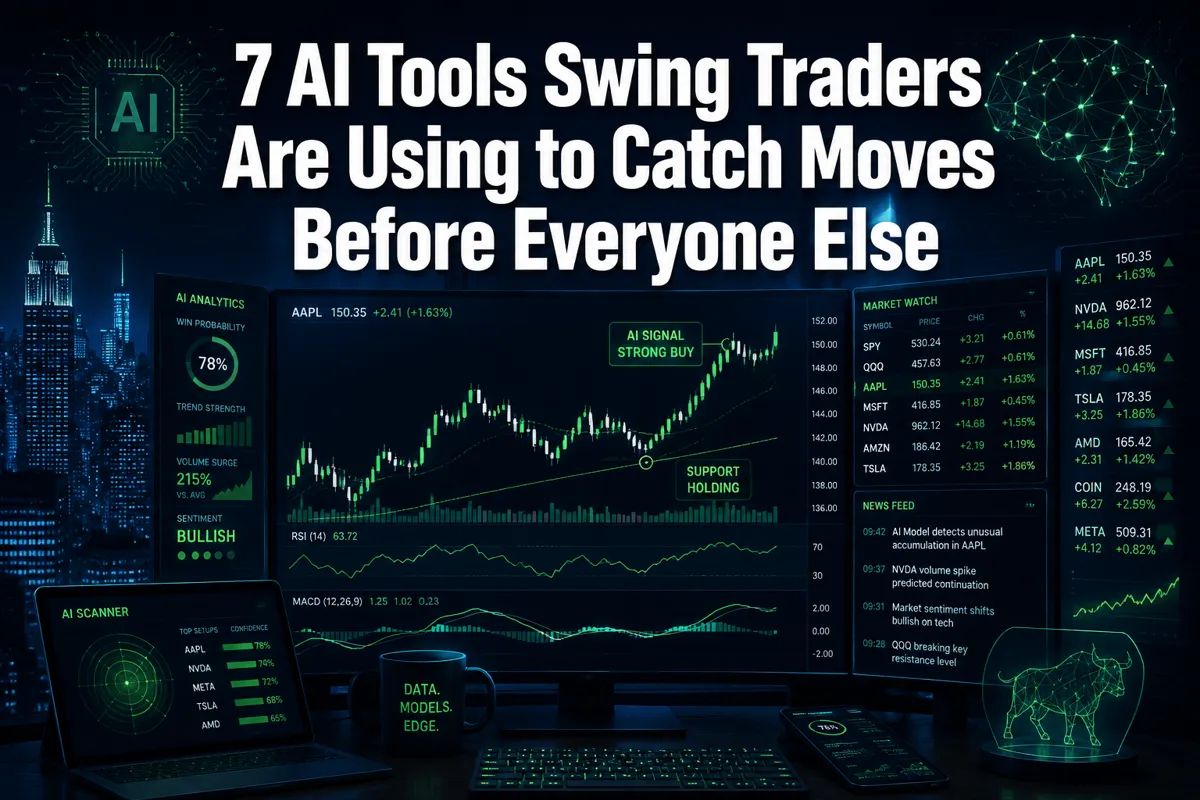
7 AI Tools Swing Traders Are Using to Catch Moves Before Everyone Else
Last updated: June 16, 2026
Quick Answer: The 7 AI tools swing traders are using to catch moves before everyone else include TrendSpider, Trade Ideas, Finviz, TradeAlgo, TrendSpider, SwingEdge AI, ScanForge, and Treida.ai. Each one targets a specific edge in the swing trading workflow — from automated chart pattern recognition and real-time AI alerts to backtesting and sentiment analysis. Used correctly, they cut the noise and surface clean setups before the crowd piles in.
Key Takeaways
- AI swing trading tools do not predict the future. They filter faster, spot patterns earlier, and remove the emotional lag that kills most retail entries.
- The best tools combine technical pattern recognition, volume analysis, and news sentiment — not just one signal.
- Free options like Finviz are legitimate starting points. Paid tiers from TrendSpider and Trade Ideas justify the cost once a trader has a repeatable process.
- Beginners should paper trade it first with any AI tool before committing real capital.
- AI tools are legal and SEC-compliant when used for research and decision support. Fully autonomous AI trading carries additional regulatory considerations.
- The biggest mistake new traders make is using AI tools as a replacement for process, not a support for it.
- Systems over hacks. The tool is only as good as the trader using it.
What Exactly Is Swing Trading and How Does AI Help
Swing trading is a style where traders hold positions for two to ten days, targeting short-to-medium price moves between identifiable support and resistance levels. The goal is to catch the "swing" — the move from a base to a breakout, or from an overextended peak back to a mean. It sits between day trading (minutes to hours) and position trading (weeks to months).
AI helps by doing in seconds what used to take hours: scanning thousands of charts, identifying tight consolidation patterns, flagging unusual volume, and cross-referencing news sentiment. The result is a shorter, higher-quality watchlist built on data, not gut feel.
Why this matters for retail traders:
- A human can realistically scan 50 to 100 charts per session. An AI scanner covers 3,000 to 8,000 tickers in the same window.
- AI removes the confirmation bias problem — it doesn't care about your previous trade or your ego.
- Pattern recognition models trained on decades of price action can flag setups (bull flags, cup-and-handle bases, tight consolidations) that human eyes miss in a choppy tape.
The honest caveat: AI surfaces the setup. The trader still decides the entry, manages position sizing, and sets the stop loss. Discipline beats prediction, every time.
7 AI Tools Swing Traders Are Using to Catch Moves Before Everyone Else
These seven tools cover the full swing trading workflow — screening, pattern detection, alerts, backtesting, and execution. They're not ranked by hype. They're ranked by function.
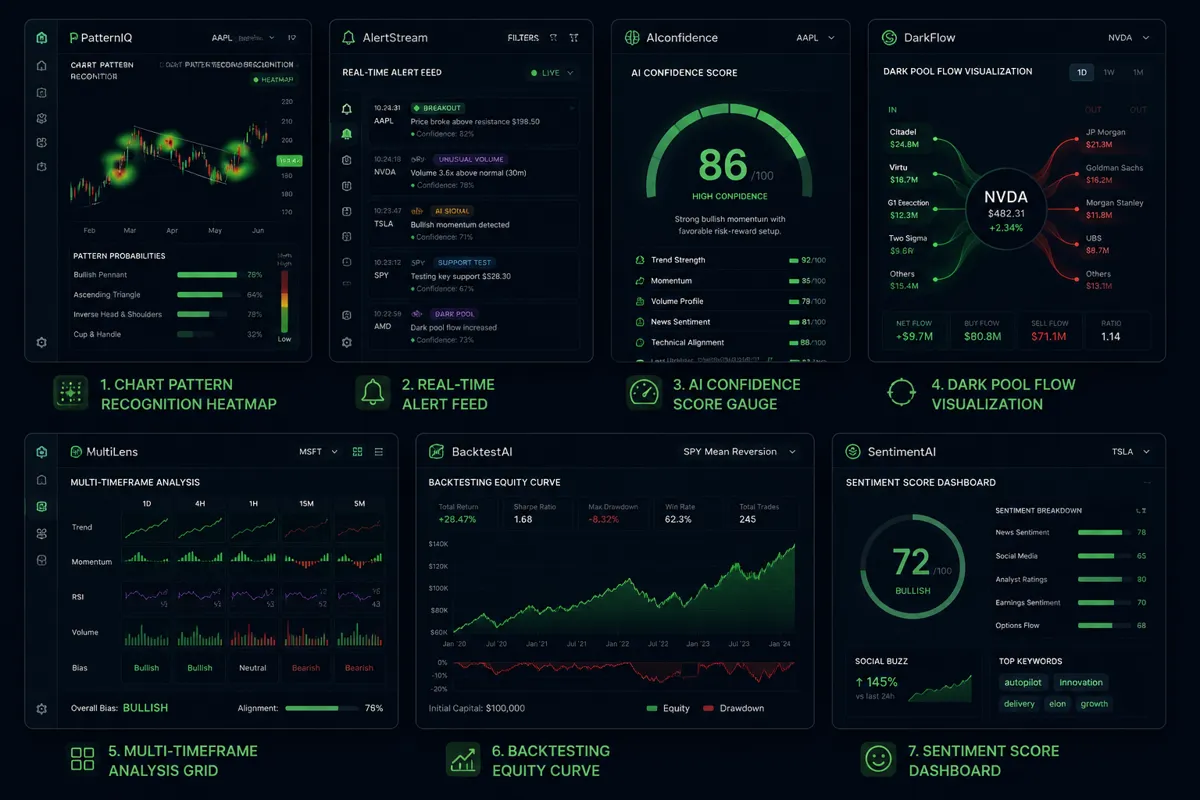
1. TrendSpider — Automated Chart Analysis
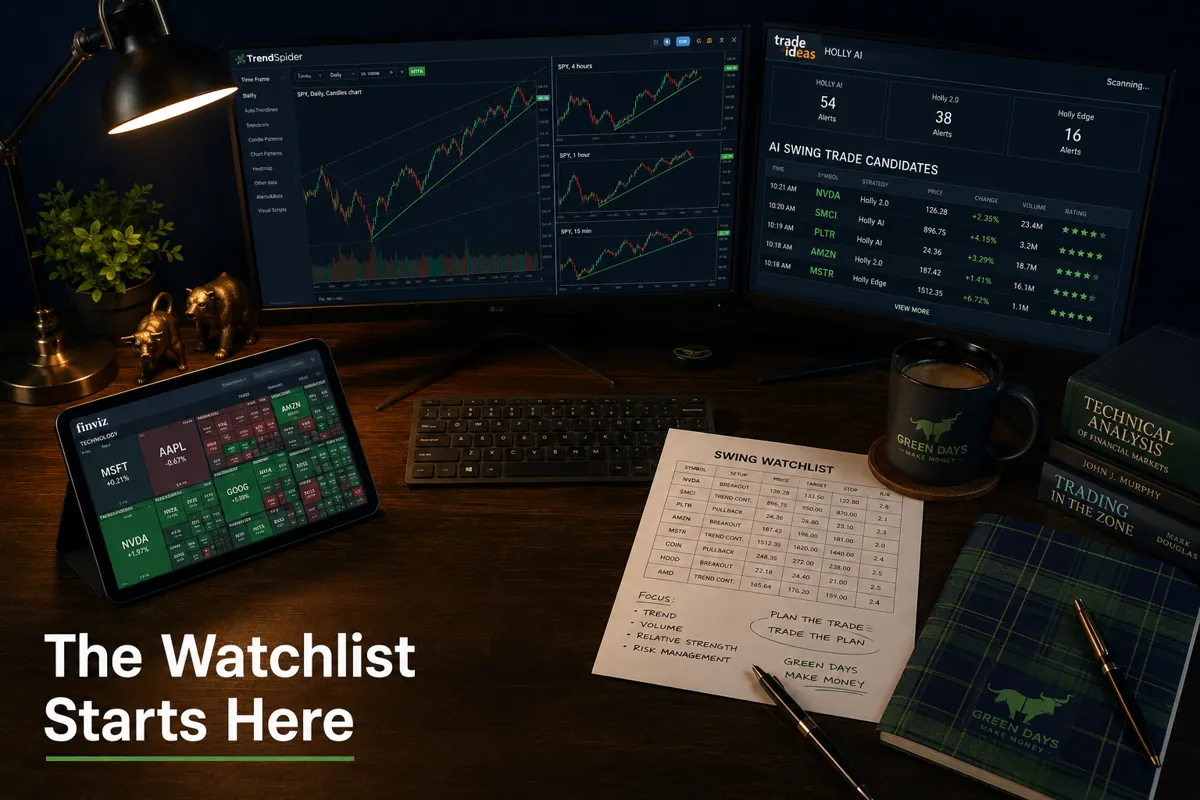
TrendSpider is the closest thing to having a technical analyst on call 24 hours a day. It automatically draws trendlines, detects support and resistance zones, and runs multi-timeframe analysis simultaneously — the kind of work that used to take a trader 45 minutes per chart.
What makes it useful for swing traders:
- Automated trendline detection eliminates the subjectivity of manual drawing
- Multi-timeframe confirmation (daily, weekly, hourly) in a single view
- Raindrop charts that show volume-weighted price action in a cleaner format
- Strategy backtesting built directly into the charting environment
The AI Market Analyst feature lets traders ask plain-English questions about a chart and get structured technical breakdowns. That's not a gimmick — it's a legitimate time-saver for building a watchlist before power hour.
2. Trade Ideas — Holly AI Real-Time Swing Alerts
Trade Ideas runs an AI engine called Holly that backtests millions of strategy combinations overnight and surfaces the highest-probability setups for the next session. It's built for active traders who want real-time alerts on clean setups without babysitting a scanner all day.
Core features for swing traders:
- Real-time AI-generated alerts filtered by pattern, volume, and momentum
- Brokerage integration for direct execution from the alert panel
- Simulated trading room for paper trading setups before going live
- Customizable filters for low float, gap fill candidates, and earnings season plays
Holly's win rate claims should be taken as historical context, not a forward guarantee. What's genuinely useful is the speed: alerts fire before the breakout fully develops, giving traders time to evaluate the risk-reward before chasing.
3. Finviz — Fast Free Screening for Swing Candidates
Finviz is the unglamorous workhorse that serious traders still use every day. It's not technically an AI tool in the machine-learning sense, but its screener is fast, free, and powerful enough to build a quality watchlist in under five minutes.
Why it earns a spot on this list:
- Filter by price action criteria: above 50-day moving average, near 52-week highs, high relative volume
- Visual heatmaps for sector rotation and market breadth
- News feed integrated directly into ticker pages
- Free tier covers 90% of what most swing traders actually need
The upgrade to Finviz Elite adds real-time data and backtesting. For beginners asking about free AI tools for swing traders, Finviz is the honest first answer.
4. TradeAlgo — AI-Powered Dark Pool and Institutional Flow
TradeAlgo processes over 50 billion market events daily and surfaces institutional activity that retail traders typically can't see. Its TradeGPT assistant lets traders query the data in plain English — for example, asking for large-cap stocks with bullish dark pool accumulation and oversold RSI readings.
What separates it from a standard scanner:
- Dark pool flow tracking shows where institutional money is quietly accumulating
- AI swing trade discovery highlights setups before they appear on mainstream scanners
- Natural language querying removes the need for complex filter logic
- Earnings season filters for pre-announcement basing patterns
Dark pool data is a legitimate edge. When smart money accumulates a position over days, it leaves a footprint in the tape. TradeAlgo makes that footprint visible to retail traders.
5. SwingEdge AI — Daily Signals with Confidence Scores
SwingEdge AI generates daily swing trade signals with entry zones, profit targets, and stop-loss levels attached to each setup. Each signal carries a confidence score based on the underlying model's historical performance.
The platform reports a 67% win rate over the trailing 90 days, with an average expected move of +4.7% per setup. Those numbers are worth noting — not as a guarantee, but as a benchmark for evaluating whether the signal quality matches the cost.
Best use case: traders who want a pre-built watchlist with defined risk parameters rather than building their own scanner from scratch. The confidence score system also helps with position sizing — higher-confidence setups can justify a larger allocation within a disciplined risk framework.
6. ScanForge — Multi-Factor Quantitative Screening
ScanForge combines quantitative analysis, AI-driven fundamental research, and real-time news sentiment into a single ranked trade list. The output is a prioritized list of swing candidates, not a raw data dump.
What's different here:
- Multi-factor scoring blends technicals, fundamentals, and sentiment — not just price action
- Built-in paper trading system for testing setups without risking capital
- News sentiment integration flags catalysts that could accelerate a move
- Ranked output means traders see the highest-probability setups first, not last
For traders suffering from analysis paralysis, ScanForge's ranked list format is genuinely useful. It forces a decision hierarchy instead of leaving traders staring at 200 equal-weight results.
7. Treida.ai — Conversational AI for Setup Identification
Treida.ai takes a different approach: its AI assistant, Kris, analyzes live market data and identifies high-probability setups in conversational format. Ask it to find bull-flag consolidations with projected entries and upside targets, and it returns structured analysis rather than a raw chart.
Why this works for swing traders:
- 13 integrated tools covering technical, fundamental, and sentiment analysis
- Real-time data with web search capabilities for news-driven catalysts
- Conversational interface lowers the barrier for traders who aren't scanner-native
- Projected entry zones and upside targets built into each setup summary
The swing trading tools directory at AI Stock Picker Apps covers Treida.ai and dozens of comparable platforms with side-by-side breakdowns.
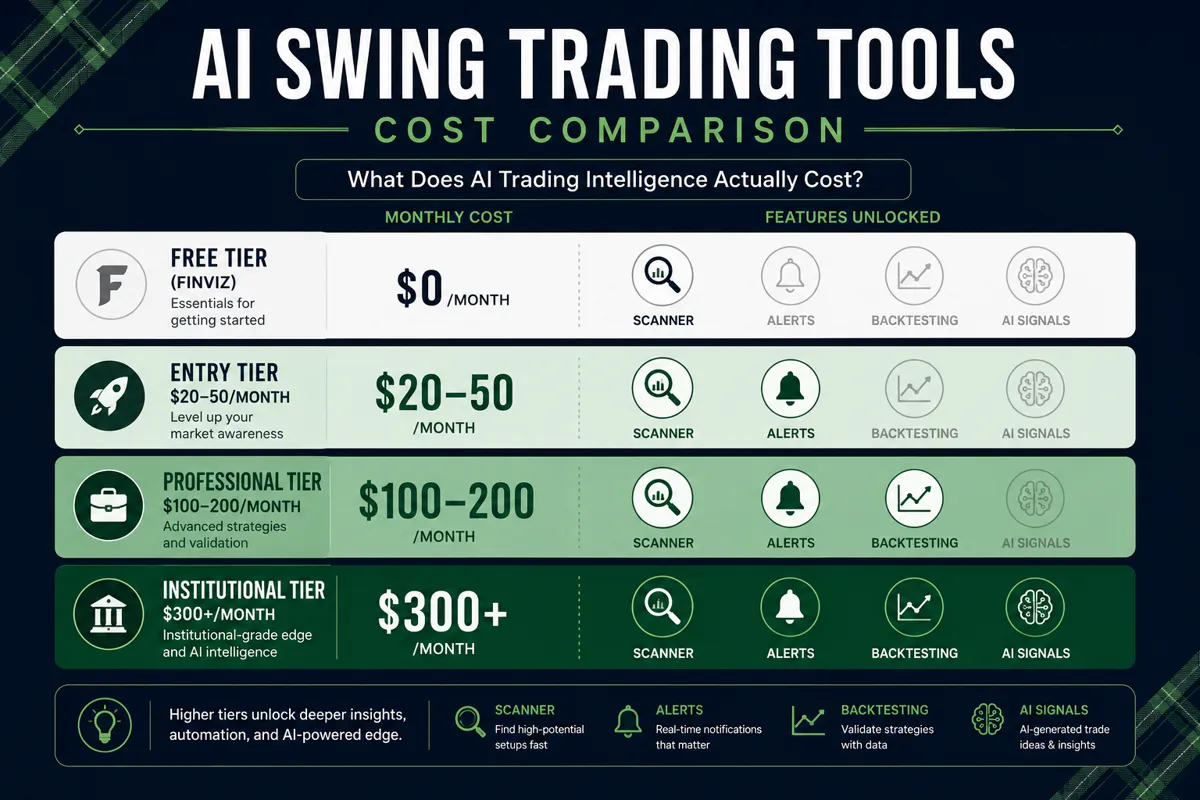
How Much Do Professional AI Trading Tools Cost
AI swing trading tools range from free to over $300 per month, depending on the depth of data and the sophistication of the AI layer.
| Tier | Monthly Cost | What You Get |
|---|---|---|
| Free | $0 | Basic screening, delayed data (Finviz free) |
| Entry | $20–$50 | Real-time alerts, basic AI signals |
| Professional | $100–$200 | Full AI pattern recognition, backtesting, dark pool |
| Institutional | $300+ | API access, custom models, multi-asset coverage |
The honest math: A $150/month tool that helps a trader avoid one bad $500 loss per month pays for itself three times over. The cost conversation is really a risk management conversation.
Free AI tools for swing traders are a legitimate starting point. Finviz's free screener, combined with TradingView's free charting tier, covers the basics without spending a dollar. Upgrade when the process is solid enough to justify the data.
Can Beginners Really Use These AI Trading Tools
Yes, but with a clear-eyed understanding of what "using" actually means. The tools surface setups. Beginners still need to understand what a setup is before they can evaluate whether the AI's output makes sense.
The practical path for beginners:
- Start with Finviz's free screener to learn what filtering criteria actually mean (volume, moving averages, float size).
- Add TrendSpider or a similar charting tool to learn how to read the price action the AI is flagging.
- Paper trade it first — every tool on this list has a simulation or paper trading mode. Use it for 30 days before touching real capital.
- Build a process before adding more tools. Two tools used well beat six tools used badly.
The FOFO problem (Fear Of Finding Out) is real. Many beginners load up five AI tools, get overwhelmed by conflicting signals, and either freeze or overtrade. That's not an AI problem — it's a process problem.
The free screener recipe builder is a practical starting point for building a first filter set without needing to understand every variable upfront.
Are These AI Trading Tools Legal and SEC-Compliant
Using AI tools for research, screening, and trade idea generation is legal and fully within SEC guidelines for retail investors. These platforms function as analytical tools, not registered investment advisors.
Key distinctions worth knowing:
- AI as research tool: Legal. Finviz, TrendSpider, Trade Ideas, and similar platforms are research and decision-support tools. The trader makes the final call.
- Fully autonomous AI trading: More complex. Robinhood introduced support for AI agentic trading in 2026, allowing AI agents to execute trades within dedicated accounts with user notifications. This area is evolving, and traders should review their broker's terms and applicable FINRA guidelines before enabling autonomous execution.
- Signal services: Legal, but subject to disclosure requirements if they constitute investment advice. Platforms that provide signals without personalized advice typically operate under standard disclaimers.
FINRA's investor education resources at FINRA.org cover the regulatory framework for algorithmic and AI-assisted trading in plain English.
Bottom line: Using these tools to build a watchlist and make your own trading decisions is straightforward. Handing full execution control to an AI agent requires more due diligence on the regulatory and broker-specific rules.
What Mistakes Do New Traders Make with AI Trading Software
The most common mistake is treating AI output as a trade recommendation rather than a starting point for analysis. Play stupid games, win stupid prizes — and taking every AI signal at face value without understanding the underlying setup is exactly that game.
The five mistakes that show up most often:
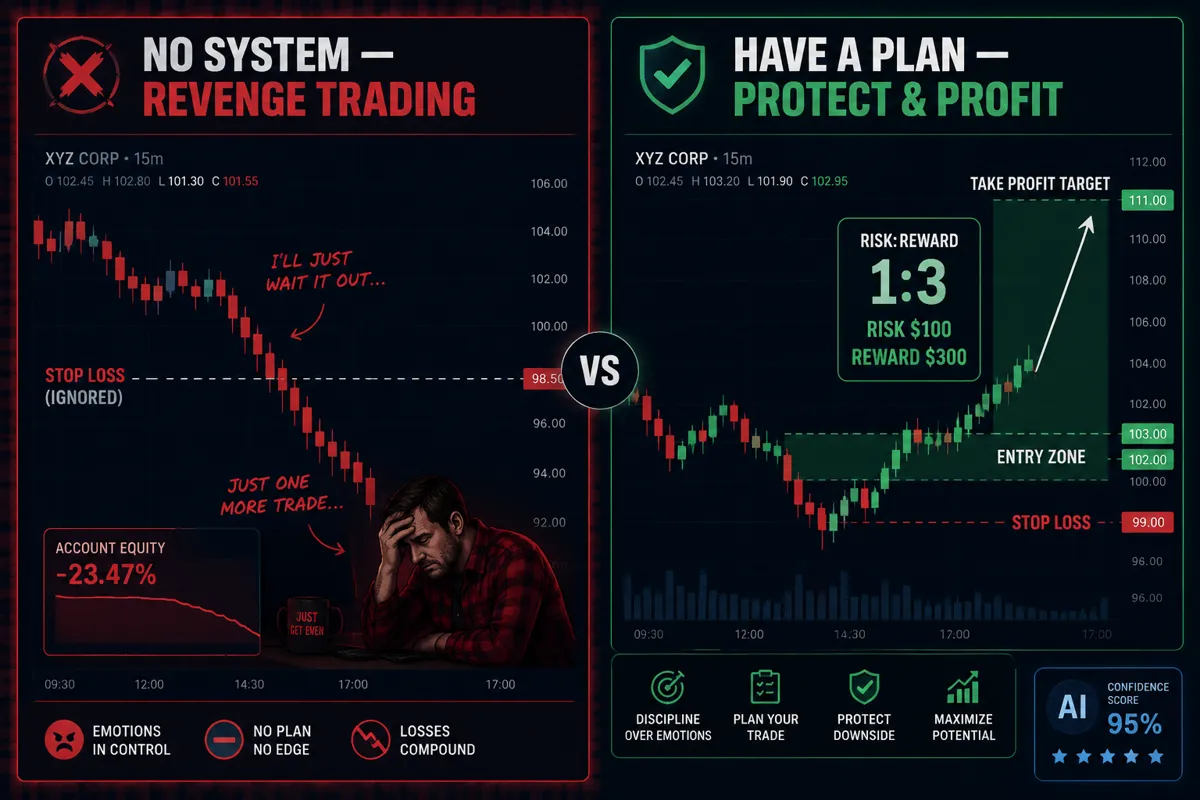
- Skipping the stop loss. An AI tool identifies the entry. The trader ignores the suggested stop loss because they "believe in the setup." Getting stopped out hurts less than watching a position go to zero.
- Overtrading the signals. A scanner generating 50 alerts per day doesn't mean 50 trades per day. Filter for the cleanest setups and trade fewer, better opportunities.
- Ignoring position sizing. Risk-reward means nothing if 80% of the account is in one trade. Size positions so that a stop loss being hit is a manageable loss, not a catastrophic one.
- Revenge trading after a loss. The AI flagged a setup, it didn't work, and now the trader is looking for the next signal to "make it back." That's revenge trading, and it compounds losses.
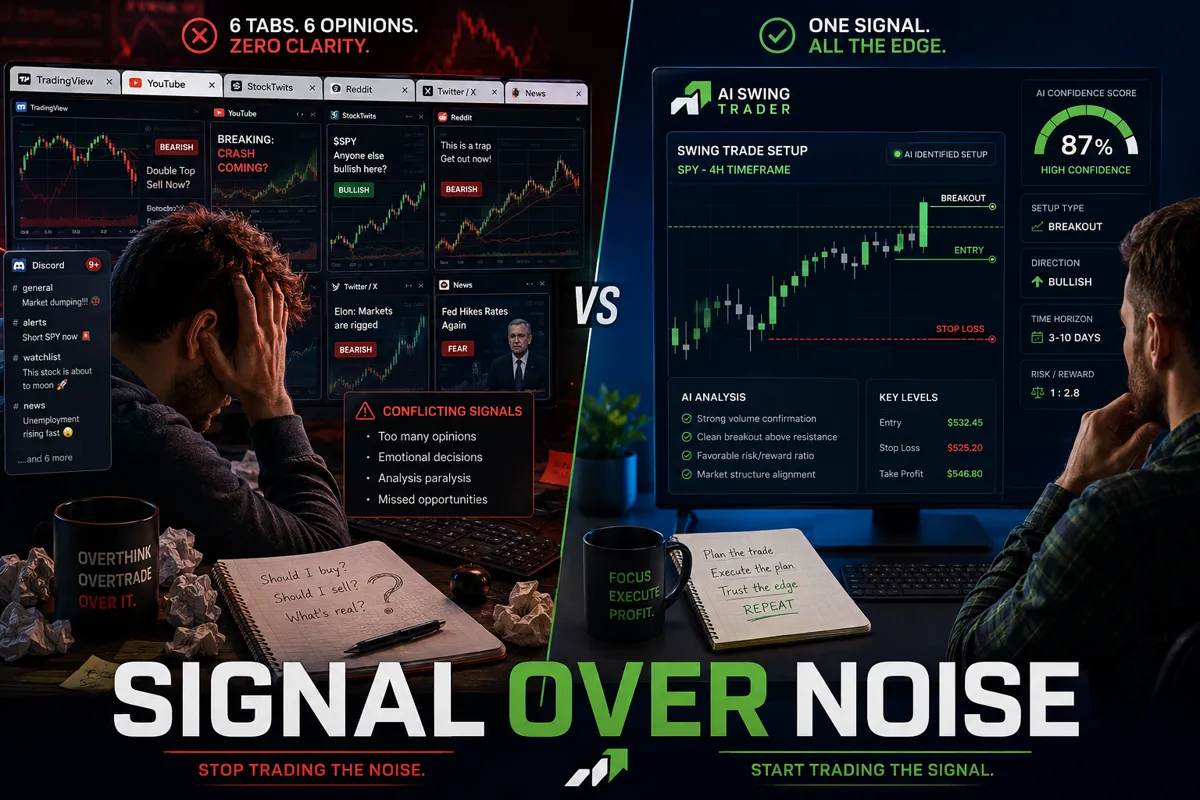
- Analysis paralysis from too many tools. Six scanners, three Discord alerts, and two AI platforms running simultaneously is not an edge. It's noise with extra steps. Cut the noise, keep the alpha.
The stock health scorecard is a useful sanity check before entering any position flagged by an AI tool.
How Do AI Tools Compare to Traditional Stock Analysis Methods
Traditional technical analysis relies on a trader manually reviewing charts, drawing trendlines, and identifying patterns. It works — but it's slow, subject to confirmation bias, and limited by how many charts one person can review in a session.
AI tools don't replace technical analysis. They automate the mechanical parts of it.
| Factor | Traditional Analysis | AI-Assisted Analysis |
|---|---|---|
| Speed | 50–100 charts per session | 3,000–8,000 tickers per scan |
| Bias | High (confirmation bias) | Lower (model-driven) |
| Pattern consistency | Variable | Consistent rule application |
| Backtesting | Manual, time-intensive | Automated, faster iteration |
| Adaptability | Immediate (human judgment) | Depends on model update frequency |
| Cost | Time only | $0–$300+/month |
Research on generative AI models trained on nearly 100 years of U.S. stock return data suggests these systems can identify hidden patterns that human analysts miss — with test portfolios from 2001 to 2023 showing meaningful outperformance in structured research settings. That's an academic context, not a retail trading guarantee. But it confirms that AI pattern recognition has a legitimate statistical basis, not just marketing copy.
The trend is your friend — and AI tools help traders identify the trend earlier, before it's obvious to everyone watching the same five indicators.
Which AI Trading Platforms Work Best for Different Investment Sizes
The right tool depends on account size and trading frequency, not just features.
- Under $5,000: Finviz free + TradingView free tier. Learn the process before paying for premium data.
- $5,000–$25,000: TrendSpider or Trade Ideas entry tier. Add real-time alerts and automated chart analysis once the process is repeatable.
- $25,000–$100,000: TradeAlgo or ScanForge for institutional flow data and multi-factor screening. At this size, missing a dark pool accumulation signal has real dollar consequences.
- $100,000+: Full professional tiers across multiple platforms. The cost of tools becomes a rounding error relative to the value of a single well-timed swing trade.
The AI tool comparison page breaks down features and pricing across 100+ platforms side by side — useful for matching a tool to a specific account size and trading style.
What Technical Skills Do You Need to Use AI Trading Tools
Less than most people assume. The modern generation of AI swing trading tools is built for retail traders, not quants.
What you actually need:
- Basic chart reading: understanding what a candlestick represents, what volume means, and what a moving average does
- Familiarity with support and resistance concepts — where price has historically stalled or reversed
- Ability to set and honor a stop loss level
- Enough spreadsheet comfort to track trades and review performance
What you don't need:
- Coding or programming skills (for most platforms)
- Statistics or quantitative finance background
- Experience with API integrations (unless building custom strategies)
Tools like Treida.ai and Investing.com's vision-powered AI chart analysis — which can build a trading plan in under 60 seconds from a chart image — are specifically designed to lower the technical barrier. The AI does the pattern recognition; the trader evaluates the output.
For traders who do want to go deeper into algorithmic approaches, Alpaca's trading API and QuantConnect offer code-based environments for building and backtesting custom strategies.
Can AI Trading Tools Predict Crypto and Forex Movements Too
Most of the tools covered here are equity-focused, but several extend to crypto and forex markets. The underlying mechanics — pattern recognition, volume analysis, sentiment scoring — apply across asset classes.
What works across markets:
- TrendSpider covers equities, ETFs, forex, and crypto charts with the same automated analysis
- 3Commas and similar platforms specialize in crypto swing trading automation
- Sentiment analysis tools that track social media and news flow apply directly to crypto's news-driven volatility
Where AI tools struggle in crypto and forex:
- Lower liquidity in smaller crypto tokens makes pattern-based signals less reliable
- Forex operates 24 hours across global sessions, which creates different volatility dynamics than U.S. equities
- Crypto is significantly more susceptible to social-media-driven manipulation — research on AI-driven manipulation detection (AIMM) shows that Reddit coordination and unusual trading patterns can be identified algorithmically, but retail traders should treat crypto AI signals with additional skepticism
The prediction tools section covers AI platforms with cross-asset capabilities for traders who operate in multiple markets.
How Reliable Are AI Predictions Compared to Human Analysts
Neither AI nor human analysts predict markets with consistent accuracy. That's the honest answer, and any platform claiming otherwise is selling something.
What AI tools do better than most human analysts:
- Process more data points simultaneously without fatigue
- Apply rules consistently without emotional interference
- Identify statistical patterns across thousands of historical examples
- React to new data (volume spikes, news events) in real time
What experienced human analysts do better:
- Interpret context that doesn't fit historical patterns (black swan events, policy shifts)
- Weigh qualitative factors: management quality, competitive dynamics, narrative shifts
- Recognize when a pattern is forming in an unusually choppy tape and adjust accordingly
SwingEdge AI's reported 67% win rate over a 90-day trailing window is a useful data point — it means roughly one in three signals doesn't work as expected. That's not a failure; that's why stop losses and position sizing exist. A 67% win rate with a 2:1 risk-reward ratio is a profitable system. The same win rate with no stop loss and oversized positions is a blown account.
The practical takeaway: use AI predictions as one input in a multi-factor decision, not as the decision itself. Signal over noise means filtering AI output through your own process, not replacing your process with the AI.
What Are the Top 3 AI Tools Recommended by Professional Traders
Based on platform adoption, feature depth, and consistent mention across professional trading communities, the three tools that appear most frequently in serious swing traders' workflows are:
1. TrendSpider — for automated technical analysis and multi-timeframe confirmation. Professional traders value it because it removes the subjectivity from chart reading while keeping the trader in control of the final decision.
2. Trade Ideas (Holly AI) — for real-time alerts and pre-market setup identification. The overnight backtesting model that surfaces each morning's highest-probability setups is genuinely useful for traders who don't have time to run their own scans.
3. TradeAlgo — for institutional flow and dark pool data. At the professional level, understanding where institutional money is moving before the retail crowd notices is the edge. TradeAlgo's 50-billion-event daily processing gives that visibility.
These three cover the core workflow: find the setup (TrendSpider), get alerted early (Trade Ideas), and confirm institutional participation (TradeAlgo). That's a complete system, not a collection of disconnected tools.
For a broader comparison of AI swing trading tools across categories, the research tools directory provides structured breakdowns without the sales pitch.
Conclusion: Build the System, Then Use the Tools
The 7 AI tools swing traders are using to catch moves before everyone else aren't magic. They're leverage — and leverage amplifies both good process and bad process equally.
Here's what to do with this, starting today:
- Pick one tool, not seven. Start with Finviz's free screener or TrendSpider's trial. Learn it until it's second nature before adding anything else.
- Define your setup criteria before you scan. What does a clean setup look like for your strategy? Tight consolidation near support? A bull flag on high volume? Write it down. The AI confirms the setup; you define what you're looking for.
- Paper trade it first. Every tool on this list has a simulation mode. Use it for 30 days. Track every signal, every entry, every exit. The data you collect is more valuable than any signal the AI generates.
- Build the stop loss into the plan before the entry. Not after. Not "I'll figure it out if it goes against me." Before.
- Review weekly, not daily. Checking performance every hour is how traders turn a good system into an emotional rollercoaster. Weekly reviews with data beat daily gut-checks every time.
Data over noise. Consistency over hype. The setup is only as good as the process around it.
Frequently Asked Questions
What is the best free AI tool for swing trading beginners?
Finviz's free screener is the most practical starting point. It covers real-time filtering by volume, price action, and technical criteria without requiring a subscription. Pair it with TradingView's free charting tier for a zero-cost setup that covers the basics.
Do AI swing trading tools work for part-time traders?
Yes. Tools like SwingEdge AI and ScanForge are specifically designed to deliver a pre-built watchlist each morning, reducing the time required to find setups. A part-time trader can review AI-generated candidates in 15 to 20 minutes before the market opens.
How accurate are AI swing trading signals?
Accuracy varies by platform and market conditions. SwingEdge AI reports a 67% win rate over trailing 90-day windows. No platform maintains consistent accuracy across all market environments. The signal accuracy matters less than the risk-reward ratio applied to each trade.
Can AI tools help with earnings season swing trades?
Yes. Tools like TradeAlgo and Trade Ideas include earnings-specific filters that identify basing patterns before announcements and unusual options activity that can precede large moves. Earnings season is inherently higher-risk, so position sizing should reflect that.
Is it legal to use AI for stock trading in the United States?
Using AI tools for research and trade idea generation is legal for retail investors. Fully autonomous AI execution is an evolving regulatory area. FINRA and the SEC have issued guidance on algorithmic trading practices that applies to retail participants using automated systems.
What's the difference between an AI scanner and a traditional stock screener?
A traditional screener filters stocks by static criteria (price above moving average, volume above threshold). An AI scanner adds pattern recognition, predictive scoring, and sometimes natural language querying — it doesn't just filter, it ranks and contextualizes the results.
Do I need to know how to code to use these AI trading tools?
No. Most retail-facing AI trading platforms — including TrendSpider, Trade Ideas, SwingEdge AI, and Treida.ai — require no coding. Platforms like QuantConnect and Alpaca offer code-based environments for traders who want to build custom strategies.
How many AI tools should a swing trader use at once?
Two to three, maximum. One for scanning and pattern detection, one for alerts, and one for confirmation (volume, flow, or sentiment). More than three creates conflicting signals and analysis paralysis.
Can AI tools help avoid bull traps and dead cat bounces?
They can reduce exposure to these patterns by flagging volume confirmation requirements and multi-timeframe divergences. But no tool eliminates them entirely. The best defense against a bull trap is a pre-defined stop loss and the discipline to honor it.
What is the typical learning curve for AI swing trading software?
Most platforms take two to four weeks to learn at a functional level. Mastery — understanding why the AI is flagging specific setups and how to filter its output effectively — takes two to three months of consistent use.
Are AI trading tools worth the cost for small accounts?
For accounts under $5,000, the free tier of Finviz combined with TradingView covers the essentials. Paid AI tools make more economic sense once the account size means a single avoided loss or better entry timing justifies the monthly subscription.
How do AI swing trading tools handle choppy market conditions?
Most AI scanners perform better in trending markets than in choppy, low-conviction environments. In a choppy tape, the number of false signals increases. Experienced traders reduce position size and trade frequency during these periods, regardless of what the AI surfaces.
References
swingedge.ai - https://www.swingedge.ai/?utm_source=openai
treida.ai - https://treida.ai/?utm_source=openai
scanforge.tools - https://scanforge.tools/?utm_source=openai
Best Swing Trading Platforms And Tools In 2026 Find Multi Day Trades Faster - https://www.tradealgo.com/trading-guides/tools/best-swing-trading-platforms-and-tools-in-2026-find-multi-day-trades-faster?utm_source=openai
swingsetupai - https://swingsetupai.com/?utm_source=openai
Robinhood Now Lets Your Ai Agents Trade Stocks - https://techcrunch.com/2026/05/27/robinhood-now-lets-your-ai-agents-trade-stocks/?utm_source=openai
Investingcom Launches Vision Powered Ai Chart Analysis To Help Traders Build Smarter Trading Plans In Under 60 Seconds 302613625 - https://www.prnewswire.com/news-releases/investingcom-launches-vision-powered-ai-chart-analysis-to-help-traders-build-smarter-trading-plans-in-under-60-seconds-302613625.html?utm_source=openai
Reuters.com%2c2025 07 08%3anewsml Nfc6ry6r8%3a0 Option Circle Launches Ai Powered Trading Platform To Automate Strategies Across Brokers - https://www.tradingview.com/news/reuters.com%2C2025-07-08%3Anewsml_NFC6rY6r8%3A0-option-circle-launches-ai-powered-trading-platform-to-automate-strategies-across-brokers/?utm_source=openai
arxiv - https://arxiv.org/abs/2512.16103?utm_source=openai
arxiv - https://arxiv.org/abs/2404.05101?utm_source=openai
FullStack Alpha cuts the noise so you can keep the alpha. Browse the full breakdown of AI swing trading tools, scanners, and systems we actually rate at aistockpickerapps.com.