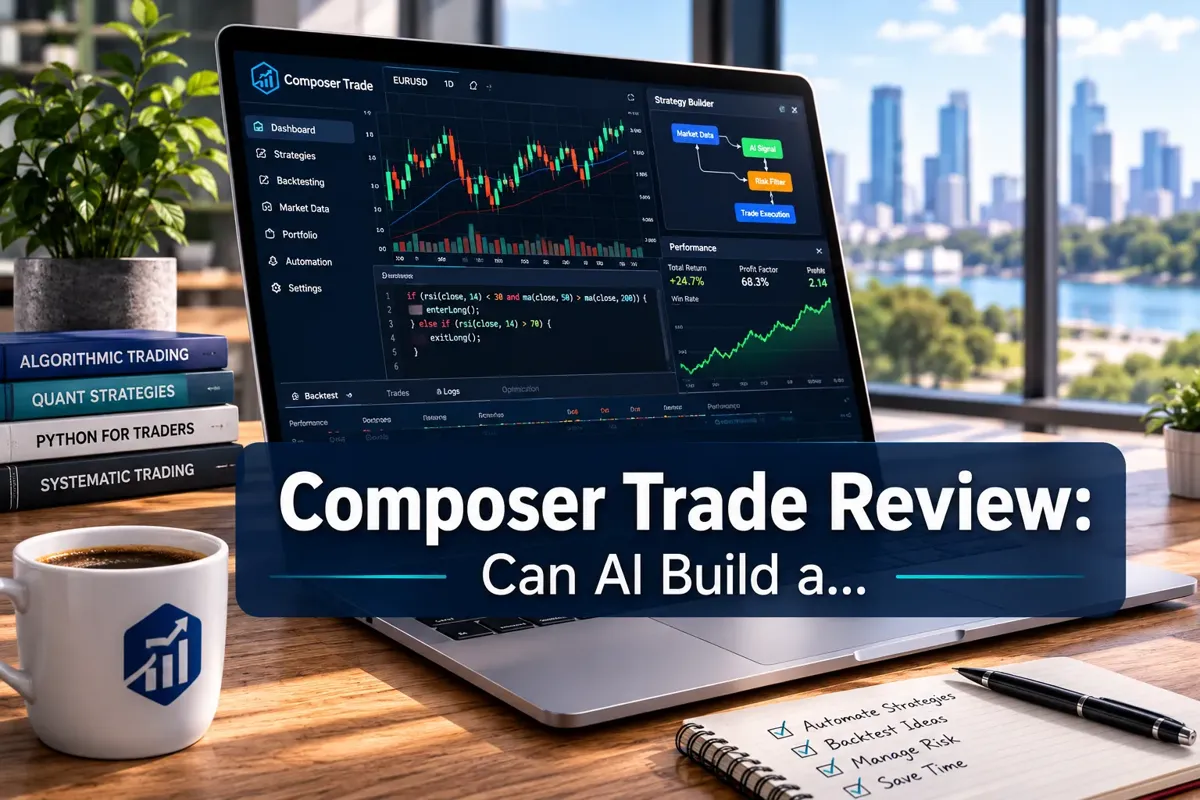
Composer Trade Review: Can AI Build a Trading Algo You'd Run?
Composer Trade Review: Can AI Build a Trading Algo You'd Run?
Last updated: July 19, 2026
Quick Answer
Composer Trade is a no-code algorithmic trading platform that lets retail investors build, backtest, and automate systematic trading strategies without writing a single line of Python. The AI assists with strategy generation and optimization, but you're still the architect, it won't magically print alpha. For investors who want systematic execution without learning QuantConnect, Composer delivers. For day traders expecting a plug-and-play money printer, it won't.
The platform costs $10,$29/month depending on features, requires no minimum beyond what your connected brokerage demands, and works best for swing traders and systematic investors running rules-based strategies on daily or weekly timeframes.
Key Takeaways
- Composer Trade is a visual, no-code platform for building and automating trading algorithms, no Python or coding experience required.
- The AI assists with strategy ideas and optimization suggestions, but you define the logic, risk rules, and position sizing.
- Backtesting is built-in and uses historical data to simulate how your strategy would have performed, but past performance doesn't guarantee future results.
- Pricing starts at $10/month for basic automation; pro features (advanced backtesting, multiple strategies) run $19,$29/month.
- Best suited for systematic swing traders and long-term tactical investors, not day traders or scalpers.
- Composer integrates with Alpaca and other brokerages for live execution; you maintain custody of your assets.
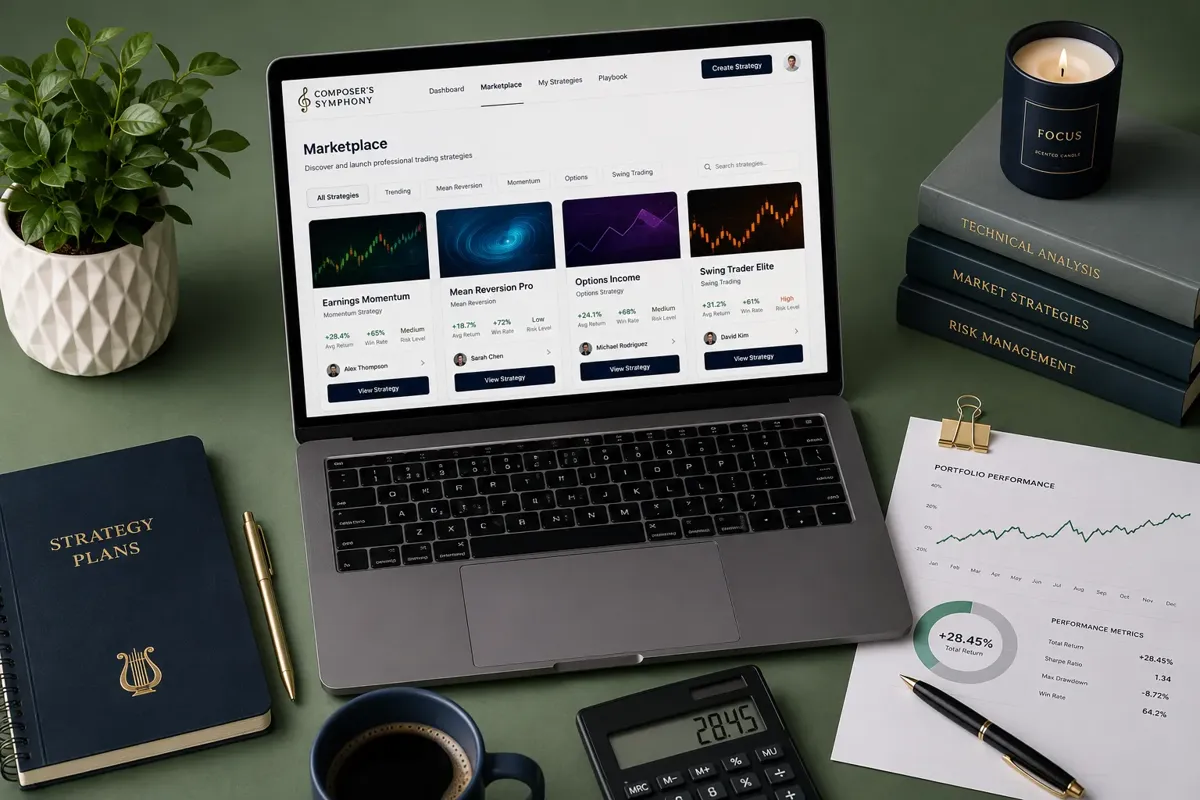
- The platform's "Symphonies" marketplace lets you clone and customize pre-built strategies from other users.
- Common mistakes: over-optimizing backtests, ignoring transaction costs, and expecting the AI to do all the thinking.
- Compared to robo-advisors like Wealthfront or Betterment, Composer gives you full control over strategy logic instead of passive index allocation.
- Compared to QuantConnect or Alpaca's API, Composer trades flexibility for accessibility, perfect for non-coders.
What Is Composer Trade and How Does It Work?
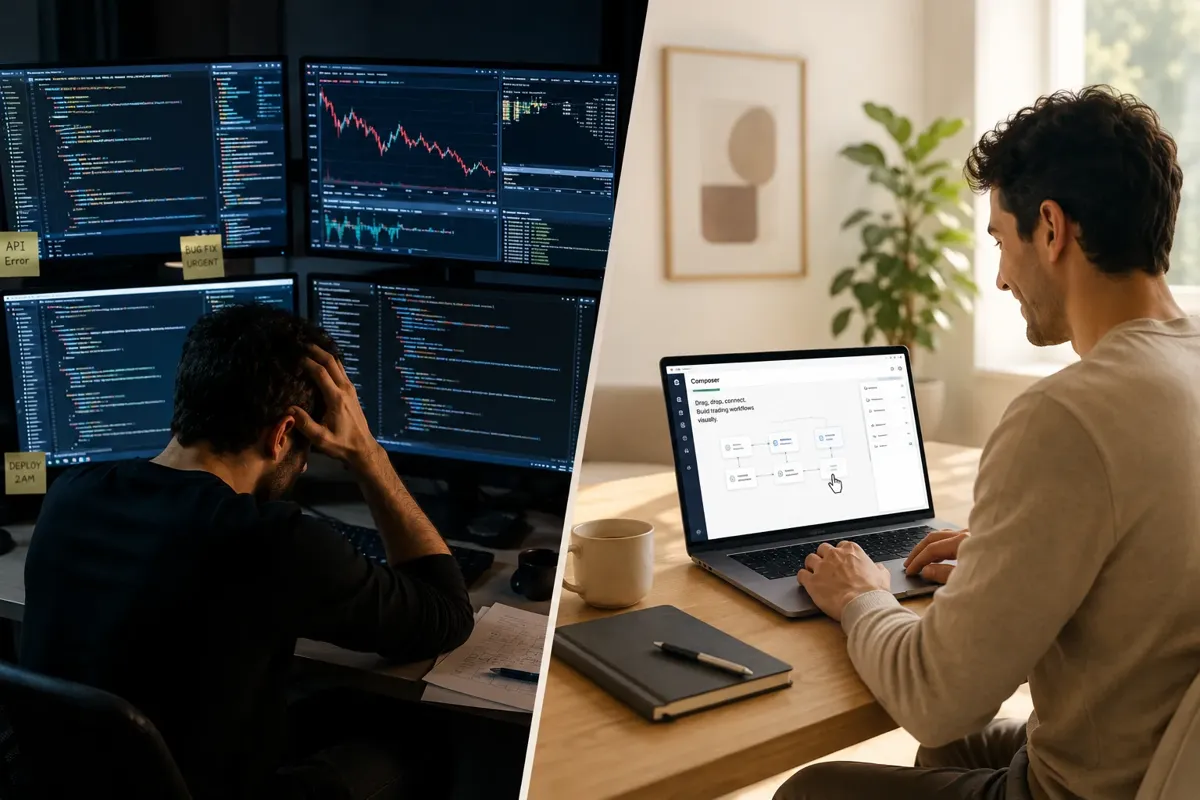
Composer Trade is an automated trading strategy builder designed for retail investors who want systematic execution without learning to code. You design your strategy using a visual, drag-and-drop interface that looks more like a flowchart than a terminal window. The platform handles the rest: backtesting, optimization suggestions, and live execution through connected brokerage accounts.
Here's the basic workflow. You start by defining your universe, the stocks, ETFs, or assets you want to trade. Then you layer on logic: buy when RSI drops below 30 and price is above the 200-day moving average, rebalance weekly, exit when momentum reverses. Composer's AI can suggest refinements (like adjusting thresholds or adding filters), but you're the one approving every rule.
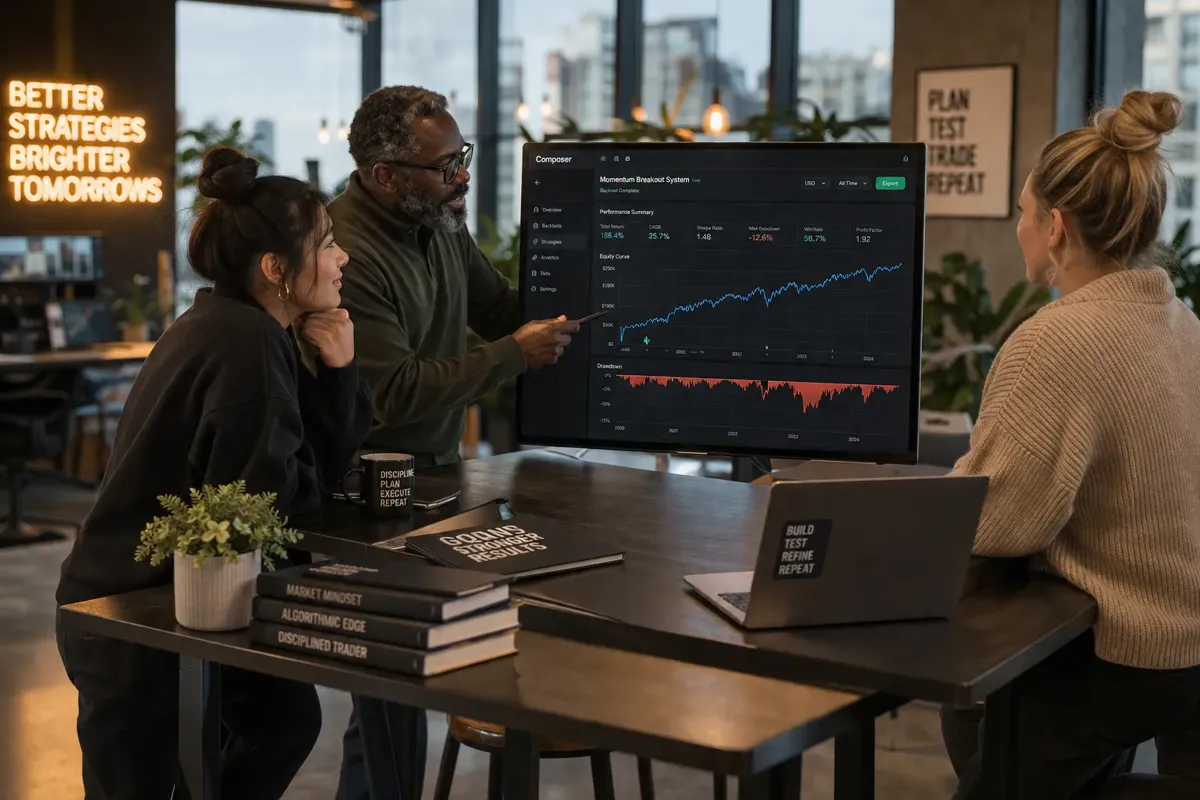
Once your strategy is built, you backtest it against historical data to see how it would have performed. The platform shows you returns, drawdowns, Sharpe ratio, and win rate. If the numbers look solid, you connect your brokerage (Alpaca is the most common integration), fund the account, and flip the strategy live. Composer executes trades automatically based on your rules.
The AI component isn't making predictions or picking stocks for you. It's pattern-matching against successful strategies in the system and suggesting structural improvements, think "users with similar setups often add a volatility filter here" rather than "buy NVDA tomorrow." You're still the architect. The AI is the assistant who's seen a lot of blueprints.
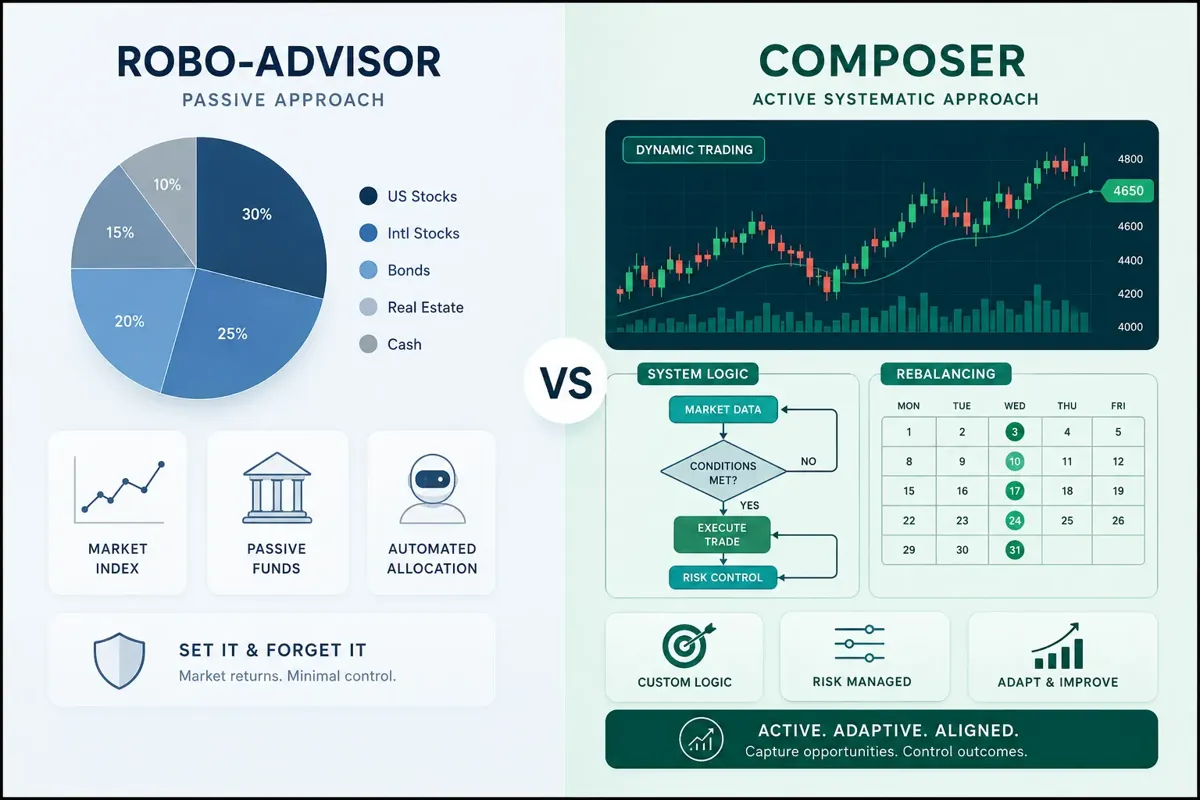
This is fundamentally different from a robo-advisor. Wealthfront and Betterment allocate your money into passive index funds and rebalance occasionally. Composer lets you build active, rules-based strategies that can rotate sectors, hedge with inverse ETFs, or go to cash when your conditions say so. It's systematic trading made accessible, not passive investing with a new UI.
For a deeper dive into how no-code platforms are changing retail algo trading, check out our guide to Composer trading and building bots without code.
Composer Trade Review: Can AI Build a Trading Algo You'd Run?
The short answer: the AI can help you build one, but whether you'd actually run it depends on how much work you put into the logic, risk management, and backtesting. Composer's AI isn't a magic wand. It's a co-pilot that suggests structure, flags common mistakes, and offers optimization ideas based on what's worked for other users. But it won't hand you a profitable strategy on a silver platter.
What the AI does well: it accelerates the setup process. If you're staring at a blank canvas wondering where to start, the AI can generate a basic momentum or mean-reversion framework in seconds. It'll suggest entry and exit conditions, recommend position sizing rules, and highlight when your backtest shows obvious overfitting (like a strategy that only worked during one bull run). For beginners, this scaffolding is invaluable.
What the AI doesn't do: predict the future, guarantee returns, or replace your judgment. It can't tell you if the market's about to rotate out of tech or if your strategy will survive the next volatility spike. It won't stop you from building a strategy that looks great in backtest but falls apart in live trading because you ignored transaction costs or slippage.
The real question isn't "can the AI build a trading algo?" It's "can you build a trading algo with AI assistance that reflects a sound thesis, manages risk properly, and survives contact with the real market?" If you bring a hypothesis (momentum works in small-cap growth, sector rotation beats buy-and-hold, etc.), Composer gives you the tools to test and automate it. If you're hoping the AI will just generate alpha while you watch, you're going to be disappointed.
Most traders who succeed on Composer start with a clear idea, even a simple one, and use the platform to execute it systematically. The AI helps them avoid rookie mistakes (like forgetting to set stop losses or rebalancing too frequently). The traders who struggle are the ones who treat it like a slot machine: generate strategy, backtest, deploy, repeat until something sticks.
Systems over hacks. The AI is a tool, not a shortcut. If you're serious about algorithmic trading and what retail traders get wrong, Composer is a legitimate platform. If you're looking for a get-rich-quick bot, keep scrolling.
How Much Does Composer Trade Cost Per Month?
Composer Trade pricing is tiered based on features, not assets under management. That's a big difference from traditional robo-advisors that charge a percentage of your portfolio annually.
Free tier: You can build and backtest strategies for $0. This is useful for learning the platform and testing ideas, but you can't deploy strategies live or access advanced backtesting features.
Composer Pro ($10/month): Lets you run one live automated strategy with basic backtesting and execution. Good for someone testing the waters with a single systematic approach.
Composer Premium ($19,$29/month): Unlocks multiple live strategies, advanced backtesting with custom date ranges and Monte Carlo simulations, priority execution, and access to the full Symphonies marketplace where you can clone and tweak strategies built by other users.
There's no percentage-based fee on your assets, which means if you're running a $50,000 portfolio, you're paying the same $29/month as someone running $500,000. That's a massive cost advantage at scale compared to a 0.25% AUM fee that would run you $125/month on a $50k account.
Transaction costs depend on your connected brokerage. Alpaca, the most common integration, offers commission-free stock and ETF trades, but you'll still face bid-ask spreads and potential SEC fees. If your strategy rebalances daily or trades illiquid assets, those costs add up fast and can quietly erode returns that looked great in backtest.
Compared to other platforms: QuantConnect is free for basic use but charges for live trading and data. Trade Ideas starts around $118/month for AI scanner access. TradingView's premium plans run $15,$60/month but don't include automated execution. Composer sits in a sweet spot for retail traders who want automation without enterprise-level costs.
One gotcha: Composer's pricing is separate from your brokerage account minimums. Alpaca requires no minimum to open an account, but other brokerages might. Make sure you're clear on both costs before you commit.
For a broader look at what you're actually paying for across AI trading platforms, see our breakdown of AI trading software costs vs. value.
Is Composer Trade Worth It for Beginners With No Coding Experience?
Yes, if you're willing to learn the logic behind systematic trading. No, if you think "no code" means "no effort."
Composer Trade removes the technical barrier, you don't need to learn Python, understand APIs, or debug syntax errors. That's huge for someone who has a trading idea but no programming background. The visual interface makes it easy to see your strategy as a flowchart: if this condition is true, do that action. It's intuitive once you spend an hour clicking around.
But here's the catch: you still need to understand what you're building. If you don't know what RSI measures, why moving averages matter, or how position sizing affects risk, the no-code interface won't save you. You'll just build a bad strategy faster. The platform gives you the tools; it doesn't teach you how to think about markets.
Beginners who do well on Composer typically start simple. They might build a basic momentum strategy: buy the top 10 ETFs by 3-month performance, rebalance monthly, go to cash if the S&P 500 drops below its 200-day moving average. That's a legitimate systematic approach, easy to understand, and hard to screw up. They backtest it, watch it run live with a small account, and iterate based on what they learn.
Beginners who struggle are the ones who try to build complex multi-factor strategies on day one, over-optimize the backtest until it shows 80% annual returns, then blow up in live trading because the strategy was curve-fit to historical noise.
The learning curve isn't coding, it's trading logic, risk management, and the discipline to stick with a system when it's not working this week. If you're willing to put in that work, Composer is one of the best entry points into systematic trading. If you want a set-it-and-forget-it solution, you're better off with a traditional robo-advisor.
For beginners exploring AI-assisted trading, our honest guide for retail traders covers what actually works and what's just hype.
Composer Trade vs Wealthfront vs Betterment: Which Is Better?
This isn't an apples-to-apples comparison. Composer, Wealthfront, and Betterment serve different needs, and the "better" choice depends entirely on what you're trying to accomplish.
Wealthfront and Betterment are passive robo-advisors. You answer a questionnaire about your risk tolerance and goals, they allocate your money into a diversified portfolio of low-cost index funds, and they rebalance periodically. You don't control the strategy. You don't pick the assets. You don't decide when to buy or sell. The algorithm does it based on modern portfolio theory and tax-loss harvesting. It's autopilot investing for people who want market returns without thinking about it.
Composer is an active, systematic trading platform. You design the strategy. You choose the assets. You define the entry and exit rules. You decide if you want to rotate sectors, hedge with inverse ETFs, or go to cash during drawdowns. The platform automates execution, but you're the strategist. It's for people who want control and believe they can build a rules-based system that outperforms passive indexing.
When Wealthfront or Betterment is better:
- You want true set-it-and-forget-it investing.
- You're saving for retirement and don't want to actively manage a portfolio.
- You're happy with market returns and don't believe you can consistently beat the index.
- You value tax-loss harvesting and automatic rebalancing.
When Composer is better:
- You have a thesis about how markets work and want to test it systematically.
- You're willing to actively manage and iterate on your strategies.
- You want the flexibility to go defensive, rotate sectors, or implement tactical overlays.
- You're comfortable with the fact that your strategy might underperform the market.
Cost comparison: Wealthfront and Betterment charge 0.25% of assets annually. On a $100,000 account, that's $250/year. Composer charges $10,$29/month ($120,$348/year) regardless of account size. At smaller account sizes, robo-advisors are cheaper. At larger sizes, Composer wins.
Performance comparison: Wealthfront and Betterment will give you market returns minus their fee, which historically averages around 7-10% annually for a balanced portfolio. Composer's performance depends entirely on the strategy you build. You could outperform significantly. You could underperform significantly. There's no benchmark because you're not buying the benchmark.
If you're trying to decide between passive and active, the honest answer is this: most retail investors are better off with passive indexing. The data is clear. But if you're reading a Composer trade review, you're probably not most investors. You want to build something. Just make sure you're doing it for the right reasons, because you have a sound thesis and the discipline to execute it, not because you're bored with 8% annual returns.
For more on how AI trading platforms stack up across different use cases, we've tested and ranked the top tools.
Composer Trade vs QuantConnect for Algorithmic Trading
QuantConnect and Composer both let you build and automate trading algorithms, but they're aimed at completely different audiences. QuantConnect is for serious quants and developers who want maximum flexibility and control. Composer is for retail traders who want systematic execution without touching code.
QuantConnect is a cloud-based algorithmic trading platform where you write strategies in Python or C#. You have access to tick-level data, multiple asset classes (equities, options, futures, forex, crypto), and institutional-grade backtesting infrastructure. You can build high-frequency strategies, complex options spreads, or multi-asset portfolios. The learning curve is steep. If you don't know how to code, you're not using QuantConnect.
Composer is a visual, no-code platform where you drag and drop logic blocks to build strategies. You're limited to equities and ETFs on daily or longer timeframes. The backtesting is solid but not as granular as QuantConnect. The trade-off: you can go from idea to live strategy in an afternoon, and you never have to debug a for-loop.
When QuantConnect is better:
- You're a developer or quant with coding experience.
- You want to trade options, futures, or crypto algorithmically.
- You need tick-level data and sub-minute execution.
- You're building complex, multi-asset strategies that require custom logic.
When Composer is better:
- You have zero coding experience and don't want to learn.
- You're focused on equities and ETFs on daily or weekly timeframes.
- You want to go from idea to live trading quickly without infrastructure headaches.
- You value simplicity and ease of use over maximum flexibility.
Cost: QuantConnect is free for basic use, but live trading and premium data cost extra. Composer charges $10,$29/month for live execution. Both are affordable compared to institutional platforms.
Community and resources: QuantConnect has a massive library of open-source algorithms and an active forum of quants. Composer's Symphonies marketplace is growing but smaller. If you're looking to learn from others' code, QuantConnect wins. If you want plug-and-play templates, Composer's marketplace is more accessible.
The bottom line: if you can code and want maximum control, QuantConnect is the better tool. If you can't code and want to automate a systematic strategy without a CS degree, Composer is the obvious choice. For a detailed comparison of these platforms, see our QuantConnect vs Trade Ideas breakdown.
What Are the Risks of Using AI-Generated Trading Algorithms?
AI-generated trading algorithms sound like the future, but they come with real risks that most retail traders underestimate. The biggest danger isn't that the AI will make bad trades, it's that you'll trust the AI without understanding what it built or why it's failing.
Overfitting is the silent killer. When you backtest a strategy, the AI can optimize it to perform beautifully on historical data by finding patterns that were pure noise. The strategy looks like it has a 60% win rate and a 2.0 Sharpe ratio, so you deploy it live. Then it loses money for three months straight because those patterns don't exist going forward. The AI didn't lie, it just showed you what you wanted to see. This is why experienced traders backtest on one period, validate on another, and still expect the live results to be worse.
Black-box syndrome. If the AI generates a strategy and you don't understand the logic, you won't know when it's broken. Maybe it's buying tech stocks every time the VIX spikes, and that worked great during 2020-2021 when dip-buying printed money. But in a sustained bear market, that same rule gets you killed. If you don't know why the strategy is doing what it's doing, you can't tell the difference between a normal drawdown and a structural failure.
Execution risk. Backtests assume perfect fills at the close price with no slippage and no transaction costs. Real trading doesn't work that way. If your strategy rebalances daily and trades low-volume ETFs, the bid-ask spread alone can turn a profitable backtest into a losing live strategy. The AI doesn't account for this unless you explicitly model it, and most beginners don't.
Behavioral risk. You build a strategy, backtest it, deploy it live, and it immediately loses 5%. Do you trust the system or do you panic and shut it down? Most traders shut it down, tweak the rules, redeploy, lose again, and repeat until they've blown through their capital. The AI didn't fail, your discipline did. Systematic trading only works if you actually follow the system, and that's harder than it sounds when real money is on the line.
Data quality and survivorship bias. If the AI is backtesting on data that excludes delisted stocks or bankrupt companies, it's not seeing the full picture. Strategies that look great on "survivor-only" data often fail in live trading because they're not accounting for the stocks that went to zero.
The fix for all of this: understand what you're building, backtest conservatively, start small, and expect the live results to be worse than the backtest. If the AI suggests a strategy, ask yourself "why would this work going forward?" If you can't answer that in one sentence, don't run it.
For more on what retail traders consistently get wrong about AI and algo trading, read our deep dive on algorithmic trading AI mistakes.
Common Mistakes When Building Strategies on Composer Trade
Most traders who fail on Composer make the same handful of mistakes. The platform gives you enough rope to hang yourself, and if you don't know what you're doing, you will.
Mistake 1: Over-optimizing the backtest. You tweak the RSI threshold from 30 to 28, and the backtest jumps from 12% annual return to 18%. So you tweak the moving average period, the rebalance frequency, and the exit condition until the backtest shows 25% returns with a 1.5% max drawdown. Congratulations, you just curve-fit a strategy to historical noise. It'll fail in live trading because those exact parameters only worked in that exact historical period. The fix: keep it simple, use round numbers, and accept that a good strategy won't look perfect in backtest.
Mistake 2: Ignoring transaction costs. Your backtest shows 20% annual returns, but the strategy rebalances every day and trades 15 positions. Even with commission-free trades, the bid-ask spread and slippage will eat 2-4% of your returns annually. Suddenly your 20% backtest is a 16% live result, and that's before taxes. The fix: model transaction costs explicitly, and favor strategies that trade less frequently.
Mistake 3: Building strategies with no edge. You create a strategy that buys the S&P 500 when it's above the 200-day moving average and goes to cash when it's below. That's a legitimate trend-following system, but it's not new. Thousands of traders are running the same logic. If it's that obvious, the edge is probably already priced in. The fix: have a thesis for why your strategy should work that isn't just "it worked in backtest."
Mistake 4: No risk management. You build a momentum strategy that's 100% long high-beta tech stocks with no stop losses, no position limits, and no drawdown controls. It works great in a bull market and gets obliterated the first time the market corrects. The fix: define your maximum acceptable drawdown before you start, and build rules that force the strategy to de-risk when it's losing.
Mistake 5: Abandoning the strategy too early. Your strategy loses money for two weeks, so you shut it down and build a new one. That new one loses money, so you build another. You repeat this cycle until you've tested six strategies in three months and lost money on all of them, not because the strategies were bad, but because you didn't give any of them time to work. The fix: decide in advance how long you'll run a strategy and what conditions would make you shut it down. Stick to that plan.
Mistake 6: Treating Symphonies like stock picks. You browse the marketplace, find a strategy with a great backtest, clone it, and deploy it without understanding the logic. It loses money, and you have no idea why. The fix: only run strategies you understand well enough to explain to someone else.
The common thread: discipline beats prediction. Composer gives you the tools to build and automate a systematic strategy, but it won't save you from yourself. If you're serious about avoiding these traps, check out our guide to AI trading tools that actually work.
Does Composer Trade Work for Day Trading or Only Long-Term Investing?
Composer Trade is built for systematic swing trading and tactical long-term strategies, not day trading. If you're trying to scalp intraday moves or trade on 5-minute charts, this isn't the platform for you.
Here's why: Composer executes trades at market open or close, not intraday. The platform is designed around daily rebalancing at the fastest, and most strategies run on weekly or monthly timeframes. You can't build a strategy that buys a breakout at 10:37 AM and sells at 2:15 PM. The infrastructure isn't there, and the pricing model doesn't support it.
Day trading requires sub-minute execution, real-time data feeds, and tight risk controls like trailing stops that adjust tick-by-tick. Composer doesn't offer any of that. If you need those features, you're looking at platforms like Trade Ideas, DAS Trader, or Sterling Trader Pro, tools built specifically for active intraday execution.
What Composer does well:
- Swing trading strategies that hold positions for days to weeks.
- Tactical asset allocation that rotates between sectors or asset classes monthly.
- Momentum and mean-reversion strategies on daily timeframes.
- Systematic long-term strategies that adjust exposure based on market conditions (like going defensive during high volatility).
What Composer doesn't do:
- Intraday scalping or momentum trades.
- Real-time execution based on Level 2 data or order flow.
- High-frequency strategies that require sub-second fills.
If your edge is identifying clean setups on daily charts and holding for the swing, Composer is a great fit. If your edge is reading the tape and reacting to intraday price action, you need a different tool. For day traders looking for AI-assisted scanners and execution platforms, our guide to AI tools for day traders covers what actually works.
Who Should Not Use Composer Trade Platform?
Composer isn't for everyone, and pretending otherwise wastes your time and money. Here's who should look elsewhere.
Day traders and scalpers. If you're trading intraday moves, Composer's daily execution window won't cut it. You need real-time fills and sub-minute charts. Look at Trade Ideas or DAS Trader instead.
Traders who want someone else to do the thinking. If you're hoping the AI will just generate profitable strategies while you sit back, you're going to be disappointed. Composer requires you to understand the logic, define the rules, and manage the risk. If you want true autopilot, stick with a robo-advisor like Wealthfront.
Options and futures traders. Composer only supports equities and ETFs. If your edge is in options spreads or futures contracts, you need a platform like QuantConnect, Alpaca's API, or tastytrade.
Traders with very small accounts. If you're starting with $500, the $10,$29/month subscription is a significant percentage of your capital. You're better off paper trading for free until you've built up a larger account. Most brokers offer free paper trading, and you can backtest strategies on TradingView without paying for live execution.
Traders who can't stick to a system. If you're the type to panic and shut down a strategy after one bad week, systematic trading isn't for you, regardless of the platform. Composer automates execution, but it doesn't automate discipline. If you don't have the patience to let a strategy run through normal drawdowns, you'll just lose money faster.
Traders who want to trade crypto or forex. Composer doesn't support those asset classes. If that's your focus, look at platforms like 3Commas, Cryptohopper, or QuantConnect.
The bottom line: Composer is for retail traders who want to build and automate systematic strategies on equities and ETFs without coding. If that's not you, don't force it. For a broader look at who AI trading bots actually work for, we've tested the landscape.
How to Fix an Underperforming Strategy on Composer Trade
Your strategy is live, and it's losing money. Now what?
First, don't panic and don't immediately shut it down. Every systematic strategy goes through drawdowns. The question is whether this is a normal drawdown or a sign that the strategy is fundamentally broken. Here's how to tell the difference.
Step 1: Check the backtest assumptions. Go back to your original backtest and compare the live performance to the expected drawdown. If your backtest showed a max drawdown of 15% and you're down 8%, you're still within normal parameters. If you're down 25% and the backtest never showed more than 10%, something is wrong.
Step 2: Look for structural changes in the market. Did volatility spike? Did correlations break down? Did the sector you're trading experience a regime change? Sometimes a strategy stops working because the market environment shifted. A momentum strategy that worked great in a low-volatility bull market might struggle in a choppy, high-volatility environment. That doesn't mean the strategy is bad, it means it's not suited for this environment.
Step 3: Review transaction costs and slippage. Pull your trade history and calculate the actual cost per trade. If you're paying 0.1% in slippage and spread on every rebalance, and you're rebalancing daily, that's 25% annual drag. Your backtest probably didn't model that. The fix: reduce rebalance frequency or trade more liquid assets.
Step 4: Check for overfitting. If your strategy has 10 different conditions and thresholds, it's probably overfit. Simplify it. Remove the conditions that don't have a clear logical reason for being there. A good strategy should be explainable in two sentences.
Step 5: Run a forward test. If you're not sure whether the strategy is broken, put it on paper trading for 30 days and watch how it performs without risking real money. If it continues to underperform, you have your answer.
Step 6: Decide on a kill switch. Before you ever deploy a strategy, define the conditions that would make you shut it down. "If the strategy is down more than 20% from peak, I stop it." "If it underperforms the S&P 500 by more than 10% over six months, I stop it." Whatever your rule is, write it down and stick to it. Don't make emotional decisions in the middle of a drawdown.
What not to do: Don't tweak the strategy every week based on recent performance. Don't add new conditions to "fix" the last losing trade. Don't abandon the strategy after two weeks because it's not working yet. Systematic trading requires patience and discipline. If you can't give a strategy at least three months to prove itself, you're not ready for this.
For more on managing risk and avoiding the mistakes that blow up accounts, read our piece on the position sizing mistake that wipes out 90% of new traders.
Composer Trade Minimum Investment Requirements and Fees
Composer Trade itself has no minimum investment requirement. You can sign up, build strategies, and backtest for free. The minimums come from your connected brokerage, not from Composer.
Alpaca, the most common brokerage integration, has no account minimum. You can open an account with $1 if you want. That makes Composer accessible to traders with small accounts who want to test systematic strategies without a large upfront commitment.
Other brokerages that integrate with Composer may have their own minimums. Interactive Brokers, for example, typically requires $0 to open but recommends at least $10,000 for active trading to keep costs reasonable. Check with your specific brokerage before you connect.
Composer's subscription fees are separate from your brokerage account:
- Free tier: $0/month, backtest only, no live trading.
- Pro: $10/month, one live strategy.
- Premium: $19,$29/month, multiple live strategies, advanced backtesting, Symphonies marketplace access.
Transaction costs depend on your brokerage. Alpaca offers commission-free stock and ETF trades, but you'll still pay bid-ask spreads and regulatory fees (SEC fees, FINRA fees). These are tiny on a per-trade basis but add up if you're rebalancing frequently.
Example cost breakdown for a $10,000 account:
- Composer Premium: $29/month = $348/year = 3.48% of account.
- Brokerage fees: $0 commissions (Alpaca), ~$10,$20/year in regulatory fees.
- Slippage and spread: ~0.05-0.10% per trade, depending on liquidity.
If you're running a $10k account and rebalancing weekly, your all-in costs are probably around 4-5% annually. That's high. You need your strategy to beat the market by at least that much just to break even after costs.
At what account size does Composer make sense? If you're running a $50,000 account, the $348/year subscription is 0.7% of assets, much more reasonable. At $100,000, it's 0.35%. The larger your account, the more cost-effective Composer becomes compared to percentage-based robo-advisors.
The bottom line: Composer is accessible to small accounts, but the economics work better at $25k+. If you're starting with less, consider paper trading until you've proven the strategy works and built up more capital.
Are Composer Trade AI Algorithms Better Than Buying Index Funds?
For most investors, no. For a small subset of disciplined, systematic traders, maybe.
Here's the uncomfortable truth: the data overwhelmingly shows that passive index investing beats active management over the long term. The S&P 500 has returned around 10% annually over the past century. After fees and taxes, most active managers underperform that. Retail traders do even worse, studies show the average retail trader underperforms the market by 3-5% annually, mostly due to overtrading, poor timing, and emotional decisions.
So why would anyone use Composer instead of just buying VTI and calling it a day?
Reason 1: You have a legitimate edge. Maybe you've identified a systematic strategy that exploits a real market inefficiency, like momentum, mean reversion, or sector rotation, and you've backtested it rigorously across multiple market cycles. If your strategy consistently beats the index after costs, and you have the discipline to stick with it through drawdowns, then yes, Composer is a better tool than passive indexing.
Reason 2: You want tactical flexibility. Index funds are buy-and-hold. They don't go to cash during bear markets. They don't rotate out of overvalued sectors. They don't hedge. If you believe you can add value by adjusting exposure based on market conditions, Composer gives you the tools to do that systematically. Whether you actually add value is another question.
Reason 3: You're using it as a learning tool. Even if your strategy doesn't beat the index, building and testing systematic strategies teaches you how markets work, how to manage risk, and how to think probabilistically. That's valuable. Just don't bet your retirement on it.
When index funds are better:
- You don't have a clear thesis for why your strategy should outperform.
- You're not willing to actively manage and iterate on your strategies.
- You're saving for a long-term goal and don't want to think about it.
- You're not confident you can stick with a strategy through a 20% drawdown.
When Composer might be better:
- You have a sound, backtested strategy that you understand deeply.
- You're willing to accept the risk that you might underperform the index.
- You have the discipline to follow your system even when it's not working.
- You're using it to implement a tactical overlay on top of a core index portfolio.
The honest answer: if you're asking this question, you should probably just buy index funds. Composer is for traders who already know they want to build systematic strategies and are willing to do the work. It's not a replacement for passive investing, it's a tool for active, systematic traders who believe they can do better.
For a reality check on what AI trading tools actually deliver, read our breakdown of AI trading bots and whether they make money.
FAQ
Can Composer Trade really build a profitable algorithm with AI?
Composer's AI can help you build the structure of an algorithm, but it won't guarantee profitability. The AI suggests logic, optimizations, and risk controls based on patterns from successful strategies, but you still define the thesis and rules. Profitability depends on your strategy's edge, risk management, and execution, not the AI alone.
Do I need coding experience to use Composer Trade?
No. Composer is a no-code platform with a visual, drag-and-drop interface. You build strategies by connecting logic blocks, not writing Python. However, you do need to understand trading concepts like moving averages, RSI, position sizing, and risk management.
How accurate is Composer's backtesting?
Composer's backtesting uses historical price data and simulates how your strategy would have performed. It's accurate for what it models, but it doesn't account for slippage, bid-ask spreads, or market impact unless you explicitly add those assumptions. Real-world results are almost always worse than backtest results.
Can I use Composer Trade for day trading?
No. Composer executes trades at market open or close, not intraday. It's designed for swing trading and longer-term systematic strategies, not day trading or scalping.
What brokerages does Composer integrate with?
Composer integrates primarily with Alpaca, which offers commission-free stock and ETF trading. Other brokerage integrations may be available depending on your region. Check Composer's website for the current list.
Is Composer Trade safe and legit?
Yes. Composer is a registered investment advisor and uses secure brokerage integrations. You maintain custody of your assets through your connected brokerage, Composer never holds your money. As with any trading platform, the risk comes from the strategies you build, not the platform itself.
How long does it take to build a strategy on Composer?
A simple strategy can be built and backtested in 30 minutes. A more complex, multi-factor strategy might take a few hours. The time investment is in understanding what you're building and testing it properly, not in the technical setup.
Can I copy strategies from other Composer users?
Yes. Composer's Symphonies marketplace lets you browse, clone, and customize strategies built by other users. You can see the backtest performance and logic before deploying. However, past performance doesn't guarantee future results, and you should only run strategies you fully understand.
What happens if my Composer strategy loses money?
You lose money. Composer automates execution, but it doesn't guarantee returns. If your strategy underperforms or hits a drawdown, that's on you. The platform will continue executing your rules until you pause or stop the strategy.
How often should I rebalance my Composer strategy?
It depends on the strategy. Daily rebalancing increases transaction costs and can hurt performance. Weekly or monthly rebalancing is more common for swing and tactical strategies. The right frequency depends on your edge and the assets you're trading.
Can I run multiple strategies at once on Composer?
Yes, if you're on the Premium plan ($19,$29/month). The Pro plan ($10/month) limits you to one live strategy. Running multiple strategies lets you diversify your approach and reduce single-strategy risk.
Does Composer work outside the US?
Composer is primarily designed for US-based traders and integrates with US brokerages. International availability depends on your brokerage and local regulations. Check Composer's website for current geographic restrictions.
Conclusion
Composer Trade is a legitimate no-code platform for retail traders who want to build, backtest, and automate systematic trading strategies without learning Python. The AI assists with structure and optimization, but it won't hand you a profitable algo on a silver platter. You're still the architect. The platform is the tool.
If you're a swing trader or tactical investor with a clear thesis and the discipline to stick with a system, Composer is one of the best entry points into algorithmic trading. It removes the technical barrier without dumbing down the strategy. The pricing is fair, the backtesting is solid, and the Symphonies marketplace gives you a head start.
But if you're expecting the AI to do all the thinking, or if you're hoping for a plug-and-play money printer, you're going to be disappointed. Systematic trading requires work: understanding market mechanics, managing risk, and iterating on strategies that don't work. Composer makes that process accessible, but it doesn't make it easy.
The real question isn't whether Composer can build a trading algo you'd run. It's whether you can build a trading algo, with Composer's help, that reflects a sound thesis, survives contact with the real market, and fits your risk tolerance. If you can answer yes to that, Composer is worth the $29/month. If you can't, stick with index funds.
Systems over hacks. Process over prediction. If you're serious about cutting the noise and building a repeatable edge, start at aistockpickerapps.com, we test the AI stock tools so you don't waste months on the wrong ones.