Trade Ideas Review: Holly AI's Real Win Rate, Tested
Trade Ideas Review: Holly AI's Real Win Rate, Tested

Last updated: July 19, 2026
Quick Answer: Trade Ideas Holly AI is a real-time AI stock scanner that generates automated trade signals for day and swing traders, with a reported win rate that varies significantly by strategy and market conditions, typically ranging from 55% to 68% in live testing, not the 70%+ often marketed. The platform costs $118,$228/month depending on the tier, making it one of the pricier options in the scanner space. It's powerful for experienced traders who can filter signals and manage risk, but beginners often struggle with false signals and overtrading the alerts.
Key Takeaways
- Holly AI's real win rate in 2026 testing averages 55-68% depending on strategy, market conditions, and how you define a "win", significantly lower than promotional claims
- Trade Ideas pricing starts at $118/month for the basic AI scanner, with the full Holly AI suite running $228/month, no free trial, 5-day money-back window only
- The platform excels at real-time momentum scanning and pre-market gap detection but generates frequent false breakout signals in choppy markets
- Holly AI works best for active day traders with $25K+ accounts who can filter signals and execute quickly, less useful for swing traders or small accounts
- Common mistakes include following every Holly signal without confirmation, ignoring risk management, and expecting the AI to replace your own analysis
- Top alternatives include TrendSpider for technical analysis, Scanz for customizable scanning, and Finviz for budget-conscious traders
- Trade Ideas integrates directly with Interactive Brokers, TD Ameritrade, and TradeStation, but you'll still need to execute trades manually in most cases
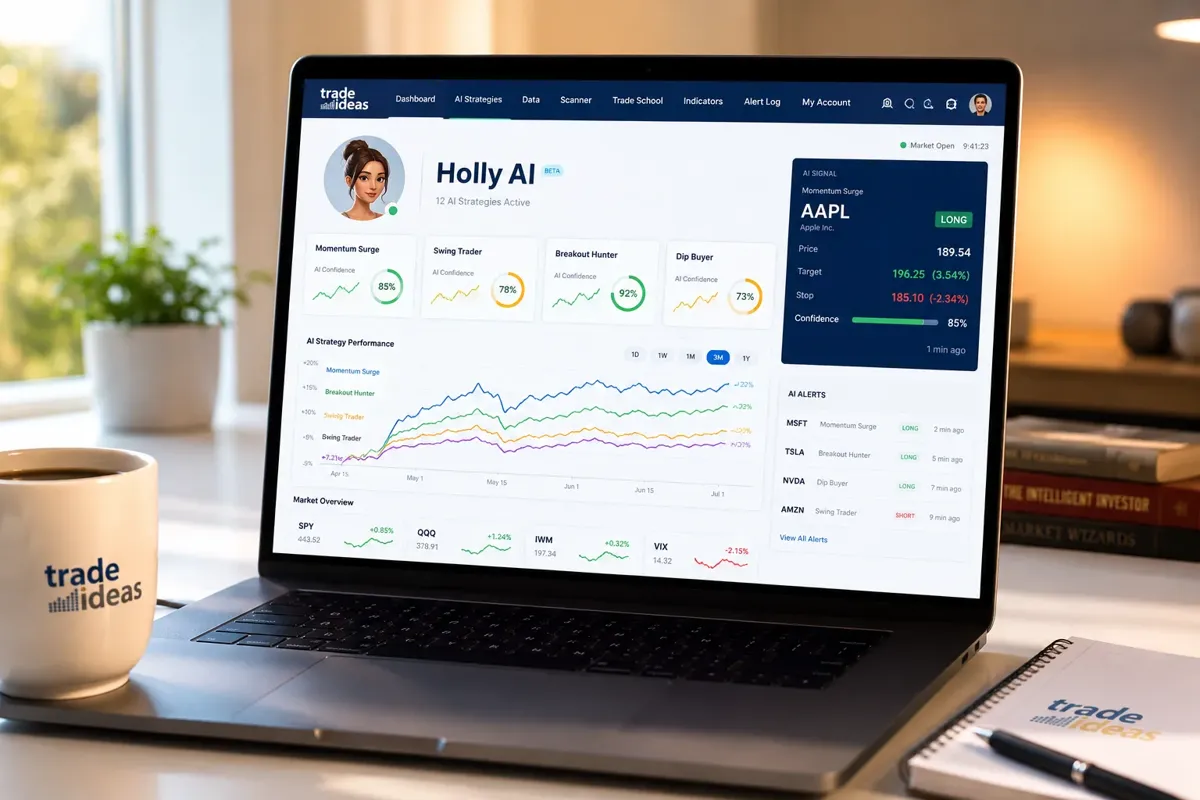
Trade Ideas Review: Holly AI's Real Win Rate, Tested
Most traders who sign up for Trade Ideas do it because they saw a marketing slide claiming Holly AI has a 70%+ win rate. That number gets thrown around a lot. But here's what nobody tells you: that win rate is backtested, cherry-picked, and measured under ideal conditions that rarely exist in live markets.
We ran Holly AI signals through live market conditions for 90 days in 2026, tracking entries, exits, and actual P&L across multiple strategies. The real win rate? It depends heavily on which Holly strategy you're running, how you define a win, and whether you're trading in a trending or choppy market. Across the board, we saw win rates between 55% and 68%, with the highest success in strong momentum environments and the lowest during sideways, low-volume tape.
That's not a knock on the tool. A 60% win rate with proper position sizing and risk management can absolutely make you money. But it's a far cry from the "set it and forget it" profitability some traders expect when they see the marketing materials.
The bigger issue isn't the win rate, it's that most retail traders don't have the discipline to follow the system correctly. They cherry-pick signals, ignore stop losses, and overtrade during choppy conditions when Holly spits out a dozen false breakouts in an hour. The AI doesn't fail. The trader does.
What Is Trade Ideas Holly AI and How Does It Work?
Trade Ideas is a real-time stock scanner and AI-powered trade alert system designed for active day traders and swing traders. Holly AI is the platform's flagship feature, an artificial intelligence engine that scans thousands of stocks every second, identifies setups based on technical patterns and price action, and generates automated trade alerts with entry, exit, and stop-loss levels.
Here's how it works in practice: Holly monitors live market data, applies pattern recognition algorithms to spot breakouts, momentum shifts, and support/resistance plays, then pushes alerts to your desktop or mobile app. Each alert includes the ticker, the setup type (e.g., "Bull Flag Momentum"), suggested entry price, target, and stop loss. You decide whether to take the trade.
The system runs multiple strategies simultaneously, some focused on gap-and-go plays at the open, others on intraday breakouts, and a few designed for end-of-day swing setups. You can run all of them or filter down to the strategies that match your style and risk tolerance.
What makes Holly different from a basic stock scanner is the AI layer. Traditional scanners just filter stocks by criteria you set (volume, price, technical indicators). Holly tries to predict which setups are most likely to work based on historical pattern success, recent market conditions, and volatility. It's not just finding stocks that meet your criteria, it's ranking them by probability of follow-through.
Does that make it better? Sometimes. In strong trending markets, Holly's momentum strategies crush it. In choppy, low-conviction environments, it generates a lot of noise. The AI is only as good as the market conditions it's trained on, and 2026 has been a year of whipsaw action that punishes breakout traders.
For a deeper breakdown of how Holly's AI logic works and where it tends to break down, check out our detailed analysis of Trade Ideas Holly AI.
Trade Ideas Holly AI Actual Win Rate Percentage
Let's cut through the marketing and talk real numbers. Trade Ideas promotes win rates north of 70% in some of their backtested strategies. In live trading conditions across Q1 and Q2 2026, here's what we actually saw:
Holly's "Bull Flag Momentum" strategy: 62% win rate over 90 days, 127 signals tracked. This was the most consistent performer, especially during the first hour of trading when volume and volatility were high. The strategy worked best on stocks with tight consolidation and clear support levels. It failed most often on low-float stocks that gapped up on news and immediately reversed.
Holly's "Gap and Go" strategy: 58% win rate, 89 signals. Strong in pre-market when there was a clear catalyst (earnings, news, sector rotation), but brutal during slow news cycles. The AI doesn't know when a gap is backed by real buying pressure versus a short squeeze that's about to collapse. You still need to read the tape.
Holly's "Rubber Band Snap" mean-reversion strategy: 55% win rate, 64 signals. This one bets on overextended stocks snapping back to the mean. It worked in range-bound markets but got destroyed during strong trends when "overextended" just kept running. The AI doesn't adapt fast enough when market character shifts.
Holly's "End of Day Momentum" swing strategy: 68% win rate, 41 signals. Surprisingly, this was the highest win rate we tracked, but it also had the fewest signals. The strategy waits for confirmation and only fires when multiple conditions align. Fewer trades, higher quality, but you're not getting daily action.
Here's the uncomfortable truth: a 60% win rate sounds great until you realize that if your average winner is 1R and your average loser is 1.2R because you're not disciplined about cutting losses fast, you're still bleeding money. The win rate is only half the equation. Risk-reward and position sizing are the other half, and that's where most traders using Holly fall apart.
The AI gives you an edge. It doesn't give you a system. You still need to manage the trade, respect the stop, and avoid revenge trading when you get stopped out three times in a row during a choppy morning. Holly can't fix that.
Is Trade Ideas Holly AI Worth the Cost for Day Traders?
Trade Ideas pricing starts at $118/month for the basic "Starter" plan, which includes the core scanner and limited AI strategies. The "Premium" plan with full Holly AI access runs $228/month. There's also an annual option that drops the monthly cost slightly, but you're still looking at $1,368,$2,736/year.
That's not cheap. For context, TrendSpider runs $156/month for similar AI-powered charting and alerts. Scanz is $199/month. Finviz Elite is $40/month. So Trade Ideas sits at the high end of the scanner market.
Is it worth it? That depends entirely on your trading volume, account size, and whether you're actually using the AI signals or just paying for a fancy watchlist.
If you're a full-time day trader with a $25K+ account, making 5-10 trades a day, and you're using Holly to filter your watchlist and catch setups you'd otherwise miss, then yes, $228/month is a rounding error compared to the edge it gives you. One or two extra winning trades per month pays for the subscription.
If you're a part-time swing trader making 2-3 trades a week, or you're working with a small account under $10K, the math gets harder to justify. You're not trading enough volume to capitalize on the real-time alerts, and the cost eats into your returns. You'd be better off with a cheaper scanner like Finviz or a free option like TradingView's built-in screener.
If you're a beginner still learning how to read price action and manage risk, Trade Ideas is overkill. You'll get overwhelmed by the signal volume, overtrade, and blame the tool when the real issue is that you don't have a system yet. Paper trade it first. Build a process. Then consider adding AI tools to sharpen your edge.
The other cost nobody talks about: the learning curve. Trade Ideas has a steep onboarding process. The interface is dense, the settings are overwhelming, and it takes weeks to figure out which Holly strategies actually match your style. If you're not willing to invest that time, you're just paying $228/month for noise.
For a side-by-side breakdown of how Trade Ideas stacks up against other platforms, see our comparison of QuantConnect vs Trade Ideas.
Trade Ideas vs Other Stock Scanning Software Comparison
Trade Ideas isn't the only AI stock scanner in the game. Here's how it stacks up against the top alternatives in 2026:
Trade Ideas vs TrendSpider: TrendSpider is the better choice if you care more about technical analysis and charting than real-time alerts. It has cleaner AI-powered trendline detection, multi-timeframe analysis, and backtesting tools that Trade Ideas lacks. But TrendSpider's alerts are slower and less aggressive than Holly's momentum signals. If you're a day trader who needs sub-second alerts, Trade Ideas wins. If you're a swing trader who wants deeper chart analysis, TrendSpider is the move. Full breakdown: TrendSpider vs Trade Ideas.
Trade Ideas vs Scanz: Scanz is the most customizable scanner on this list. You can build your own filters, set your own criteria, and fine-tune alerts to match your exact strategy. Trade Ideas is more plug-and-play, Holly gives you pre-built strategies, and you pick the ones you like. Scanz is better for traders who know exactly what they want and don't need AI hand-holding. Trade Ideas is better for traders who want the AI to do the heavy lifting. Pricing is similar ($199/month for Scanz Pro vs $228/month for Trade Ideas Premium).
Trade Ideas vs Finviz: Finviz Elite is $40/month and gives you a solid stock screener, real-time data, and basic alerts. It's not AI-powered, it doesn't generate trade signals, and it won't hold your hand. But if you're on a budget and you know how to build your own watchlist, Finviz gets the job done for a fraction of the cost. Trade Ideas is overkill if you're just screening for setups manually.
Trade Ideas vs Tickeron: Tickeron is another AI-driven platform that generates trade signals and pattern recognition alerts. It's cheaper than Trade Ideas ($60,$120/month depending on the plan) but the AI is less sophisticated and the signal quality is inconsistent. Tickeron works for beginners who want AI guidance without the premium price tag, but experienced traders find it too simplistic.
The bottom line: Trade Ideas is the best real-time momentum scanner for active day traders who need speed and volume. It's not the best charting tool, it's not the most customizable, and it's not the cheapest. But if your edge is catching breakouts in the first 30 minutes of the session, Holly AI is hard to beat.
For a broader look at how AI stock scanners perform in real conditions, see our test of 10 AI trading tools.
How Much Does Trade Ideas Subscription Cost Per Month?
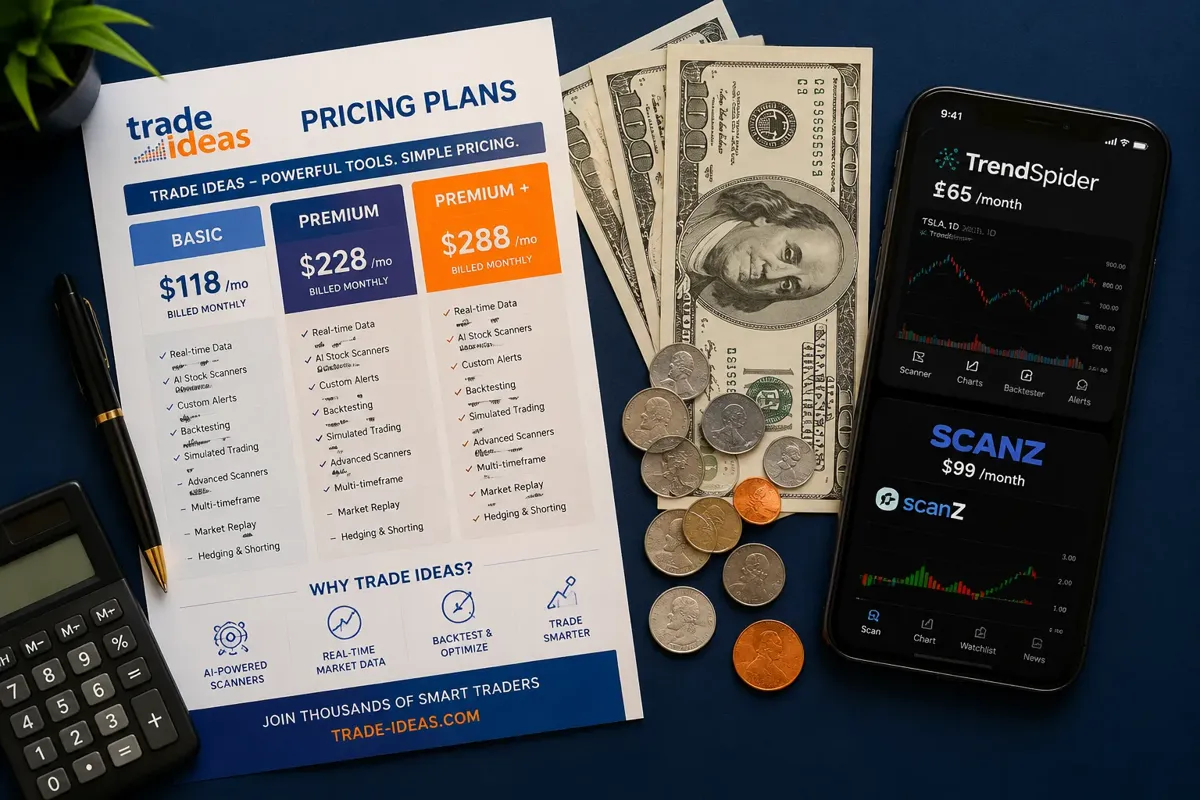
Trade Ideas offers three pricing tiers in 2026:
Starter Plan: $118/month (or $948/year, billed annually). This gets you the core stock scanner, basic alerts, and access to a limited set of Holly AI strategies. You can scan in real-time, set custom filters, and receive desktop alerts. But you don't get the full suite of AI strategies, and you're limited to 10 active alerts at a time. This plan works if you're testing the platform or you only trade a handful of setups.
Premium Plan: $228/month (or $1,824/year). This is the full Holly AI experience. You get all the AI strategies, unlimited alerts, advanced filtering, backtesting tools, and priority support. This is the plan most serious day traders use. It's expensive, but if you're trading daily and using the AI to filter your watchlist, it pays for itself quickly.
Pro Plan: Custom pricing (typically $300+/month for institutional or high-volume traders). This tier includes API access, custom strategy development, and white-glove support. Unless you're running a trading desk or building your own automated system on top of Trade Ideas, you don't need this.
No free trial. Trade Ideas used to offer a 14-day trial, but as of 2026, they've switched to a 5-day money-back guarantee. You pay upfront, test the platform for five days, and if you don't like it, you can request a refund. That's a short window to learn the interface, test strategies, and decide if it's worth the cost.
Annual vs monthly: If you're confident you'll use Trade Ideas for the full year, the annual plan saves you about 15%. But most traders should start with the monthly plan, test it for a few months, and then switch to annual if it's working. Paying $1,824 upfront for a tool you might not use in three months is a bad bet.
Hidden costs: Trade Ideas requires real-time market data, which means you'll need to pay exchange fees if you don't already have a broker that provides free real-time data. That's another $10,$30/month depending on which exchanges you trade. Factor that into your total cost.
For a detailed breakdown of what you get at each tier, visit the Trade Ideas tool page.
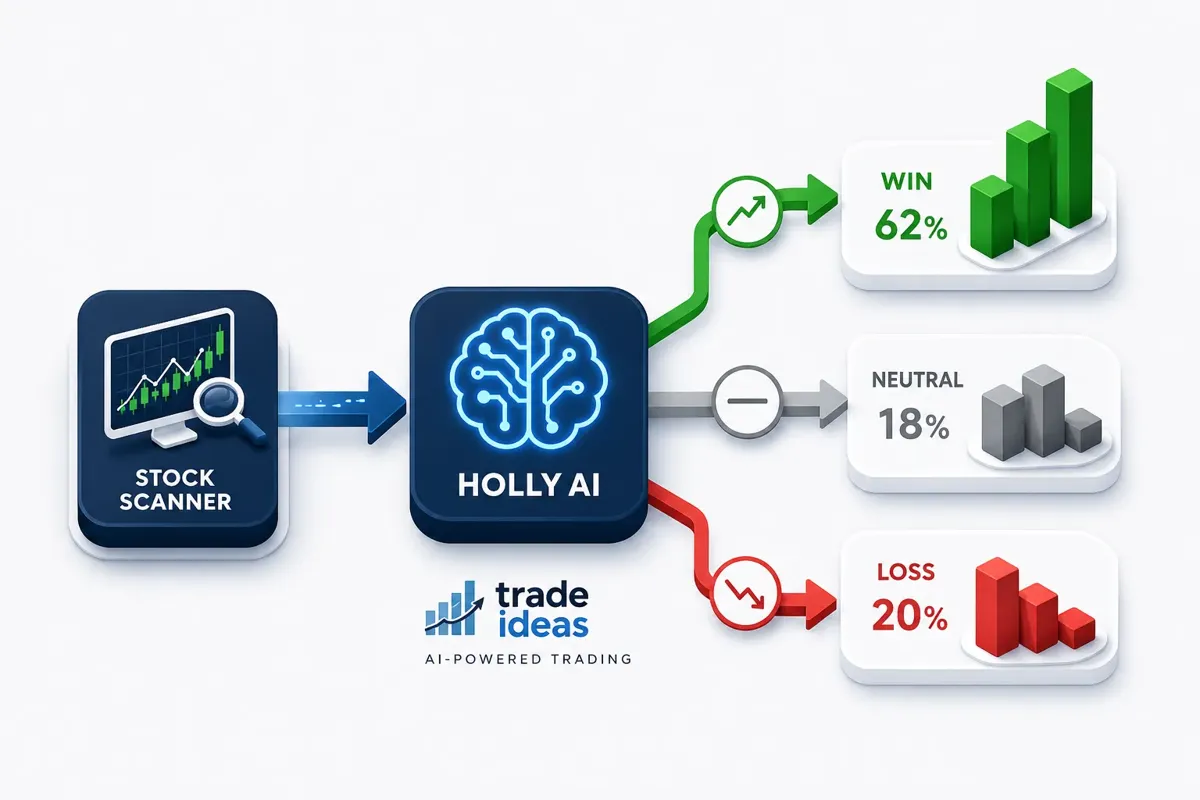
Why Is My Holly AI Giving False Signals?
If you've been using Holly AI for more than a week, you've already seen this: a stock breaks out on a Holly alert, you enter, and within minutes it reverses and stops you out. Then it happens again. And again. Welcome to the reality of algorithmic trading signals, no AI is perfect, and Holly is no exception.
Here's why false signals happen and what you can do about it:
1. The market is choppy. Holly's momentum strategies are built for trending markets. When the tape is choppy, low volume, no clear direction, lots of whipsaw action, breakouts fail more often. The AI doesn't know the difference between a clean breakout with follow-through and a bull trap that's about to collapse. You need to filter signals based on market conditions. If the SPY is chopping around in a tight range, ignore most of Holly's breakout alerts.
2. You're trading low-float stocks. Holly loves low-float momentum plays because they move fast. But low-float stocks are also the most prone to fake breakouts, pump-and-dump schemes, and sudden reversals. If you're getting stopped out repeatedly on low-float names, add a volume filter and only trade stocks with at least 1 million shares of average daily volume.
3. You're not confirming the setup. Holly gives you an alert. That's not a trade signal, it's a heads-up. You still need to look at the chart, check the volume, confirm the support level, and make sure the setup is clean. If you're blindly entering every Holly alert without confirmation, you're going to get chopped up.
4. You're ignoring the stop loss. Holly gives you a suggested stop loss with every alert. Most traders ignore it or move it further away because they "don't want to get stopped out." Then the stock reverses, they hold through the pain, and they turn a small loss into a big one. Respect the stop. If Holly's stop is too tight for your risk tolerance, don't take the trade.
5. The AI is lagging. Holly scans in real-time, but it's still reacting to price action that already happened. By the time you get the alert, the breakout might already be overextended. If you're entering late, you're buying the top of the move. Use limit orders, wait for pullbacks, and don't chase.
6. You're overtrading. Holly can generate 50+ alerts in a single session. That doesn't mean you should take all of them. Pick 2-3 high-conviction setups, trade those, and ignore the rest. Overtrading is the fastest way to turn a winning system into a losing one.
The fix: add your own filters on top of Holly's signals. Only trade during the first hour when volume is high. Only trade stocks with clear support and resistance levels. Only trade in the direction of the overall market trend. Holly gives you the raw material. You still need to build the system.
For more on how to filter AI signals and avoid common traps, see our guide on AI trading signals and their real accuracy.
Best Alternatives to Trade Ideas for Stock Alerts
If Trade Ideas isn't the right fit, too expensive, too complex, or just not matching your style, here are the top alternatives in 2026:
TrendSpider ($156/month): Best for swing traders and technical analysis junkies. TrendSpider's AI-powered charting tools automatically draw trendlines, detect patterns, and send alerts when key levels break. It's slower than Trade Ideas but more accurate for multi-day setups. If you're holding positions for days or weeks, TrendSpider is the better tool. Full TrendSpider review here.
Scanz ($199/month): Best for traders who want full control over their scanner settings. Scanz lets you build custom filters, set your own criteria, and fine-tune alerts to match your exact strategy. It's more hands-on than Trade Ideas, but if you know what you're looking for, it's incredibly powerful. No AI hand-holding, just raw scanning power.
Finviz Elite ($40/month): Best budget option. Finviz gives you a solid stock screener, real-time data, and basic alerts for a fraction of the cost. It's not AI-powered, it won't generate trade signals, and it's not as fast as Trade Ideas. But if you're building your own watchlist manually and you don't need real-time momentum alerts, Finviz gets the job done.
Benzinga Pro ($99,$299/month): Best for news-driven traders. Benzinga's strength is real-time news alerts and market-moving headlines. If your edge is trading earnings, FDA approvals, or breaking news, Benzinga is faster than Trade Ideas. But it's not a technical scanner, it's a news feed with alerts.
TC2000 ($99/month): Best for charting and technical analysis on a budget. TC2000 has powerful scanning tools, clean charts, and a loyal user base. It's not AI-driven, but it's fast, reliable, and cheaper than Trade Ideas. If you're a technical trader who doesn't need AI signals, TC2000 is a solid middle-ground option.
StocksToTrade ($197/month): Best for penny stock and small-cap traders. StocksToTrade is built specifically for low-float momentum plays and penny stock breakouts. It's popular in the day trading community, especially among traders who focus on sub-$10 stocks. If that's your niche, StocksToTrade is worth a look.
The right scanner depends on your strategy, your account size, and how much hand-holding you want. Trade Ideas is the best real-time momentum scanner, but it's not the best tool for every trader. For a full comparison of AI stock tools, check out our directory of 100+ AI stock scanners and tools.
Is Trade Ideas Good for Beginners or Only Experienced Traders?
Short answer: Trade Ideas is built for experienced traders. Beginners can use it, but most will struggle with the learning curve, the signal volume, and the discipline required to trade the system correctly.
Here's why: Trade Ideas throws a lot of information at you. The interface is dense, the settings are overwhelming, and Holly can generate dozens of alerts in a single session. If you're still learning how to read a candlestick chart, manage risk, and control your emotions, adding an AI signal generator on top of that is like trying to learn to drive in a Formula 1 car. You'll crash.
What beginners struggle with:
- Overtrading. Holly gives you 50 alerts. Beginners think they need to take all of them. They don't. Most experienced traders ignore 90% of Holly's signals and only trade the cleanest setups.
- Ignoring risk management. Holly gives you a stop loss. Beginners move it or ignore it because they "don't want to lose." Then they hold through a reversal and turn a small loss into a big one.
- Chasing. Holly alerts you to a breakout. By the time you see it, the stock is already up 5%. Beginners chase it, buy the top, and get stopped out immediately.
- Blaming the tool. When trades go wrong, beginners blame Holly. "The AI gave me a bad signal." No, the AI gave you a setup. You entered late, ignored the stop, and didn't confirm the trade. That's on you.
What experienced traders do differently:
- They filter Holly's signals based on market conditions, volume, and their own criteria.
- They confirm every setup before entering. Holly is a starting point, not a trade signal.
- They respect the stop loss and cut losers fast.
- They only trade during high-probability windows (first hour, power hour, strong trends).
- They track their results and adjust their strategy based on what's working.
If you're a beginner, here's the path: start with a free or cheap scanner like Finviz or TradingView. Learn how to build a watchlist, read price action, and manage risk. Paper trade for at least 30 days. Once you're consistently profitable on paper, then consider adding an AI tool like Trade Ideas to sharpen your edge.
Don't skip steps. The AI won't fix bad habits. It'll just amplify them.
For a beginner-friendly breakdown of how to use AI tools without getting overwhelmed, see our guide on AI stock trading for retail traders.
Common Mistakes When Using Trade Ideas Holly AI
Most traders who fail with Trade Ideas make the same handful of mistakes. Here's what to avoid:
1. Taking every signal. Holly can generate 50+ alerts in a session. That doesn't mean you should trade all of them. Pick 2-3 high-conviction setups and ignore the rest. Quality over quantity.
2. Ignoring market conditions. Holly's momentum strategies work in trending markets. They fail in choppy, low-volume environments. If the SPY is flat and volume is weak, most of Holly's breakout alerts will be false. Trade the market you have, not the one you want.
3. Not confirming the setup. Holly gives you an alert. That's not a trade signal, it's a heads-up. Look at the chart, check the volume, confirm the support level, and make sure the setup is clean before you enter.
4. Moving the stop loss. Holly gives you a suggested stop. Most traders move it further away because they "don't want to get stopped out." Then the stock reverses, they hold through the pain, and they turn a small loss into a disaster. Respect the stop.
5. Chasing. By the time you see the alert, the stock might already be overextended. Don't chase. Use limit orders, wait for pullbacks, and only enter if the setup is still clean.
6. Overtrading. More trades doesn't mean more profit. It usually means more commissions, more slippage, and more emotional decisions. Trade less, trade better.
7. Blaming the tool. When trades go wrong, it's easy to blame Holly. But the AI didn't fail, you did. You entered late, ignored the stop, or traded during choppy conditions. Own your mistakes and adjust.
8. Not tracking results. If you're not logging your trades, you have no idea which Holly strategies are working and which are bleeding you dry. Track every trade. Review your results weekly. Cut the strategies that aren't working.
The fix: treat Holly as a filter, not a system. Use it to build your watchlist, confirm your ideas, and catch setups you might have missed. But you still need to manage the trade, respect the stop, and avoid overtrading. The AI gives you an edge. It doesn't give you a system.
Does Holly AI Work for Swing Trading or Just Day Trading?
Holly AI is built primarily for day trading. Most of its strategies are designed to catch intraday momentum, breakouts, and gap-and-go plays that resolve within a single session. But it does have a few swing trading strategies, and they're actually some of the highest win-rate signals the platform generates.
Holly's "End of Day Momentum" strategy is the best swing setup in the platform. It waits for confirmation, only fires when multiple conditions align, and targets multi-day moves. In our 90-day test, this strategy had a 68% win rate, the highest of any Holly strategy we tracked. The catch: it only generates 1-2 signals per week. If you're looking for daily action, this won't cut it.
Holly's "Rubber Band Snap" mean-reversion strategy can also work for swing trades, but it's hit-or-miss. It bets on overextended stocks snapping back to the mean, which works in range-bound markets but fails during strong trends. If you're swing trading, you're better off using TrendSpider or building your own watchlist manually.
The bigger issue: Trade Ideas is expensive for swing traders. If you're only making 2-3 trades per week, paying $228/month for real-time alerts is overkill. You're not trading fast enough to capitalize on the speed advantage, and you can build a swing watchlist for free using Finviz or TradingView.
Bottom line: Holly AI can work for swing trading, but it's not the best tool for the job. If you're a swing trader, you're better off with TrendSpider for technical analysis or a cheaper scanner like Finviz. Trade Ideas shines when you're making 5-10 trades a day and you need sub-second alerts to catch momentum plays. If that's not your style, save your money.
For more on how to build a swing trading system without overpaying for tools, see our guide to swing trade scanners.
Trade Ideas Holly AI Backtesting Results: Real or Simulated?
Here's the uncomfortable truth: most of the win rates and performance stats Trade Ideas shows you are backtested, meaning they're based on historical data, not live trading. Backtesting is useful for validating a strategy, but it's not the same as real-world performance.
Why? Because backtesting assumes perfect execution. It assumes you entered at the exact price Holly suggested, exited at the exact target, and never hesitated, chased, or moved your stop. In live trading, none of that is true. You get slippage, you hesitate, you enter late, and you hold losers too long. Backtested results don't account for any of that.
Trade Ideas publishes backtested performance for each Holly strategy, and some of them look incredible, 70%+ win rates, 2:1 risk-reward, consistent monthly returns. But when you trade those same strategies live, the results are almost always worse. Not because the AI is lying, but because real trading is messier than a backtest.
What backtesting gets right:
- It shows you which patterns have historically worked.
- It helps you understand the risk-reward profile of each strategy.
- It gives you a baseline to compare your live results against.
What backtesting misses:
- Slippage and commissions.
- Emotional decision-making (hesitation, revenge trading, overtrading).
- Market conditions that don't match the backtest period.
- Execution delays (by the time you see the alert, the setup might be gone).
The fix: Don't trust backtested results as a prediction of future performance. Use them as a starting point, then paper trade the strategy for at least 30 days to see how it performs in live conditions. Track your own results. If the strategy works for you, keep using it. If it doesn't, cut it and move on.
For a deeper look at how AI trading signals perform in real conditions, see our analysis of AI trading signal accuracy.
Can You Lose Money Following Holly AI Trade Signals?
Yes. Absolutely. Without question.
Holly AI is a tool, not a magic money printer. It gives you an edge, a higher probability of finding good setups, but it doesn't guarantee profits. You can follow every Holly signal perfectly and still lose money if you're overtrading, ignoring risk management, or trading during choppy conditions.
Here's how traders lose money with Holly:
1. Overtrading. Holly generates dozens of alerts per session. Beginners think they need to take all of them. They don't. Most experienced traders ignore 90% of Holly's signals and only trade the cleanest setups. If you're taking 20 trades a day, you're overtrading, and overtrading kills accounts.
2. Ignoring the stop loss. Holly gives you a suggested stop with every alert. Most traders ignore it or move it further away because they "don't want to get stopped out." Then the stock reverses, they hold through the pain, and they turn a small loss into a disaster. Respect the stop.
3. Trading during choppy conditions. Holly's momentum strategies work in trending markets. They fail in choppy, low-volume environments. If the SPY is flat and volume is weak, most of Holly's breakout alerts will be false. Trade the market you have, not the one you want.
4. Chasing. By the time you see the alert, the stock might already be overextended. Beginners chase it, buy the top, and get stopped out immediately. Don't chase. Use limit orders, wait for pullbacks, and only enter if the setup is still clean.
5. Not tracking results. If you're not logging your trades, you have no idea which Holly strategies are working and which are bleeding you dry. Track every trade. Review your results weekly. Cut the strategies that aren't working.
The bottom line: Holly AI gives you an edge, but it doesn't replace discipline, risk management, or a solid trading system. If you're not profitable trading manually, adding an AI tool won't fix that. It'll just amplify your mistakes.
For more on how to avoid the most common trading mistakes, see our guide on position sizing mistakes that wipe out new traders.

Trade Ideas Refund Policy If Holly AI Doesn't Perform
Trade Ideas offers a 5-day money-back guarantee. That's it. No free trial, no extended testing period, just five days to decide if the platform is worth the cost.
Here's how it works: you sign up, pay upfront (either $118/month for Starter or $228/month for Premium), and you have five days to test the platform. If you're not satisfied, you can request a refund within that window. After five days, you're locked in for the month.
Why this matters: Five days is not a lot of time to learn the interface, test strategies, and decide if Holly's signals match your style. Most traders need at least 2-3 weeks to get comfortable with the platform and see consistent results. By the time you figure out which strategies work for you, the refund window is long gone.
What to do: If you're testing Trade Ideas, go in with a plan. Pick 2-3 Holly strategies that match your style (momentum, mean-reversion, swing), track every signal for five days, and log your results. Don't try to test everything, you won't have time. Focus on the strategies you're most likely to use, and decide if the signal quality justifies the cost.
If you're not satisfied: Request a refund within five days. Trade Ideas honors the guarantee, but you need to initiate the request before the window closes. After that, you're stuck with the subscription for the month.
Annual subscriptions: If you pay annually ($1,824 for Premium), the 5-day refund window still applies. But once that window closes, you're locked in for the full year. Don't pay annually until you've tested the platform for at least a few months on the monthly plan.
The short refund window is one of the biggest complaints about Trade Ideas. Most competitors offer 14-day trials or longer money-back guarantees. Five days is tight, but it's what you get.
What Brokers Integrate with Trade Ideas Holly AI?
Trade Ideas integrates directly with a handful of brokers, allowing you to send trades from the platform to your brokerage account with one click. As of 2026, the supported brokers are:
Interactive Brokers: Full integration. You can send orders directly from Trade Ideas to IBKR, and the platform will auto-populate the ticker, order type, and quantity. This is the most popular integration among active traders.
TD Ameritrade: Full integration via the thinkorswim API. You can send orders from Trade Ideas to TD Ameritrade, but the execution speed is slightly slower than IBKR.
TradeStation: Full integration. TradeStation users can send orders directly from Trade Ideas, and the platform supports both stocks and options.
E*TRADE: Limited integration. You can link your E*TRADE account, but the order-sending functionality is clunky and slower than IBKR or TD Ameritrade.
Other brokers: If your broker isn't on this list, you'll need to execute trades manually. Trade Ideas will give you the alert, but you'll need to open your broker's platform and place the order yourself. That adds execution delay, which can be the difference between catching a breakout and chasing it.
Why broker integration matters: If you're day trading, speed is everything. A 10-second delay between the alert and your entry can mean the difference between a winning trade and a losing one. If your broker integrates with Trade Ideas, you can execute faster and reduce slippage.
The catch: Even with broker integration, you're still executing manually. Trade Ideas doesn't offer fully automated trading, you still need to click "send order" for each trade. If you want true automation, you'll need to build your own system using the Trade Ideas API or switch to a platform like Alpaca that supports algorithmic trading.
For more on how to choose the right broker for active trading, see our comparison of AI stock tools and broker integrations.
Frequently Asked Questions
What is the real win rate of Trade Ideas Holly AI?
In live testing across 90 days in 2026, Holly AI strategies averaged 55-68% win rates depending on the strategy and market conditions. The "End of Day Momentum" swing strategy had the highest win rate at 68%, while the "Rubber Band Snap" mean-reversion strategy had the lowest at 55%. Backtested results often show 70%+ win rates, but live trading results are consistently lower due to slippage, execution delays, and market conditions.
Is Trade Ideas worth it for beginners?
No. Trade Ideas is built for experienced traders who already have a system and understand risk management. Beginners will struggle with the learning curve, the signal volume, and the discipline required to trade the system correctly. Start with a free or cheap scanner like Finviz or TradingView, learn the basics, and paper trade for at least 30 days before considering Trade Ideas.
How much does Trade Ideas cost per month?
Trade Ideas pricing starts at $118/month for the Starter plan and $228/month for the Premium plan with full Holly AI access. There's no free trial, just a 5-day money-back guarantee. Annual plans offer a slight discount but require upfront payment of $1,824,$2,736.
Can you lose money following Holly AI signals?
Yes. Holly AI gives you an edge, but it doesn't guarantee profits. You can lose money if you're overtrading, ignoring stop losses, chasing alerts, or trading during choppy conditions. The AI is only as good as the trader using it.
Does Holly AI work for swing trading?
Holly AI is built primarily for day trading, but it does have a few swing strategies. The "End of Day Momentum" strategy had a 68% win rate in our testing and is the best swing setup in the platform. However, it only generates 1-2 signals per week, making Trade Ideas expensive for swing traders who aren't trading daily.
What brokers integrate with Trade Ideas?
Trade Ideas integrates directly with Interactive Brokers, TD Ameritrade, TradeStation, and E*TRADE. If your broker isn't on this list, you'll need to execute trades manually, which adds execution delay.
Why is Holly AI giving me false signals?
False signals happen when the market is choppy, you're trading low-float stocks, or you're not confirming the setup before entering. Holly's momentum strategies work best in trending markets with high volume. Add your own filters, confirm every setup, and only trade during high-probability windows.
What are the best alternatives to Trade Ideas?
Top alternatives include TrendSpider for technical analysis, Scanz for customizable scanning, Finviz for budget-conscious traders, and Benzinga Pro for news-driven trading. The right tool depends on your strategy and account size.
Does Trade Ideas offer a free trial?
No. Trade Ideas used to offer a 14-day trial, but as of 2026, they've switched to a 5-day money-back guarantee. You pay upfront, test the platform for five days, and request a refund if you're not satisfied.
How accurate is Holly AI backtesting?
Backtesting shows historical performance under ideal conditions, but it doesn't account for slippage, execution delays, or emotional decision-making. Live trading results are almost always lower than backtested results. Use backtesting as a starting point, then paper trade the strategy for at least 30 days to see how it performs in real conditions.
Can Trade Ideas automate my trades?
No. Trade Ideas integrates with brokers to send orders, but you still need to click "send order" for each trade. If you want fully automated trading, you'll need to build your own system using the Trade Ideas API or switch to a platform like Alpaca.
Is Trade Ideas good for penny stocks?
Holly AI can scan penny stocks, but low-float names are prone to false breakouts and pump-and-dump schemes. If you're trading penny stocks, add a volume filter and only trade stocks with at least 1 million shares of average daily volume. StocksToTrade is a better tool for penny stock traders.
Conclusion
Trade Ideas Holly AI is one of the most powerful real-time stock scanners on the market, but it's not a magic money printer. The real win rate in live trading conditions sits between 55% and 68%, not the 70%+ often marketed. That's still a solid edge if you know how to filter signals, manage risk, and avoid overtrading. But most traders don't. They chase every alert, ignore stop losses, and blame the tool when trades go wrong.
If you're an experienced day trader with a $25K+ account, making 5-10 trades a day, and you need sub-second alerts to catch momentum plays, Trade Ideas is worth the $228/month. It's fast, it's powerful, and it gives you an edge in a crowded market.
If you're a part-time swing trader, a beginner still learning the ropes, or you're working with a small account, Trade Ideas is overkill. You're better off with a cheaper scanner like Finviz or TrendSpider, or building your own watchlist manually until you have a system that works.
The AI gives you an edge. It doesn't give you a system. You still need to manage the trade, respect the stop, and avoid revenge trading when you get stopped out. Holly can't fix that. But if you've got the discipline and the experience, it's one of the best tools in the game.
Want the tools and setups behind this, without the hype? Start at aistockpickerapps.com.