Trade Ideas Holly AI Review: What It Gets Right & Falls Short
Last updated: July 16, 2026
Quick Answer: Trade Ideas Holly AI is a powerful stock scanning platform with real-time alerts and AI-driven trade recommendations that excels at finding momentum setups and breakouts for active day traders. It gets the speed and scan customization right but falls short on accuracy for beginners, delivers frequent false signals in choppy markets, and carries a steep learning curve with premium pricing ($118+/month) that makes it hard to justify for small accounts or swing traders who don't need real-time data.

Key Takeaways
- Holly AI generates dozens of daily trade ideas using pattern recognition and technical analysis, but accuracy varies wildly by market condition, expect 40-60% win rates in optimal conditions, lower in choppy tape.
- The platform shines for day traders who need real-time scanning and can act fast on breakout setups; it's overkill and overpriced for swing traders or buy-and-hold investors.
- Trade Ideas pricing starts at $118/month (Holly AI included), making it one of the pricier scanner options, TrendSpider and Finviz Elite offer comparable features at lower cost for less active traders.
- False signals spike during low-volume periods and range-bound markets; Holly AI works best in trending conditions with clear momentum.
- The free trial (two weeks) is essential before committing, most complaints stem from traders who subscribed without testing it against their actual trading style first.
- Common mistakes include blindly following Holly's alerts without confirming setups, using it for markets it wasn't designed for (penny stocks, illiquid names), and expecting it to replace a trading plan.
- Best alternatives for day traders include TrendSpider (better charting, lower cost) and Finviz Elite (simpler interface, $40/month); for swing traders, standard scanners often deliver better risk-reward.
What Is Trade Ideas Holly AI and How Does It Work
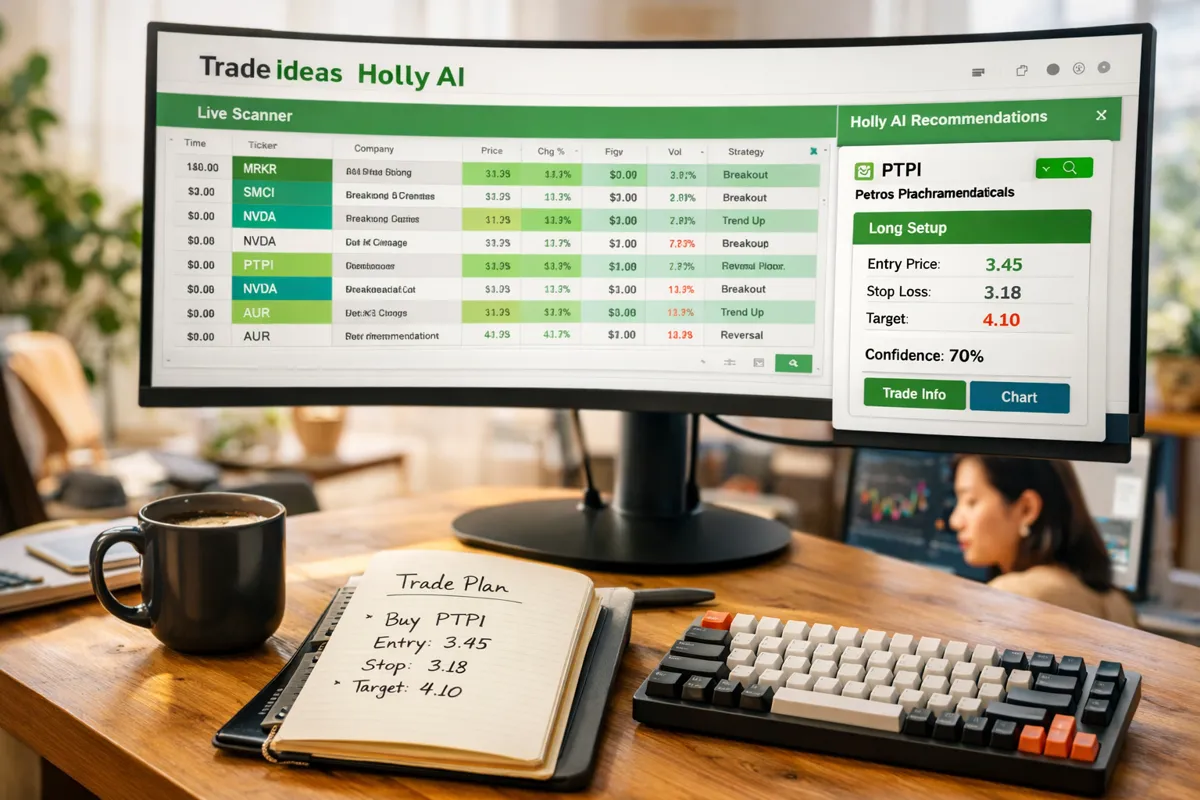
Trade Ideas Holly AI is an artificial intelligence engine built into the Trade Ideas stock scanning platform that analyzes thousands of stocks in real time and generates trade recommendations based on technical patterns, volume spikes, and historical probability data. Holly scans the entire market every second, looking for setups that match predefined criteria, breakouts, support bounces, momentum shifts, and pushes alerts to your dashboard the moment a stock meets the conditions.
Here's how it actually works in practice. You pick a strategy from Holly's library (there are dozens: gap-and-go, VWAP bounce, opening range breakout, etc.) or build your own custom scan. Holly monitors price action across all U.S. equities and ETFs, flagging stocks that fit your criteria. When a setup triggers, you get an alert with entry price, suggested stop loss, and a probability score based on how similar historical setups performed.
The AI component isn't magic, it's pattern recognition trained on years of market data. Holly identifies setups that worked before and assumes they'll work again under similar conditions. That assumption holds up better in trending markets with volume and falls apart in choppy, low-conviction tape.
The platform integrates with most major brokers (TD Ameritrade, Interactive Brokers, TradeStation, etc.), so you can route orders directly from the Trade Ideas interface. For day traders who live in the first 90 minutes of the session, that speed matters. For everyone else, it's a feature you'll rarely use.
Trade Ideas Holly AI review feedback from active users consistently highlights the same trade-off: incredible scanning power and speed, but you're paying for real-time data and features most retail traders don't fully utilize.
Trade Ideas Holly AI vs Other Stock Scanning Software
Trade Ideas sits at the premium end of the scanner market. It's faster and more customizable than most competitors, but that comes with a price tag and complexity that doesn't fit every trader. Here's how it stacks up against the two most common alternatives: TrendSpider and Finviz Elite.
Trade Ideas excels at real-time intraday scanning. If you're hunting gap-and-go setups at 9:35 a.m. or tracking VWAP bounces during power hour, Trade Ideas delivers alerts faster than anything else. Holly AI adds a layer of probability scoring and historical context that helps filter noise. The downside: it's expensive, the interface is dense, and the learning curve is steep. Most traders take weeks to configure it properly, and many never get past the default scans.
TrendSpider offers better charting tools and automated technical analysis (dynamic support/resistance, multi-timeframe analysis, backtesting) at a lower price point. It's built for swing traders and technical analysts who want clean setups without the real-time speed. TrendSpider's scanner is solid but slower, it's designed for end-of-day or 15-minute delayed scans, not sub-second alerts. If you're not day trading, TrendSpider often delivers better risk-reward. Compare TrendSpider vs Trade Ideas for a deeper breakdown.
Finviz Elite is the budget option that still works. At $40/month, it's a third the cost of Trade Ideas and covers 90% of what swing traders actually need: pre-market scanners, custom filters, clean visualizations, and a simple interface anyone can learn in 20 minutes. It doesn't do real-time intraday alerts, and there's no AI layer, but for traders who scan once in the morning and once after close, it's hard to beat the value.
| Feature | Trade Ideas | TrendSpider | Finviz Elite |
|---|---|---|---|
| Best For | Day traders, scalpers, real-time alerts | Swing traders, technical analysts | Swing traders, budget-conscious scanners |
| Pricing (2026) | $118/month (Holly AI included) | $49,$99/month | $40/month |
| Real-Time Scanning | Yes, sub-second alerts | No, 15-min delay on lower tiers | No, pre-market and EOD only |
| AI Recommendations | Yes (Holly AI) | No | No |
| Charting Quality | Basic | Excellent (automated TA) | Basic |
| Learning Curve | Steep (2-4 weeks) | Moderate (1 week) | Easy (20 minutes) |
| Broker Integration | Yes (direct order routing) | Limited | No |
The verdict: Trade Ideas is the right tool if you're an active day trader who needs speed and can justify the cost. If you're swing trading or learning the ropes, TrendSpider or Finviz Elite will serve you better without the sticker shock. Explore more AI stock scanners to see what fits your setup.
How Much Does Trade Ideas Holly AI Cost Per Month
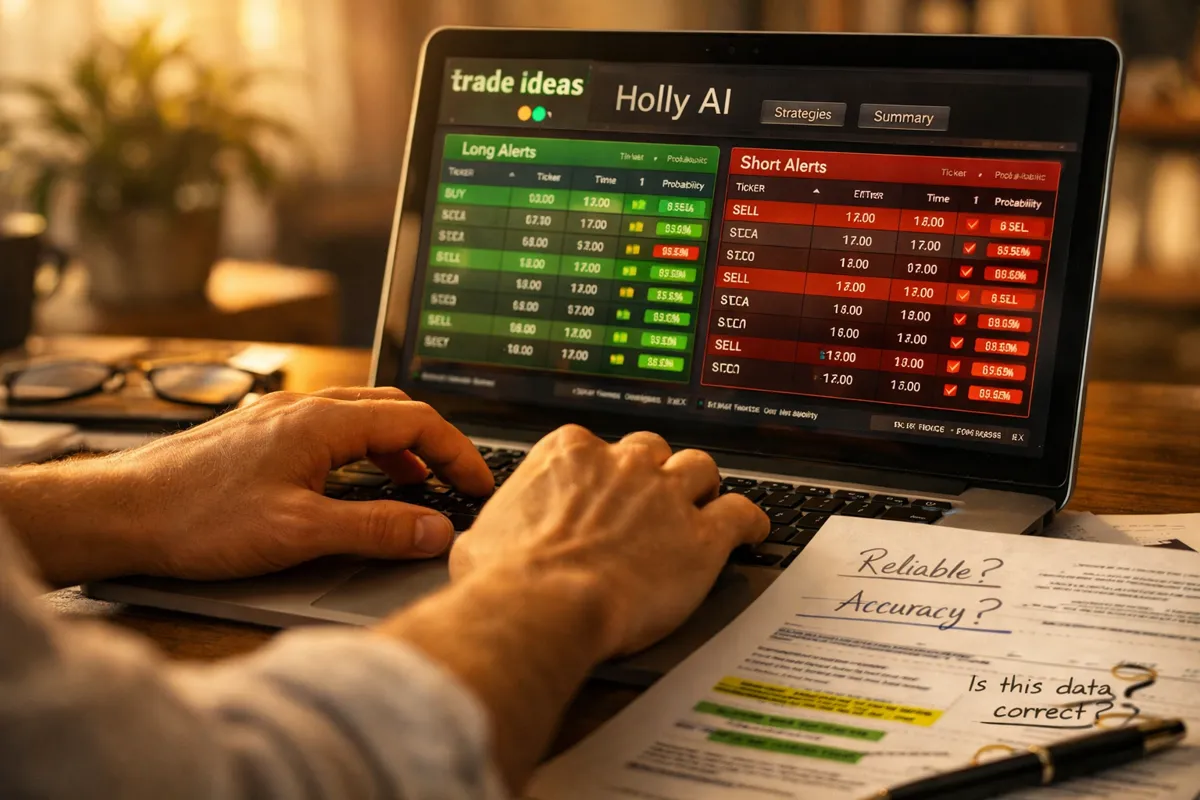
Trade Ideas pricing in 2026 starts at $118 per month for the Standard plan, which includes Holly AI, real-time scanning, and access to the full trade idea library. That's the entry point, and it's one of the highest monthly fees in the retail scanner market.
There are three tiers. Standard ($118/month) gets you Holly AI, real-time alerts, and basic broker integration. Pro ($228/month) adds advanced backtesting, more simultaneous scans, and priority support. Elite ($333/month) is built for professional traders who need the fastest data feeds and unlimited custom scans. Most retail traders land on Standard and stay there.
Annual billing drops the monthly cost slightly, Standard falls to around $99/month if you prepay for the year. That's still $1,188 upfront, which is a tough pill for anyone trading a small account. If you're working with under $10,000, that subscription eats 12% of your capital before you place a single trade.
The free trial runs two weeks and includes full access to Holly AI and all features. Use it. Most traders who complain about Trade Ideas either skipped the trial or didn't test it against their actual trading style. Two weeks is enough to know if the alerts match your setups and if you'll actually use the real-time speed you're paying for.
Trade Ideas pricing 2026 puts it in direct competition with premium platforms like TrendSpider ($49,$99/month) and far above budget scanners like Finviz Elite ($40/month). The question isn't whether Trade Ideas is worth $118, it's whether you need what that $118 buys. If you're day trading with size and speed matters, maybe. If you're swing trading or scanning once a day, probably not.
For context, compare AI trading tools to see where Trade Ideas sits in the broader landscape of scanners, bots, and signal platforms.
Is Trade Ideas Holly AI Good for Beginners or Experienced Traders
Trade Ideas Holly AI is built for experienced day traders who already know what a clean setup looks like and can act fast when an alert fires. It's not beginner-friendly, and the platform doesn't pretend otherwise.
Here's why beginners struggle. Trade Ideas throws dozens of alerts at you every session. Holly AI might flag 50+ stocks in the first hour alone. If you don't already know how to filter noise, how to spot a bull trap, recognize overextended price action, or read volume context, you'll chase bad setups and blame the tool. The platform assumes you understand support and resistance, risk-reward, and position sizing. It won't teach you those things.
The interface is dense. Tabs, windows, custom scan builders, strategy libraries, real-time feeds, it's built for traders who live in front of screens, not someone learning the ropes on a lunch break. Most beginners spend the first week just figuring out where everything is, and many give up before they configure a single useful scan.
Experienced traders get more value because they know what they're looking for. If you've already got a process, you trade gap-and-go setups, or you hunt VWAP bounces, or you scalp momentum on high-volume breakouts, Trade Ideas accelerates that process. You're not learning what to trade; you're automating the finding part so you can focus on execution and risk management.
That said, even experienced traders hit a wall if they don't match the tool to their style. If you're a swing trader who scans once a day and holds for 3-10 days, you don't need real-time alerts. You're paying for speed you won't use. If you trade small-cap or low-float stocks, Holly's probability scores break down because the historical data is thin and the price action is erratic.
The best use case: an active day trader with at least six months of screen time, a defined strategy, and enough capital to justify the subscription cost. If that's not you yet, start with something simpler. Browse beginner-friendly AI trading tools that won't bury you in alerts before you've built a foundation.
Trade Ideas Holly AI Accuracy Rate and Performance Stats
Trade Ideas doesn't publish an official win rate for Holly AI, and that's not an accident. Accuracy depends entirely on market conditions, the strategy you're running, and how you manage the trade after the alert fires. The platform provides probability scores for each setup, typically ranging from 60% to 85%, but those numbers reflect historical pattern performance, not a guarantee of future results.
In practice, traders report win rates between 40% and 60% when they follow Holly's alerts without additional confirmation. That's not bad, but it's also not enough to be profitable unless your risk-reward is dialed in. A 50% win rate with 1:1 risk-reward loses money after commissions. You need to let winners run and cut losers fast, the setup is only half the equation.
Holly AI accuracy improves in trending markets with volume. When the broader market is moving with conviction, strong bull or bear days, clear sector rotation, high participation, Holly's pattern recognition works better because price action follows predictable paths. Breakouts break out. Support holds. Momentum continues.
Accuracy craters in choppy, low-volume conditions. Range-bound markets, holiday-week tape, midday doldrums, Holly still fires alerts, but the setups fail more often because there's no follow-through. You get bull traps, failed breakouts, and whipsaws. The AI doesn't know the difference between a clean breakout on strong volume and a low-conviction pop that reverses in 10 minutes.
The probability scores help, but they're backward-looking. A setup with an 80% historical win rate can still fail if the current market context is different. Holly doesn't adjust for macro conditions, sector weakness, or overnight news. It sees a pattern and flags it. You're responsible for the context.

Most experienced traders use Holly as a starting point, not a final decision. They wait for confirmation, a volume spike, a break above resistance with follow-through, a retest of support, before entering. That extra filter cuts the number of trades but raises the win rate. If you're blindly following every alert, you're trading without a plan, and that's where the complaints about trade ideas holly ai accuracy come from.
For a deeper look at how AI trading signals perform in real conditions, check out AI trading signals: how accurate are they really.
Why Is Trade Ideas Holly AI Giving Me False Signals
False signals from Trade Ideas Holly AI spike when market conditions don't match the historical patterns the AI was trained on. Holly identifies setups based on what worked before, but if the current tape is choppy, low-volume, or range-bound, those same patterns fail more often. The AI doesn't know the difference between a clean breakout in a trending market and a low-conviction pop that reverses in five minutes.
Here are the most common reasons you're seeing false signals:
You're trading during low-volume periods. Midday chop, holiday weeks, summer doldrums, Holly still fires alerts, but there's no follow-through. Breakouts stall, support breaks without conviction, and you get stopped out. The platform doesn't filter for market context; it just flags patterns. If the broader market isn't participating, most setups fail.
You're not confirming the setup before entering. Holly gives you the alert, but it's your job to check the chart. Is there volume behind the move? Is the stock breaking a key level or just bouncing inside a range? Is the broader market supporting the direction? If you're clicking buy the second an alert pops, you're skipping the most important step: reading the tape.
You're trading stocks Holly wasn't designed for. Holly AI works best on liquid, high-volume names, stocks with tight spreads, consistent participation, and clean technical patterns. If you're scanning penny stocks, low-float runners, or illiquid small caps, the probability scores break down. The historical data is thin, the price action is erratic, and the setups don't behave the way the AI expects.
You're using the wrong strategy for the current market. Holly offers dozens of pre-built strategies: gap-and-go, VWAP bounce, opening range breakout, etc. Not all of them work in every market. Gap-and-go setups thrive in volatile, trending conditions but fail in tight ranges. VWAP bounces work in choppy markets but get run over in strong trends. If you're running the same strategy every day regardless of conditions, you'll get burned.
You're ignoring risk management. A false signal isn't always wrong at the entry, it's wrong because you didn't cut it when it stopped working. Holly gives you a suggested stop loss for a reason. If you're holding through the stop hoping for a reversal, that's not a false signal problem; that's a discipline problem.
The fix: add a confirmation layer. Wait for volume, wait for a break and hold above resistance, wait for the broader market to confirm the direction. Cut the number of trades in half and raise your win rate. Holly finds the setups; you decide which ones are worth taking.
For more on filtering noise and building a repeatable process, see algorithmic trading AI: what retail traders get wrong.
Best Alternatives to Trade Ideas Holly AI for Day Trading
If Trade Ideas doesn't fit your style or budget, there are solid alternatives that deliver real value without the premium price tag. Here are the three best options for active day traders in 2026.
TrendSpider is the top pick for traders who want better charting and automated technical analysis without paying for real-time speed they don't need. It's built for swing traders and technical analysts, but day traders who scan at market open and end-of-day get plenty of value. TrendSpider's dynamic support and resistance, multi-timeframe analysis, and backtesting tools are cleaner and more intuitive than Trade Ideas. Pricing starts at $49/month, and the learning curve is half as steep. If you're not scalping or trading the first 15 minutes, TrendSpider often delivers better risk-reward. Read the full TrendSpider vs Trade Ideas comparison.
Finviz Elite is the budget option that still works. At $40/month, it's a third the cost of Trade Ideas and covers 90% of what most traders actually use: pre-market scanners, custom filters, clean heat maps, and a simple interface anyone can learn in 20 minutes. It doesn't do real-time intraday alerts, and there's no AI layer, but for traders who scan once in the morning and once after close, it's hard to beat the value. If you're swing trading or learning the ropes, start here.
TC2000 is the middle ground for traders who want real-time scanning and solid charting without the complexity of Trade Ideas. It's faster than Finviz, cheaper than Trade Ideas ($99/month for the real-time tier), and the interface is cleaner. TC2000's EasyScan tool is intuitive, the charting is professional-grade, and the platform integrates with most brokers. It doesn't have an AI recommendation engine like Holly, but if you already know what setups you're hunting, you don't need one.
For traders who want AI-driven recommendations but don't need real-time speed, PerceptraderAI and Tradetron are worth a look. PerceptraderAI focuses on swing setups with AI-scored probability, and Tradetron offers algo-based strategy automation. Both are cheaper than Trade Ideas and better suited for traders who hold positions longer than a day. Compare AI trading bots and scanners to see what fits your process.
The verdict: if you're day trading with size and need sub-second alerts, Trade Ideas is still the fastest tool. If you're swing trading, learning, or working with a small account, TrendSpider or Finviz Elite will serve you better without the sticker shock.
Common Mistakes Traders Make When Using Holly AI
The biggest mistake traders make with Trade Ideas Holly AI is treating it like a magic button. They see an alert, click buy, and expect the AI to do the rest. That's not how it works. Holly finds setups; you still have to confirm the setup, manage the trade, and cut it when it stops working. If you're blindly following alerts without a plan, you're not trading, you're gambling with extra steps.
Here are the most common ways traders sabotage themselves with Holly AI:
Ignoring market context. Holly fires alerts in all conditions, trending, choppy, low-volume, high-volume. It doesn't know the difference. If the broader market is weak, sector rotation is stalling, or it's midday chop, most setups will fail. You need to filter alerts based on what the market is actually doing. If the SPY is range-bound and volume is dead, skip the breakout alerts. If the market is ripping and participation is strong, lean into momentum setups. Holly doesn't adjust for context; you do.
Chasing alerts after the move started. Holly sends the alert the moment a setup triggers, but by the time you see it, read it, and decide to enter, the stock may have already moved 2-3%. If you're chasing a breakout that's already extended, you're buying at the worst possible spot. Wait for a pullback, wait for a retest, or skip it. There's always another setup.
Using the wrong strategy for your style. Holly offers dozens of pre-built strategies: gap-and-go, VWAP bounce, opening range breakout, etc. Most traders pick one at random and run it every day regardless of conditions. That's like using a hammer for every job. Gap-and-go works in volatile, trending markets but fails in tight ranges. VWAP bounces work in choppy conditions but get run over in strong trends. Match the strategy to the market, or you'll get stopped out repeatedly.
Skipping the stop loss. Holly suggests a stop loss for every alert. Most traders ignore it, hold through the stop hoping for a reversal, and turn a small loss into a big one. If the setup breaks your stop, it's not working. Cut it and move on. Holding losers is how small accounts blow up.
Trading stocks Holly wasn't designed for. Holly AI works best on liquid, high-volume names with tight spreads and clean technical patterns. If you're scanning penny stocks, low-float runners, or illiquid small caps, the probability scores break down. The historical data is thin, the price action is erratic, and the setups don't behave the way the AI expects. Stick to names with volume and participation.
Overtrading. Holly can fire 50+ alerts in the first hour. If you're trying to trade all of them, you're overtrading. Pick 2-3 setups that match your strategy, confirm them, and execute. More alerts doesn't mean more profit, it usually means more commissions and more mistakes.
The fix: treat Holly as a scanner, not a signal service. Use it to find setups, then apply your own confirmation and risk management. If you don't have a process for confirming setups and managing trades, build that first. The tool won't save you from bad habits. For more on building a repeatable process, see 7 swing trade scanners that find setups before they break out.
Does Trade Ideas Holly AI Work for Swing Trading or Just Day Trading
Trade Ideas Holly AI is built for day trading, and that's where it delivers the most value. The real-time scanning, sub-second alerts, and intraday strategy library are all designed for traders who open and close positions within the same session. If you're swing trading, holding for 3-10 days, you're paying for speed and features you won't use.
Here's why it's overkill for swing traders. Swing trading doesn't require real-time alerts. You're scanning once in the morning or once after the close, looking for clean setups that develop over days, not minutes. You don't need to know the second a stock breaks VWAP or triggers an opening range breakout. You need end-of-day data, clean charts, and a scanner that filters for multi-day patterns: tight consolidation, basing near support, breakouts with volume. Trade Ideas can do that, but you're paying $118/month for a feature set you'll barely touch.
Holly AI's probability scores are also less useful for swing setups. The AI is trained on intraday patterns, gap-and-go, VWAP bounces, momentum continuation. Those patterns play out in minutes or hours. Swing setups play out over days, and the variables change: overnight gaps, earnings reports, sector rotation, macro news. Holly doesn't adjust for multi-day context, so the probability scores lose relevance.
That said, some swing traders use Trade Ideas successfully. They ignore the real-time alerts and focus on end-of-day scans, filtering for stocks in tight consolidation, breaking above resistance, or basing near key support levels. They treat it like an expensive Finviz with better customization. It works, but it's not the best tool for the job.
Better alternatives for swing traders: TrendSpider offers cleaner charting, automated support and resistance, and multi-timeframe analysis at half the cost. Finviz Elite covers 90% of what swing traders need for $40/month. Both are built for traders who scan once or twice a day and hold positions longer than a session. Compare swing trading tools to see what fits your process.
The verdict: if you're day trading, Trade Ideas is worth considering. If you're swing trading, you're better off with a tool designed for your timeframe and budget.
Trade Ideas Holly AI Review Complaints and Negative Feedback
Trade Ideas Holly AI review complaints cluster around three main issues: false signals in choppy markets, steep learning curve, and high cost relative to results. Most negative feedback comes from traders who either didn't match the tool to their style or expected the AI to replace a trading plan.
False signals and low win rates are the most common complaint. Traders report that Holly fires dozens of alerts, but many fail immediately, breakouts that reverse, support that breaks, momentum that stalls. The issue isn't the AI; it's market conditions. Holly works best in trending, high-volume environments. In choppy, range-bound tape, the same patterns fail more often because there's no follow-through. Traders who don't filter alerts based on broader market context get stopped out repeatedly and blame the tool.
The learning curve is steep. Trade Ideas is built for experienced traders who already know what they're looking for. The interface is dense, the strategy library is overwhelming, and most beginners spend weeks just figuring out how to configure useful scans. Many give up before they get value. If you're new to trading or new to scanners, Trade Ideas will bury you in options before you understand the basics.
The cost is hard to justify for small accounts. At $118/month, Trade Ideas is one of the priciest scanners on the market. If you're trading a $5,000 account, that's 2.4% of your capital every month before you place a trade. Most traders with small accounts report that the subscription eats into profits faster than the tool generates them. The math works better if you're trading with size, but for beginners or part-time traders, the ROI isn't there.
Customer support is hit or miss. Some traders report fast, helpful responses; others say they waited days for basic troubleshooting. The knowledge base is extensive, but it's written for people who already understand trading terminology and platform architecture. If you're stuck, you're often on your own.
The free trial is essential. Most complaints come from traders who subscribed without testing the platform first. The two-week trial gives you full access to Holly AI and all features. Use it to confirm the alerts match your strategy, the interface makes sense, and you'll actually use the real-time speed you're paying for. If you skip the trial and commit to a year upfront, you're gambling $1,188 on a tool you've never used.
For a balanced view of what works and what doesn't, see we tested 10 AI trading tools so you don't have to.
How to Fix Trade Ideas Holly AI Not Finding Good Setups
If Trade Ideas Holly AI isn't finding good setups, the problem is usually one of three things: you're using the wrong strategy for current market conditions, your scan filters are too tight or too loose, or you're trading during low-participation periods when clean setups don't exist.
Start by matching the strategy to the market. Holly offers dozens of pre-built strategies, but not all of them work in every environment. Gap-and-go setups thrive in volatile, trending markets but fail in tight ranges. VWAP bounces work in choppy conditions but get run over in strong trends. If you're running the same strategy every day regardless of what the market is doing, you'll get bad results. Check the broader market first, is it trending or range-bound? Is volume strong or weak? Pick the strategy that fits the current conditions, not the one you used yesterday.
Adjust your scan filters. If Holly isn't finding anything, your filters might be too restrictive. Loosen the volume threshold, widen the price range, or reduce the number of required conditions. If Holly is finding too many setups and they're all failing, your filters are too loose. Tighten the volume requirement, add a minimum average true range (ATR) filter, or require the stock to be above a key moving average. The goal is to narrow the field to stocks with clean setups and enough liquidity to trade.
Trade during high-participation periods. The best setups happen in the first 90 minutes of the session and the last hour (power hour). Midday chop, holiday weeks, and summer doldrums produce fewer clean setups because volume dries up and price action stalls. If you're scanning at 1 p.m. on a slow Tuesday, Holly won't find much worth trading. Focus your scanning and trading on the times when the market is most active.
Check the stocks you're scanning. Holly works best on liquid, high-volume names with tight spreads and consistent participation. If you're scanning penny stocks, low-float runners, or illiquid small caps, the setups won't behave the way the AI expects. Stick to stocks with average daily volume above 1 million shares and a price above $5. Clean setups are easier to find and easier to trade.
Use multiple timeframes for confirmation. Holly fires alerts based on a single timeframe, but the best setups align across multiple timeframes. If Holly flags a breakout on the 5-minute chart, check the 15-minute and hourly charts. Is the stock breaking a key level on higher timeframes, or is it just noise inside a larger range? Multi-timeframe confirmation cuts false signals and raises your win rate.
Paper trade it first. If you're not sure why setups are failing, paper trade Holly's alerts for a week. Track every alert, note which ones worked and which ones failed, and look for patterns. Are the failures clustered around certain times of day? Certain market conditions? Certain types of setups? Use that data to refine your filters and strategy selection.
For more on building a repeatable scanning process, see how to find stocks for swing trading before everyone else does.
Is Trade Ideas Holly AI Worth It for Small Account Traders
Trade Ideas Holly AI is hard to justify for small account traders. At $118/month, the subscription costs 2.4% of a $5,000 account every month before you place a single trade. That's a steep hurdle. You need to generate at least $118 in profit just to break even on the tool, and most small accounts don't have the capital or risk tolerance to trade with enough size to make that math work.
Here's the problem. Small account traders are usually part-time, trading fewer setups with smaller position sizes. If you're taking 2-3 trades a week with $500,$1,000 per position, you're not generating enough profit to cover a $118/month subscription and still grow the account. The tool becomes a fixed cost that eats into returns faster than it generates them.
The real-time speed doesn't help small accounts either. Most small account traders aren't day trading with size or scalping the first 15 minutes. They're swing trading or taking 1-2 day trades a week. They don't need sub-second alerts; they need clean end-of-day scans and a simple interface. Trade Ideas is built for active day traders who live in front of screens, not part-time traders scanning once a day.
Better alternatives for small accounts: Finviz Elite ($40/month) covers 90% of what most traders need, pre-market scanners, custom filters, clean visualizations, at a third the cost. TrendSpider ($49/month) offers better charting and automated technical analysis for swing traders. Both are easier to justify on a small account because the monthly cost is lower and the features match the trading style.
That said, if you're a small account trader who's serious about day trading and willing to put in the screen time, Trade Ideas can accelerate your learning curve. The two-week free trial is essential, use it to confirm you'll actually use the real-time alerts and that the setups match your strategy. If you're not trading daily or you're still learning the basics, skip it and come back when the account is bigger.
For more on building a small account without burning cash on tools you don't need, see the AI tools for day traders that spot setups before the opening bell.
What Markets and Stocks Does Holly AI Not Work Well With
Holly AI struggles with low-liquidity stocks, penny stocks, and markets with erratic price action. The AI is trained on historical patterns from liquid, high-volume names where technical setups behave predictably. When you move into illiquid or low-float stocks, those patterns break down because the price action is driven by thin order books, wide spreads, and unpredictable participation.
Penny stocks (under $5) are a bad fit. Holly's probability scores are based on historical data, but penny stocks don't have consistent historical patterns. Price action is erratic, volume spikes are often manipulation, and technical levels don't hold the way they do on liquid names. If you're scanning penny stocks with Holly, expect frequent false signals and setups that fail immediately.
Low-float stocks are hit or miss. Low-float runners can produce explosive moves, but they're also prone to whipsaws, failed breakouts, and sudden reversals. Holly flags the breakout, but it doesn't account for the thin float or the fact that a single large order can reverse the move. If you're trading low-float names, you need to add your own filters, check the float, watch Level 2, and confirm volume before entering.
Illiquid stocks (under 500K average daily volume) don't work well. Holly assumes the stock has enough liquidity to trade without slippage. If you're trading a stock with 200K average daily volume, you'll struggle to get fills at the price Holly suggests, and the bid-ask spread will eat into your profit. Stick to stocks with at least 1 million shares average daily volume.
Crypto and forex aren't supported. Trade Ideas is built for U.S. equities and ETFs. If you're trading crypto or forex, you need a different tool. The patterns and market structure are different, and Holly's probability scores don't translate.
International markets are limited. Trade Ideas focuses on U.S. markets (NYSE, NASDAQ, AMEX). If you're trading European or Asian equities, the coverage is thin and the real-time data may not be available. Check the supported exchanges before subscribing.
Earnings season can be tricky. Holly doesn't filter for earnings announcements or other binary events. If a stock is reporting earnings after the close, Holly might flag a breakout setup in the morning, but that setup is meaningless because the price action will reset after the report. You need to check the earnings calendar yourself and skip setups on stocks with upcoming events.
The fix: stick to liquid, high-volume names with clean technical patterns. Filter for stocks with average daily volume above 1 million shares, price above $5, and no upcoming earnings or news events. Holly works best when the price action is predictable and the order book is deep.
Trade Ideas Holly AI Free Trial vs Paid Subscription Differences
The Trade Ideas free trial gives you full access to Holly AI, real-time scanning, and all features for two weeks. There are no feature restrictions during the trial, you get the same tools, alerts, and broker integrations as a paid subscriber. The only difference is the time limit.
Use the trial to answer three questions: Does Holly find setups that match your strategy? Can you act on the alerts fast enough to make the real-time speed worth it? Is the interface intuitive enough that you'll actually use it daily?
Most traders who complain about Trade Ideas either skipped the trial or didn't test it properly. They subscribed based on hype, realized the tool didn't fit their style, and got stuck with a monthly bill. The trial exists to prevent that. Two weeks is enough to scan during live market hours, track which alerts work, and decide if the cost is justified.
Here's how to use the trial effectively:
Week one: learn the interface. Spend the first few days exploring the strategy library, configuring custom scans, and understanding how alerts are triggered. Don't trade real money yet, just watch the alerts and see which setups match your style.
Week two: paper trade the alerts. Track every alert Holly fires. Note which ones worked, which ones failed, and why. Look for patterns: Are the failures clustered around certain times of day? Certain market conditions? Certain types of setups? Use that data to refine your filters and strategy selection.
Test your actual trading schedule. If you're a part-time trader who scans once in the morning, test that workflow. If you're a full-time day trader who monitors alerts all session, test that. The goal is to confirm you'll use the tool the way it's designed to be used.
Check broker integration. If you plan to route orders directly from Trade Ideas, test that during the trial. Make sure the connection is stable, the order flow is fast, and the integration works with your broker's platform.
After the trial, you'll know if Trade Ideas is worth $118/month. If you're not using the real-time alerts, if the setups don't match your strategy, or if the interface feels too complex, skip it. There are cheaper alternatives that deliver better value for your style. Compare AI stock trading software to see what else is out there.
FAQ
Is Trade Ideas Holly AI worth the cost for day traders?
Yes, if you're an active day trader who needs real-time scanning and can justify the $118/month cost. Holly AI excels at finding momentum setups and breakouts in trending markets. If you're part-time or swing trading, cheaper alternatives like TrendSpider or Finviz Elite deliver better value.
How accurate is Trade Ideas Holly AI?
Holly AI's accuracy depends on market conditions. Traders report 40-60% win rates in optimal trending markets with volume. Accuracy drops in choppy, low-volume conditions. The probability scores reflect historical pattern performance, not guaranteed future results.
Can beginners use Trade Ideas Holly AI effectively?
No. Trade Ideas is built for experienced traders who already understand setups, risk management, and market context. Beginners struggle with the steep learning curve, dense interface, and dozens of daily alerts. Start with simpler tools like Finviz Elite.
What's the best alternative to Trade Ideas for swing traders?
TrendSpider is the top alternative for swing traders. It offers better charting, automated technical analysis, and multi-timeframe scanning at $49,$99/month. Finviz Elite ($40/month) is the budget option that covers 90% of what swing traders need.
Does Trade Ideas Holly AI work for penny stocks?
No. Holly AI struggles with penny stocks because the price action is erratic, volume is inconsistent, and historical patterns don't hold. Stick to liquid stocks with average daily volume above 1 million shares and price above $5.
How long is the Trade Ideas free trial?
The free trial runs two weeks and includes full access to Holly AI, real-time scanning, and all features. Use it to test the platform against your actual trading style before committing to a paid subscription.
Why is Holly AI giving me so many false signals?
False signals spike during low-volume periods, choppy markets, or when you're trading illiquid stocks. Holly doesn't adjust for market context, you need to filter alerts based on broader market conditions and confirm setups before entering.
Can I use Trade Ideas Holly AI for swing trading?
You can, but it's overkill. Trade Ideas is built for day trading with real-time alerts. Swing traders don't need sub-second scanning and are better served by tools like TrendSpider or Finviz Elite that focus on end-of-day scans.
What's the difference between Trade Ideas and TrendSpider?
Trade Ideas excels at real-time intraday scanning for day traders. TrendSpider offers better charting, automated technical analysis, and multi-timeframe scanning for swing traders at a lower cost. Choose based on your trading style and timeframe.
Is Trade Ideas Holly AI good for small accounts?
No. At $118/month, the subscription costs 2.4% of a $5,000 account every month. Small account traders are better off with cheaper alternatives like Finviz Elite ($40/month) until the account grows large enough to justify the cost.
Does Holly AI work in all market conditions?
No. Holly AI performs best in trending markets with strong volume. Accuracy drops in choppy, range-bound conditions because the historical patterns it relies on don't hold when there's no follow-through.
Can I route trades directly from Trade Ideas?
Yes. Trade Ideas integrates with most major brokers (TD Ameritrade, Interactive Brokers, TradeStation, etc.) and allows direct order routing from the platform. Test the integration during the free trial to confirm it works with your broker.
Conclusion
Trade Ideas Holly AI is a powerful tool for active day traders who need real-time scanning and can justify the premium cost. It excels at finding momentum setups, breakouts, and high-probability patterns in trending markets with volume. The speed is unmatched, the customization is deep, and the broker integration works. If you're trading the first 90 minutes of the session with size, it's worth considering.
But it's not for everyone. The $118/month price tag is hard to justify for small accounts, part-time traders, or anyone who doesn't need real-time alerts. The learning curve is steep, the interface is dense, and the AI doesn't replace a trading plan, it just finds setups faster. If you're swing trading, learning the ropes, or working with under $10,000, you're better off with TrendSpider or Finviz Elite.
The free trial is essential. Use it to confirm the alerts match your strategy, the interface makes sense, and you'll actually use the real-time speed you're paying for. Most complaints come from traders who skipped the trial and committed without testing. Don't be that trader.
Trade Ideas Holly AI gets the speed and scan customization right. It falls short on accuracy in choppy markets, beginner-friendliness, and cost-effectiveness for small accounts. Know your style, test the tool, and pick the scanner that fits your process, not the one with the most features.
Want the tools and systems behind this, without the hype? Start at aistockpickerapps.com.