Tickeron vs Trade Ideas: Which AI Scanner Earns Your $100?

Last updated: July 19, 2026
Quick Answer
Tickeron vs Trade Ideas: Which AI Scanner Earns Your $100? comes down to what you actually trade. Trade Ideas wins for day traders who need real-time speed, Holly AI's pattern recognition, and sub-second scanning across thousands of tickers. Tickeron works better for swing traders and pattern hunters who want AI-scored setups, backtested robots, and a lower monthly cost. Both deliver, but they're built for different seats at the desk.
Key Takeaways
- Trade Ideas excels at real-time scanning speed and intraday breakout alerts; Tickeron focuses on pattern recognition and AI confidence scores for swing setups
- Holly AI (Trade Ideas) scans live market data in milliseconds; Tickeron's AI robots provide backtested entry/exit signals with historical win rates
- Trade Ideas pricing starts around $118/month for the basic scanner; Tickeron offers plans from $20/month for pattern recognition tools
- Day traders and scalpers typically choose Trade Ideas for speed; swing traders and position builders lean toward Tickeron for setup quality
- Tickeron works for options and stock pattern analysis; Trade Ideas is stock-focused with limited options-specific features
- Common mistakes: using Tickeron for intraday speed or Trade Ideas for long-term pattern backtesting, each tool has a lane
- Best alternatives include TrendSpider for chart automation, Finviz for free screening, and Benzinga Pro for news-driven alerts
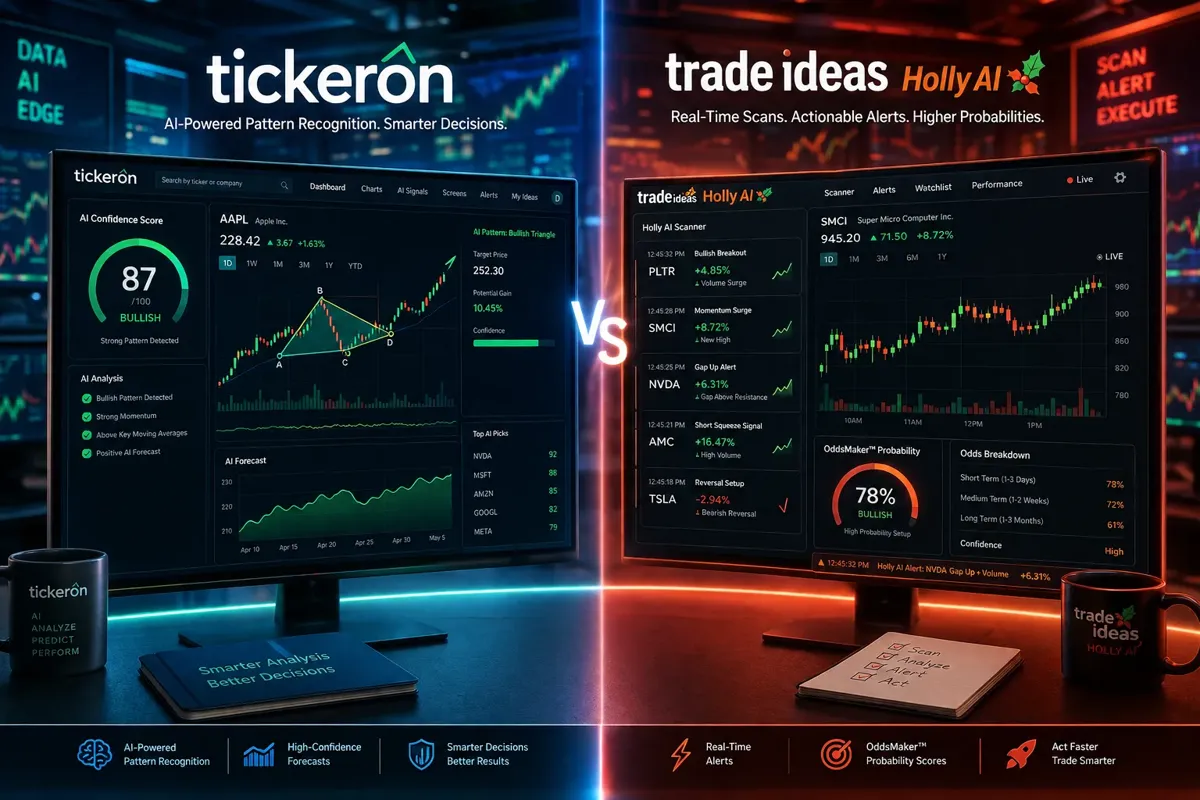
Tickeron vs Trade Ideas: Which AI Scanner Earns Your $100?
Most traders don't need another scanner. They need the right scanner, one that matches how they actually trade, not how some affiliate post says they should.
Tickeron vs Trade Ideas isn't a fair fight because they're solving different problems. Trade Ideas is a real-time scanning engine built for speed. Tickeron is a pattern recognition and AI prediction platform built for setup quality. You wouldn't use a scalpel to frame a house, and you wouldn't use a sledgehammer for surgery. Same logic here.
Trade Ideas shines when you need to catch breakouts the moment they happen, tight consolidation, volume spike, price crossing a key level. Holly AI, the platform's core scanner, processes live market data in milliseconds and fires alerts before most retail traders even see the move. If you're a day trader or scalper who lives in the first 90 minutes of the session, this is the tool that keeps you in the game.
Tickeron takes a different approach. It scores stocks using AI confidence ratings, backtests patterns like head-and-shoulders or bull flags, and offers rentable AI robots that execute pre-built strategies. It's slower by design, because it's optimized for swing traders who want to review setups after hours, not chase them in real time. The platform works well for traders who build watchlists the night before and execute during power hour, not at the opening bell.
The $100 question isn't which one is better. It's which one fits your process. If you trade the open and need speed, Trade Ideas is worth every dollar. If you're hunting multi-day setups and want AI to score the quality of the pattern, Tickeron delivers more for less. The mistake is buying the wrong tool because someone else's trading style doesn't match yours.
For a deeper breakdown of how these tools compare to other AI-driven platforms, check out our AI stock scanner comparison guide.
What Is Tickeron and How Does It Work?
Tickeron is an AI-powered pattern recognition platform that scores stock setups, backtests technical patterns, and offers rentable trading robots. It's designed for traders who want to identify high-probability setups without manually scanning hundreds of charts every night.
The platform's core feature is its AI confidence score, a 1-to-100 rating that predicts the likelihood a pattern will play out based on historical data. When Tickeron identifies a bull flag or ascending triangle, it doesn't just draw the lines. It tells you how often that pattern has worked on that stock, over what timeframe, and with what average gain or loss. That's the edge: data-driven pattern validation, not just pattern detection.
Tickeron also offers AI robots, pre-built algorithmic strategies you can rent and run in your brokerage account. These aren't black-box systems. Each robot shows its backtest results, win rate, drawdown history, and the logic behind its entries and exits. You're not blindly trusting the algo; you're renting a tested process and watching it execute. For traders who want automation without learning to code, it's a middle ground between manual trading and building your own bot from scratch.
The platform covers stocks, ETFs, options, forex, and crypto. Pattern recognition works across all asset classes, though the AI robots are primarily stock-focused. Tickeron integrates with several brokers, so you can execute directly from the platform or export signals to your own setup.
Where Tickeron falls short: speed. It's not built for real-time intraday scanning. If a stock breaks out at 9:47 a.m., you're not getting an instant alert. The platform updates throughout the day, but it's optimized for end-of-day analysis and next-day execution. Day traders who need sub-second alerts will find it too slow. Swing traders who plan their entries the night before will find it perfectly timed.
For a detailed breakdown of which Tickeron AI robots are worth renting and which aren't, see our Tickeron AI robots review.
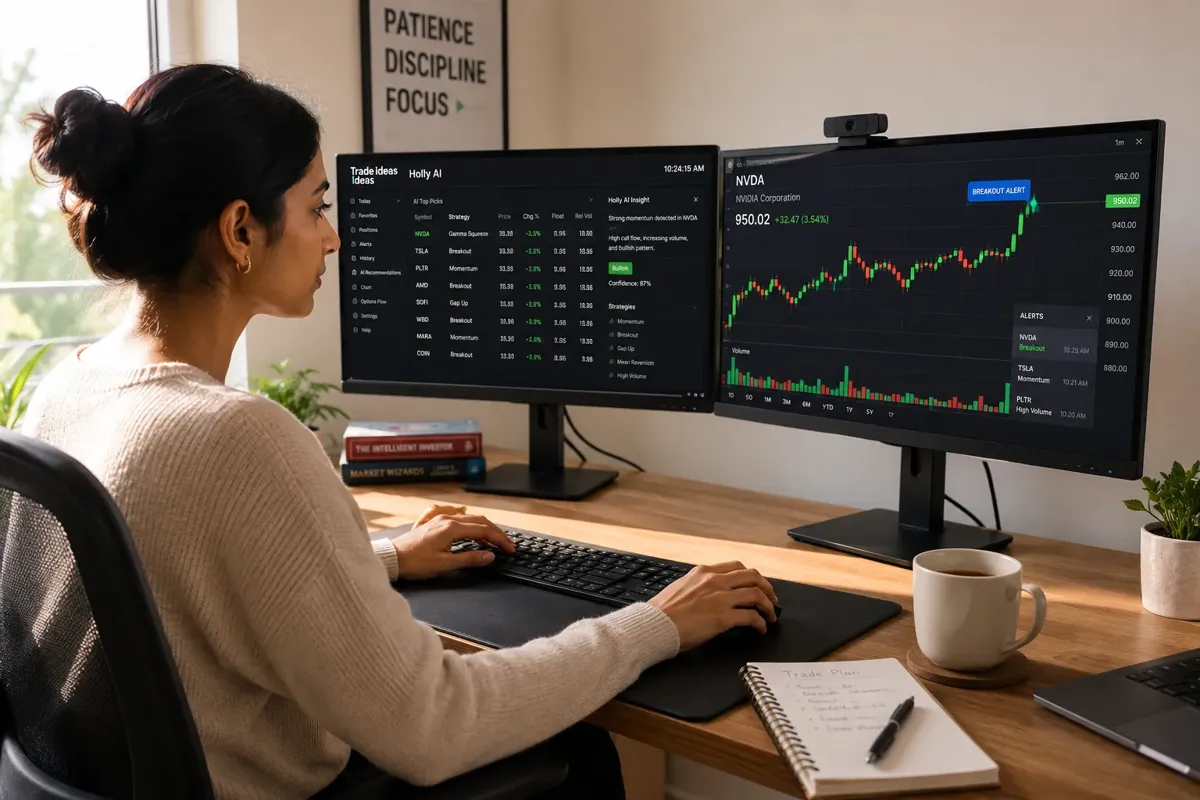
What Is Trade Ideas AI Scanner?
Trade Ideas is a real-time stock scanning engine powered by Holly AI, designed to surface breakout setups, momentum plays, and unusual volume spikes the moment they happen. It's the tool day traders and active swing traders use when they need to know what's moving now, not what moved yesterday.
Holly AI is the brain behind the platform. It scans thousands of stocks every second, applies pre-built or custom filters, and fires alerts when a stock meets your criteria. You can scan for gap-and-go setups, tight consolidation breakouts, volume surges, or any combination of price action and technical conditions. The speed is the differentiator, Holly processes live market data faster than most retail traders can refresh their watchlist.
The platform includes the OddsMaker, a probability engine that scores each alert based on historical win rates. When Holly flags a breakout, OddsMaker tells you how often that setup has worked in the past under similar conditions. It's not a guarantee, nothing is, but it's a data point that helps you decide whether to take the trade or pass.
Trade Ideas also offers simulated trading (paper trading) and a backtesting engine so you can test your filters before risking real money. You can build custom scans, save them, and run them automatically during market hours. The platform integrates with most major brokers, so you can execute directly from the alert window.
Where Trade Ideas struggles: it's overkill for swing traders who don't need real-time speed, and it's expensive for beginners who aren't trading frequently enough to justify the cost. The interface has a learning curve, it's powerful, but not intuitive. If you're not comfortable building custom scans or tweaking filters, you'll spend the first month figuring out what half the buttons do.
For a comparison of how Trade Ideas stacks up against other real-time scanners, see our TrendSpider vs Trade Ideas breakdown.
Tickeron vs Trade Ideas: Which Is Better for Day Trading?
Trade Ideas wins for day trading. It's not close.
Day trading demands speed, and Trade Ideas is built for it. Holly AI scans live market data in milliseconds and fires alerts the moment a stock meets your criteria, gap-and-go setups, breakout above resistance, volume spike, whatever filter you've set. If you're trading the first hour of the session or hunting intraday momentum, you need alerts that arrive before the move is over. Trade Ideas delivers that. Tickeron doesn't.
Tickeron updates throughout the day, but it's optimized for end-of-day analysis. By the time Tickeron flags a pattern, the intraday move has often already happened. That's fine for swing traders who plan entries the night before. It's a dealbreaker for day traders who need to catch the breakout in the first 15 minutes.
Trade Ideas also offers real-time trade alerts, live scanning windows, and the OddsMaker probability engine, all designed to help you make fast decisions under pressure. You can filter for low float stocks, pre-market gappers, or unusual volume spikes, and Holly will surface the setups as they develop. The platform integrates with most brokers, so you can execute directly from the alert without switching windows.
Tickeron's strength is pattern recognition and AI confidence scores, which are more useful for multi-day setups than intraday scalps. If you're holding a position for three to ten days, Tickeron's backtested patterns and AI robots add value. If you're in and out in 20 minutes, you don't have time to review a confidence score, you need the alert, the chart, and the entry, all in real time.
The cost difference matters here too. Trade Ideas starts around $118/month for the basic scanner, which is steep for beginners. But if you're day trading with real size, the speed pays for itself in avoided slippage and better entries. Tickeron is cheaper, but you're not saving money if the tool can't keep up with your trading style.
For more on how AI scanners perform for day traders, see our AI tools for day traders guide.
How Much Does Tickeron Cost Per Month?
Tickeron offers tiered pricing starting at $20/month for basic pattern recognition, scaling up to $60/month for full platform access including AI robots and real-time alerts. Annual plans discount the monthly rate by roughly 20-30%.
The entry-level plan gives you access to Tickeron's pattern scanner, AI confidence scores, and basic technical analysis tools. It's enough to identify setups and review backtested patterns, but you won't get the AI robots or advanced screening features. For swing traders who just want pattern alerts and confidence ratings, the $20/month tier covers the essentials.
The mid-tier plan (around $40/month) adds real-time alerts, more advanced screening filters, and access to a broader set of AI-scored patterns. This is the sweet spot for active swing traders who want more than basic pattern recognition but don't need full automation.
The top-tier plan ($60/month) unlocks the AI robots, rentable algorithmic strategies that execute trades automatically in your brokerage account. Each robot comes with backtest data, win rates, and drawdown history. You're not just getting signals; you're renting a tested process. This tier also includes priority support and access to Tickeron's full suite of tools across stocks, ETFs, options, forex, and crypto.
Compared to Trade Ideas, Tickeron is significantly cheaper. Trade Ideas starts at $118/month for the basic scanner and scales up to $228/month for the full Holly AI suite. If you're a swing trader who doesn't need real-time intraday speed, Tickeron delivers more value per dollar. If you're a day trader who needs sub-second alerts, Trade Ideas is worth the premium.
For a broader look at AI scanner pricing across platforms, check out our AI stock scanner comparison.
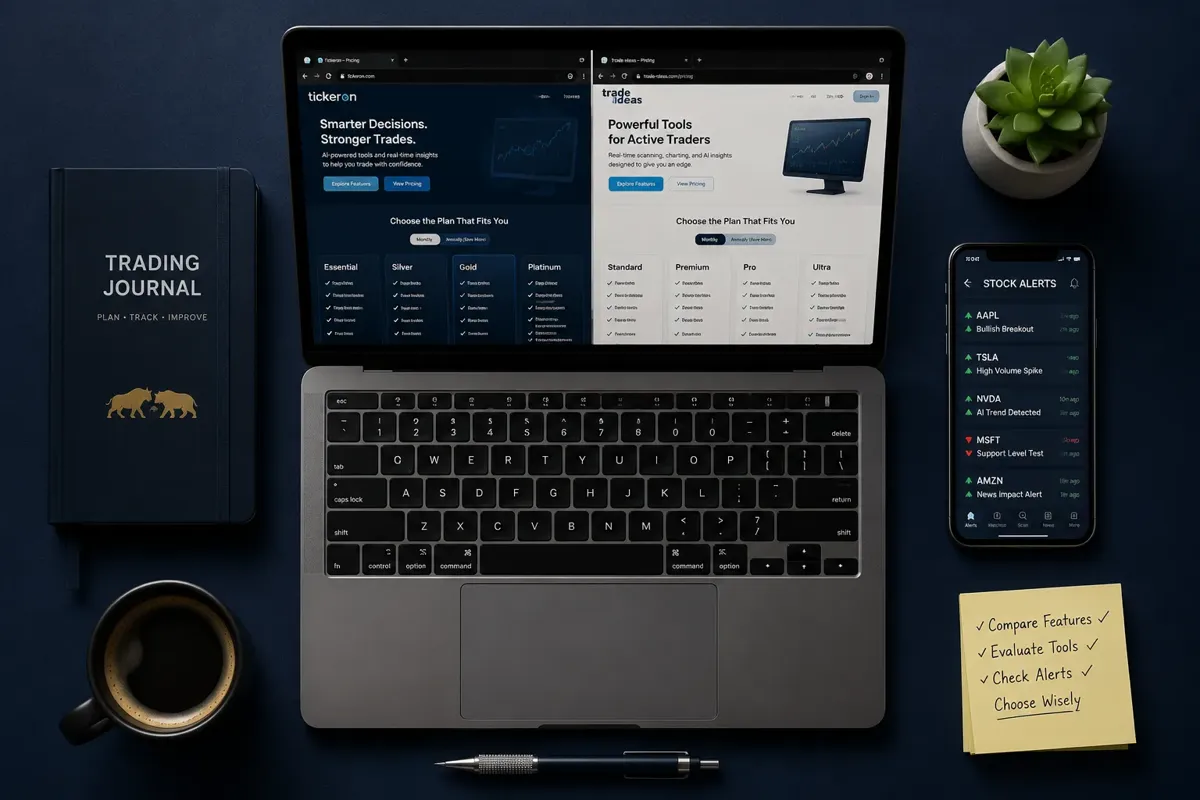
Trade Ideas Pricing Plans 2026
Trade Ideas offers three main pricing tiers in 2026: the Standard plan at $118/month, the Pro plan at $168/month, and the Premium plan at $228/month. All plans include Holly AI, real-time scanning, and backtesting. The differences come down to alert volume, broker integrations, and access to advanced features like the OddsMaker and simulated trading.
The Standard plan gives you Holly AI with up to 5 real-time trade alerts per day, basic scanning filters, and access to the backtesting engine. It's enough for swing traders who want to scan for setups and test strategies, but the 5-alert cap is restrictive for active day traders. You can build custom scans and run them during market hours, but you won't get the full flood of alerts that Pro and Premium users see.
The Pro plan ($168/month) removes the alert cap and adds unlimited real-time trade alerts, the OddsMaker probability engine, and integration with more brokers. This is the tier most active day traders choose. You get the full Holly AI experience, live scanning, instant alerts, and the data to decide which setups are worth taking. The OddsMaker scores each alert based on historical win rates, which helps filter noise from signal.
The Premium plan ($228/month) adds simulated trading (paper trading), advanced backtesting features, and priority customer support. It's overkill for most retail traders unless you're testing multiple strategies simultaneously or running a small trading group. The simulated trading feature is useful if you want to paper trade your scans before risking real money, but it's not essential if you're already comfortable with your process.
Trade Ideas also offers a two-week trial for $7, which is the smartest way to test the platform before committing to a full month. The trial includes access to the Pro plan, so you can see the full alert volume and OddsMaker in action. If the platform doesn't fit your style, you're out $7 instead of $118.
Compared to Tickeron, Trade Ideas is more expensive across the board. But the cost reflects the speed and real-time infrastructure. If you're day trading and need alerts that arrive in milliseconds, the premium is justified. If you're swing trading and reviewing setups after hours, Tickeron's $20-$60/month plans deliver better value.
For a detailed breakdown of Trade Ideas features and how Holly AI performs in live markets, see our Trade Ideas Holly AI review.
Can Beginners Use Tickeron or Is It Too Advanced?
Beginners can use Tickeron, but they'll need to understand basic chart patterns and technical analysis first. The platform doesn't teach you how to trade, it assumes you already know what a bull flag or head-and-shoulders pattern looks like and why it matters.
Tickeron's AI confidence scores make it easier for beginners to filter setups, but the score alone won't tell you whether to take the trade. You still need to understand support and resistance, risk-reward ratios, and position sizing. The platform will flag a high-confidence bull flag, but it won't tell you where to set your stop loss or how much capital to risk. That's on you.
The AI robots are beginner-friendly in the sense that they automate execution, but they're not a substitute for understanding the strategy. Each robot shows its backtest results, win rate, and drawdown history. If you don't know how to interpret those metrics, you're renting a black box. The platform gives you the data, you have to know what to do with it.
Where Tickeron helps beginners: it reduces the manual work of scanning hundreds of charts. Instead of scrolling through watchlists looking for setups, Tickeron surfaces the patterns and scores them. That's a time-saver, and it helps beginners focus on execution instead of setup discovery. But it doesn't replace the need to learn how patterns work, why they fail, and how to manage risk when they do.
Trade Ideas is harder for beginners. The interface is more complex, the alert volume is overwhelming if you don't know how to filter it, and the platform assumes you're comfortable building custom scans. Beginners who jump into Trade Ideas without a clear process often end up chasing alerts and overtrading. The tool is powerful, but it's not forgiving.
If you're new to trading, start with Tickeron's entry-level plan ($20/month) and focus on learning one or two patterns. Use the AI confidence scores to filter setups, but don't rely on them as a substitute for understanding the pattern. Paper trade your entries and exits for at least 30 days before risking real money. Once you're consistently profitable on paper, upgrade to the mid-tier plan and test the AI robots.
For more on how beginners should approach AI stock tools, see our AI stock trading guide for retail traders.
Trade Ideas Holly AI Accuracy Rate
Trade Ideas doesn't publish a single accuracy rate for Holly AI, and for good reason, accuracy depends entirely on the scan you're running, the market conditions, and how you define a "win."
Holly AI is a scanning engine, not a prediction model. It surfaces setups that meet your criteria, breakouts, volume spikes, gap-and-go plays, but it doesn't tell you whether the trade will work. The OddsMaker adds a probability layer by showing historical win rates for similar setups, but that's backward-looking data, not a forecast. A setup with a 65% historical win rate can still lose, especially if market conditions have shifted.
The accuracy question is the wrong frame. The better question is: does Holly surface setups fast enough for you to act on them, and do those setups align with your strategy? If you're scanning for low float breakouts with volume above 500K, Holly will find them in real time. Whether you profit from those setups depends on your entry, exit, position sizing, and risk management, not Holly's accuracy.
Some traders report win rates above 60% using Holly's pre-built scans, but those numbers are self-reported and heavily influenced by the trader's discipline. A trader who takes every alert will have a different win rate than a trader who filters alerts through additional criteria like support/resistance levels or news catalysts. Holly gives you the raw material; you build the process around it.
The OddsMaker helps by scoring each alert based on historical performance. If a breakout setup has worked 70% of the time in the past under similar conditions, that's useful context. But it's not a guarantee, and it doesn't account for black swan events, earnings surprises, or macro shifts that change the game overnight.
For a deeper look at how Holly AI performs in live markets and where it falls short, see our Trade Ideas Holly AI breakdown.
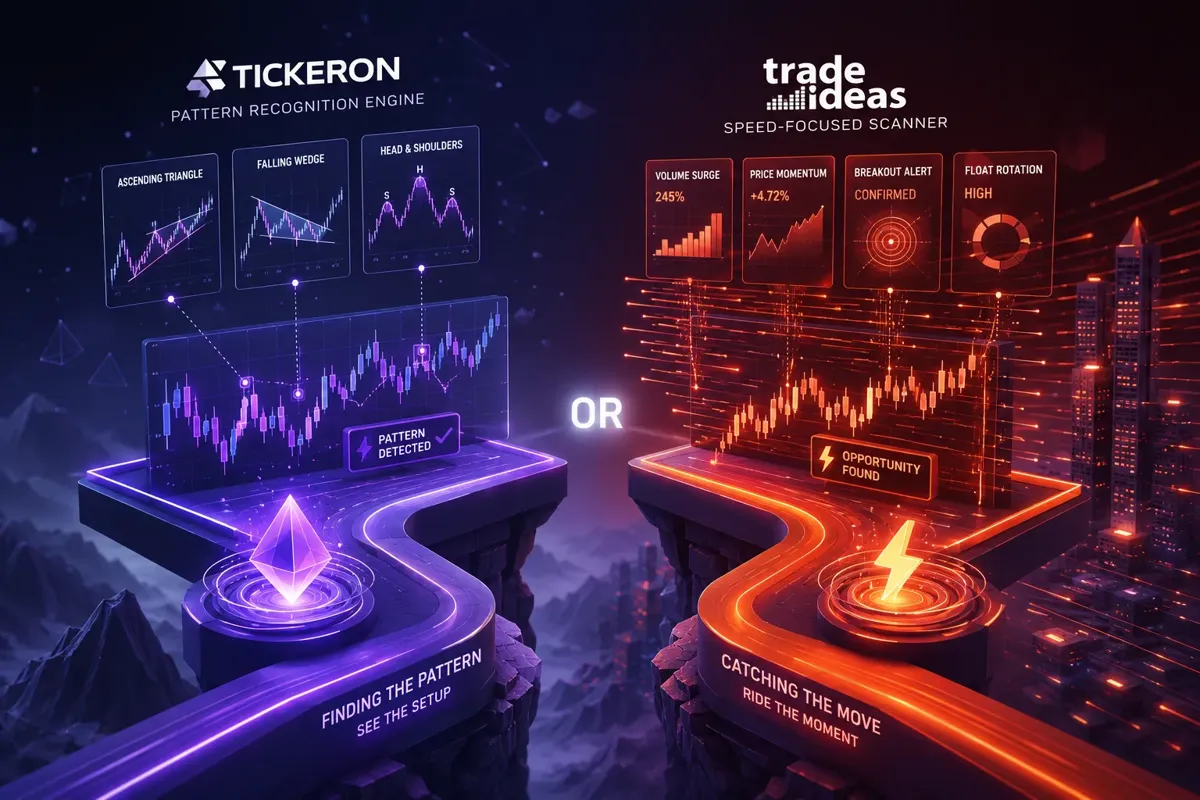
Tickeron Pattern Recognition vs Trade Ideas Scanner Speed
Tickeron wins on pattern recognition depth; Trade Ideas wins on scanner speed. They're solving different problems.
Tickeron's pattern recognition engine identifies dozens of technical patterns, bull flags, head-and-shoulders, ascending triangles, double bottoms, and scores each one with an AI confidence rating. The platform backtests every pattern it flags, showing you how often it's worked historically, the average gain or loss, and the typical timeframe. That's the edge: you're not just seeing the pattern, you're seeing the data behind it. For swing traders who build watchlists after hours and execute the next day, this is exactly what you need.
Trade Ideas doesn't focus on pattern recognition. It focuses on speed. Holly AI scans thousands of stocks every second and fires alerts the moment a stock meets your criteria. You can filter for breakouts, volume spikes, gap-and-go setups, or any custom combination of price action and technical conditions. The platform doesn't score patterns or backtest them, it just surfaces the setups in real time so you can act before the move is over. For day traders who need to catch the breakout in the first 15 minutes, this is the tool that keeps you in the game.
The tradeoff is clear. Tickeron gives you better setup quality and historical context, but it's slower. Trade Ideas gives you real-time speed and alert volume, but less pattern validation. If you're a swing trader who wants to review setups and understand why a pattern has a high probability of working, Tickeron is the better fit. If you're a day trader who needs to catch the move as it happens, Trade Ideas is worth the premium.
You can use both, but most traders don't need to. Pick the tool that matches your timeframe. If you're holding positions for three to ten days, Tickeron's pattern recognition and AI confidence scores add more value than Trade Ideas' real-time alerts. If you're in and out in 20 minutes, you don't have time to review a confidence score, you need the alert, the chart, and the entry, all in real time.
For more on how pattern recognition tools compare across platforms, see our swing trade scanners guide.
Why Is My Trade Ideas Scanner Not Finding Stocks?
Your Trade Ideas scanner isn't finding stocks because your filters are too restrictive, the market isn't producing setups that match your criteria, or your scan is running outside market hours when live data isn't flowing.
The most common mistake: stacking too many filters. If you're scanning for stocks with volume above 1 million, price above $10, breakout above resistance, and a bullish MACD crossover, you've narrowed the universe so much that only a handful of stocks will ever qualify. On a choppy tape or low-volume day, that might mean zero results. The fix: start with one or two core filters (volume and price, for example), run the scan, and add filters incrementally until you're seeing a manageable number of results.
Another issue: your scan is running when the market is closed or during pre-market hours when volume is thin. Holly AI scans live market data, so if the market isn't open or if you're scanning during a slow period, you won't see many results. Day traders should run scans during the first 90 minutes of the session when volume and volatility are highest. Swing traders can run scans after hours, but they should focus on end-of-day data, not real-time alerts.
Market conditions matter too. If the market is in a tight consolidation or a low-volatility environment, breakout setups are rare. Your scanner isn't broken, the setups just aren't there. This is where traders make the mistake of loosening their filters to force results, which leads to low-quality alerts and bad trades. The better move: accept that some days don't produce clean setups and sit on your hands.
Finally, check your broker integration. If Trade Ideas isn't pulling live data from your broker or if your data feed is delayed, you'll see stale results or no results at all. Make sure your broker is connected, your data subscription is active, and your scan is set to run on real-time data, not delayed quotes.
For more on how to build effective scans and avoid common mistakes, see our AI stock scanner comparison guide.
Best Alternative to Tickeron and Trade Ideas
The best alternative depends on what you're optimizing for, speed, cost, chart automation, or news-driven alerts. No single tool replaces both Tickeron and Trade Ideas, but several platforms fill specific gaps.
TrendSpider is the best alternative for traders who want automated chart analysis and pattern recognition without the cost of Trade Ideas. It scans for patterns, draws trendlines automatically, and offers multi-timeframe analysis in a single view. It's slower than Trade Ideas for real-time alerts, but it's faster than Tickeron for intraday scanning. Pricing starts around $49/month, making it a middle-ground option for swing traders who want more automation than Finviz but less complexity than Trade Ideas.
Finviz is the best free alternative for basic stock screening. It won't give you real-time alerts or AI confidence scores, but it's fast, simple, and covers the essentials, volume, price, technical patterns, and fundamental filters. The free version is enough for swing traders who build watchlists manually. The Elite plan ($39.50/month) adds real-time data and advanced filters, which makes it a budget-friendly option for traders who don't need Holly AI's speed.
Benzinga Pro is the best alternative for news-driven traders who want alerts based on catalysts, not just price action. It surfaces breaking news, earnings reports, FDA approvals, and other events that move stocks, often before the price reacts. It's not a pattern scanner, but it's faster than most scanners for catching news-driven breakouts. Pricing starts around $99/month, which is cheaper than Trade Ideas but more expensive than Tickeron.
StocksToTrade is another option for day traders who want real-time scanning and a simpler interface than Trade Ideas. It's popular with small-cap and penny stock traders because it includes a built-in news feed and social media scanner. Pricing is around $99/month, which is cheaper than Trade Ideas but more expensive than Tickeron. The tradeoff: it's easier to learn but less powerful for custom scans.
For a full breakdown of how these tools compare, see our AI stock tools directory.
Is Trade Ideas Worth It for Swing Traders?
Trade Ideas is worth it for swing traders who need real-time alerts and want to catch breakouts as they develop, but it's overkill for traders who build watchlists after hours and execute the next day.
Swing traders typically hold positions for three to ten days, which means they're not chasing intraday moves. They're looking for clean setups, tight consolidation, basing patterns, breakouts above resistance, and they're planning their entries the night before. For that style, Tickeron's pattern recognition and AI confidence scores deliver more value per dollar than Trade Ideas' real-time speed.
That said, some swing traders do benefit from Trade Ideas. If you're hunting gap-and-go setups or breakout plays that develop during the first hour of the session, Holly AI's real-time alerts help you catch the move before it's overextended. The OddsMaker also adds value by scoring each alert based on historical win rates, which helps you filter setups and avoid low-probability trades.
The cost is the sticking point. Trade Ideas starts at $118/month, which is steep for swing traders who aren't trading daily. If you're taking two or three trades per week, you're paying $30-$40 per trade just for the scanner. That's hard to justify unless the tool is consistently surfacing setups you wouldn't have found otherwise.
Tickeron's $20-$60/month pricing is a better fit for most swing traders. You get pattern recognition, AI confidence scores, and backtested data for a fraction of the cost. The tradeoff is speed, Tickeron updates throughout the day, but it's not real-time. If you're okay with reviewing setups after hours and executing the next day, Tickeron delivers more value.
The decision comes down to your process. If you trade the open and need real-time alerts, Trade Ideas is worth the premium. If you build watchlists at night and execute during power hour, Tickeron is the smarter buy.
For more on how swing traders should approach AI scanners, see our swing trade scanners guide.
Common Mistakes When Using Tickeron AI Predictions
The biggest mistake traders make with Tickeron is treating the AI confidence score as a buy signal instead of a filter. A 90% confidence score doesn't mean the trade will work, it means the pattern has worked 90% of the time historically under similar conditions. Past performance isn't a guarantee, and market conditions change.
Another mistake: ignoring the timeframe. Tickeron's AI predictions are based on historical data over a specific lookback period, usually 30 to 90 days. If the market has shifted, a new earnings season, a macro event, a volatility spike, the historical data may not apply. Traders who blindly follow high-confidence scores without checking current market conditions often get stopped out on trades that looked perfect on paper.
Position sizing is another common error. Tickeron flags setups, but it doesn't tell you how much capital to risk. Traders who go all-in on a single high-confidence setup are one bad trade away from a drawdown they can't recover from. The fix: use the AI confidence score to prioritize setups, but size your positions based on your risk tolerance and account size, not the score.
Overtrading is also a problem. Tickeron surfaces dozens of patterns every day, and it's tempting to take every high-confidence setup. But more trades don't equal more profit, they equal more commissions, more slippage, and more opportunities to make mistakes. The better approach: pick two or three setups per week that align with your strategy and ignore the rest.
Finally, traders often skip the backtest data. Tickeron shows you how often a pattern has worked, the average gain or loss, and the typical timeframe. If a pattern has a 70% win rate but an average gain of 2% and an average loss of 5%, the risk-reward is upside down. You'll win more often, but you'll lose more when you're wrong. Always check the backtest data before taking the trade.
For more on how to use AI predictions without falling into common traps, see our AI stock trading guide.
Does Tickeron Work for Options Trading or Just Stocks?
Tickeron works for options trading, but its features are more useful for stock and ETF traders. The platform's pattern recognition and AI confidence scores apply to options, but the AI robots are primarily stock-focused, and the options-specific tools are limited compared to dedicated options platforms.
Tickeron's pattern scanner identifies setups on the underlying stock or ETF, which you can then trade using options. For example, if Tickeron flags a high-confidence bull flag on a stock, you can buy calls instead of shares. The AI confidence score and backtest data still apply, you're just using options as the vehicle instead of stock. This works well for swing traders who want leverage or defined risk.
Where Tickeron falls short: it doesn't offer options-specific analytics like implied volatility rank, options flow data, or probability of profit calculators. If you're trading options based on volatility or Greeks, you'll need a dedicated options platform like Market Chameleon, OptionStrat, or Tastytrade. Tickeron gives you the setup, but it doesn't help you pick the strike, expiration, or strategy.
The AI robots are another limitation. Most of Tickeron's rentable robots are designed for stock trading, not options. A few robots support ETF options, but the selection is narrow, and the backtest data is less robust than the stock-focused robots. If you're looking for automated options strategies, you're better off with a platform like Composer or QuantConnect.
That said, Tickeron is still useful for options traders who focus on directional plays. If you're buying calls or puts based on technical setups, Tickeron's pattern recognition and AI confidence scores help you filter setups and avoid low-probability trades. Just don't expect it to replace a dedicated options platform.
For more on how AI tools work for options traders, see our AI options tools guide.
Trade Ideas vs Tickeron: Which Has Better Backtesting?
Tickeron has better backtesting for pattern recognition and AI-scored setups. Trade Ideas has better backtesting for custom scans and real-time strategies.
Tickeron's backtesting engine is built around its pattern recognition system. Every pattern the platform flags, bull flag, head-and-shoulders, ascending triangle, comes with historical data showing how often it's worked, the average gain or loss, and the typical timeframe. You can see the backtest results for each pattern on each stock, which helps you decide whether the setup is worth taking. This is exactly what swing traders need: data-driven validation for the patterns they're trading.
Trade Ideas' backtesting engine is more flexible but requires more work. You can backtest any custom scan you build, which means you can test strategies based on volume, price action, technical indicators, or any combination of filters. The platform shows you how the scan would have performed historically, including win rate, average gain, and drawdown. But you have to build the scan first, and you have to know what you're testing. Tickeron does the heavy lifting for you; Trade Ideas makes you do it yourself.
The tradeoff: Tickeron's backtesting is easier to use but less customizable. You're limited to the patterns and strategies the platform supports. Trade Ideas' backtesting is more powerful but harder to learn. If you're comfortable building custom scans and testing your own strategies, Trade Ideas gives you more control. If you want pre-built backtests for common patterns, Tickeron is the better fit.
For swing traders who trade technical patterns, Tickeron's backtesting is more useful. For day traders who want to test custom filters and real-time strategies, Trade Ideas is the better tool.
For more on how to use backtesting to improve your trading process, see our AI stock trading software guide.
Frequently Asked Questions
Can I use both Tickeron and Trade Ideas at the same time?
Yes, but most traders don't need to. Tickeron and Trade Ideas serve different purposes, Tickeron for pattern recognition and swing setups, Trade Ideas for real-time day trading alerts. If you're both day trading and swing trading, using both can make sense. But if you're focused on one style, pick the tool that matches your timeframe and save the subscription cost.
Does Tickeron offer a free trial?
Tickeron offers a limited free trial (usually 7 days) that gives you access to basic pattern recognition and AI confidence scores. The trial doesn't include AI robots or advanced features, but it's enough to test the platform and see if the pattern scanner fits your process.
Can Trade Ideas scan pre-market and after-hours?
Yes, Trade Ideas scans pre-market and after-hours, but the alert volume is lower because fewer stocks are trading. Pre-market scanning is useful for gap-and-go setups, but after-hours scanning is less reliable because volume is thin and spreads are wide.
Which platform is better for small accounts under $5,000?
Tickeron is better for small accounts because it's cheaper ($20-$60/month) and focuses on swing trading, which requires less capital than day trading. Trade Ideas is expensive ($118-$228/month) and optimized for day traders who need larger accounts to manage intraday volatility.
Can I automate trades with Tickeron or Trade Ideas?
Yes, both platforms support automated trading. Tickeron offers rentable AI robots that execute trades automatically in your brokerage account. Trade Ideas integrates with brokers and allows you to execute directly from alerts, but full automation requires third-party tools like SignalStack or broker APIs.
Does Tickeron work with all brokers?
Tickeron integrates with several major brokers, including Interactive Brokers, TD Ameritrade, and TradeStation. Check the platform's broker list before subscribing to make sure your broker is supported.
Is Trade Ideas good for penny stocks?
Trade Ideas can scan penny stocks, but the platform is better suited for liquid, higher-priced stocks with tight spreads. Penny stocks often have low volume and wide spreads, which makes real-time scanning less reliable. StocksToTrade is a better option for penny stock traders.
Can I cancel my Tickeron or Trade Ideas subscription anytime?
Yes, both platforms allow you to cancel anytime. Tickeron offers monthly and annual plans; Trade Ideas offers monthly plans and a two-week trial. If you cancel mid-month, you'll have access until the end of your billing cycle.
Which platform has better customer support?
Trade Ideas has more responsive customer support, especially for Premium plan subscribers. Tickeron's support is slower but adequate for most issues. Both platforms offer email support and knowledge bases; neither offers live phone support.
Can I use Tickeron or Trade Ideas on mobile?
Tickeron offers a mobile app for iOS and Android with limited features, you can view alerts and patterns, but the full platform works best on desktop. Trade Ideas is desktop-only; there's no mobile app, though you can access alerts via email or SMS.
Does Tickeron support crypto or forex?
Yes, Tickeron supports crypto and forex in addition to stocks and ETFs. The pattern recognition and AI confidence scores work across all asset classes, though the AI robots are primarily stock-focused.
Can I build custom scans in Tickeron?
Tickeron offers some customization, but it's not as flexible as Trade Ideas. You can filter by pattern type, confidence score, and basic technical criteria, but you can't build fully custom scans from scratch. Trade Ideas gives you more control over scan logic and filters.
Conclusion
Tickeron vs Trade Ideas: Which AI Scanner Earns Your $100? comes down to how you trade and what you need the tool to do.
Trade Ideas wins for day traders who need real-time speed, Holly AI's sub-second scanning, and the OddsMaker's probability engine. It's expensive, but the cost is justified if you're trading the open and need alerts that arrive before the move is over. The platform is powerful, but it has a learning curve, and it's overkill for traders who don't need intraday speed.
Tickeron wins for swing traders who want pattern recognition, AI confidence scores, and backtested setups at a lower cost. It's slower by design, but that's fine if you're building watchlists after hours and executing the next day. The AI robots add value for traders who want automation without learning to code, and the platform's $20-$60/month pricing makes it accessible for smaller accounts.
The mistake is buying the wrong tool because someone else's trading style doesn't match yours. If you're holding positions for three to ten days, Tickeron delivers more value per dollar. If you're in and out in 20 minutes, Trade Ideas is worth the premium. Pick the tool that fits your process, test it with a trial or low-cost plan, and commit only after you've proven it works for your setup.
Systems over hacks. Process over prediction. The scanner doesn't make you profitable, your discipline does. The tool just makes it easier to find the setups worth trading.
Want the tools and setups behind this, without the hype? Start at aistockpickerapps.com.