Tickeron AI Robots: Which Ones Are Worth Renting (2026)
Last updated: July 1, 2026
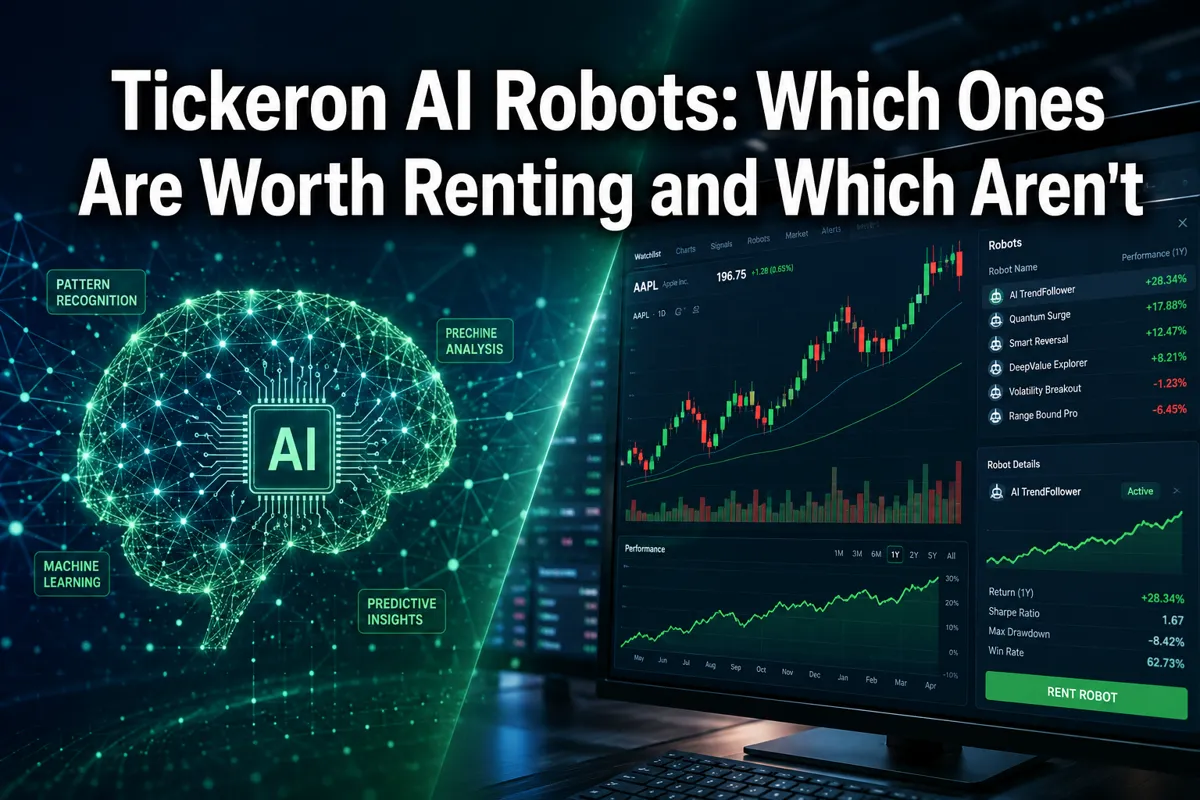
Most traders rent AI robots hoping for an edge. What they get instead is a monthly charge and a dashboard full of signals they don't know how to filter. Tickeron AI Robots promise pattern recognition, trend prediction, and real-time trade ideas — but not all of them deliver the same value, and some aren't worth the subscription cost at all. If you're evaluating Tickeron AI Robots: which ones are worth renting and which aren't, you need to know what each robot actually does, how accurate it's been, and whether it fits your trading style before you hand over your credit card.
Quick Answer
Tickeron offers multiple AI-powered trading robots that scan markets, identify patterns, and generate trade ideas across stocks, ETFs, options, and crypto. The Trend Prediction Engine and Pattern Search Robot are the platform's strongest performers for swing traders and technical analysts, with documented win rates above 60% in certain market conditions. The Real Trader Robot and AI Confidence Score add context but aren't standalone tools. For day traders, the robots lag behind dedicated scanners like Trade Ideas. For long-term investors, the signals generate too much noise. Tickeron is worth renting if you're an active swing trader who wants AI-assisted pattern recognition and you're willing to filter signals yourself — but it's not a plug-and-play money printer, and beginners often misuse it.
Key Takeaways
Tickeron's Trend Prediction Engine and Pattern Search Robot are the most useful for swing traders focused on technical setups and breakouts.
The Real Trader Robot mimics top-performing traders but lacks transparency on how those traders are selected or verified.
Tickeron's AI Confidence Score is a helpful filter, but it's not a guarantee — trades with 90% confidence still lose.
Pricing ranges from free (limited) to $65/month for full access; the free tier is too restrictive to be useful for active traders.
Day traders will find Tickeron too slow; long-term investors will find it too noisy.
Tickeron's win rate claims vary by asset class and timeframe — verify the specific robot and backtest period before trusting the headline number.
The platform works best when combined with your own risk management and position sizing rules, not as a standalone system.
Alternatives like TrendSpider and Trade Ideas offer better speed and customization for specific trading styles.
Common mistakes include renting every robot, ignoring the confidence filter, and taking every signal without a plan.
You can lose money with Tickeron AI robots, especially in choppy or low-volume markets where pattern recognition breaks down.
What Are Tickeron AI Robots and How Do They Work
Tickeron AI Robots are algorithm-driven trading assistants that scan thousands of stocks, ETFs, options, and crypto assets in real time, looking for technical patterns, trend signals, and statistical probabilities. Each robot specializes in a different strategy: the Trend Prediction Engine forecasts short-term price direction, the Pattern Search Robot identifies classic chart formations like head-and-shoulders or bull flags, and the Real Trader Robot replicates trades from verified top performers on the platform. The robots use machine learning models trained on historical price data and technical indicators to assign confidence scores to each trade idea, which range from 1% to 99%. Higher confidence doesn't mean guaranteed profit — it means the historical pattern had a higher win rate under similar conditions.
The robots don't execute trades automatically. They generate alerts and trade ideas that you review, filter, and act on manually through your own brokerage. Think of them as a research assistant, not an autopilot. You still need to decide position size, entry timing, and when to cut a loser. The AI handles the pattern recognition and probability math; you handle the risk management and execution.
Tickeron's financial learning models analyze price action, volume, support and resistance levels, and momentum indicators to score each setup. The platform claims its models are continuously retrained as new data comes in, but it doesn't publish the training datasets or model architecture publicly, so you're trusting a black box to some degree.
For traders who understand technical analysis and want to speed up their scanning process, Tickeron can surface setups you might have missed. For traders who don't know what a bull trap or tight consolidation looks like, the robots will generate noise, not alpha.
Tickeron AI Robots: Which Ones Are Worth Renting and Which Aren't
Not all Tickeron robots deliver the same value. Here's the breakdown of which ones are worth your money and which ones you can skip.
Worth renting:
Trend Prediction Engine — This is Tickeron's flagship robot and the one with the most documented performance data. It analyzes short-term price trends (1-3 days to 1-4 weeks) and assigns a confidence score to bullish or bearish predictions. The robot works best on liquid, mid-to-large cap stocks with clear momentum. In 2025 backtests published by Tickeron, the engine showed win rates between 62% and 68% on stocks with confidence scores above 80%. That's not a guarantee, but it's better than a coin flip. Use this if you're a swing trader looking for momentum plays and breakouts. Filter for confidence above 75% and combine it with your own support/resistance analysis.
Pattern Search Robot — This robot scans for classic technical patterns: ascending triangles, bull flags, cup-and-handle, head-and-shoulders, and dozens more. It's useful if you trade breakouts and want to automate the tedious part of scanning hundreds of charts. The robot highlights the pattern, shows the expected price target based on the pattern's historical behavior, and gives you a confidence score. The catch: not every pattern completes, and the robot doesn't account for broader market conditions or sector rotation. Use this as a starting point for your watchlist, not as a buy signal. It's worth renting if you're already a technical trader who knows how to confirm a setup with volume and price action.
Not worth renting (or use with caution):
Real Trader Robot — This robot claims to replicate trades from top-performing traders on Tickeron's platform. The idea is appealing: follow the smart money. The problem is transparency. Tickeron doesn't disclose how it verifies these traders, how long their track records are, or whether the performance includes survivorship bias (only showing the winners who stuck around). The robot also lags in real time — by the time you see the alert, the original trader may have already entered or exited. If you rent this, treat it as one input among many, not as a shortcut to someone else's edge. Most traders are better off building their own system.
AI Confidence Score (standalone) — This isn't a robot you rent separately; it's a feature that comes with the others. The confidence score is helpful as a filter, but it's not predictive on its own. A 90% confidence score means the pattern or trend had a 90% win rate historically under similar conditions — but that doesn't mean this specific trade will work. Market conditions change, and past performance doesn't guarantee future results. Use the score to prioritize which signals to research further, not as a green light to go all-in.
Options-specific robots — Tickeron offers robots that scan for options trade ideas, but the options market moves faster and with more complexity than the stock market. The robots don't account for implied volatility changes, theta decay, or earnings events well enough to be reliable. If you trade options, you're better off using a dedicated options scanner like Cheddar Flow or a platform with real-time Greeks and flow data.
The verdict: Rent the Trend Prediction Engine and Pattern Search Robot if you're an active swing trader. Skip or downgrade the Real Trader Robot unless you're testing it with paper trades first. Don't rent Tickeron at all if you're a day trader (too slow) or a long-term investor (too noisy).
How Much Does It Cost to Rent Tickeron AI Robots Monthly
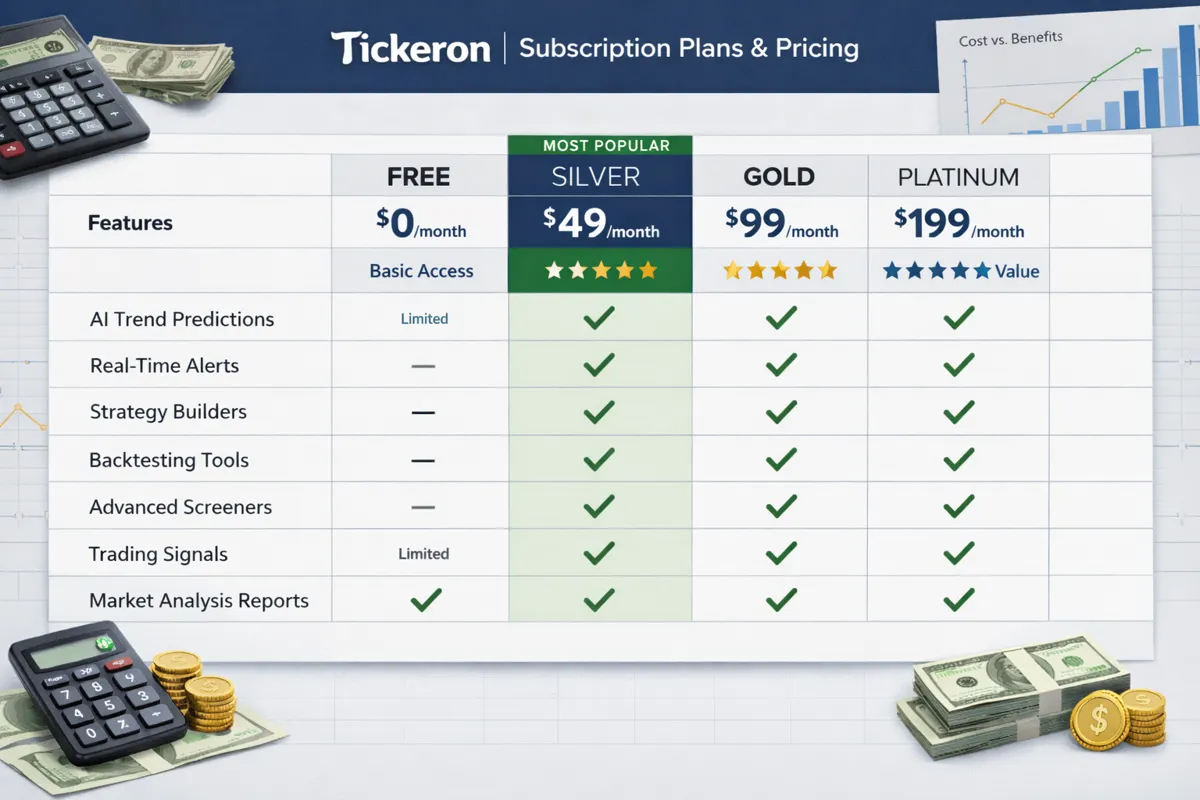
Tickeron pricing in 2026 is tiered, and the cost depends on which robots and features you want access to. Here's the breakdown:
Free Plan — Limited access to one or two robots, delayed signals, and no backtesting tools. You can browse the platform and see how it works, but you won't get real-time alerts or full pattern libraries. This tier is useful for kicking the tires, not for active trading.
Silver Plan — $29/month. Includes access to the Trend Prediction Engine, Pattern Search Robot, and basic stock screeners. You get real-time alerts but limited historical data and no portfolio tracking. This is the entry point for casual swing traders who want AI-assisted scanning without committing to a higher tier.
Gold Plan — $65/month. Full access to all robots, including the Real Trader Robot, AI Confidence Scores, options scanners, and crypto signals. You also get backtesting tools, advanced screeners, and portfolio analytics. This is the tier most active traders rent if they're serious about using Tickeron as part of their process.
Platinum Plan — $125/month. Adds priority support, custom alerts, and deeper historical data. Unless you're trading full-time or managing a large portfolio, the jump from Gold to Platinum isn't worth the extra $60/month for most retail traders.
Annual discounts — Tickeron offers 20-30% off if you pay annually instead of monthly, but that locks you in for a year. Don't prepay until you've tested the platform for at least two months and confirmed it fits your trading style.
Hidden costs — Tickeron doesn't execute trades, so you'll still pay commissions and fees at your broker. If you're taking 10-20 signals a month, those costs add up. Factor that into your total cost of using the platform.
Is it worth it? If you're an active swing trader who takes 5-10 trades a month and the robots help you find even one or two better setups, the $65/month Gold plan pays for itself. If you're a beginner still learning what a clean setup looks like, you're better off spending that money on education and paper trading first.
Which Tickeron AI Robot Has the Best Performance Track Record
The Trend Prediction Engine has the most documented and consistent performance track record among Tickeron's robots. According to Tickeron's published backtests and user-reported data through 2025, the engine's win rate on stocks with confidence scores above 80% ranged between 62% and 68%, depending on the timeframe and market conditions. That's measured across thousands of predictions on mid-to-large cap stocks over rolling 12-month periods. The robot performs best in trending markets (bull or bear) and struggles in choppy, low-volume environments where price action whipsaws.
The Pattern Search Robot comes in second. Its win rate varies widely depending on the pattern type. Classic breakout patterns like ascending triangles and bull flags have historical win rates around 55-60% when confirmed by volume, while reversal patterns like head-and-shoulders are closer to 50-55%. The robot's accuracy depends heavily on how you filter the signals — if you take every pattern alert without confirming support/resistance or volume, your win rate will be closer to a coin flip.
The Real Trader Robot's performance is harder to verify because Tickeron doesn't publish aggregated win rates or disclose which traders are being tracked. Some users report following the robot's signals and seeing positive results; others report lag time and inconsistent trade ideas. Without transparency on how the "top traders" are selected or how long their track records span, it's tough to trust the performance claims.
Important context on win rates: A 62% win rate doesn't mean you're profitable. If your average winner makes 3% and your average loser loses 5%, you'll still lose money over time. Tickeron's robots don't manage risk-reward or position sizing for you — they just surface trade ideas. Your profitability depends on how you execute, where you set your stop loss, and how you size each position.
The best-performing robot for you depends on your trading style. If you trade momentum and breakouts, the Trend Prediction Engine is the strongest. If you trade technical patterns and want to automate chart scanning, the Pattern Search Robot is more useful. If you're looking for a plug-and-play system that prints money, neither robot will deliver that.
Are Tickeron AI Robots Worth the Money for Beginners
No, Tickeron AI robots are not worth the money for most beginners. Here's why: the robots generate trade ideas based on technical patterns and trend probabilities, but they don't teach you how to evaluate those ideas, manage risk, or build a repeatable process. If you don't already understand what a bull trap is, how to read volume, or when to cut a losing trade, the robots will overwhelm you with signals you can't filter. You'll either take too many trades (overtrading), freeze up and take none (analysis paralysis), or chase the highest-confidence signals without understanding the setup (revenge trading after a loss).
Beginners need to learn the fundamentals first: how to read price action, identify support and resistance, size positions, and manage risk. Tickeron's robots assume you already know those things. The platform doesn't hold your hand or explain why a pattern works or when it fails. It just gives you a confidence score and a chart. If you don't know what to do with that information, you're paying $65/month to get confused faster.
When Tickeron might work for a beginner: If you've spent 3-6 months paper trading, you understand the basics of technical analysis, and you're ready to speed up your scanning process, Tickeron can help you find setups you might have missed manually. Use it as a research tool, not a decision-making shortcut. Start with the free or Silver plan, filter for high-confidence signals only, and paper trade every idea for at least a month before risking real money.
Better alternatives for beginners: If you're just starting out, spend your money on education and a solid stock screener instead. Platforms like Finviz offer free screening tools that teach you how to filter stocks by fundamentals and technicals. Pair that with a trading journal like TradersSync to track your performance and learn from your mistakes. Once you have a process that works on paper, then consider adding an AI tool like Tickeron to scale your scanning.
The bottom line: Tickeron is a tool for traders who already have a system and want to automate part of the research process. It's not a training program, and it won't teach you how to trade. If you're a beginner, you're better off learning the fundamentals first and renting Tickeron later when you know what you're looking for.
Tickeron AI Robots vs Human Stock Advisors: Which Is Better
Tickeron AI robots and human stock advisors solve different problems, and which one is better depends on what you need. AI robots like Tickeron excel at speed, scale, and pattern recognition — they can scan thousands of stocks in seconds and surface technical setups you'd never find manually. Human advisors excel at context, judgment, and adapting to market conditions that don't fit a historical pattern. Neither is objectively better; they're tools for different jobs.
Where Tickeron AI robots win:
Speed and scale — Tickeron scans the entire market in real time. A human advisor can't watch 5,000 stocks at once.
Cost — $65/month for Tickeron vs. $100-$500/month (or more) for a human advisory service.
No emotional bias — The robots don't panic-sell or get overconfident. They follow the data and the pattern, every time.
Backtestable — You can test Tickeron's signals against historical data to see how they would have performed. Human advisors rarely publish audited track records.
Where human stock advisors win:
Context and judgment — A good human advisor knows when a pattern is likely to fail because of macro conditions, earnings risk, or sector rotation. Tickeron's robots don't account for those factors well.
Customization — Human advisors can tailor recommendations to your risk tolerance, portfolio size, and goals. Tickeron gives you the same signals as everyone else.
Education and coaching — A human advisor can teach you why a trade works or doesn't. Tickeron just gives you a confidence score and a chart.
Accountability — If you're paying a human advisor, you're more likely to follow a disciplined process. Tickeron won't stop you from overtrading or revenge trading.
The hybrid approach: The best setup for most active traders is to use Tickeron (or a similar AI tool) to generate trade ideas and a human advisor or mentor to help you refine your process, manage risk, and stay disciplined. Use the AI for scanning and pattern recognition; use the human for judgment and accountability.
When to skip both: If you're a long-term buy-and-hold investor, you don't need Tickeron or a stock-picking advisor. You're better off with low-cost index funds or ETFs and a financial planner who focuses on asset allocation and tax strategy, not individual stock picks.
The verdict: Tickeron is better for active swing traders who want speed and scale. Human advisors are better for traders who need coaching, context, and customized advice. Most traders benefit from using both, not choosing one over the other.
Tickeron Trend Prediction Robot vs Pattern Search Robot Comparison
The Trend Prediction Robot and Pattern Search Robot are Tickeron's two most popular tools, but they serve different purposes and work best for different trading styles. Here's how they compare:
Trend Prediction Robot:
What it does — Analyzes short-term price trends (1-3 days to 1-4 weeks) and predicts whether a stock is likely to move up or down based on momentum, volume, and historical price behavior.
Best for — Swing traders who trade momentum and breakouts. If you're looking for stocks that are starting to trend and want to ride the move for a few days or weeks, this is your robot.
Confidence scores — The robot assigns a confidence score (1-99%) based on how often similar setups resulted in the predicted direction historically. Scores above 75% are worth filtering for.
Strengths — Fast, simple, and focused. It's not trying to do too much. It tells you the direction, the timeframe, and the confidence. You decide the rest.
Weaknesses — Doesn't identify specific entry or exit points. Doesn't account for support/resistance levels or broader market conditions. You still need to do your own technical analysis to time the trade.
Pattern Search Robot:
What it does — Scans for classic chart patterns like bull flags, ascending triangles, head-and-shoulders, cup-and-handle, and dozens more. It highlights the pattern, shows the expected price target based on the pattern's historical behavior, and gives you a confidence score.
Best for — Technical traders who trade breakouts and reversals based on chart patterns. If you're the type of trader who manually scans charts looking for setups, this robot automates that process.
Confidence scores — Similar to the Trend Prediction Robot, but the score reflects how often that specific pattern led to the expected price move historically.
Strengths — Saves hours of manual chart scanning. Surfaces patterns you might have missed. Provides price targets based on the pattern's structure.
Weaknesses — Not every pattern completes. The robot doesn't confirm the pattern with volume or broader market context. You still need to verify the setup before entering.
Which one should you rent?
Rent the Trend Prediction Robot if you trade momentum and want to find stocks that are starting to trend. It's simpler, faster, and more focused.
Rent the Pattern Search Robot if you trade technical breakouts and want to automate chart scanning. It's more detailed but requires more filtering and confirmation on your end.
Rent both if you're an active swing trader who uses multiple strategies and wants to cover both momentum plays and pattern-based setups. The Gold plan ($65/month) includes both robots, so you're not paying extra.
Performance comparison: The Trend Prediction Robot has a slightly higher documented win rate (62-68% on high-confidence signals) compared to the Pattern Search Robot (55-60% on confirmed breakout patterns). But win rate isn't the only metric that matters — the Pattern Search Robot often identifies setups with better risk-reward ratios because it provides specific price targets based on the pattern's structure.
The bottom line: If you're only renting one, start with the Trend Prediction Robot. It's simpler, more consistent, and easier to integrate into a beginner-to-intermediate trading process. Add the Pattern Search Robot later if you want to expand your scanning coverage.
Tickeron AI Robots Not Working or Losing Money: What to Do
If you're renting Tickeron AI robots and losing money, the problem is almost never the robots — it's how you're using them. The robots generate trade ideas based on historical patterns and probabilities, but they don't manage risk, size positions, or account for your personal trading psychology. Here's what to do if Tickeron isn't working for you:
Step 1: Stop taking every signal. The biggest mistake traders make with Tickeron is treating every alert as a buy signal. The robots generate dozens of trade ideas per day. Most of them are low-probability setups or signals that don't fit your trading style. Filter aggressively: only take signals with confidence scores above 75%, and only in stocks or sectors you understand. Cut the noise, keep the alpha.
Step 2: Confirm the setup yourself. Tickeron's robots surface patterns and trends, but they don't confirm them with volume, support/resistance, or broader market context. Before you enter a trade, check the chart yourself. Is the breakout happening on strong volume? Is the stock near a key support or resistance level? Is the broader market trending in the same direction? If the answer to any of those is no, skip the trade.
Step 3: Manage your risk. Tickeron doesn't tell you where to set your stop loss or how much to risk per trade. If you're losing money, it's probably because you're risking too much on each trade or holding losers too long. Use a fixed risk per trade (1-2% of your account) and set a stop loss before you enter. If the trade goes against you, cut it fast. Let winners run, cut losers fast.
Step 4: Track your performance. Most traders who say "Tickeron isn't working" haven't actually tracked their results. Use a trading journal like TradersSync to log every trade, including which Tickeron robot generated the signal, the confidence score, your entry and exit, and the outcome. After 20-30 trades, you'll see patterns: which robots work for you, which confidence thresholds are profitable, and which setups you should avoid.
Step 5: Paper trade first. If you're new to Tickeron or new to trading in general, paper trade every signal for at least a month before risking real money. This lets you learn how the robots work, how to filter signals, and how to manage trades without losing capital. Most brokers offer free paper trading accounts.
Step 6: Adjust your expectations. Tickeron is not a money printer. Even the best-performing robots have win rates around 60-65%, which means 35-40% of trades will lose. If you expect every trade to work, you'll get frustrated and start revenge trading or overtrading. Accept that losses are part of the process and focus on managing risk so your winners are bigger than your losers.
When to cancel your subscription: If you've followed all the steps above, tracked 30+ trades, and you're still losing money or not finding value, cancel your Tickeron subscription. The platform isn't for everyone. Some traders do better with manual scanning and their own process. Some traders need a faster tool for day trading. Some traders don't trade technically at all and should focus on fundamentals instead. There's no shame in admitting a tool doesn't fit your style.
Alternatives to try: If Tickeron isn't working, consider testing TrendSpider for automated technical analysis, Trade Ideas for real-time day trading scanners, or Finviz for fundamental and technical screening. Each platform has a different approach, and one might click better with your trading style.
Best Alternatives to Tickeron AI Trading Robots
If Tickeron doesn't fit your trading style or you want to compare other AI-powered tools before committing, here are the best alternatives in 2026:
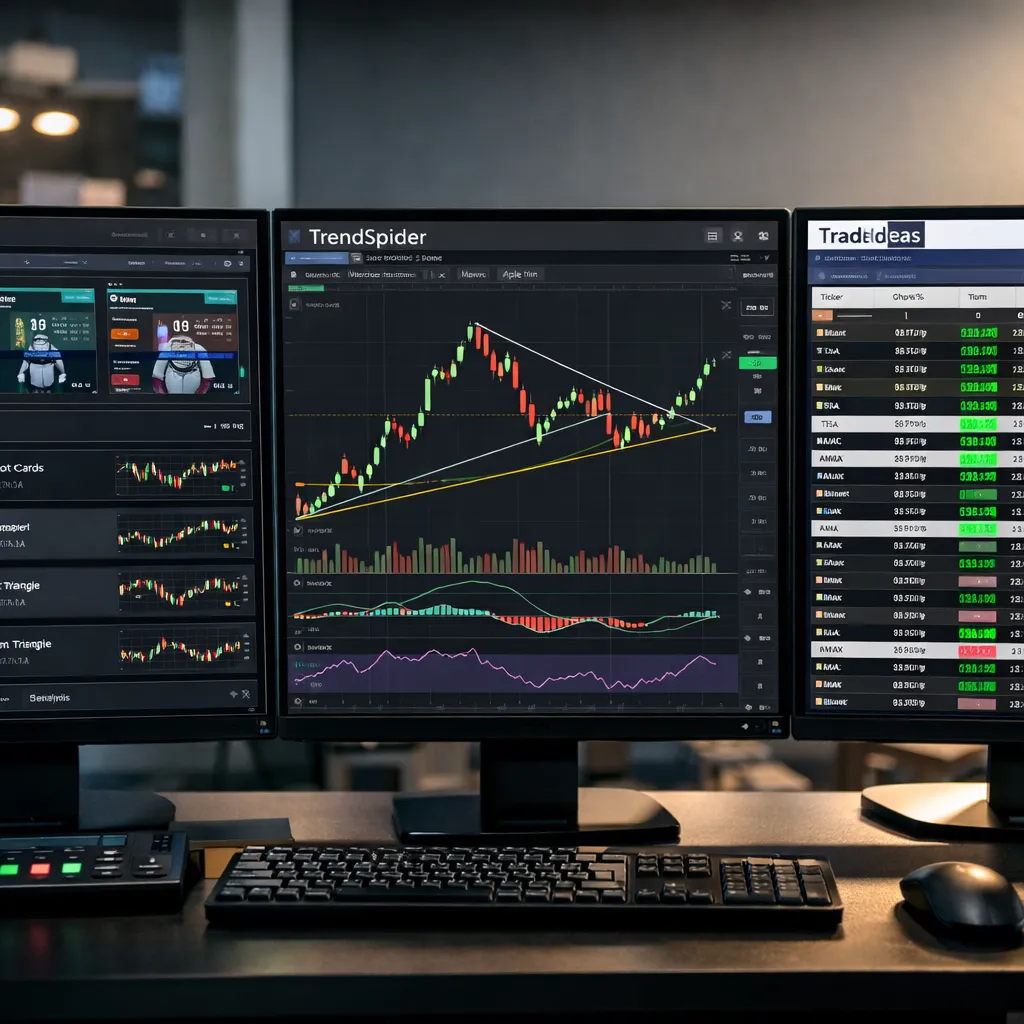
TrendSpider — Best for technical traders who want automated trendline detection, multi-timeframe analysis, and advanced charting. TrendSpider's AI automatically draws support and resistance levels, trendlines, and Fibonacci retracements on your charts, saving hours of manual work. It's more expensive than Tickeron ($49-$99/month depending on the plan), but it's faster, more customizable, and better suited for active swing and day traders. Use TrendSpider if you trade breakouts and want a tool that does the technical analysis for you. Compare TrendSpider to Tickeron here.
Trade Ideas — Best for day traders who need real-time scanning and alerts. Trade Ideas is faster than Tickeron, with sub-second scanning and customizable filters for momentum, volume, and price action. It's the gold standard for day trading scanners, but it's also more expensive ($99-$228/month). Use Trade Ideas if you're a day trader who needs speed and real-time data. Skip it if you're a swing trader or long-term investor. Explore Trade Ideas and other trading bots.
Danelfin — Best for traders who want AI-driven stock rankings based on fundamentals, technicals, and sentiment. Danelfin scores every stock on a 1-10 scale and updates daily. It's simpler than Tickeron and better for traders who want a single score to prioritize their watchlist. Pricing is similar ($39-$59/month). Use Danelfin if you want a blend of fundamental and technical analysis without the complexity of multiple robots. Read our Danelfin vs Tickeron comparison.
Finviz — Best for traders on a budget who want a solid stock screener without AI bells and whistles. Finviz offers free screening tools and a paid Elite plan ($39.50/month) with real-time data and advanced filters. It's not AI-powered, but it's fast, reliable, and teaches you how to screen stocks manually. Use Finviz if you're a beginner or intermediate trader who wants to learn the fundamentals before adding AI tools. Check out Finviz.
TradingView — Best for charting, community ideas, and manual technical analysis. TradingView isn't an AI robot, but it's the best charting platform for retail traders, with a massive library of indicators, drawing tools, and a social network of traders sharing ideas. Use TradingView if you want to do your own analysis and don't need AI-generated signals. Explore TradingView.
Which alternative is right for you?
If you're a day trader, go with Trade Ideas.
If you're a swing trader who trades breakouts, go with TrendSpider.
If you want simple AI stock rankings, go with Danelfin.
If you're on a budget or still learning, go with Finviz or TradingView.
If you want multiple AI robots in one platform, stick with Tickeron.
Most active traders end up using a combination: TradingView for charting, Finviz or Tickeron for scanning, and a trading journal to track performance. Build your stack based on your trading style, not on what's popular.
Common Mistakes People Make When Using Tickeron AI Robots
Most traders who fail with Tickeron make the same handful of mistakes. Here's what to avoid:
Taking every signal. Tickeron generates dozens of trade ideas per day. If you try to trade all of them, you'll overtrade, rack up commissions, and dilute your focus. Filter aggressively: only take signals with confidence scores above 75%, and only in stocks or sectors you understand.
Ignoring the confidence filter. The confidence score is the most important filter Tickeron gives you, and most traders ignore it. A 50% confidence signal is a coin flip. A 90% confidence signal has a much higher historical win rate. If you're not filtering for confidence above 75%, you're trading noise.
Not confirming the setup. Tickeron's robots surface patterns and trends, but they don't confirm them with volume, support/resistance, or market context. Before you enter a trade, check the chart yourself. If the breakout is happening on weak volume or the stock is overextended, skip it.
Skipping risk management. Tickeron doesn't tell you where to set your stop loss or how much to risk per trade. If you're not managing risk, you'll blow up your account on a few bad trades. Use a fixed risk per trade (1-2% of your account) and set a stop loss before you enter.
Renting every robot. You don't need every robot Tickeron offers. Most traders do fine with just the Trend Prediction Engine and Pattern Search Robot. Renting the Real Trader Robot, options robots, and crypto robots adds cost and complexity without adding much value unless you're actively trading those markets.
Not tracking performance. Most traders who say "Tickeron doesn't work" haven't tracked their results. Use a trading journal to log every trade, including which robot generated the signal, the confidence score, and the outcome. After 20-30 trades, you'll see which robots and setups work for you.
Expecting a money printer. Tickeron is a research tool, not a get-rich-quick system. Even the best robots have win rates around 60-65%, which means 35-40% of trades will lose. If you expect every trade to work, you'll get frustrated and start revenge trading.
Using Tickeron for the wrong trading style. Tickeron is built for swing traders who trade technical setups. If you're a day trader, the robots are too slow. If you're a long-term investor, the signals are too noisy. If you're a fundamental investor, the robots don't help you at all. Use the right tool for your style.
Not paper trading first. If you're new to Tickeron or new to trading, paper trade every signal for at least a month before risking real money. This lets you learn how the robots work and how to filter signals without losing capital.
Chasing high-confidence signals without a plan. A 90% confidence score doesn't mean the trade will work. It means the pattern had a 90% win rate historically under similar conditions. Market conditions change. Always have a plan for what you'll do if the trade goes against you.
Avoid these mistakes, and Tickeron becomes a useful tool. Ignore them, and you'll lose money and blame the robots.
Can You Lose Money with Tickeron AI Robots
Yes, you can absolutely lose money with Tickeron AI robots. The robots generate trade ideas based on historical patterns and probabilities, but they don't guarantee profits, manage risk, or account for changing market conditions. Even high-confidence signals lose 30-40% of the time, and if you don't manage your risk or position sizing, a few bad trades can wipe out weeks of gains.
Why traders lose money with Tickeron:
Taking too many signals — The robots generate dozens of trade ideas per day. If you try to trade all of them, you'll overtrade and rack up losses.
Ignoring risk management — Tickeron doesn't tell you where to set your stop loss or how much to risk per trade. If you're risking 10% of your account on every trade, you'll blow up fast.
Trading in choppy markets — Tickeron's pattern recognition works best in trending markets. In choppy, low-volume conditions, the robots generate false signals and whipsaws.
Not confirming setups — The robots surface patterns, but they don't confirm them with volume or support/resistance. If you take every signal without checking the chart yourself, you'll lose money on low-quality setups.
Overconfidence in high-confidence signals — A 90% confidence score doesn't mean the trade will work. It means the pattern had a 90% win rate historically. This specific trade could still fail.
How to avoid losing money:
Filter for confidence scores above 75%.
Confirm every setup with your own technical analysis.
Use a fixed risk per trade (1-2% of your account).
Set a stop loss before you enter.
Track your performance and adjust your process based on what's working.
The bottom line: Tickeron is a tool, not a guarantee. You can lose money with it if you misuse it, just like you can lose money with any trading tool. The robots don't make you profitable — your process, risk management, and discipline do.
Tickeron AI Robots for Day Trading vs Long-Term Investing
Tickeron AI robots are built for swing traders, not day traders or long-term investors. Here's why:
For day trading:
Tickeron is too slow. Day traders need sub-second scanning, real-time alerts, and the ability to react to price action as it happens. Tickeron's robots scan in real time, but the signals are designed for trades that last days or weeks, not minutes or hours. By the time you see a Tickeron alert, the intraday move may already be over. If you're a day trader, you're better off with Trade Ideas or a platform built specifically for intraday scanning.
For long-term investing:
Tickeron generates too much noise. Long-term investors don't need daily trade ideas or pattern alerts. They need fundamental analysis, valuation metrics, and a process for identifying quality companies to hold for years. Tickeron's robots focus on short-term technical patterns, which are irrelevant if you're buying and holding. If you're a long-term investor, you're better off with a fundamental screener like Stock Rover or a low-cost index fund strategy.
For swing trading:
Tickeron is a good fit. Swing traders hold positions for a few days to a few weeks and trade based on technical setups, momentum, and breakouts. That's exactly what Tickeron's robots are designed for. The Trend Prediction Engine and Pattern Search Robot surface setups that fit a swing trading timeframe, and the confidence scores help you prioritize which trades to take.
The verdict: Use Tickeron if you're a swing trader. Skip it if you're a day trader or long-term investor. There are better tools for those styles.
How to Cancel Tickeron AI Robot Rental Subscription
Canceling your Tickeron subscription is straightforward, but you need to do it before your next billing cycle to avoid being charged. Here's how:
Log in to your Tickeron account at tickeron.com.
Click on your profile icon in the top-right corner and select "Account Settings" or "Subscription."
Navigate to the "Billing" or "Subscription" tab.
Click "Cancel Subscription" or "Manage Subscription."
Follow the prompts to confirm the cancellation. Tickeron may ask why you're canceling — you can skip this or provide feedback.
You'll receive a confirmation email. Save it in case there's a billing issue later.
Important: Your subscription remains active until the end of your current billing period. If you cancel on January 15 and your billing cycle renews on January 30, you'll still have access until January 30. You won't be refunded for the remaining days.
If you're on an annual plan: Tickeron typically doesn't offer prorated refunds for annual subscriptions. If you cancel mid-year, you'll lose access at the end of your billing period but won't get money back for the unused months. Read the terms of service before committing to an annual plan.
If you're having trouble canceling: Contact Tickeron support at support@tickeron.com. They usually respond within 24-48 hours.
Before you cancel: If you're canceling because Tickeron isn't working for you, consider downgrading to the Silver plan ($29/month) instead of canceling completely. This gives you access to the core robots at a lower cost while you test other platforms.
Do Tickeron AI Robots Work in Bear Markets or Recessions
Tickeron AI robots work in bear markets, but not as well as they do in trending bull markets. The robots are trained on historical data that includes bear markets and recessions, so they can identify bearish patterns and downtrends. The Trend Prediction Engine, for example, will flag stocks that are likely to move lower and assign confidence scores to bearish setups. The Pattern Search Robot will surface reversal patterns like head-and-shoulders or descending triangles that signal further downside.
The problem: Bear markets are often choppy, with sharp rallies (dead cat bounces) and sudden reversals that break technical patterns. Tickeron's robots don't account for volatility spikes, panic selling, or macro events that override technical analysis. In the 2022 bear market, for example, many technical patterns failed because the Federal Reserve's rate hikes and inflation data drove price action more than chart patterns did.
How to use Tickeron in a bear market:
Focus on bearish signals and downtrend predictions from the Trend Prediction Engine.
Filter for high-confidence bearish patterns (above 80%) and avoid low-confidence signals.
Confirm every setup with volume and broader market context. If the market is in a panic-selling phase, even high-confidence patterns can fail.
Use tighter stop losses and smaller position sizes. Bear markets are more volatile, so risk management is even more important.
Consider sitting out or reducing your trading frequency. In choppy bear markets, the best trade is often no trade.
Performance in recessions: Tickeron's robots don't predict recessions or account for macro economic data. They analyze price action and patterns, which can break down during recessions when fundamentals and sentiment override technicals. If you're trading during a recession, use Tickeron as one input among many, not as your primary decision-making tool.
The bottom line: Tickeron can work in bear markets if you focus on bearish signals, filter aggressively, and manage risk carefully. But the robots perform best in trending markets (bull or bear), not in choppy, volatile conditions.
Tickeron Real Trader Robot Reviews: Is It Accurate
The Tickeron Real Trader Robot is one of the platform's most controversial features. The robot claims to replicate trades from top-performing traders on Tickeron's platform, giving you access to the "smart money" without having to build your own system. The idea is appealing, but the execution has mixed reviews.
What users like:
The robot surfaces trade ideas you might not have found on your own.
It's useful as a starting point for building a watchlist.
Some users report following the robot's signals and seeing positive results, especially in trending markets.
What users don't like:
Lack of transparency — Tickeron doesn't disclose how it selects the "top traders" or how long their track records are. Are these traders profitable over years, or just over a few lucky months? You don't know.
Lag time — By the time you see the alert, the original trader may have already entered or exited. You're trading on delayed information.
Inconsistent signals — Some users report that the robot's trade ideas are all over the place, with no clear strategy or focus. One day it's momentum plays, the next day it's reversal patterns.
No risk management — The robot doesn't tell you where to set your stop loss or how much to risk. You're on your own for execution.
Is it accurate? There's no public data on the Real Trader Robot's win rate or performance. Tickeron doesn't publish aggregated results, and user reviews are mixed. Some traders swear by it; others say it's not worth the extra cost.
Our take: The Real Trader Robot is worth testing if you're already renting the Gold plan and have access to it, but don't rely on it as your primary system. Use it as one input among many, and always confirm the setup with your own analysis. If you're paying for Tickeron specifically to access the Real Trader Robot, you're better off building your own process or following a transparent advisory service with a documented track record.
If you want to test the Real Trader Robot, paper trade every signal for at least a month and track the results. If it's not adding value, ignore it and focus on the Trend Prediction Engine and Pattern Search Robot instead.
Tickeron vs TrendSpider vs Trade Ideas: Which Platform Is Best
Here's a side-by-side comparison of Tickeron, TrendSpider, and Trade Ideas — three of the most popular AI-powered trading platforms in 2026:
FeatureTickeronTrendSpiderTrade IdeasBest forSwing traders, pattern recognitionTechnical traders, automated chartingDay traders, real-time scanningPricing$29-$125/month$49-$99/month$99-$228/monthSpeedReal-time (designed for multi-day trades)Real-time (fast charting)Sub-second (real-time intraday)AI FeaturesTrend prediction, pattern search, confidence scoresAutomated trendlines, multi-timeframe analysisReal-time momentum scanning, AI trade ideasCustomizationLimited (preset robots)High (custom alerts, indicators)Very high (custom filters, strategies)Learning curveLow (beginner-friendly)Medium (requires technical knowledge)High (advanced traders)BacktestingYes (Gold plan and above)Yes (all plans)Yes (all plans)Mobile appYesYesYesBest use caseFinding swing trade setups based on patternsAutomating technical analysis and chartingScanning for intraday momentum plays
Which one should you choose?
Choose Tickeron if you're a swing trader who wants AI-generated trade ideas based on patterns and trends. It's the most beginner-friendly and the cheapest option for multi-day trades.
Choose TrendSpider if you're a technical trader who wants automated charting and multi-timeframe analysis. It's faster and more customizable than Tickeron, but it requires more technical knowledge.
Choose Trade Ideas if you're a day trader who needs real-time scanning and sub-second alerts. It's the most expensive and the most advanced, but it's the gold standard for intraday trading.
Can you use more than one? Yes, and many active traders do. A common setup is TrendSpider for charting, Tickeron or Trade Ideas for scanning, and TradingView for community ideas and social sentiment. Build your stack based on your trading style and budget.
For a deeper dive into how these platforms compare, check out our full comparison of AI trading tools.
FAQ
What is the win rate of Tickeron AI robots?
Tickeron's Trend Prediction Engine has a documented win rate of 62-68% on stocks with confidence scores above 80%, based on backtests published by the company. The Pattern Search Robot's win rate varies by pattern type, ranging from 50-60% depending on the setup and market conditions. Win rate alone doesn't determine profitability — you also need to manage risk-reward and position sizing.
Can I use Tickeron AI robots for free?
Yes, Tickeron offers a free plan with limited access to one or two robots and delayed signals. The free tier is useful for testing the platform, but it's too restrictive for active trading. Most traders need at least the Silver plan ($29/month) or Gold plan ($65/month) to get real-time alerts and full access to the robots.
Does Tickeron execute trades automatically?
No, Tickeron does not execute trades automatically. The robots generate trade ideas and alerts, but you have to review, filter, and execute the trades manually through your own brokerage. Tickeron is a research tool, not an automated trading system.
Is Tickeron good for beginners?
Tickeron is not ideal for most beginners. The robots generate trade ideas based on technical patterns, but they don't teach you how to evaluate those ideas, manage risk, or build a process. Beginners are better off learning the fundamentals first with a stock screener like Finviz and paper trading before adding AI tools like Tickeron.
How accurate is Tickeron's AI Confidence Score?
Tickeron's AI Confidence Score reflects the historical win rate of a pattern or trend under similar conditions. A 90% confidence score means the pattern had a 90% win rate historically, not that this specific trade will work. The score is useful as a filter, but it's not a guarantee. Always confirm the setup with your own analysis.
Can Tickeron AI robots predict stock market crashes?
No, Tickeron AI robots cannot predict stock market crashes. The robots analyze price action and technical patterns, not macro economic data or systemic risk. They can identify bearish trends and reversal patterns, but they don't forecast black swan events or market-wide crashes.
What is the best Tickeron AI robot for swing trading?
The Trend Prediction Engine is the best Tickeron robot for swing trading. It analyzes short-term price trends (1-3 days to 1-4 weeks) and assigns confidence scores to bullish or bearish predictions. It's simple, consistent, and designed for the swing trading timeframe.
How do I cancel my Tickeron subscription?
Log in to your Tickeron account, go to Account Settings or Subscription, and click "Cancel Subscription." Follow the prompts to confirm. Your subscription remains active until the end of your current billing period. You won't be refunded for unused time.
Does Tickeron work for options trading?
Tickeron offers options-specific robots, but they're not as reliable as the stock-focused robots. The options market moves faster and with more complexity than the stock market, and Tickeron's robots don't account for implied volatility, theta decay, or earnings events well enough. If you trade options, you're better off with a dedicated options scanner like Cheddar Flow.
Is Tickeron better than TrendSpider?
It depends on your trading style. Tickeron is better for swing traders who want AI-generated trade ideas based on patterns and trends. TrendSpider is better for technical traders who want automated charting and multi-timeframe analysis. TrendSpider is faster and more customizable, but Tickeron is cheaper and more beginner-friendly.
Can I lose money with Tickeron AI robots?
Yes, you can lose money with Tickeron AI robots. The robots generate trade ideas based on historical patterns, but they don't guarantee profits or manage risk. Even high-confidence signals lose 30-40% of the time. If you don't manage your risk or position sizing, you can lose money quickly.
What is the difference between Tickeron's Trend Prediction Robot and Pattern Search Robot?
The Trend Prediction Robot analyzes short-term price trends and predicts direction (up or down) with a confidence score. The Pattern Search Robot scans for classic chart patterns (bull flags, triangles, head-and-shoulders) and provides price targets based on the pattern's structure. Use the Trend Prediction Robot for momentum plays; use the Pattern Search Robot for breakout setups.
Conclusion
Tickeron AI Robots: which ones are worth renting and which aren't? The Trend Prediction Engine and Pattern Search Robot are worth the money if you're an active swing trader who wants to automate chart scanning and surface technical setups faster. They're not perfect, but they're consistent, well-documented, and useful for traders who already understand technical analysis and risk management. The Real Trader Robot is less transparent and less reliable — use it as a secondary input, not a primary system. The options and crypto robots lag behind dedicated tools in those markets.
Tickeron is not a plug-and-play money printer. It's a research tool that works best when combined with your own process, risk management, and discipline. Filter aggressively for high-confidence signals, confirm every setup with your own analysis, and track your performance so you know what's working. If you're a beginner, learn the fundamentals first and paper trade before renting Tickeron. If you're a day trader, the robots are too slow — go with Trade Ideas instead. If you're a long-term investor, the signals are too noisy — stick with fundamental analysis or index funds.
The best traders use AI tools like Tickeron to scale their scanning and research, not to replace their judgment. Systems over hacks. Process over prediction. Signal over noise. If you're ready to build a repeatable process and use Tickeron as one tool in your stack, it's worth the $65/month. If you're looking for a shortcut, you'll be disappointed.
Want the tools and setups behind this, without the hype? Start at aistockpickerapps.com.