AI Stock Scanner: How Holly Cuts 200 Stocks to 5
Last updated: September 12, 2026
Quick Answer
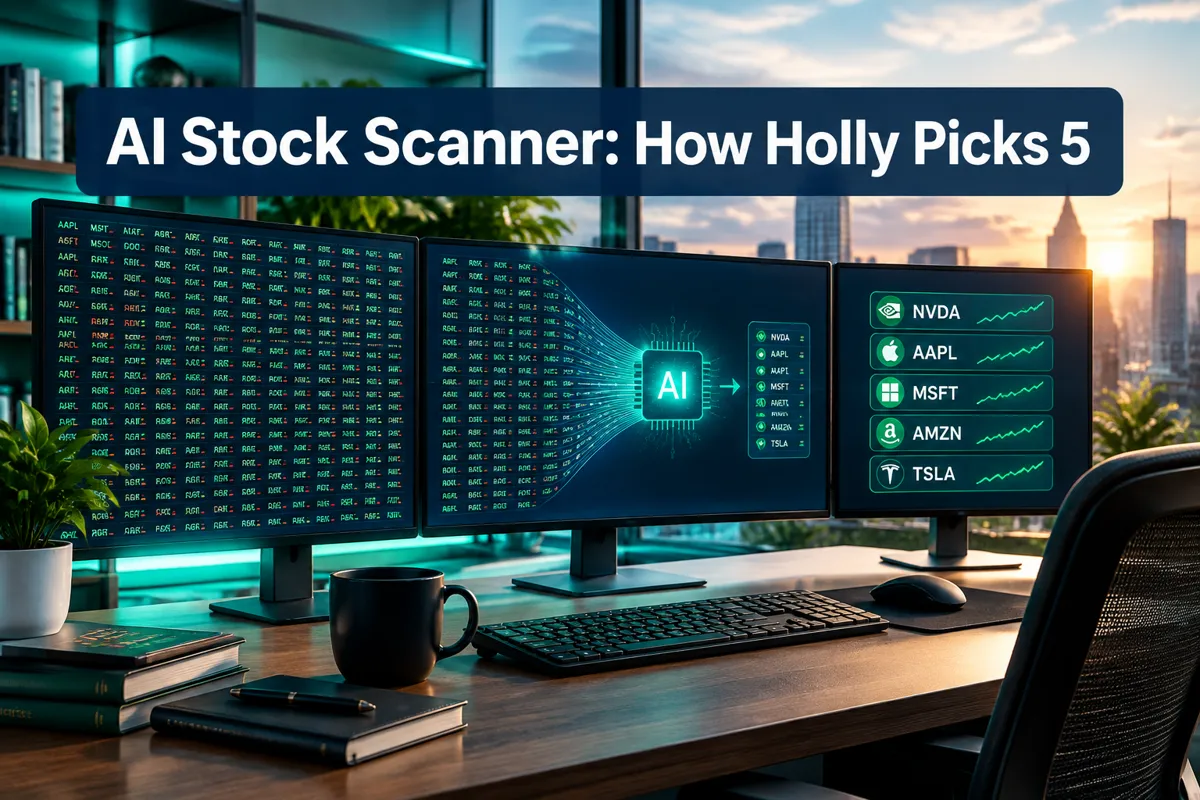
A scan that hands you 200 tickers before the open didn't find opportunity, it found noise. A real ai stock scanner narrows that list through liquidity, relative volume, price action, and catalyst filters, in that order, until you're left with a handful of names you can actually manage. Engines like Trade Ideas' Holly do this overnight by backtesting dozens of strategies against the tape and surfacing a short daily list, not a wall of tickers.
Key Takeaways
- A scan returning 200 names has failed at its one job: narrowing the list. The goal of any ai stock scanner is fewer results, not more.
- Filter order matters more than filter count. Liquidity and float come first, relative volume second, price action third, catalyst fourth, setup fifth.
- Holly, the automated engine inside Trade Ideas, backtests more than 60 strategies overnight and typically enters between 5 and 25 trades per day, per the vendor's own documentation.
- Day trading scans should weight catalyst, relative volume of 2x or higher, average daily volume, price range, and spread, according to TradingSim's August 2026 guide.
- A documented August 2026 "broad volume surge" configuration used intraday volume above 10 million shares and float under 25 million shares as the dominant setup, per a snacs.trade data digest.
- Scanz documentation, updated August 22, 2026, lists more than 65 filters and automated pattern detection as the core of its screener, per Scanz's own docs.
- No scanner, AI-powered or not, predicts a winning trade. It narrows a list. What you do with the shortlist is still on you.
Why an AI Stock Scanner Returning 200 Results Has Failed You
A scan is supposed to do one job: cut a universe of thousands of stocks down to a list small enough for a human to actually review before the bell. If your ai stock scanner hands you 200 names at 8:45 AM, it didn't screen anything. It just relabeled the entire market with a filter icon on top.
Think about it like a bouncer at a club who lets in everyone wearing shoes. That's not a door policy, that's a formality. A filter that passes 200 of anything isn't filtering, and a trader staring at 200 tickers is going to do one of two things: freeze, or grab whatever's on top and call it a plan. Neither is a system.
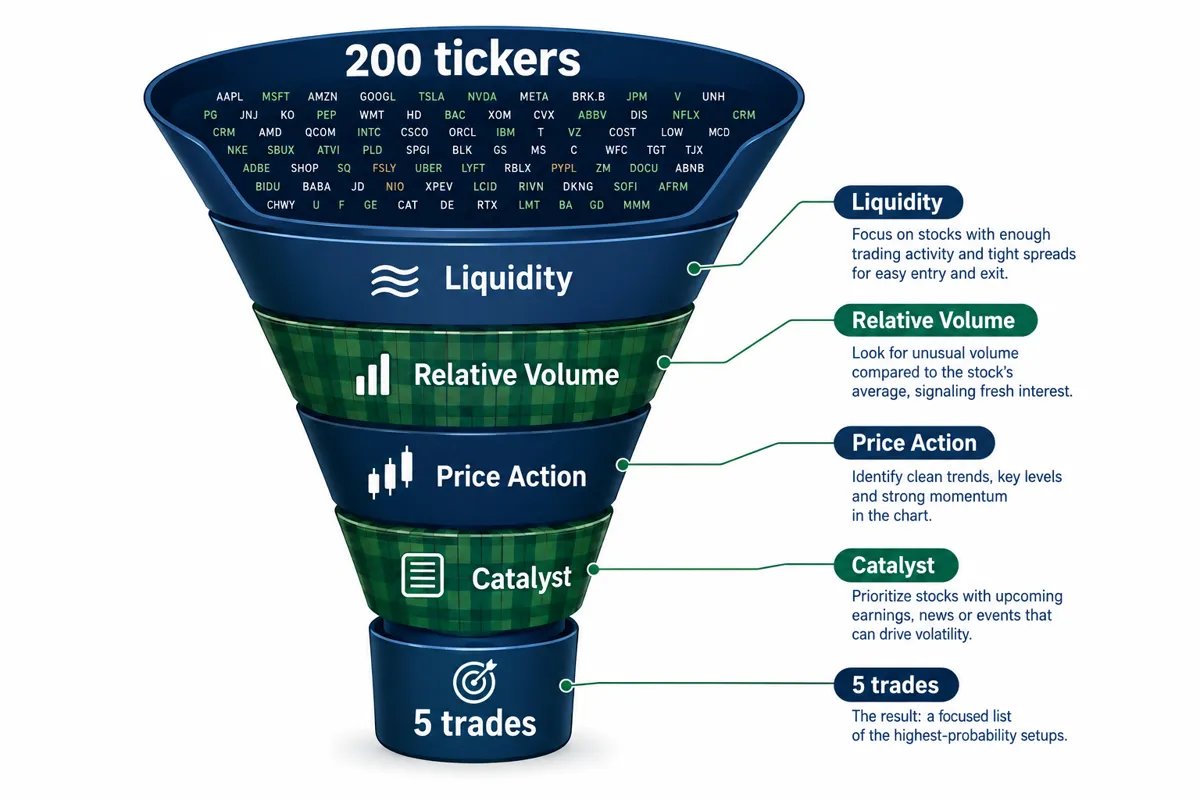
The fix isn't a smarter algorithm bolted onto a sloppy filter chain. It's filter order. Liquidity first, then relative volume, then price action, then a real catalyst, then the setup itself. Cut in that sequence and 200 names becomes 40, then 12, then a workable five before you've had your second coffee.
That's the whole thesis of this piece: fewer results is the goal, and Trade Ideas' Holly is one worked example of an engine built to do exactly that, automatically, overnight. This isn't a review of Holly's pricing or its win rate. That already exists on this site. This is the category, the filter logic, and the tools that apply it.
What Is an AI Stock Scanner, and How Is It Different From a Screener?
An ai stock scanner monitors live market data in real time and flags stocks the moment they meet a condition, like a volume spike or a breakout above resistance. A stock screener, by contrast, runs a filter against end-of-day or delayed data and gives you a static list you review later, not a live alert you catch mid-move.
That distinction sounds academic until you're trading it. A scanner is watching the tape right now. A screener is showing you what the tape looked like at some fixed point, usually the prior close. Both matter. They just answer different questions.
Scanner vs Screener: Real Time Versus Point in Time
A real-time stock scanner reacts to price and volume as they happen. A point-in-time screener sorts a static snapshot, usually built after the close, against filters like earnings date, sector, or valuation ratios.
Day traders lean on scanners because a setup that qualifies at 9:31 AM can be gone by 9:34 AM. Swing traders lean more on screeners because they're holding for days or weeks, and a stock that qualifies tonight will likely still qualify tomorrow morning. Neither approach is wrong. They're built for different holding periods, and mixing them up is how a swing trader ends up overtrading a day-trade setup.
Why Stock Screener AI Scanner Searches Return Both
Google doesn't separate these terms cleanly, and neither do most vendors. Search "stock screener" or "ai screener" and you'll get a mix of real-time scanning tools and static filter dashboards in the same results, because most platforms bundle both under one product.
That's why Finviz-style filters and Scanz-style live scanning get lumped together in comparison articles. Understand the difference before you pick a tool, or you'll buy a live scanner when what you actually needed was a static screener you check once at night.
How Does an AI Stock Scanner Cut 200 Tickers Down to 5?
An ai stock scanner narrows a list through five ordered filter layers: liquidity and float, relative volume, price action, catalyst confirmation, and the specific setup you trade. Skip a layer or run them out of order and you're back to staring at 200 names with no way to rank them.
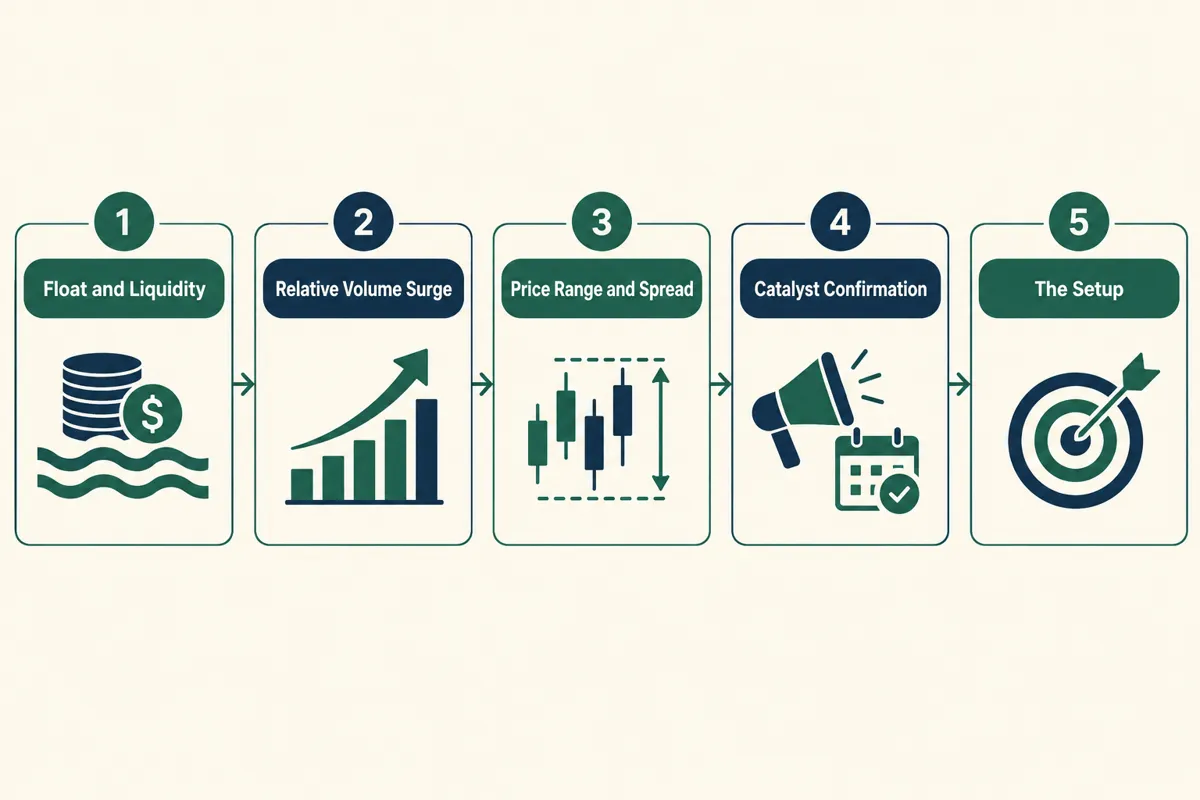
This is the filter chain, in order, and the order is not optional.
Filter Layer One: Liquidity and Float
Start with liquidity. If a stock can't be bought or sold in size without moving the price against you, none of the other filters matter. Set a minimum average daily volume and, for momentum setups, a maximum float, since low float stocks move faster and get more volatile on the same dollar amount of buying.
An August 2026 data digest on a broad volume surge configuration used a threshold of intraday volume above 10 million shares combined with a float under 25 million shares as the dominant setup that month, according to snacs.trade. That single pairing, high volume plus a tight float, did more filtering than every other criterion combined.
Filter Layer Two: Relative Volume
Relative volume, or RVOL, compares today's volume to the stock's typical volume at the same time of day. A stock trading at 2x its normal volume by 9:45 AM is telling you something changed. A stock trading at normal volume is just sitting there.
TradingSim's August 2026 guide recommends screening for RVOL of 2x or higher as a core day trading filter, alongside average daily volume, price range, and spread. Some scanning services push that bar even higher on high-volume days, and the snacs.trade digest referenced a 5x RVOL threshold as the marker of a genuinely broad volume surge, not just noise.
Filter Layer Three: Price Action and Range
Price action is what the chart is actually doing, not what a headline says it should be doing. At this layer you're checking support and resistance levels, whether the stock is basing in a tight consolidation or already overextended, and whether the daily range is wide enough to be tradeable without excessive spread eating your edge.
A stock that gapped up 40% and is already three dollars off its high is a different trade than one sitting in a tight range under resistance. One is a potential breakout setup. The other might be a bull trap waiting to roll over. Reading the tape here separates the two.
Filter Layer Four: Catalyst Confirmation
A catalyst is the actual reason a stock is moving: earnings, guidance, an FDA decision, a contract announcement, an analyst upgrade. Without one, a volume spike is just unexplained noise, and unexplained noise is exactly how choppy tape traps traders.
Newer scanning tools are building AI-ranked catalyst tagging directly into their output instead of leaving you to Google every ticker manually. GapWire, for example, has moved in this direction through 2026, tagging gap movers with a likely catalyst reason inline. That single addition can cut a 40-name volume list down to the dozen that actually have a story behind the move.
Filter Layer Five: The Setup You Actually Trade
The final layer isn't a data filter at all. It's you, applying the specific pattern you trade: a breakout above a multi-day base, a gap fill back toward yesterday's close, a pullback to support inside an established uptrend. This is where risk-reward, position sizing, and your stop loss get defined before you click anything.
This is also where a 12-name list becomes five tradeable names. Four of those twelve might have a clean setup on paper but no room for a sane stop loss, or a spread wide enough to eat half your edge on entry and exit alone. Cut them. Five clean setups you can size and manage beats twelve you're guessing on.
Holly and the Overnight Backtest Approach
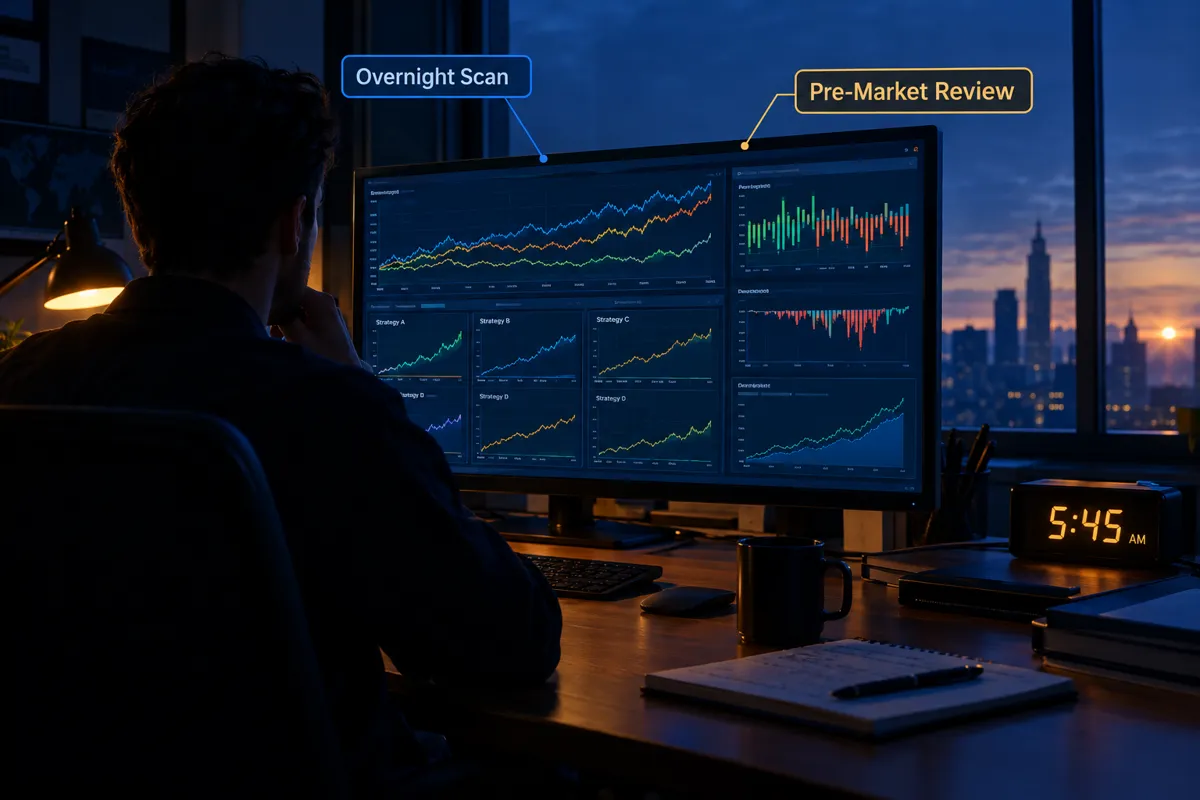
Holly is the automated scanning engine built into Trade Ideas, and it's a useful worked example of how an overnight backtest system narrows a field before the market even opens. It doesn't predict winners. It runs strategies against the prior session's data and ranks what qualifies.
How One Engine Narrows the Field Before the Open
Per the vendor's own documentation, Holly backtests more than 60 different trading strategies overnight against the full market, then ranks which strategies performed best on the most recent data. From that backtest, it typically surfaces between 5 and 25 trade ideas on a given day, not 200.
That range matters. It means the engine itself is enforcing the same discipline this whole piece is arguing for: cut hard, cut early, and stop when the list is small enough to act on. An engine that handed you 200 "top strategies" every morning would be exhibiting the exact failure this article opened with.
The mechanics are simple to describe even if the strategy testing underneath is not. Overnight, while the market is closed, the system runs each strategy variant against the previous session and recent history, scores performance, and carries the top performers into the next trading day's watchlist. It's a nightly version of the same five-layer filter chain, just automated and run at scale.
What Overnight Selection Cannot Account For
An overnight backtest engine can't see tomorrow's news. A strategy that performed well against yesterday's tape can still walk into an unexpected catalyst, a broad market gap, or an earnings surprise that changes the entire setup before the open bell rings.
This is the honest caveat, and it applies to every AI-powered stock scanner on the market, not just Holly. Backtested performance describes what already happened. It does not, and cannot, guarantee what happens next. Treat any overnight-generated list as a starting watchlist to verify against live price action and real catalysts at the open, not a finished trade plan. Discipline beats prediction here, every time.
Which AI Screener Tools Do Traders Actually Use?
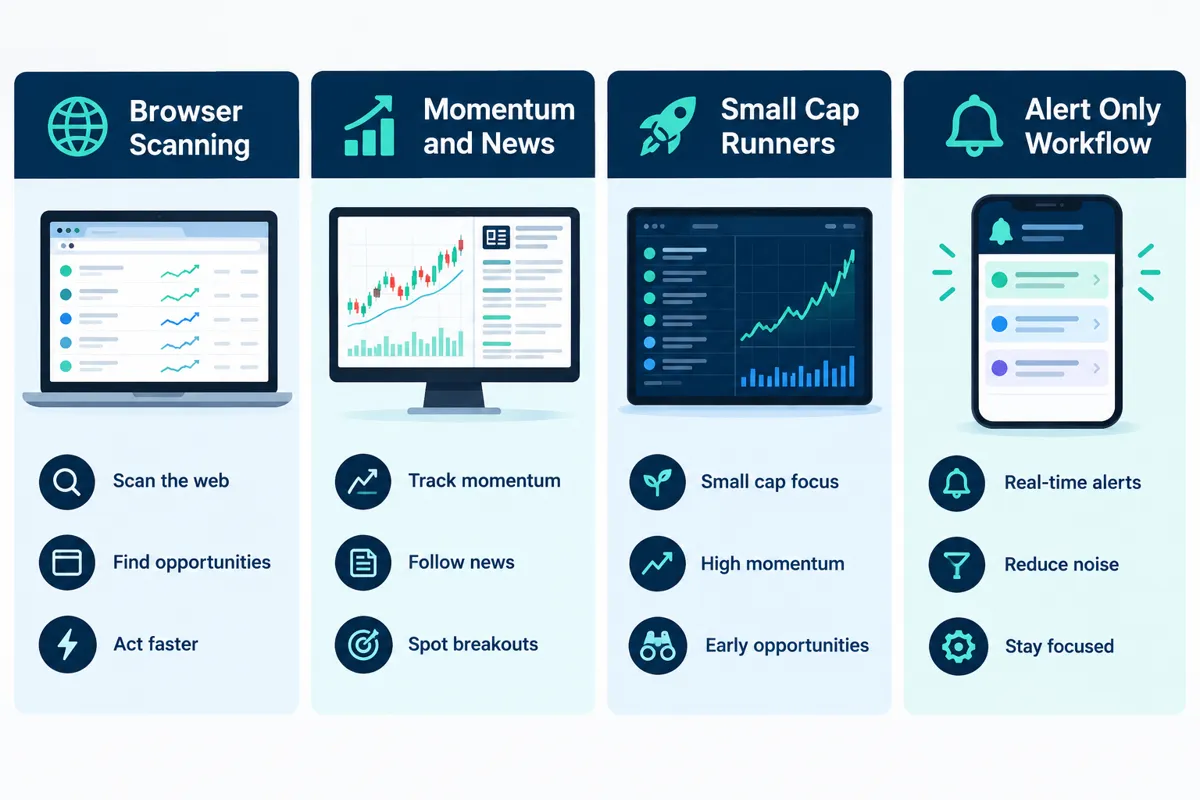
Traders running an ai stock scanner setup day to day tend to land on a small handful of platforms, each built for a different job: browser-based scanning, momentum and news detection, small cap runners, or alert-only workflows. Picking the wrong one for your holding period is a common, avoidable mistake.
GoCharting and Browser Based Scanning
GoCharting runs as a browser-based charting and scanning platform, letting traders build custom scans without installing desktop software. It fits traders who want to track price action and set up scans from any machine, including a laptop at a coffee shop between classes.
Scanz for Momentum and News Driven Moves
Scanz positions itself around momentum and news-driven scanning, with documentation updated August 22, 2026 emphasizing more than 65 filters and automated pattern and signal detection built into the platform. That filter depth is useful, but depth without ordering is exactly the trap this piece keeps flagging: more filters doesn't mean a shorter list unless you apply them in the right sequence. Scanz's tool page breaks down the current feature set in more detail.
Momo Scanner and Small Cap Runners
Momo Scanner-style tools exist specifically to catch fast-moving, low-float small cap runners, the kind of penny stocks that can go from flat to a 40% move inside twenty minutes. An August 2026 update from that category of tool reiterated a 5x relative volume threshold combined with sub-20 million share float as the marker of a genuine high-potential breakout, echoing the same liquidity-plus-RVOL logic covered in the filter layers above. These setups move fast and choppy tape is common, so paper trade it first if you're new to the category.
Stock Alarm and Alert Only Workflows
Stock Alarm covers the alert-only end of the spectrum: you set the condition, price crosses a level or volume spikes, and you get a notification instead of a live scanning dashboard to babysit. That's a good fit for traders who work a day job and can't watch a screener all day but still want to catch a setup before power hour. Stock Alarm's tool page covers the alert types available.
Two more names worth a mention here, since they show up constantly in app-store search for "ai stock scanner." Webull bundles an AI-assisted screener directly into its commission-free trading app, so traders get scanning, charting, and order entry without switching apps. AInvest, published by AInvest Fintech, Inc., ships an app built around an AI research assistant it calls AiMe, layered on top of stock and ETF screening tools, and its own app-store changelog reads about how you'd expect: performance enhancement, optimized performance, improved app smoothness for a more seamless experience, known bugs fixed, improving app stability. Thank you for your support. Keep improving the experience by sending feedback. Contact support with questions or suggestions. Happy investing.
That changelog language is boilerplate, and it's worth calling out precisely because it's boilerplate. It tells you almost nothing about whether the underlying screener is any good. Judge Webull, AInvest, or any AI-powered stock scanner by what its filters actually return, not by how polished its "what's new" notes read.
Comparison Table: Scanner Types by Speed, Cost, and Best Use
Different scanner categories are built for different jobs, and the table below breaks down five common types by update speed, typical cost, best use, and the skill level each one assumes. Use it to match the tool to your holding period before you match it to your budget.
| Scanner Type | Update Speed | Typical Cost | Best Use | Skill Level |
|---|---|---|---|---|
| Real time day trading scanner | Live, sub second | Monthly subscription | Intraday momentum and breakouts | Intermediate to advanced |
| End of day swing screener | Once daily after close | Free to low monthly fee | Multi day and weekly setups | Beginner to intermediate |
| Alert only tool | Real time push alert | Free to low monthly fee | Watching a short list without a dashboard | Beginner |
| Overnight backtest engine | Once overnight before open | Higher monthly subscription | Strategy ranked pre market watchlist | Intermediate to advanced |
| Options flow scanner | Live during market hours | Mid to high monthly subscription | Unusual options activity detection | Advanced |
Day Trading Stock Scanner vs Swing Scanning Setups
A day trading stock scanner needs live, sub-second updates because setups form and die inside minutes. A swing screener can run once after the close because the setups it's hunting develop over days, not seconds.
Running a day-trading scanner and holding swing positions off its output is a common mismatch. You'll get whipsawed by intraday noise on a stock you were never planning to exit intraday anyway. Match the tool to the holding period first, then worry about which one has the flashier interface.
Is There a Free AI Stock Screener Worth Running?
Yes, several free AI stock screener tools return usable results, but nearly all of them trade something away, whether that's real-time data, filter depth, or scan frequency. Free is a fine starting point. It's rarely the finishing point.
Best Free AI Stock Screener Options and Their Limits
Most brokers, including Webull, bundle a basic screener into their free trading app, which covers the liquidity and price-range filters most beginners need first. That's a reasonable place to learn the filter chain before paying for anything.
The limits show up fast once you trade more actively. Free tiers commonly cap the number of saved scans, delay data by fifteen to twenty minutes, or strip out relative volume and catalyst tagging entirely, which are exactly the two filter layers that do the heaviest lifting. A stock screener day trading comparison is a reasonable starting reference for seeing where those gaps typically sit across free versus paid tiers.
Where Free AI Stock Screener Data Falls Behind
Delayed data is the biggest hidden cost. A free screener showing you a volume spike from fifteen minutes ago isn't wrong, it's just late, and late is functionally the same as wrong when you're trying to catch a breakout at the open.
Is There an AI Stock Scanner for Beginners on Reddit?
Reddit threads on scanning tools skew toward two extremes: people defending whatever free tool they already use, and people selling a paid tool they have an affiliate link for. Treat both with the same skepticism you'd apply to a stranger's hot tip, and go read the vendor's own filter documentation instead of a comment thread.
What About Options Scanning?
Options scanning applies the same narrowing logic as stock scanning, but the filters shift toward unusual volume relative to open interest, implied volatility changes, and large block trades that suggest institutional positioning rather than retail noise.
Best Stock Options Screener Filters That Matter
The filters that actually separate signal from noise on an options scan: volume-to-open-interest ratio, unusual size relative to the stock's typical options flow, days to expiration, and strike distance from the current price. Seven filters that matter for a stock options screener covers this in more depth than fits here.
Best Stock Options Scanner Setups for Unusual Activity
A best stock options scanner setup for catching unusual activity typically flags trades where volume on a single strike exceeds several multiples of that strike's average daily volume, especially when it's paired with a same-day catalyst. Without the catalyst check, you're just watching size trade, and size alone tells you someone's positioned, not why.
How Do You Build Your Own Scan From Scratch?
Build your own scan by starting wide on liquidity, then applying relative volume, price action, catalyst, and setup filters in that exact order, checking the result count after each layer. If a layer doesn't meaningfully shrink the list, tighten it before moving to the next one.
Starting Wide, Then Cutting in Order
Start with the entire market, roughly 6,000 NYSE and NASDAQ-listed names, and apply liquidity and float first. That single layer typically cuts the universe by more than 90 percent before you've touched price action or news at all.
From there, layer relative volume, then price action, then catalyst, then your specific setup. Check the count after each pass. If you're still sitting at 150 names after your first two filters, one of them is set too loose, and no amount of downstream filtering will fully fix that upstream problem.
AI Stock Scanner vs Manual Stock Picking
An AI stock scanner processes thousands of tickers against consistent rules in seconds, something manual stock picking simply can't match on speed or breadth. Manual picking still wins on context: a human can weigh a headline's tone, a management team's credibility, or a sector rotation story that a rules-based filter has no way to score.
The practical answer for most retail traders is to use the scanner to do the narrowing, then apply manual judgment to the final shortlist. Let the machine handle volume, the human handle the story.
Why Is My AI Stock Scanner Giving False Signals?
An ai stock scanner throws false signals mainly for three reasons: the data feed is delayed, the filter thresholds are set too loose, or a filter is missing a catalyst check entirely. A volume spike with no news behind it is frequently just an option expiration, an index rebalance, or an algorithm doing something unrelated to a tradeable setup.
Fix it by tightening whichever layer is producing the most noise, adding a catalyst filter if you don't already have one, and confirming your data feed's actual latency instead of assuming it's real time.
Is AI Stock Scanning Better Than Fundamental Analysis?
Neither replaces the other. AI stock scanning is built for speed and pattern detection across a live market, while fundamental analysis is built for valuing a business over months and years. A day trader leans on the scanner, a long-term investor leans on the fundamentals, and most self-directed traders end up using both at different points in the same week.
The Mistake That Leaves 200 Results on Screen
The single most common mistake: running all five filter layers at once with loose thresholds on every one, instead of applying them in sequence and tightening as you go. That approach mathematically guarantees a bloated result list, because loose filters compound loosely, they don't compound tight.
The second most common mistake is treating the scan output itself as a buy signal. It isn't. It's a shortlist. Cut the noise, keep the alpha means the scan's job ends where your own risk management begins.
Frequently Asked Questions
What is an ai stock scanner and how does it work?
An ai stock scanner monitors live market data and flags stocks meeting set conditions, like a relative volume spike or a breakout above resistance, in real time. It works by running rule-based or model-driven filters continuously against price and volume feeds, then surfacing matches instantly instead of waiting for an end-of-day report.
Is an AI stock scanner different from an AI screener?
Yes. A scanner watches live data and alerts you the moment a condition is met. A screener typically sorts a static or end-of-day dataset against filters like valuation or sector, giving you a fixed list to review later rather than a live alert.
What is the best AI stock screener available?
There's no single best AI stock screener for every trader. GoCharting fits browser-based scanning, Scanz fits momentum and news detection, and screeners bundled into apps like Webull fit traders who want scanning and execution in one place. Match the tool to your holding period, not to a marketing claim.
Is there a free AI stock screener that works?
Yes, several free AI stock screener tools return usable results for basic liquidity and price filters, often bundled inside broker apps like Webull. They typically fall short on real-time data speed, relative volume detail, and catalyst tagging, the layers active traders rely on most.
How many results should a good scan return?
A well-tuned scan should return somewhere between five and twenty-five names on a normal trading day, not 200. If your result count stays above 50 after applying liquidity, volume, and price filters, one of those filters is set too loose.
What is the best stock options screener for retail traders?
The best stock options screener for retail traders is the one that filters for volume-to-open-interest ratio, unusual size, and a same-day catalyst together, not any single metric alone. Vendors vary widely, so test the filter output against a known unusual-activity day before trusting it live.
Do you need a paid day trading stock scanner to compete?
No, but paid tools generally offer faster data, deeper filter sets, and catalyst tagging that free tiers strip out. Beginners can learn the filter chain on a free tool first and upgrade once delayed data or missing filters start costing more than the subscription would.
Can an AI stock scanner pick trades on its own?
No. An ai stock scanner narrows a list based on rules and data. It does not predict outcomes, guarantee a winning trade, or replace risk management, position sizing, and a stop loss that a trader sets themselves before entering a position.
Which AI stock scanner is considered the best?
There is no single scanner that's objectively best for every trader. GoCharting suits browser-based custom scanning, Scanz suits momentum and news-driven detection with over 65 filters, and overnight engines like Holly suit traders who want a pre-ranked watchlist before the open. Fit to your trading style matters more than any single ranking.
Is there a free AI trading analyzer available?
Yes, several broker apps, including Webull, bundle a free AI-assisted screener and basic trade analysis into their platform at no added cost. These free analyzers typically use delayed data and fewer filters than paid standalone tools, so treat them as a starting point rather than a full research stack.
Is there a free AI stock picker app?
Yes. Apps like AInvest offer free tiers built around an AI research assistant, alongside broker-bundled tools inside Webull. Free versions generally limit saved scans, delay data slightly, and cap how many stocks and ETFs you can track at once compared with paid tiers.
What is the best free stock scanner app?
The best free stock scanner app depends on what you're trading. For general stocks and ETFs, a broker-bundled screener like Webull's covers the basics well. For alert-only workflows without a live dashboard, Stock Alarm's free tier is a lighter, phone-first option.
Final Verdict: Fewer Results Is the Point
A 200-name scan isn't a research tool, it's a to-do list nobody can finish before the market opens. The whole point of an ai stock scanner is subtraction: liquidity cuts the field first, relative volume cuts it again, price action and a real catalyst cut it further, and your specific setup does the final trim down to a handful of names you can actually size, manage, and exit with a plan.
Holly's overnight backtest approach is one automated version of that same subtraction, ranking strategies against real data and handing traders a short list instead of a market-wide dump. Whatever tool sits on your desktop, GoCharting, Scanz, a Webull screener, or an overnight engine, judge it by how small and how clean its final list is, not by how many filters it advertises. Systems over hacks. Process over prediction. That's the whole system, and it's the same one that keeps a 200-name scan from ever landing on your screen again.
There are more than 200 AI stock tools catalogued in the FullStack Alpha directory, filterable by category, price, and what they actually do.
Browse the directory → aistockpickerapps.com
This article may contain affiliate links; FullStack Alpha may earn a commission if you sign up through them, at no extra cost to you.
References
Fgi 314 Percent Mfe 20 Tickers 5x Rvol Broad Volume Surge August 14 2026 Data Digest - https://snacs.trade/blog/fgi-314-percent-mfe-20-tickers-5x-rvol-broad-volume-surge-august-14-2026-data-digest
Stock Scanners Screeners - https://finwiz.io/day-trading/stock-scanners-screeners
Stock Screener Day Trading - https://easyswing.trading/blog/stock-screener-day-trading/
How To Find The Best Stocks For Day Trading - https://www.tradingsim.com/blog/how-to-find-the-best-stocks-for-day-trading
Stock Screener For Day Trading - https://www.tradewink.com/learn/stock-screener-for-day-trading
Docs - https://scanz.com/docs/
gapwire - https://gapwire.io/
Day Trading Scanner Setup - https://www.trademomentum.org/blog/day-trading-scanner-setup
Stock Screener Filters Guide - https://www.tradewink.com/learn/stock-screener-filters-guide
Scanz - https://aistockpickerapps.com/tool/scanz