AI Trading App: What to Check Before You Download One
Last updated: June 30, 2026
Quick Answer: Before downloading any AI trading app, verify its regulatory status, understand exactly what the AI does (signal generator vs. execution engine), check whether its performance claims are backed by audited data, and confirm what permissions it needs on your device. Most apps that promise edge deliver noise. A few actually cut through it. Knowing the difference before you tap "install" is the whole game.
Key Takeaways
- An AI trading app is only as good as the data it trains on and the transparency of its methodology — demand both.
- "AI-powered" is a marketing phrase. Ask specifically: what model, what data, what time period, what drawdown?
- Legitimate apps show you risk, not just reward. If the app only shows wins, that's your first red flag.
- Regulation matters. Check FINRA BrokerCheck and SEC.gov before trusting any app with real capital.
- The best AI trading app for you depends on your strategy — day trading, swing trading, and long-term investing need completely different tools.
- Free AI trading apps exist and some are genuinely useful — but "free" often means your data is the product.
- Beginners should paper trade any AI tool for at least 30 days before putting real money behind its signals.
- The difference between an AI trading app and a robo-advisor is active vs. passive — they solve different problems.
What Is an AI Trading App and How Does It Work?
An AI trading app is a mobile or desktop tool that uses machine learning, pattern recognition, or natural language processing to analyze market data and generate trading signals, alerts, or automated trades. It's not magic — it's pattern-matching at scale, running faster than any human can.
Most apps fall into one of three categories:
- Signal generators — scan stocks, flag setups, and tell you what to watch. You still pull the trigger.
- Automated execution bots — connect to your brokerage via API and place trades based on pre-set rules or AI-generated signals. You set the parameters; the bot acts.
- Research and scoring tools — assign AI-generated scores to stocks based on fundamentals, technicals, or sentiment. Think of them as a very fast analyst, not a trader.
The underlying tech varies. Some apps use supervised machine learning trained on historical price action. Others use large language models to parse earnings calls and news. A few combine both. What matters to you as a trader is not the architecture — it's whether the output improves your process over price action alone.
Common mistake: Assuming "AI" means the app has some predictive superpower. It doesn't. It means the app can process more variables faster than a spreadsheet. The signal is still probabilistic, not certain.
AI Trading App: What to Check Before You Download One
This is the section most people skip. They see a slick interface, a five-star rating, and a testimonial from someone who turned $500 into $4,200. They download it. They lose money. That wasn't in our bingo card, but it happens constantly.
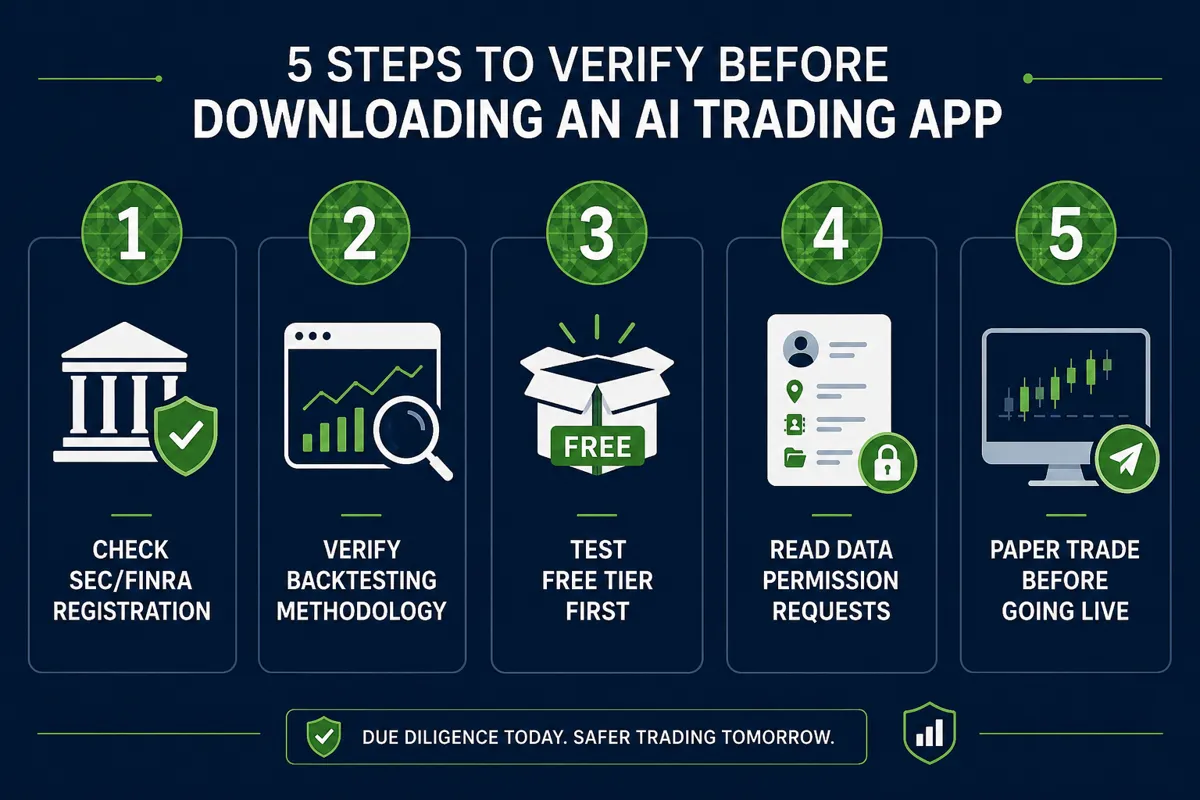
Here's the pre-download checklist that actually matters:
1. What does the AI actually do?
Is it generating buy/sell signals? Scoring stocks? Executing trades automatically? If the app can't explain this in two sentences, that's a red flag.
2. What's the backtested performance — and how was it tested?
Backtesting (running the strategy against historical data) is standard. But backtests can be manipulated. Ask: what time period? What market conditions? Was it in-sample or out-of-sample? Did they account for slippage and commissions?
3. Is there a free tier or trial?
The best AI trading app options almost always offer a free tier or trial period. Paper trade it first — use the signals without real money for 30 days. If the signals don't hold up in real-time, you saved yourself a painful lesson.
4. What permissions does it request?
A charting tool doesn't need access to your contacts. An alert app doesn't need your location. Read the permissions. If they're excessive, the app is harvesting data it doesn't need for trading.
5. Is there a clear risk-reward framework?
Any legitimate tool shows you the stop loss, the target, and the position sizing logic. If it only shows the upside, it's selling you a fantasy.
Are AI Trading Apps Actually Profitable or Just Hype?
Some are genuinely useful. Most are noise dressed up in a clean UI. The honest answer is: it depends entirely on how you use it and whether the tool's edge actually fits your strategy.
Here's the data-backed reality: AI tools that improve a trader's process — by reducing analysis paralysis, tightening entry and exit criteria, or filtering a watchlist from 500 stocks to 20 clean setups — tend to add value. AI tools marketed as "set it and forget it" money machines almost never deliver sustainable results.
Tools like TrendSpider (multi-timeframe technical AI), Tickeron (AI robots with confidence ratings per signal), and TradingView (the most widely downloaded trading app with an AI charting layer) are profitable for traders who already understand price action and use the AI to sharpen their process. They're expensive mistakes for traders who expect the AI to replace their judgment.
The rule: AI is a force multiplier. If your base process is broken, AI multiplies the losses. Systems over hacks — always.
How Do I Know If an AI Trading App Is Legit vs. a Scam?
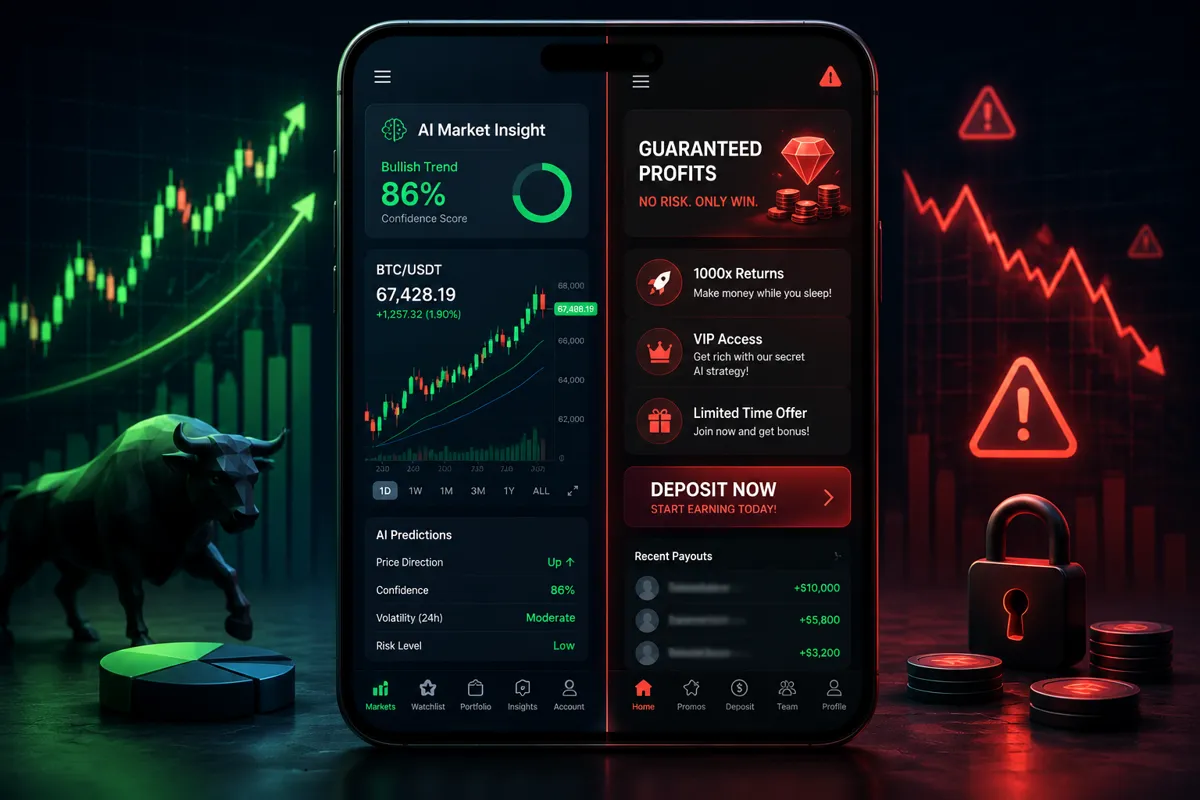
A legitimate AI trading app is transparent about its methodology, regulated where required, and honest about risk. A scam app promises returns, hides its track record, and pushes you toward depositing money fast.
Legit signals:
- Clear explanation of the AI methodology
- Audited or verifiable performance data
- Registered with SEC, FINRA, or equivalent regulator (check FINRA BrokerCheck)
- Named team with verifiable credentials
- Realistic disclaimers about risk
Red flags — walk away:
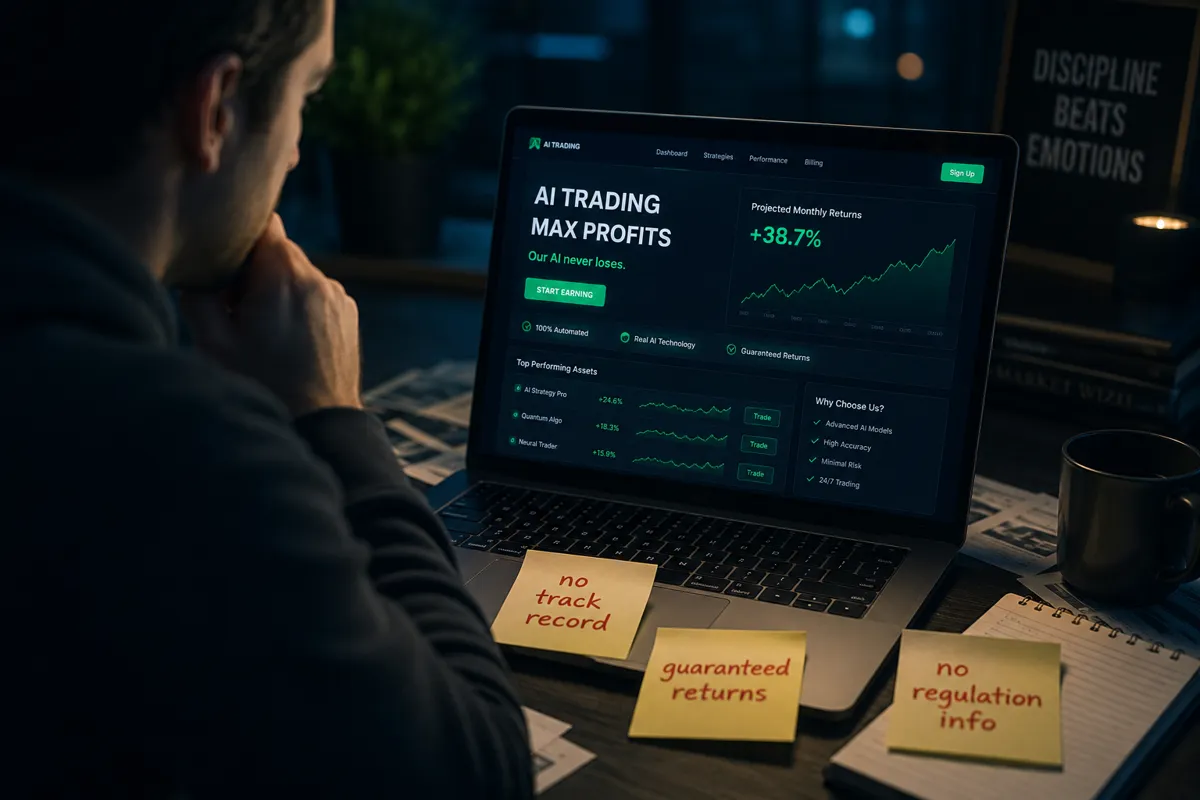
- Guaranteed returns or "never lose" language
- No verifiable track record
- Pressure to deposit immediately or "limited spots available"
- Testimonials with no verifiable identity
- App requests brokerage login credentials outside a regulated API
Play stupid games, win stupid prizes. An app that promises 90% win rates without showing you the drawdown data is not an edge — it's a trap.
What Features Should I Look for in an AI Trading App?
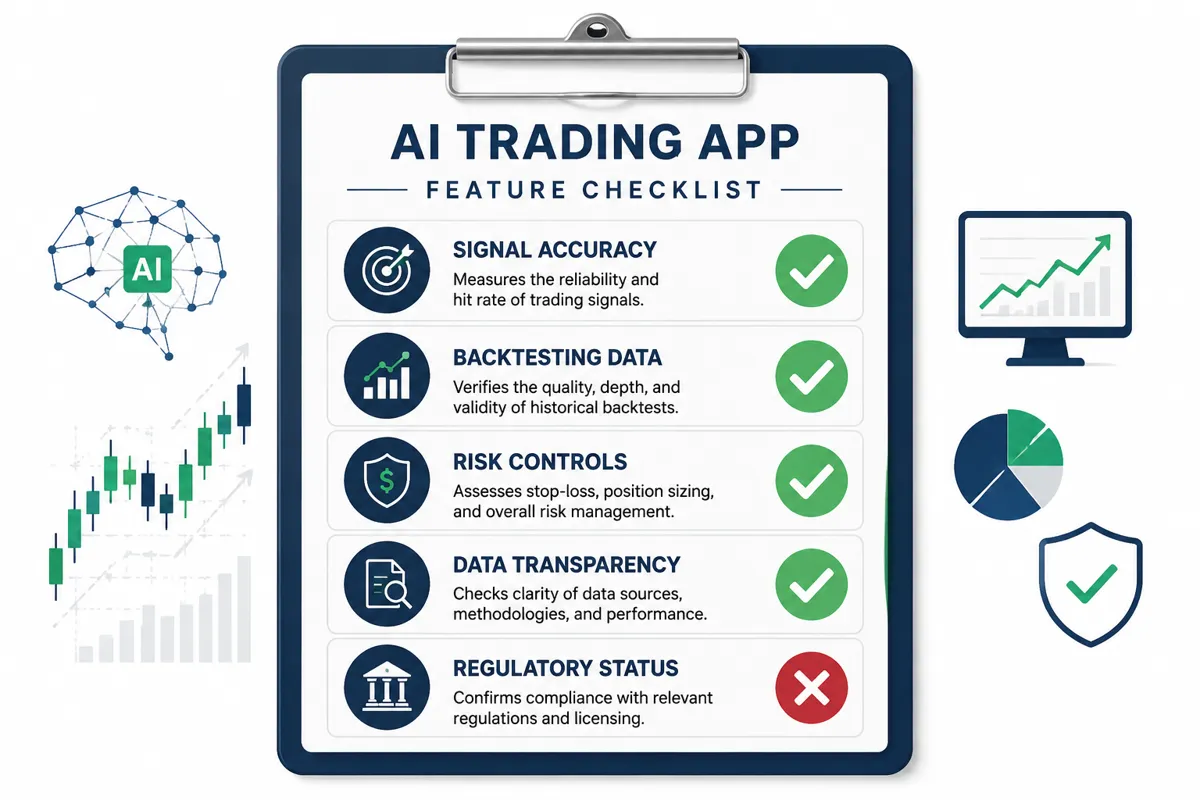
The right AI trading app features depend on your strategy, but these five categories apply across the board.
| Feature | Why It Matters |
|---|---|
| Signal transparency | You need to know why the AI flagged a setup, not just that it did |
| Backtesting with drawdown data | Win rate without max drawdown is meaningless |
| Risk management tools | Stop loss, position sizing, risk-reward ratio built in |
| Real-time data quality | Delayed data on a day trading app is worse than no data |
| Integration with your broker | Execution friction kills edge; API access matters |
For day traders, look for apps built around day trading workflows with real-time scanning. For swing traders, prioritize multi-timeframe analysis and clean setup identification. For longer-term investors, an AI scoring tool like Danelfin (transparent AI scores on any device) or a research platform adds more value than a signal bot.
How Much Does It Cost to Use an AI Trading App?
Pricing ranges from free to $300+ per month. The cost structure usually tells you something about the product.
- Free AI trading apps: Tools like basic Webull AI features, free tiers on TradingView, and Finviz offer genuine value at zero cost. Free usually means limited data, delayed feeds, or fewer AI features.
- $20–$80/month: Mid-tier tools. Good for swing traders and intermediate investors. Most AI trading platforms in this range offer real-time data, AI scanners, and basic automation.
- $100–$300+/month: Professional tools. Trade Ideas (Holly AI signal engine for professional day trading), TrendSpider's full suite, and institutional-grade research tools live here.
The honest take: Don't pay for a tool you haven't paper traded. A $200/month subscription that doesn't fit your style is $2,400 a year in dead weight. Start with a free tier, validate the signals against your own process, then upgrade if it earns it.
Can I Lose Money Using an AI Trading App?
Yes. Full stop. Every AI trading app carries real financial risk, and most apps are required by law to tell you this — though they often bury it in the fine print.
The AI doesn't know your risk tolerance, your account size, or your emotional state at 9:45 AM when the tape goes choppy. It generates signals based on patterns. You still make the decision to act — or the bot acts based on rules you set. Either way, the risk is yours.
Specific ways traders lose money with AI apps:
- Overtrading — the app generates 40 signals a day and you take all of them
- Ignoring stop losses — the AI flags an entry but you override the exit
- Revenge trading — a bad signal leads to chasing losses manually
- Overfitting risk — the AI was trained on a bull market and falls apart in a choppy tape
Discipline beats prediction. The AI can find the setup. Only you can manage the risk.
What's the Difference Between AI Trading Apps and Robo-Advisors?
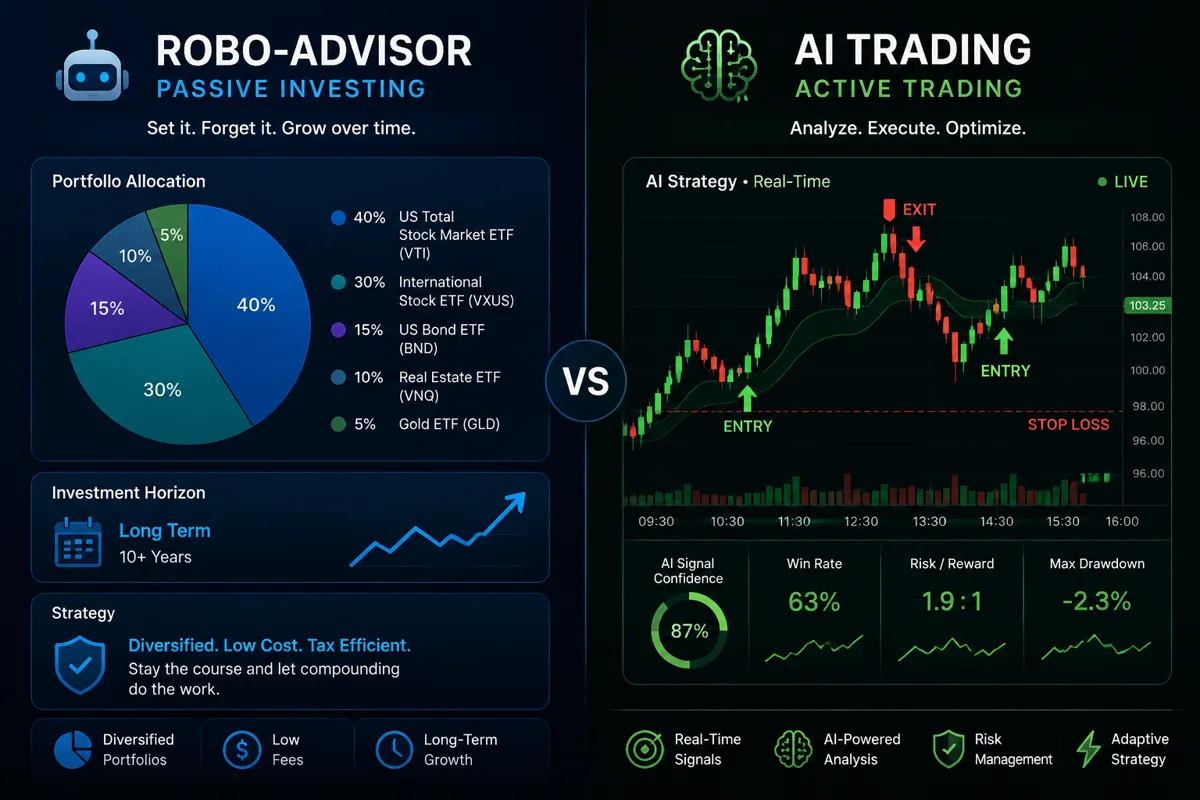
These are completely different tools solving completely different problems. Confusing them is one of the most common mistakes retail investors make in 2026.
An AI trading app is an active tool — it analyzes price action, generates signals, and supports frequent trading decisions. It's built for traders who are engaged with the market daily or weekly.
A robo-advisor (like Wealthfront or Betterment) is a passive tool — it allocates your portfolio across diversified assets based on your risk profile and rebalances automatically. It's built for long-term investors who want to set a strategy and let it run.
Choose an AI trading app if: you're actively trading, building a watchlist, managing entries and exits, and want AI to sharpen your process.
Choose a robo-advisor if: you're investing for retirement or long-term goals, don't want to monitor the market daily, and prefer a hands-off approach.
See the full breakdown of robo-advisor options if the passive route fits your goals better.
Do I Need Experience to Use an AI Trading App?
No experience is required to download one. But experience is absolutely required to use one without losing money. That distinction matters.
The best AI trading app for beginners is one that teaches you why a signal was generated, not just what the signal is. If you don't understand support and resistance, the breakout, or basic risk-reward, an AI signal is just noise with a confidence percentage attached.
For beginners, the practical path:
- Learn the basics of price action and chart reading first (30–60 days minimum)
- Use a free or low-cost AI tool in paper trade mode
- Track your results in a trading journal
- Only go live when your paper trading shows consistent process, not just lucky wins
An ai trading app for beginners that skips step one is like giving someone a Formula 1 car before they've passed a driving test. The car isn't the problem.
How Do I Check If an AI Trading App Is Regulated?
For U.S.-based apps that execute trades or manage money, check SEC.gov and FINRA BrokerCheck. For apps that only provide information or signals (not execution), regulation is less clear-cut — but transparency about the company, team, and methodology is non-negotiable.
Steps to verify:
- Search the app or company name on FINRA BrokerCheck
- Check SEC.gov's Investment Adviser Public Disclosure database for registered advisers
- Look for a clear legal entity name, registered address, and Terms of Service
- Verify the app's privacy policy covers how your trading data is used
Apps operating outside the U.S. may be regulated by FCA (UK), ASIC (Australia), or similar bodies. If an app has no regulatory information anywhere — not even a disclaimer — that's a hard pass.
Common Mistakes People Make With AI Trading Apps
The FOFO (Fear Of Finding Out) is real — most traders don't audit their AI tool's actual performance. They assume it's working because they haven't tracked it carefully enough to know it isn't.
The biggest mistakes:
- Taking every signal — AI trading apps generate signals continuously. Not every signal is a clean setup. Filter by your own criteria before acting.
- Ignoring the drawdown — A tool with a 70% win rate but a 40% max drawdown will destroy your account during the losing streak.
- No position sizing discipline — The AI tells you what to buy, not how much. Without position sizing, one bad trade can wipe out ten winners.
- Skipping the free trial — Every serious ai trading app comparison should start with testing, not subscribing.
- Treating AI signals as certainty — They're probability estimates. The market doesn't owe the algorithm anything.
Cut the noise, keep the alpha. That means filtering signals ruthlessly, not acting on everything the app generates.
What Data Does an AI Trading App Need Access To?
A legitimate AI trading app needs access to market data feeds, your watchlist preferences, and (if it executes trades) a read/write API connection to your brokerage. That's it.
What it should NOT need:
- Your full brokerage login credentials (use API keys, not passwords)
- Access to your contacts, camera, or location
- Social media account access
- Bank account credentials beyond what a regulated broker integration requires
When you connect an AI tool to your brokerage, always use a dedicated API key with limited permissions — read-only if you're just pulling data, trade-execution only if you're automating. Never give an app full account access. Check the trading bots section for tools with clean, audited API integrations.
How Do I Know If an AI Trading App's Claims Are Real?
Ask for the receipts. Specifically: audited performance data, methodology documentation, and real user reviews that include losing periods — not just highlight reels.
The verification framework:
- Backtested vs. live results: Backtested results are always better than live results. Ask for live performance data from real accounts.
- Time period specificity: "Our AI returned 40% last year" means nothing without knowing if that was during a raging bull market or a volatile chop fest.
- Third-party verification: Has anyone independent verified the claims? Audited track records from third parties carry more weight than screenshots.
- User reviews with context: Look for reviews that mention drawdowns, losing streaks, and customer support quality — not just wins.
The best ai trading app review process is skeptical by default. Signal over noise means demanding evidence before trust.
Conclusion: The Setup Before the Setup
Before you download any AI trading app, run it through the same process you'd use before entering a trade: check the setup, verify the risk-reward, and don't commit capital until the evidence supports it.
The best mobile AI trading app for your situation is the one that fits your strategy, shows you its methodology, and makes your process better — not the one with the slickest marketing. An ai trading app vs desktop platform debate matters less than whether the tool actually improves your edge.
Actionable next steps:
- Identify your strategy first (day trading, swing trading, long-term) — then match the tool to it
- Run any new app in paper trade mode for 30 days before going live
- Verify regulatory status on SEC.gov or FINRA BrokerCheck before trusting any app with real money
- Use the AI stock tool comparison directory to filter by strategy, price, and feature set
- Track every signal the AI generates — wins and losses — in a trading journal for at least one month
Data over noise. Discipline beats prediction. The AI finds the setup. You manage the risk.
We test the AI stock tools so you don't waste months on the wrong ones. Browse the full breakdowns at aistockpickerapp.com.
Frequently Asked Questions
What is the best AI trading app in 2026?
There's no single best AI trading app 2026 — it depends on your strategy. TradingView leads for charting and technical AI. Trade Ideas is the top pick for professional day traders using Holly AI. Tickeron suits traders who want AI robots with confidence ratings. Danelfin is strong for stock scoring. Compare options based on your specific workflow before committing.
Is there a free AI trading app worth using?
Yes. TradingView's free tier, Webull's built-in AI features, and Finviz's free screener all offer genuine value. A free AI trading app typically has delayed data or limited AI features, but they're a solid starting point for testing a tool before paying for it.
Can an AI trading app trade automatically for me?
Some can, through automated bots connected to your brokerage via API. Tools like Alpaca, 3Commas, and WunderTrading support automated execution. But automation doesn't eliminate risk — it executes your rules faster. Bad rules, automated, lose money faster.
How do I do an AI trading app comparison properly?
Compare on five criteria: signal methodology transparency, backtested vs. live performance data, cost vs. features, broker integration, and whether the tool fits your specific strategy. Don't compare based on marketing claims alone.
What AI trading app features to check are most important?
Prioritize: real-time data quality, stop loss and risk-reward framework built into signals, backtesting with drawdown data, and clear explanation of what the AI is actually doing. If the app can't explain its edge, you don't have one.
Is an AI stock trading app the same as a robo-advisor?
No. An AI stock trading app supports active trading decisions. A robo-advisor manages a passive, diversified portfolio automatically. They serve different goals and different types of investors.
What are the biggest AI trading app red flags?
Guaranteed returns, no verifiable track record, pressure to deposit immediately, excessive device permissions, and no regulatory information. Any one of these is reason enough to walk away.
Do beginners need experience before using an AI trading app?
Experience isn't required to download one, but it's essential for using one responsibly. Beginners should learn basic price action, support and resistance, and risk management before relying on AI signals with real money.
How much should I pay for an AI trading app?
Start with free or low-cost tiers. Only upgrade to paid plans after validating that the tool's signals actually improve your process. Paying $200/month for a tool you haven't tested is overtrading your budget before you've placed a single trade.
What's the difference between an AI trading app vs desktop platform?
Mobile apps prioritize alerts, quick monitoring, and on-the-go execution. Desktop platforms offer more depth — multi-chart layouts, advanced scanning, and detailed analysis. Many serious traders use both: desktop for analysis, mobile for monitoring and alerts.